83% Off – Lingon Pro: Lifetime License | Automation Utility — Visual launchd Scheduler – for Mac

Take control of recurring chores with Lingon Pro: schedule apps, scripts, shortcuts, and commands with a clean macOS interface—set it once, then let your Mac run it on cue. Get your copy at a 83% discount now and start building dependable automation in minutes.
✔ Lifetime License. ✔ Free Product Updates ✔ 24×7 Customer Support
Lingon Pro Review at a Glance
If you rely on manual reminders, scattered cron-like workarounds, or Terminal-heavy routines, it’s easy to miss backups, forget maintenance, or run jobs at the wrong time—then spend extra time troubleshooting. Lingon Pro solves that problem by giving you a clear, native way to automate tasks on macOS with precision and consistency.
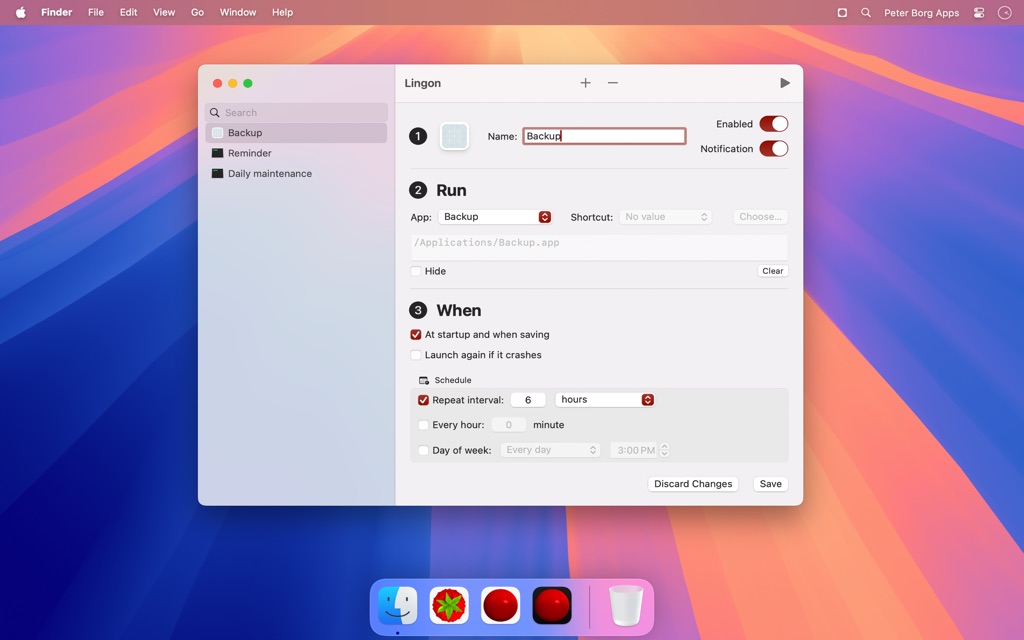
What is Lingon Pro
Lingon Pro is a macOS automation app that acts as a visual editor and manager for launchd jobs (launch agents and launch daemons). Automation becomes approachable because you can configure what runs, when it runs, and how it behaves using an intuitive interface instead of manual plist editing.
It supports common automation patterns: run at a specific time, repeat on an interval, run at login, and set up triggers aligned with launchd capabilities (such as reacting to changes like file or folder activity, where applicable). Precision helps you build routines that match real workflows rather than “close enough” scheduling.
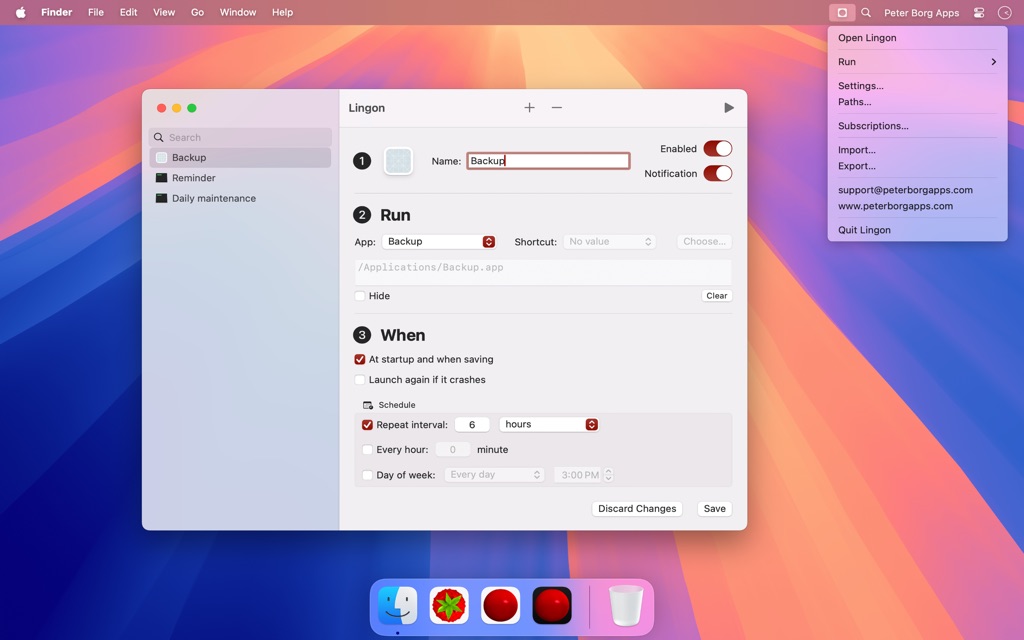
Lingon Pro Mac App also helps you stay organized by presenting a structured overview of tasks so you can monitor, modify, and troubleshoot jobs quickly. Organization is a big win for anyone managing multiple scripts, maintenance routines, or system-level background processes.
Because it’s built around native macOS mechanisms, Lingon Pro can fit into professional setups where stability and system integration matter. Native design keeps the workflow familiar for Mac users and reduces the friction that comes with duct-taped automation.
Key Benefits
The benefits below focus on outcomes you can feel day to day—time saved, fewer missed runs, and less guesswork when something changes. Benefits matter most when automation becomes part of your routine.
- Clarity: Build and manage launchd jobs in a readable UI instead of editing complex plist files by hand
- Consistency: Run tasks on schedules, intervals, or login triggers so important jobs don’t depend on memory
- Confidence: Review and adjust automation from a structured overview, reducing “mystery background jobs”
- Speed: Create a new task in minutes by naming it, choosing what to run, choosing when, and saving
- Safety: Enable or disable items quickly when troubleshooting or testing changes
- Power: Use a full-featured launchd editor for advanced workflows beyond basic scheduling
- Admin: Run tasks as root when a maintenance job requires system-level permissions
- Visibility: Monitor tasks in the background so you can keep track of what is active
- Flexibility: Automate apps, scripts, shortcuts, and commands—use what already fits your workflow
- Fit: Great for developers, IT admins, and power users who need dependable background execution
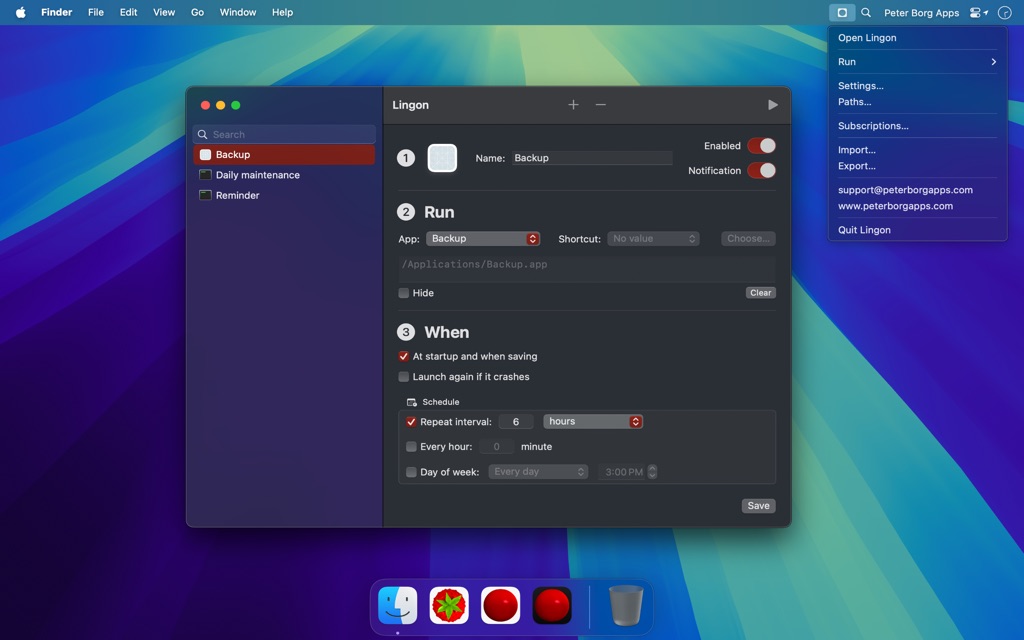
Lingon Pro is a powerful macOS utility for running apps, scripts, and commands automatically—on a schedule, at login, on intervals, or based on system triggers supported by launchd. Launchd is Apple’s built-in job system, and Lingon Pro for Mac brings it into a friendly interface so you can create, edit, and manage launch agents and daemons without hand-editing configuration files.
Instead of hunting through system folders, guessing which job is responsible for an action, or copying sample plist files from the web, you work in a structured UI designed for clarity. Control stays in your hands: enable or disable items quickly, review what will run and when, and keep an organized overview of automation across your Mac.
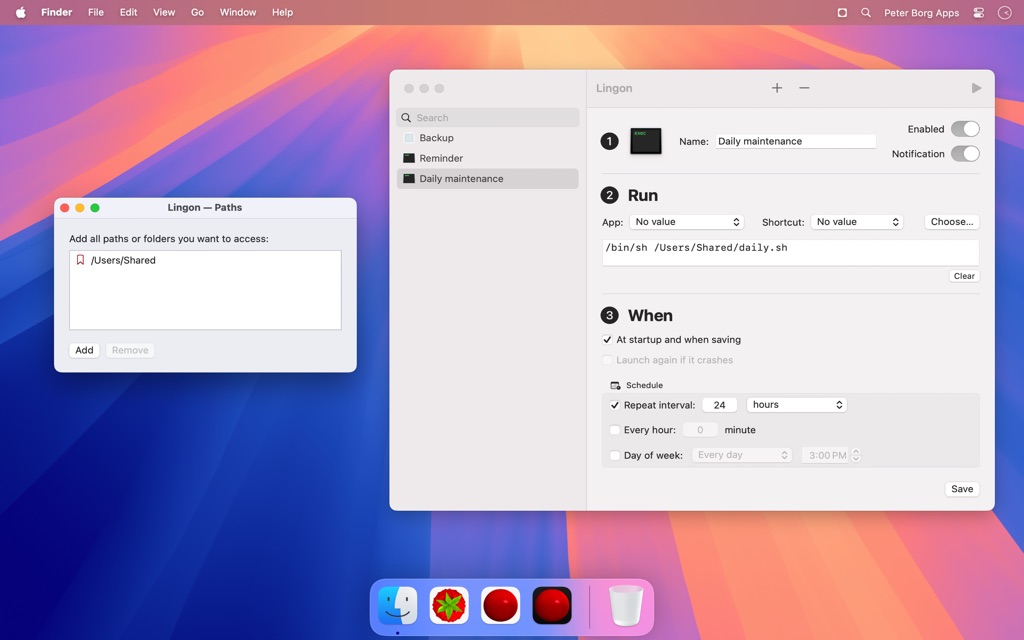
Lingon Pro is built for people who want automation that feels “set-and-forget,” while still being able to audit and adjust it at any time. Reliability matters for scheduled maintenance, business workflows, developer routines, and IT tasks, so Lingon Pro Mac App focuses on predictable behavior, visibility, and safe management of background jobs.
Here’s a practical example. You can schedule a backup script to run every night, start a work app set at login, restart a process if it quits, and run a cleanup command weekly—then review all of it from one place. Visibility helps you confirm what’s active without living in Terminal.
It’s also important to note the product line: Lingon (Mac App Store) is the simpler subscription app, while Lingon Pro is the advanced one-time purchase built as a full launchd editor with additional power, including the ability to run tasks as root and monitor tasks in the background. Choice lets you pick the right tool for your level of control.
Features
- Task Automation — Run apps, scripts, shortcuts, and commands automatically on your Mac.
- Apps — Launch macOS apps automatically or on demand.
- Scripts — Run shell, AppleScript, or other scripts without using Terminal.
- Commands — Execute custom command-line tasks safely through a visual interface.
- Shortcuts — Trigger Apple Shortcuts as part of automated workflows.
- Flexible Scheduling — Control exactly when and how tasks run.
- Time-Based Runs — Run tasks at specific dates and times.
- Recurring Schedules — Repeat tasks on intervals, daily, weekly, or monthly.
- Login Triggers — Start tasks automatically when you log in.
- Event-Based Triggers — Run tasks when files or folders change.
- Launchd Integration — Manage macOS background jobs using Apple’s native system.
- Launch Agents — Run tasks in the user environment.
- Launch Daemons — Run system-wide tasks, including as root in Lingon Pro.
- Safe Configuration — Avoid manual editing of complex launchd files.
- Visual Task Management — See and control all automation in one place.
- Structured Overview — View all tasks with clear status and details.
- Enable / Disable Tasks — Turn tasks on or off instantly.
- Task Monitoring — Monitor running jobs and background activity.
- Troubleshooting Tools — Quickly identify and fix task issues.
- Ease of Use — Advanced automation without living in Terminal.
- Guided Task Creation — Create tasks in minutes with step-by-step fields.
- Clear Interface — Native macOS design focused on clarity and simplicity.
- Quick Editing — Modify existing tasks without technical complexity.
- Notifications & Feedback — Stay informed about what runs and when.
- Run Notifications — Receive alerts when a task executes.
- Status Awareness — Know whether tasks succeeded or failed.
- Hot Keys & Quick Access — Run tasks instantly from anywhere.
- Keyboard Shortcuts — Assign hot keys to launch tasks globally.
- Menu Bar Access — Run tasks directly from the menu bar.
- Siri & Shortcuts Support — Trigger tasks with Siri or Apple Shortcuts.
- Reliability & Recovery — Keep important tasks running smoothly.
- Auto-Restart Apps — Automatically restart apps if they crash.
- Background Monitoring — Ensure tasks stay active and responsive.
Requirements
Before purchasing, confirm the system requirement below so installation and operation remain smooth. Requirement checks prevent avoidable setup issues.
- macOS: macOS 14 Sonoma or later (works well with Sequoia and Tahoe)
Downloads
Try how Lingon Pro for Mac behaves with your routines—download the trial edition and run a few sample tasks to confirm timing, permissions, and reliability by using the free option provided on the official product page.
Test the workflow first so you can confirm it matches your automation style and the kinds of jobs you plan to run. Trial access is the fastest way to validate scheduling, triggers, and day-to-day usability on your own Mac.
BUY NOW
Lingon Pro Mac App is available for $23.99. For a limited time, you can get a Lingon Pro license using our exclusive discount coupon—act now while the offer is active. Value comes from owning the advanced tool outright and using it across long-term workflows.

" />
Run Apps, Scripts & Commands on Time, Login, or Triggers | Launch Agents/Daemons Manager for Reliable Background Tasks
- Please Notes:
- You may be directed to the bundle page, but it is possible to purchase the software individually.
- If you're having difficulty locating the product on the bundle page, please utilize the browser's search feature.
- Get an additional $3 discount on all orders more that $30.
- LEGITIMATE: All apps are authentic and have original licenses obtained directly from the creators via contracts.
- INSTANT ACCESS: Fully activated macOS Apps & Windows Software with instant downloads & license key access.
- Device Activation: 5 Devices
- Lingon Pro is licensed to you, not sold
- A standard license allows you to use Lingon Pro on all computers that you personally own and control
- Do not share your license information with external parties
- Comply with all applicable laws
- Be kind and considerate to others
- The copyright of Lingon Pro is owned by Peter Borg Apps AB and is protected by copyright laws
- Lingon Pro is provided 'as is' and Peter Borg Apps AB expressly disclaims any warranty for it
- In no event shall Peter Borg Apps AB be liable for any damages rising out of use of Lingon Pro
- Minor Updates Included Only
- Lifetime License
Platforms: MacOS

TextSniper: Lifetime License BEST OFFER

Fluent Mac App BEST OFFER

Specimen BEST OFFER

Iconize BEST OFFER

Keyboard Maestro BEST OFFER
Lingon Pro Key Giveaway
Unavailable at this moment!

To access the giveaway, kindly provide your email address. Please refrain from closing this page after signing in to receive instructions on how to access the offer at no cost.
NOTES:
– All prices shown here are in listed USD (United States Dollar).
– Such promotional programs are subject to change without notice, from time to time in our sole discretion.
– Data may vary based on different systems or computers.
Thanks for reading Lingon Pro Review & Enjoy the discount coupon. Please Report if Lingon Pro Discount Coupon/Deal/Giveaway has a problem such as expired, broken link, sold out, etc while the deal still exists.