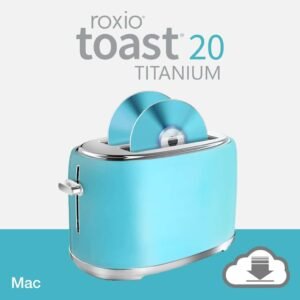
82% Off – Toast 20 Titanium: Lifetime License | Complete Digital Media Suite & DVD Burner for Mac – for Mac

Your Complete Mac Media Suite — Burn, Protect & Convert Everything You Love. Get Roxio Toast 20 Titanium at a 82% Discount Today!
✔ Lifetime License. ✔ Free Product Updates ✔ 24×7 Customer Support
Roxio Toast 20 Titanium Review at a Glance
The Challenge Every Mac User Faces
If you have ever found yourself juggling multiple applications just to burn a DVD, convert a video file, recover data from a scratched disc, or encrypt sensitive files, you know how frustrating digital media management on a Mac can be. Separate apps mean separate learning curves, separate licenses, separate interfaces, and a chaotic workflow that wastes your time. You want one trusted solution that does it all — without compromise.
That solution is Roxio Toast 20 Titanium.
What Is Roxio Toast 20 Titanium?
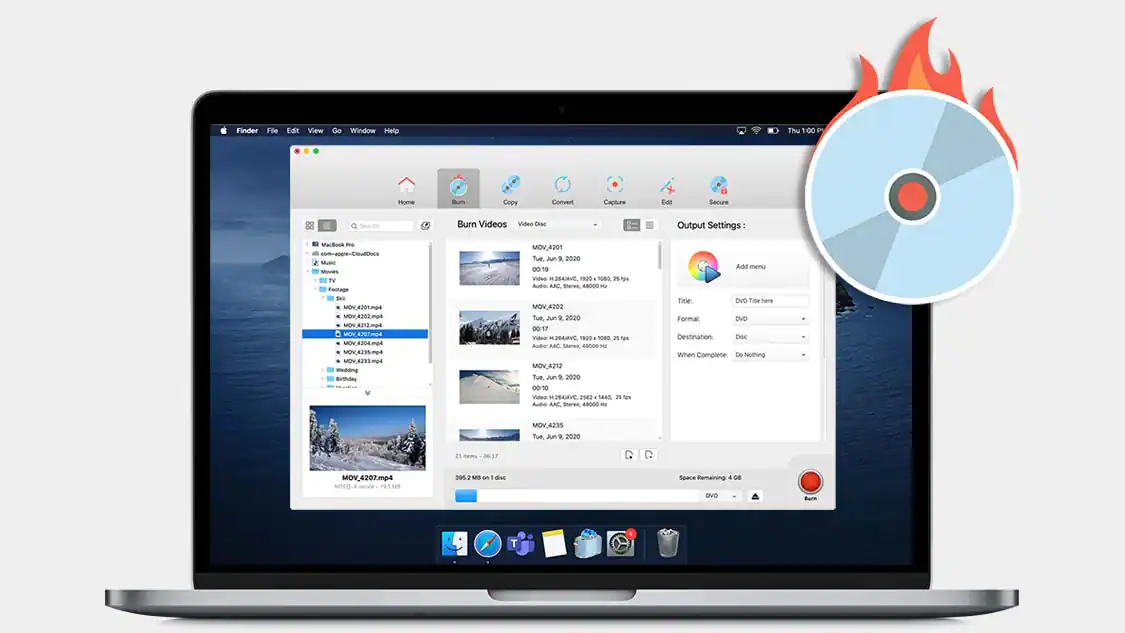
Roxio Toast 20 Titanium is a comprehensive digital media management suite and disc-burning application designed exclusively for macOS. Developed by Roxio, a trusted name in digital media tools for over two decades, Toast 20 Titanium goes far beyond traditional CD and DVD burning software. It is a full creative and productivity platform that covers every stage of your media workflow: burning, copying, converting, capturing, editing, securing, and stylizing your photos, videos, and audio files — all within a single, elegantly designed application.
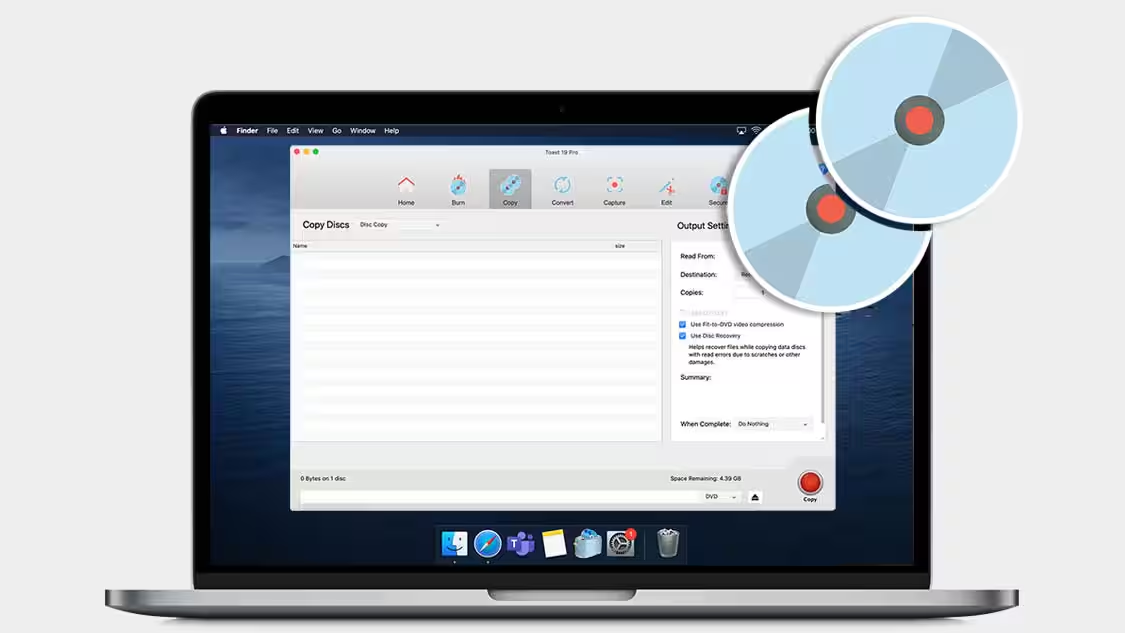
Fully optimized for macOS Sonoma and compatible with Apple M1 chips as well as Intel processors, Toast 20 Titanium ensures that Mac users on the latest hardware and operating systems enjoy a smooth, high-performance experience. It supports macOS Sonoma, macOS Ventura 13.3, macOS Monterey 12.0, macOS Big Sur 11.0, macOS Catalina 10.15, and macOS Mojave 10.14 (64-bit).
Version 20 introduces powerful new capabilities, including the new Template Designer for fully customized DVD menu creation, a new Easy File Conversion interface for faster media format conversion, and new Audio Tag Editing tools that let you enrich your audio disc metadata with album art, artist information, and custom tags. These updates make Toast 20 Titanium the most capable and polished release in the product’s history.
Key Benefits
Toast 20 Titanium is built for Mac users who demand more from their media management software. Here is why it stands as the preferred choice for creators, professionals, and everyday users alike:
- All-in-one media management eliminates the need for multiple applications by consolidating burning, copying, converting, capturing, editing, and encrypting into a single cohesive suite.
- Industry-leading disc burning tools with intuitive drag-and-drop controls make burning CDs, DVDs, and data discs faster and easier than ever before.
- Personalized DVD authoring with the new Template Designer lets you craft stunning disc menus with custom layouts, backgrounds, buttons, fonts, music, and more — choosing from 20+ themed templates.
- Banking-level AES 256-bit encryption through the included Roxio Secure Burn™ gives your sensitive files on disc or USB the highest standard of protection available.
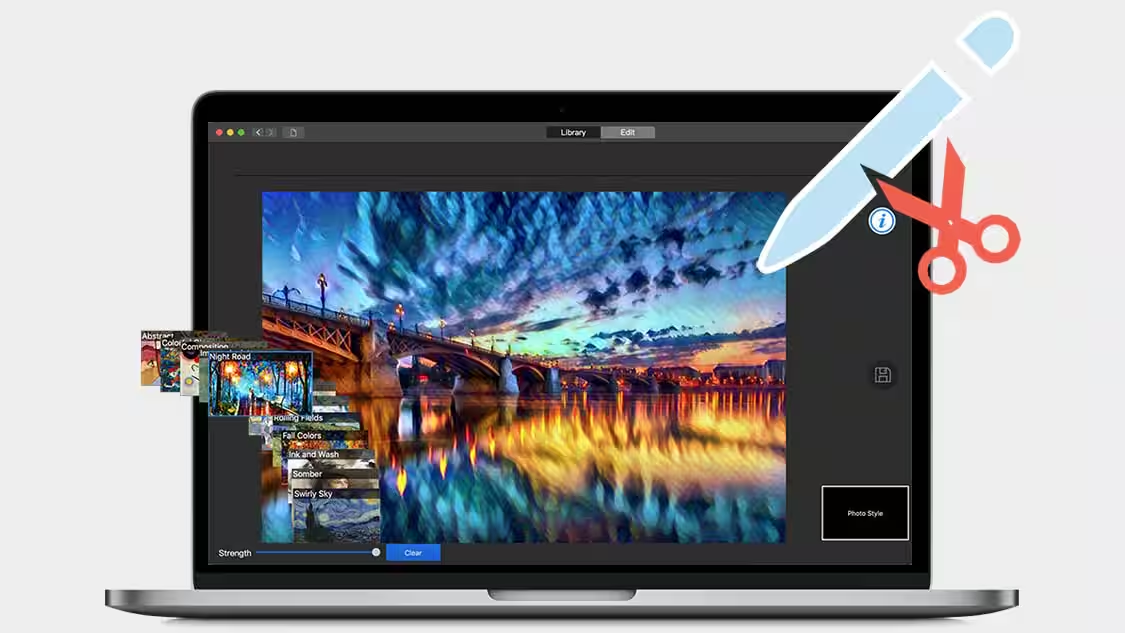
- AI-powered creative tools via the included Roxio Akrilic™ application let you transform your photos into stunning digital artwork using artificial intelligence, no artistic training required.
- MultiCam Capture™ Lite makes it effortless to record your screen, capture webcam video, and record voiceover audio simultaneously — ideal for tutorial creators, educators, and gaming content producers.
- Broad format support for audio, video, photo, and disc image formats ensures compatibility with virtually every type of media file you work with.
- Full macOS Sonoma and M1 compatibility means Toast 20 Titanium performs natively on Apple Silicon hardware without compromises.
- Scheduled and pausable conversions allow you to run large media conversion projects in the background, freeing up your Mac for other tasks.
- Disc recovery tools let you salvage files from damaged discs and clearly identify any files that cannot be recovered, giving you full visibility over your data.
Whether you are a home user wanting to preserve family memories, a musician distributing audio CDs, a videographer authoring DVD productions, an educator creating training materials, or a business professional backing up sensitive data, Toast 20 Titanium is built to meet your needs.
Features
Below is an in-depth look at the robust feature set that makes Toast 20 Titanium the definitive digital media suite for Mac users. Every tool in this suite has been crafted to deliver precision, simplicity, and creative freedom:
Burn and Author Discs — Comprehensive disc creation tools with intuitive drag-and-drop controls for all media types.
- Burn video to DVD and burn HD on DVD — Create high-quality video discs from your digital video files with ease.
- New Template Designer — Build fully customized DVD menu templates with personalized layouts, borders, buttons, backgrounds, titles, and music.
- Access 20+ DVD menu templates — Choose from a rich library of creative and customizable pre-built DVD menu themes.
- Create photo discs — Compile and burn your favorite photo collections into beautiful photo discs.
- Burn audio CDs and music DVDs — Supports CD-Text, track trimming, and crossfades for a professional audio disc experience.
- Burn data discs — Customize your data discs with icons, backgrounds, and various organizational options.
- Burn Mac-only or Windows-compatible formats — Deliver discs that play on any system, regardless of platform.
- Automatically catalog data disc contents — Keep track of everything you burn with automatic disc content cataloging.
Secure and Encrypt Files — Protect your most private and critical data with military-grade security.
- AES 256-bit encryption to disc or USB — Apply banking-level encryption to files burned to any disc or saved to a USB drive with Roxio Secure Burn™.
Copy Discs — Reliable disc duplication and recovery tools for all your archiving needs.
- Create copies of CDs and DVDs — Duplicate your media discs in just a few clicks for distribution or backup.
- Copy Mac OS, Toast, and other disc image formats — Reproduce virtually any disc image format with ease.
- Customize DVD-Video copies — Tailor titles, audio tracks, and language options when duplicating DVD-Video discs.
- Recover files from damaged discs — Retrieve salvageable data and clearly identify unrecoverable files on damaged media.
Convert Discs and Digital Files — Powerful, flexible media conversion tools with a new streamlined interface.
- Convert DVD-video to digital formats — Turn DVD-video discs, images, folders, camera files, and more into your desired digital file type.
- Rip music, videos, and audiobooks — Extract audio and video content and save it in your preferred digital format.
- Convert audio from analog sources — Digitize content from LPs, cassette tapes, microphones, and older devices.
- Convert to virtually any popular format — Handle audio and video conversion across a comprehensive range of modern file formats.
- Schedule conversion projects — Set conversions to auto-run while you are away from your computer for maximum productivity.
- Pause and resume video conversions — Free up system resources during intensive tasks by pausing and resuming at any time.
Capture Audio and Video — Versatile capture tools for recording content from any source.
- MultiCam Capture™ Lite — Record your screen and webcam video simultaneously for professional-quality tutorial and gaming content.
- Capture audio recordings and voiceovers — Record spoken narration, podcasts, or any audio source directly within Toast.
- Capture music to your music library or burn to CD — Digitize and archive live audio or streaming sources effortlessly.
- Automatically add artist metadata and album artwork — Enrich your captured audio files with correct tags and cover art automatically.
- Catalog and browse media files — Organize and navigate your growing media library with built-in cataloging tools.
Edit Audio and Video — Precise editing tools to refine your media before sharing or burning.
- Trim and enhance video clips — Cut unwanted sections and apply enhancements to sharpen your video content.
- Edit across multiple video sources — Work with up to 2 simultaneous video streams for multi-source productions.
- Enhance audio with noise reduction — Remove background noise and improve audio clarity with dedicated noise reduction tools.
- Edit audio creatively with new filters — Apply a variety of new creative audio filters to add character and polish to your recordings.
- Adjust the pitch of audio files — Fine-tune the pitch of any audio recording for creative or corrective purposes.
Stylize Photos with Smart Technology — AI-powered photo art tools that turn your images into creative works.
- Import and stylize photos into digital artwork — Use AI-powered tools in the included Roxio Akrilic™ to turn ordinary photos into stunning art.
- Automatically adjust and recognize objects — Leverage intelligent object recognition for quick and accurate image enhancements.
- AI-accelerated workflow — Let artificial intelligence handle complex image processing tasks to speed up your creative projects.
Requirements
To run #THE SOFTWARE with optimum reliability and performance, your system should match the following requirements:
- Operating System: macOS 10.14 Mojave (64-bit), macOS 10.15 Catalina, macOS 11.0 Big Sur, macOS Monterey 12.0, macOS Ventura 13.3, or macOS Sonoma
- Processor: Apple M1 chip or Intel processor
- RAM: 2 GB recommended
- Storage: 1 GB of free space to install all components
- Internet Connection: Required for installation, registration, and updates
- DVD Drive: Required for installation from disc; digital download also available
- Registration: Required for product use
Downloads
Curious about what Roxio Toast 20 Titanium can do before you commit? Roxio gives you the opportunity to put the software through its paces at no cost. Click the button below to access the free trial and experience the power of the most complete digital media suite for Mac.
Get hands-on with the full feature set, test the drag-and-drop burning workflow, try the Template Designer, and see how the conversion tools handle your real media files — all before making your purchase decision.
BUY NOW
Roxio Toast 20 Titanium is available at a regular price of $99.99 for new users, with an upgrade price of $59.99 for existing Toast owners. But right now, you can get your Toast 20 Titanium license with our exclusive discount offer at a special reduced price — this offer is available for a limited time only, so act now before it expires!

" />
Complete Digital Media Suite & DVD Burner for Mac | Burn, Copy, Convert, Capture & Secure CDs, DVDs & USBs | Customizable Menus | AI Photo Tools | macOS Sonoma Compatible
- Please Notes:
- You may be directed to the bundle page, but it is possible to purchase the software individually.
- If you're having difficulty locating the product on the bundle page, please utilize the browser's search feature.
- Get an additional $3 discount on all orders more that $30.
- LEGITIMATE: All apps are authentic and have original licenses obtained directly from the creators via contracts.
- INSTANT ACCESS: Fully activated macOS Apps & Windows Software with instant downloads & license key access.
- Device Activation: 3 Devices
- Lifetime license.
- Potential for future updates but no official on if/when a next patch would be released.
Platforms: Mac OS X
" />
Complete Digital Media Suite & DVD Burner for Mac | Burn, Copy, Convert, Capture & Secure CDs, DVDs & USBs | Customizable Menus | AI Photo Tools | macOS Sonoma Compatible
- NEW License
- Titanium Edition includes:
- Powerful disc burning and full multimedia creativity suite
- Roxio® Secure Burn™: Banking-level file security and encryption
- Roxio® Akrilic™: AI-powered photo stylizing and art creator
- MultiCam Capture™ Lite: Screen recording and webcam video capture
- Free Product Updates
- Free technical Support
- 30-day money-back guarantee
Platforms: Mac OS X
" />
Complete Digital Media Suite & DVD Burner for Mac | Burn, Copy, Convert, Capture & Secure CDs, DVDs & USBs | Customizable Menus | AI Photo Tools | macOS Sonoma Compatible
- UPGRADE License
- Titanium Edition includes:
- Powerful disc burning and full multimedia creativity suite
- Roxio® Secure Burn™: Banking-level file security and encryption
- Roxio® Akrilic™: AI-powered photo stylizing and art creator
- MultiCam Capture™ Lite: Screen recording and webcam video capture
- Free Product Updates
- Free technical Support
- 30-day money-back guarantee
Platforms: Mac OS X
MacX Media Management Suite Bundle: Lifetime License BEST OFFER
Roxio Toast 20 Pro BEST OFFER
Leawo Blu-ray Copy BEST SELLER

Cisdem DVD Burner (Mac): Lifetime License BEST OFFER

DVDFab All‑In‑One (Lifetime) BEST OFFER
Toast 20 Titanium Giveaway
Unavailable at this moment!
To access the giveaway, kindly provide your email address. Please refrain from closing this page after signing in to receive instructions on how to access the offer at no cost.
NOTES:
– All prices shown here are in listed USD (United States Dollar).
– Such promotional programs are subject to change without notice, from time to time in our sole discretion.
– Data may vary based on different systems or computers.
Thanks for reading Roxio Toast 20 Titanium Review & Enjoy the discount coupon. Please Report if Roxio Toast 20 Titanium Discount Coupon/Deal/Giveaway has a problem such as expired, broken link, sold out, etc while the deal still exists.