Giveaway – Keyboard Soundboard: Free License Key | Fun and Practical Sounding Keyboard Software – for Windows

Make your keyboard play sound effects, music notes, and samples on command—get Keyboard Soundboard now with a License Key For Free and start triggering audio with a single key press.
You can also get Vovsoft Keyboard Soundboard with a lifetime License That Includes Free Upgrades and Support at a discount Of up to 81% OFF!
✔ Lifetime License ✔ Free Product Updates ✔ 24×7 Customer Support
Vovsoft Keyboard Soundboard Review at a Glance
If you’ve ever tried to play sound effects during a stream, drop a quick audio cue in a voice chat, or fire a meme clip mid-game, you already know the main problem: mouse-driven soundboards slow you down, and separate hardware pads can be expensive or inconvenient.
Keyboard Soundboard by Vovsoft solves that by turning the keys you already use into instant sound triggers, so you can react in real time without breaking focus.

What is Vovsoft Keyboard Soundboard?
Vovsoft Keyboard Soundboard is a Windows application that maps sound files to keyboard keys, effectively turning your computer keyboard into a playable sound trigger and simple instrument. It provides a virtual keyboard interface where each key can be assigned to a separate sound, so you can play effects, samples, or notes with direct key presses.
It supports all keyboard layouts, which is useful if you use non-US layouts or switch between layouts for language or workflow reasons. If you prefer a different on-screen representation, it also offers an optional matrix view visualization to show your mapped sounds in a grid-like display.
For customization, Redefine Keys lets you load common audio formats (WAV, MP3, MP2, MP1, AIFF, OGG, M4A), so you can build a sound set that matches your style—clean clicks, comedic stingers, DJ drops, voice lines, or game callouts. Hotkey Mode can keep working while the app is in the background, letting you trigger audio without switching windows during play or production.
Key Benefits
These benefits focus on speed, control, and convenience—so you can use sound at the exact moment it matters, not 5 seconds later.
- Faster reactions: Trigger sounds with a single key press instead of hunting through menus.
- More control during streams and games: Use Hotkey Mode to play sounds while the program is in the background.
- No extra gear needed: Use your existing laptop/desktop keyboard—no hardware pad required.
- Simple personalization: Bind your own audio files using Redefine Keys and supported formats like WAV, MP3, AIFF, OGG, M4A, and more.
- Flexible visual workflow: Use the virtual keyboard view or the optional matrix view visualization.
- Broad use cases: Useful for streamers, DJs, gamers, and creators who want live sound triggers.
At its core, this app displays a virtual keyboard and lets you bind a different sound file to each key, so pressing a key plays the assigned audio immediately. It works with all keyboard layouts and also includes an optional matrix view visualization for a cleaner, grid-style layout when you prefer a more compact on-screen view. Because it runs on your Windows PC and uses your existing laptop or desktop keyboard, no extra hardware is required—just install it and start assigning sounds.
Customization is where this tool becomes truly personal. You can start with built-in sounds, then swap in your own audio using the Redefine Keys feature, loading formats like WAV, MP3, MP2, MP1, AIFF, OGG, or M4A. For creators and competitive players, Hotkey Mode is a big deal: it allows sounds to be triggered even while the application is running in the background, so you can keep playing or working in another app while your keys still fire your sound cues.
This setup fits a wide range of real-world use cases: streamers who want quick reactions, DJs who want rapid samples, gamers who want comedic or tactical audio cues, and anyone building a custom “midi keyboard soundboard”-style experience on a standard PC keyboard. The app is positioned as “free to try,” and the licensed version is offered with perks like commercial use allowed, no ads, no nag screen, and lifetime free updates—helpful if you rely on the software regularly.
Features
Below is a detailed list of the key features that make the software a practical fit for sound-trigger tasks:
- Virtual Keyboard Interface — Displays an on-screen keyboard and lets each key be bound to a specific sound file for instant playback.
- Per-Key Sound Binding — Assign a different sound to each key for quick, repeatable triggering.
- Instant Key Press Playback — Produces sound as soon as the mapped key is pressed.
- All Keyboard Layout Support — Works across keyboard layouts, helping users who type in different regional layouts.
- Layout-Friendly Mapping — Keeps the soundboard usable even when your physical layout differs from typical defaults.
- Optional Matrix View — Provides a matrix visualization option for users who prefer a grid-style display.
- Alternate Visualization Mode — Switch between virtual keyboard and matrix view depending on how you like to work.
- Redefine Keys Customization — Lets you change key assignments and load your own sounds for a custom setup.
- Multi-Format Audio Loading — Supports WAV, MP3, MP2, MP1, AIFF, OGG, and M4A files for your key mappings.
- Built-in Sounds Option — Start quickly using built-in sounds before swapping in your own library.
- Hotkey Mode Background Triggering — Allows sounds to be triggered even when the application runs in the background.
- Game-Friendly Operation — Play effects without interrupting gameplay or switching away from your main window.
- Stream \& DJ Workflow Fit — Fire stingers, drops, and cues while focusing on your primary app.
- Windows Compatibility — Supports Windows 11, 10, 8/8.1, 7, and Vista, in both 32-bit and 64-bit environments.
- Broad OS Coverage — Useful for modern systems and older machines dedicated to audio tasks.
Requirements
Before installing, confirm your setup matches the basic requirements below so the software can run smoothly:
- Windows PC: Windows 11, Windows 10, Windows 8/8.1, Windows 7, or Windows Vista (32-bit or 64-bit).
- Keyboard: Laptop keyboard or external desktop keyboard (any layout supported).
- Audio output: Speakers or headphones (standard Windows audio output).
- Storage: Enough free disk space for the app plus your sound library files.
Downloads
See how the software works in your routine—download the free-to-try edition and test key mappings, views, and hotkey triggering on your PC using the button below.
Windows
Installer / Portable
The publisher lists the product as “Free to try,” so you can validate the workflow before deciding on a license purchase.
BUY NOW
Vovsoft Keyboard Soundboard is available for $19, and you can also get the license with our exclusive discount coupon for a limited time. Your purchase provides a license key that is delivered immediately after registration, and you can activate it on the computer you plan to use.
Software Giveaway: You can also get a full version of Vovsoft Keyboard Soundboard with a License Key For Free In the Giveaway tab below.

(Complete Package)
" />
(Complete Package)
All VOVSOFT Programs Bundle - Get Universal license key for all Vovsoft applications
- Lifetime access to all VOVSOFT programs (109 software and counting)
- Lifetime license for all software with free updates
- Free support and instant activation of license key
- Full access to all features with no trial limitations or interruptions
- No ads while using the software
Platform: Windows

" />
Keyboard Soundboard with Hotkey Mode, Assign Sounds to Keys, Virtual Keyboard + Matrix View for Streaming, Gaming & Sound Effects
- Lifetime license for 1 PC
- Lifetime free updates
- Commercial use allowed
- Instant activation license key via e-mail.
- No trial limitations.
- No nag screen, no ads.
Platform: Windows
" />
Keyboard Soundboard with Hotkey Mode, Assign Sounds to Keys, Virtual Keyboard + Matrix View for Streaming, Gaming & Sound Effects
- Lifetime license for 5 PCs
- Lifetime free updates
- Commercial use allowed
- Instant activation license key via e-mail.
- No trial limitations.
- No nag screen, no ads.
Platform: Windows
" />
Keyboard Soundboard with Hotkey Mode, Assign Sounds to Keys, Virtual Keyboard + Matrix View for Streaming, Gaming & Sound Effects
- Lifetime license for 10 PCs
- Lifetime free updates
- Commercial use allowed
- Instant activation license key via e-mail.
- No trial limitations.
- No nag screen, no ads.
Platform: Windows
" />
Keyboard Soundboard with Hotkey Mode, Assign Sounds to Keys, Virtual Keyboard + Matrix View for Streaming, Gaming & Sound Effects
- Lifetime license for 30 PCs
- Lifetime free updates
- Commercial use allowed
- Instant activation license key via e-mail.
- No trial limitations.
- No nag screen, no ads.
Platform: Windows
" />
Keyboard Soundboard with Hotkey Mode, Assign Sounds to Keys, Virtual Keyboard + Matrix View for Streaming, Gaming & Sound Effects
- Lifetime license for 100 PCs
- Lifetime free updates
- Commercial use allowed
- Instant activation license key via e-mail.
- No trial limitations.
- No nag screen, no ads.
Platform: Windows
Vovsoft Coupon Code
30% OFF – Sitewide Coupon for All Vovsoft Products Coupon
Ashampoo Music Studio 12: Lifetime License BEST OFFER

Keyboard Maestro BEST OFFER
Rhodes V-Pan FX Plugin GIVEAWAY
KeyMusic GIVEAWAY
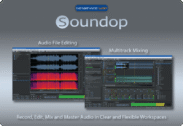
Soundop Audio Workstations BEST OFFER
Vovsoft Keyboard Soundboard Giveaway
Available now: Free License Key For a Limited Time!
To access the giveaway, kindly provide your email address. Please refrain from closing this page after signing in to receive instructions on how to access the offer at no cost.
NOTES:
– All prices shown here are in listed USD (United States Dollar).
– Such promotional programs are subject to change without notice, from time to time in our sole discretion.
– Data may vary based on different systems or computers.
Thanks for reading Vovsoft Keyboard Soundboard Review & Enjoy the discount coupon. Please Report if Vovsoft Keyboard Soundboard Discount Coupon/Deal/Giveaway has a problem such as expired, broken link, sold out, etc while the deal still exists.