
Giveaway – AOMEI Cloner Professional: Free 1-year License Key | Easy, Fast, Reliable System and Disk Cloning Software – for Windows

Migrate Your Windows OS to SSD in Minutes – Clone HDD to SSD Without Data Loss or Reinstalling Windows – Get AOMEI Cloner Professional with a 1-Year License Key for Free!
You can also get AOMEI Cloner Professional with a free updates and support at a discount of up to 35% OFF
✔ Free Product Updates ✔ 24×7 Customer Support ✔ 90-day Money-back Guarantee.
AOMEI Cloner Professional Review at a Glance
Upgrading to a new hard drive or solid-state drive should be straightforward, but many users face the daunting prospect of reinstalling Windows, applications, and reconfiguring settings from scratch. This time-consuming process can take hours or even days, especially when dealing with licensed software, custom configurations, and personal data transfers. The risk of data loss, corrupted files, and system boot failures adds stress to what should be a simple hardware upgrade.
AOMEI Cloner Professional (Pro) is a professional disk cloning software designed specifically for Windows 11, 10, 8, and 7 users who need to migrate their operating system, upgrade hardware, or create exact duplicates of their drives without technical complications. This dedicated cloning solution streamlines the entire process through an intuitive, wizard-driven interface that guides users step-by-step, whether they’re transferring their OS from an old HDD to a lightning-fast SSD, replacing a failing drive, or setting up multiple computers with identical configurations.
Unlike Windows’ built-in backup and restore features, which do not include native disk cloning capabilities, AOMEI Cloner Pro provides a comprehensive, click-based process to transfer your entire Windows system, including files, applications, boot settings, and configurations, to a new drive. The software creates an exact, bootable copy that works immediately upon installation, eliminating the need for time-consuming OS reinstallation and software reconfiguration. With support for all major disk brands including Samsung, Intel, WD, Toshiba, SanDisk, Crucial, Seagate, Kingston, and more, plus compatibility with various disk types (HDD, SSD, NVMe, SATA, M.2, USB drives), AOMEI Cloner Pro handles virtually any cloning scenario.
What is AOMEI Cloner Professional
AOMEI Cloner Professional is a Windows-based professional disk cloning utility that enables users to efficiently and securely duplicate entire hard drives, migrate operating systems, or copy specific partitions without data loss.
The software provides three primary cloning methods—System Clone for OS migration, Disk Clone for complete drive duplication, and Partition Clone for selective data copying—each designed to address different user needs and scenarios.
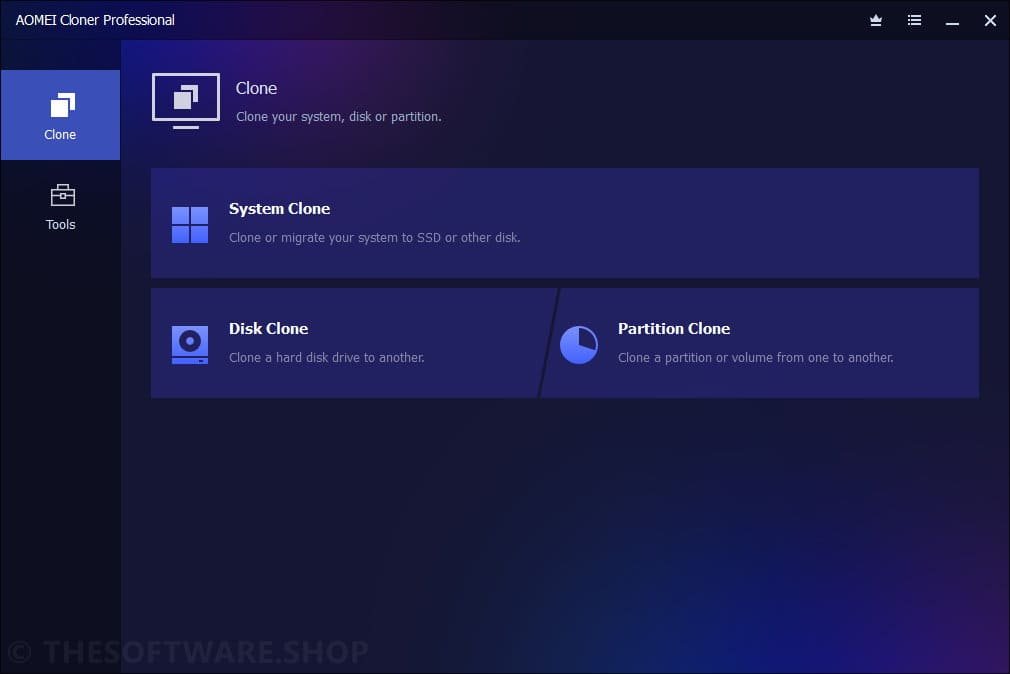
- System Clone specifically targets the operating system and boot-related partitions, allowing users to transfer Windows, installed applications, and system settings to a new drive without touching personal files stored on separate partitions. This method is typically faster because it copies only essential system data required for the OS to boot properly.
- Disk Clone creates a complete 1:1 replica of an entire disk, including all partitions such as system, recovery, data, and hidden partitions. This comprehensive approach is ideal for complete drive replacements, hardware upgrades, or creating full backups that can be immediately deployed as replacement drives.
- Partition Clone offers precision by allowing users to copy specific partitions while preserving all files, folder structures, and settings. This selective approach is particularly useful when users need to transfer specific data volumes without duplicating unnecessary content.
The software has been tested and verified by millions of users worldwide, establishing a reputation for reliability and ease of use among both home users and IT professionals. Its compatibility extends across all Windows versions from Windows 7 through Windows 11, supporting various disk interfaces including SATA (I, II, III), NVMe (M.2, U.2, PCIe), SAS, USB (2.0, 3.0, 3.1, 3.2, 4.0), and U.2 connections.
Key Benefits
AOMEI Cloner Pro delivers significant advantages for users seeking to upgrade hardware, protect data, or streamline system deployments without technical complications.
Time Savings and Convenience
Traditional OS migration requires reinstalling Windows, hunting down installation files for dozens of applications, reconfiguring settings, and transferring personal data—a process that can consume an entire day or more. AOMEI Cloner Professional reduces this multi-hour ordeal to a simple automated process that runs in the background while you continue working. The software handles everything automatically, including boot configurations, driver installations, and partition structures.
Performance Enhancement
Migrating from traditional hard disk drives (HDD) to solid-state drives (SSD) using AOMEI Cloner Pro can reduce boot times and application load speeds by up to 3 times. The software’s SSD Alignment feature ensures optimal 4K alignment during the cloning process, maximizing SSD performance, extending drive lifespan, and reducing errors. This technical optimization happens automatically, requiring no manual intervention or technical knowledge.
Risk Mitigation
Hardware failures, accidental deletions, and ransomware attacks pose constant threats to valuable data and system configurations. By creating complete, bootable drive clones, users maintain an instant fallback option that can be deployed immediately in case of emergency. This differs from traditional backups in that cloned drives are immediately bootable without requiring restoration processes.
Flexibility and Compatibility
The software supports cloning from larger drives to smaller SSDs, provided the used data fits on the destination drive. This capability is particularly valuable when migrating from spacious but slow HDDs to compact, high-performance SSDs. AOMEI Cloner Pro also handles cross-partition style cloning, seamlessly converting between MBR and GPT disk structures during the migration process.
Cost Efficiency for IT Environments
IT administrators managing multiple identical computers can configure one perfect system and clone it to dozens or hundreds of machines, ensuring consistent setups while saving hours of manual installation work. This mass deployment capability significantly reduces labor costs and eliminates configuration inconsistencies.
Data Integrity and Security
The software employs secure cloning algorithms that ensure all data is accurately copied from source to destination without corruption or loss. Every file, folder, application, setting, and system configuration is transferred exactly as it exists on the original drive.
Who Benefits from AOMEI Cloner Pro
Home users upgrading to faster SSDs, businesses protecting critical systems, IT professionals deploying multiple computers, developers creating test environments, and anyone facing a failing hard drive can all leverage AOMEI Cloner’s capabilities. The software serves beginners through its simple wizard interface while offering advanced options for experienced users.
Features
Below is a comprehensive list of the key features that make AOMEI Cloner Pro a powerful and versatile solution for all your disk cloning and OS migration needs:
- System Clone – Quick OS Migration: Transfer your operating system, installed applications, files, and boot settings to a new drive without reinstalling Windows. This feature copies only essential system partitions required for OS booting, excluding non-system files on separate data drives, which typically makes it faster than full disk cloning.
- Disk Clone – Exact Duplication: Create complete 1:1 replicas of entire disks, including all partitions (system, recovery, data, hidden, etc.). This method is ideal for transferring data to new drives, upgrading to larger capacity SSDs, backing up complete systems, or recovering from failing hard drives through exact copies.
- Clone Disk Quickly: Clones only the used space on the source disk, enabling cloning from larger drives (1TB HDD) to smaller destinations (500GB SSD) as long as used data fits.
- Sector-by-Sector Clone: Creates an exact sector-by-sector copy of all data on the hard disk, including unused space and deleted file remnants.
- Partition Clone – Selective Copy: Effectively back up and transfer selected data partitions while preserving all files, settings, and folder structures. This feature maintains the original organization to prevent fragmentation that can occur during manual file transfers.
- Edit Partitions – Custom Layout: Customize the destination partition during the cloning process by adjusting drive letters, partition types, and sizes. This flexibility ensures the target disk aligns with your specific needs and preferences after cloning completes.
- SSD Alignment – Peak Performance: Automatically maintain optimal 4K alignment of SSDs during the cloning process to enhance read/write performance, extend drive lifespan, and reduce errors. This critical optimization maximizes SSD efficiency throughout its operational life.
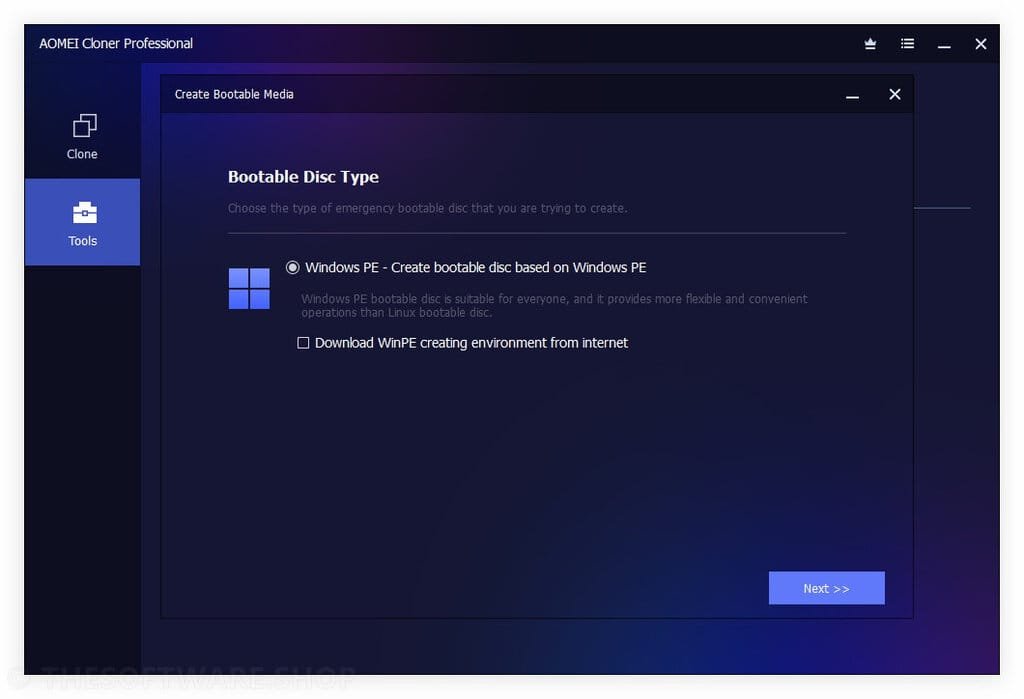
- WinPE Clone – No Booting Clone: Clone disks or partitions within the Windows PE (Pre-installation Environment) without needing the operating system to run. This capability ensures smooth migration and reliable data recovery even if the system fails to start or boot properly.
- Cross-Disk Compatibility: Seamlessly clone and migrate between MBR and GPT partition styles regardless of whether source and destination drives use different formats. The software handles conversions automatically during the cloning process.
- Command-Line Clone: Enables IT professionals and advanced users to automate batch cloning tasks for improved efficiency in enterprise environments. This feature is particularly valuable for mass deployments and scripted operations.
- Support for All Disk Types: Compatible with Hard Disk Drives (HDD), Solid-State Drives (SSD), Hybrid Drives (SSHD), SD Cards, and USB drives (flash drives, thumb drives, pen drives). The software recognizes and handles all common storage device types.
- Universal Disk Brand Support: Works seamlessly with drives from all major manufacturers including Samsung, Intel, WD (Western Digital), Toshiba, SanDisk, Crucial, Seagate, Kingston, PNY, ADATA, Transcend, and Plextor. No special configurations required for different brands.
- Multiple Interface Compatibility: Supports all common disk interfaces including SATA (I, II, III at 1.5, 3, and 6 Gbps), NVMe (M.2, U.2, PCIe), PCIe (M.2 and U.2 SSDs), SAS (versions 1.0 through 4.0), USB (2.0, 3.0, 3.1, 3.2, 4.0, USB-C, Thunderbolt), and U.2 (SFF-8639) connections. This comprehensive support ensures compatibility with virtually any drive configuration.
- Wizard-Driven Interface: Features a clean, user-friendly interface that walks users through each step of the cloning process with clear instructions. On launch, you’re presented with straightforward options that guide both beginners and experienced users.
- Bootable Clone Creation: Ensures that cloned system drives are immediately bootable without additional configuration or troubleshooting. Users can simply swap the drives and start their computer normally.
- Intelligent Cloning Technology: Automatically detects source and destination drive configurations, optimizes the cloning process, and handles technical details in the background. This smart approach minimizes user intervention while maximizing success rates.
Requirements
To run #THE SOFTWARE with optimum reliability and performance, your system should match the following requirements:
- Operating System: Windows 11, Windows 10, Windows 8.1, Windows 8, Windows 7 (32-bit and 64-bit versions supported)
- Processor: Intel or AMD processor, 500 MHz or faster
- RAM: At least 512 MB of system memory
- Disk Space: Minimum 200 MB of free space on system drive for installation
- Display: 1024×768 or higher resolution monitor
- Destination Drive: Target drive must have sufficient capacity to accommodate used data from source drive
Downloads
See exactly how AOMEI Cloner Professional works and verify it meets your specific cloning needs before making a purchase decision. Download the trial edition at no cost to test all core features including System Clone, Disk Clone, and Partition Clone on your actual hardware configuration.
The trial version allows you to evaluate the software’s performance, interface, and compatibility with your drives, ensuring you’re completely confident in your investment.
BUY NOW
AOMEI Cloner Professional is available for $39.95 for a 1-year license and $59.95 for a lifetime license. But you can now secure your AOMEI Cloner Pro license with our exclusive discount of up to 35% off the regular price. This limited-time offer makes professional-grade disk cloning technology more accessible than ever.
Software Giveaway: You can also get AOMEI Cloner Pro with a 1-year license key for free in the Giveaway tab below!

" />
Easy, Fast, Reliable System and Disk Cloning Software for Windows 11/10/8/7 | Migrate OS, Clone HDD to SSD, Backup Data Without Reinstalling | Secure Disk Migration Tool
- One license for 1 Computer.
- Migrate OS between HDD/SSD without reinstalling Windows.
- Automatic renewal, cancel anytime.
- 90-day unconditional money-back guarantee.
- 24/7 technical support team.
Platforms: Windows
" />
Easy, Fast, Reliable System and Disk Cloning Software for Windows 11/10/8/7 | Migrate OS, Clone HDD to SSD, Backup Data Without Reinstalling | Secure Disk Migration Tool
- One license for 1 Computer.
- Migrate OS between HDD/SSD without reinstalling Windows.
- Lifetime free upgrades.
- 90-day unconditional money-back guarantee.
- Lifetime 24/7 technical support team.
Platforms: Windows
When you purchase AOMEI Cloner, you receive:
- Full Pro Version Access: All premium features including System Clone, Disk Clone, Partition Clone, SSD Alignment, WinPE Clone, and Edit Partitions
- Free Updates: Receive all software updates and new feature releases throughout your license period at no additional cost
- Priority Technical Support: Direct access to AOMEI’s experienced technical support team via email for troubleshooting and guidance
- Lifetime License Option: Choose the lifetime license for unlimited future updates and perpetual use without recurring fees
- Commercial Use Rights: Licensed users can deploy the software in business environments for professional purposes
This exclusive discount offer is available for a limited time only, so act now to secure your license at the reduced price. Whether you choose the annual or lifetime option, you’re investing in reliable, professional disk cloning software backed by millions of satisfied users worldwide.

AOMEI Partition Assistant Professional Edition + Lifetime Free Upgrades (2 Computers/license) BEST SELLER
AOMEI Backupper 8 Professional: Lifetime Upgrades BEST SELLER
AOMEI Cyber Backup Premium BEST OFFER
AOMEI FastRecovery Professional GIVEAWAY
AOMEI FoneTool Professional: Lifetime Upgrade License / 5 PCs BEST OFFER
AOMEI Cloner Pro Key Free Giveaway
Available now: Free License Key For a Limited Time!
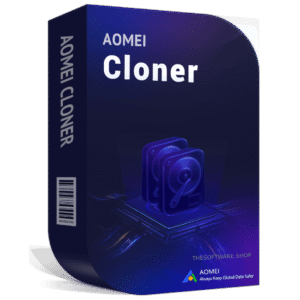
To access the giveaway, kindly provide your email address. Please refrain from closing this page after signing in to receive instructions on how to access the offer at no cost.
NOTES:
– All prices shown here are in listed USD (United States Dollar).
– Such promotional programs are subject to change without notice, from time to time in our sole discretion.
– Data may vary based on different systems or computers.
Thanks for reading AOMEI Cloner Professional Review & Enjoy the discount coupon. Please Report if AOMEI Cloner Pro Discount Coupon/Deal/Giveaway has a problem such as expired, broken link, sold out, etc while the deal still exists.


![[NEW LINK #9] Giveaway – ASCOMP PC Internals Professional Edition v2.102: Free License Key | Real-Time PC Hardware Analysis and Drive Monitoring Tool – for Windows](https://thesoftware.shop/wp-content/uploads/thumbs_dir/ASCOMP-PC-Internals-Professional-Review-Download-Discount-Coupon-rfosnlotebj6km3fzsd8pucpv050ej7hdoeor00xw8.png)

