
Giveaway – Mailtick: Free Lifetime Access | Countdown Timer Software for Emails, Websites & Landing Pages

Add a live countdown timer to any email, website, or landing page in seconds. No coding required. Get lifetime access to Mailtick for free today!
✔ Lifetime License. ✔ Free Product Updates ✔ Customer Support
BUY NOW
Mailtick is available at $490 for a lifetime, but you can currently claim a lifetime access to Mailtick for free in the Giveaway tab below. Acting now means you lock in a lower rate before pricing potentially changes.

Countdown Timer Software for Emails, Websites & Landing Pages | Boost Clicks, Sales & Conversions | Create Urgency-Driven Campaigns with No Coding Skills Required | 5 Timer Types & Full Customization
- Length of access: Lifetime
- Redemption deadline: 60 days from purchase
- This deal is non-refundable.
- 5 timer types
- 10+ customization settings
- No branding
- Custom fonts

Namecheap Private Email BEST OFFER

BuzzEmailHost Lifetime Deal BEST OFFER

Namecheap Summer Sale – Up to 97% Off on Domains, Hosting, VPN, Email, and Business Tools – Top Deals on .COM, EasyWP, SSL, PremiumDNS, RelateSocial & More BEST OFFER

Up to 98% Off – Namecheap Small Business Week Sale: Extraordinary Savings on Domain, Hosting, Email, Web Security – for Everyday Enterprises BEST OFFER
Convertri BEST OFFER
Mailtick Lifetime Deal Giveaway
Available now: Free Lifetime Deal for a Limited Time!

To access the giveaway, kindly provide your email address. Please refrain from closing this page after signing in to receive instructions on how to access the offer at no cost.
NOTES:
– All prices shown here are in listed USD (United States Dollar).
– Such promotional programs are subject to change without notice, from time to time in our sole discretion.
– Data may vary based on different systems or computers.
Mailtick Review at a Glance
You hit send on a great email. The subject line is strong, the offer is solid, the design looks clean. Then… nothing. People open it, think “I’ll deal with this later,” and move on with their day. By the time “later” arrives, your offer is forgotten and your conversion rate takes the hit. This happens to marketers, agencies, and business owners every single day, and it’s rarely because the offer was bad — it’s because the email lacked urgency.
Mailtick solves this problem directly. It’s a lightweight tool built specifically to add live countdown timers inside emails, websites, and landing pages, giving your audience a visual, ticking reason to act now instead of later.
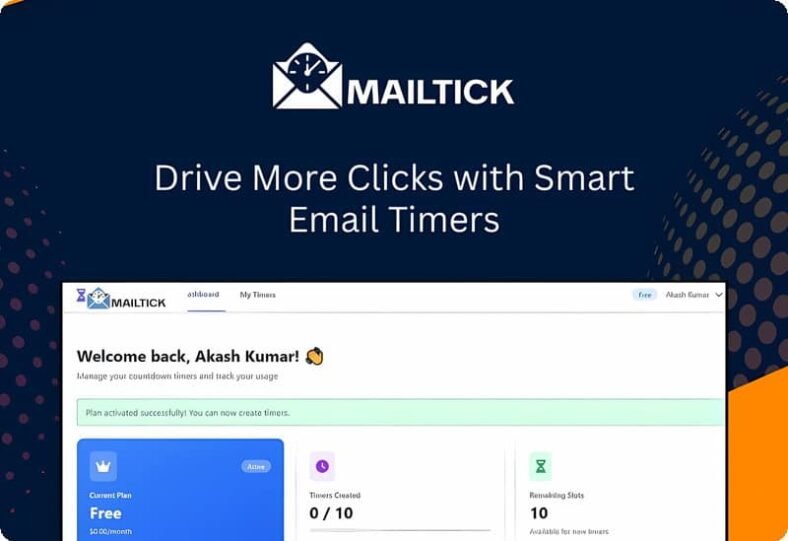
What is Mailtick
Mailtick is a countdown timer creation tool designed to help marketers, agencies, and business owners add real-time, ticking countdown clocks directly into their emails, websites, and other digital platforms. Rather than requiring custom development work or complicated third-party integrations, Mailtick lets anyone generate a fully customized timer and embed it with a simple copy-paste action.
The tool is built around one specific goal: making time-sensitive offers feel genuinely time-sensitive to the person viewing them. Every timer generated by Mailtick updates in real time for each individual viewer, meaning the countdown someone sees is accurate to the second, regardless of when they open the email or visit the page. This creates a consistent, believable sense of urgency across your entire audience, not just the people who check their inbox right away.
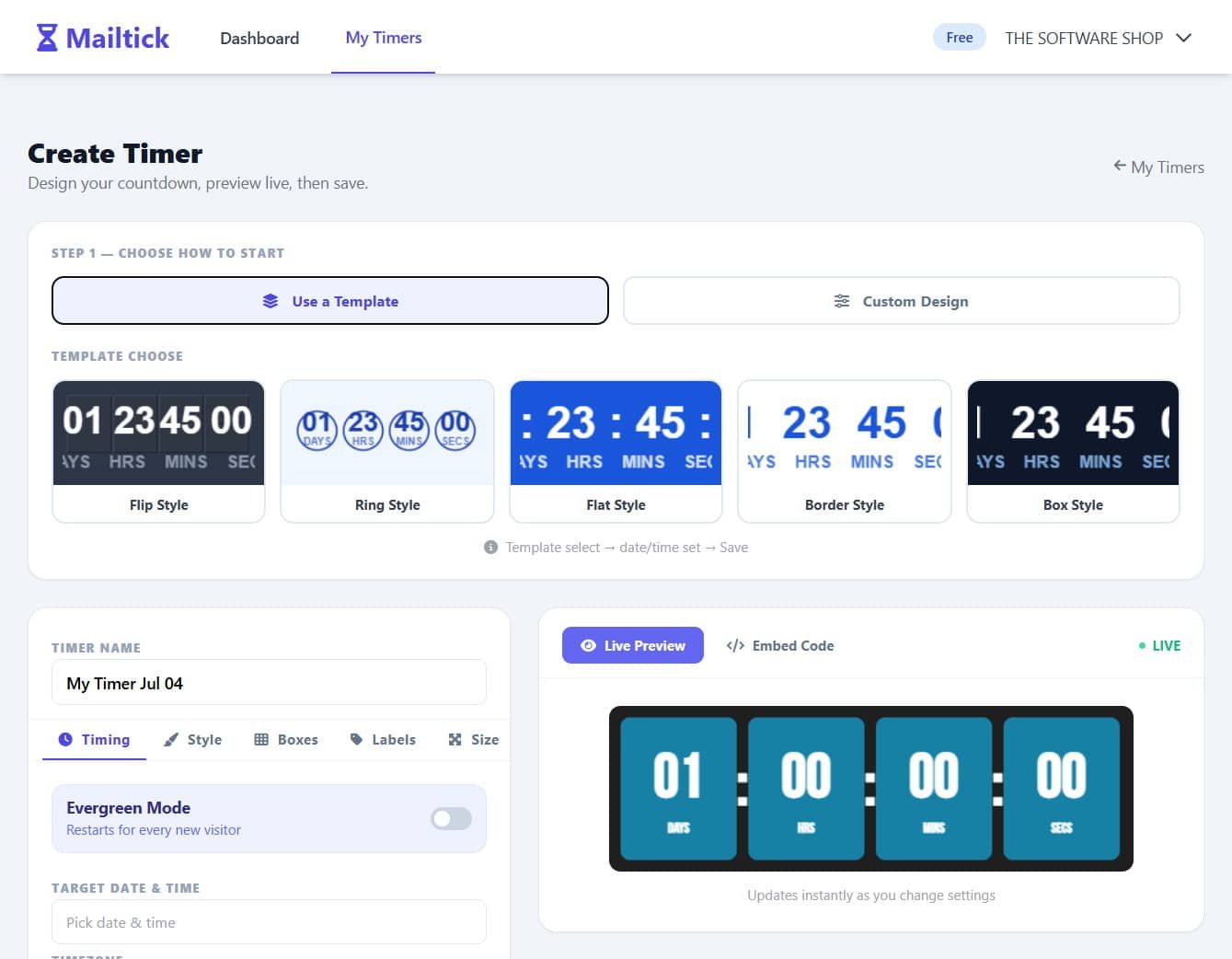
Instead of a static line of text saying “offer ends soon,” your subscribers see a real-time clock counting down the minutes and seconds, which triggers a psychological response marketers call FOMO — the fear of missing out. That fear is what turns a passive reader into someone who clicks immediately.
What makes Mailtick different from complicated urgency plugins or countdown scripts is its simplicity. There’s no coding, no developer needed, and no complex setup process. You create your timer inside the platform, customize it to match your brand, then copy and paste a simple embed into your email or webpage. That’s the entire process. Whether you’re using an email marketing platform, a website builder, or a landing page tool, Mailtick’s timer works across all of them because it’s built to be platform-agnostic.
This tool is built for a wide range of users. E-commerce store owners running flash sales can use it to push shoppers toward checkout before a discount disappears. SaaS companies can remind free-trial users that their access is about to expire, encouraging upgrades. Marketing agencies managing multiple client campaigns can add urgency to every promotional email without hiring a developer for each project. Event organizers can count down to ticket sale deadlines or event start times, and educators can use it to remind students of enrollment or assignment deadlines. If your business depends on people acting within a specific window of time, Mailtick gives you the tool to make that window feel real.
The core value of Mailtick comes down to one simple truth: people respond to visible urgency far more than they respond to written urgency. A sentence that says “hurry, offer ends soon” is easy to skim past. A countdown timer that’s actively ticking down in front of someone’s eyes is much harder to ignore. That difference is exactly why brands using countdown timers in email campaigns consistently report higher open-to-click ratios and stronger campaign performance overall.
Key Benefits
Before listing out what Mailtick actually does for your campaigns, it helps to understand the practical impact these benefits have on your day-to-day marketing results.
- Higher email engagement: A ticking timer draws the eye immediately, increasing the chances your email gets noticed instead of skimmed and ignored.
- Faster decision-making from subscribers: Visible urgency shortens the gap between “I saw this” and “I clicked this.”
- More conversions without more effort: You don’t need to rewrite your entire email strategy — adding a timer to your existing emails can lift results with minimal extra work.
- No technical skills needed: Anyone on your team can create and embed a timer, removing the need for developer resources.
- Consistent branding across campaigns: Full customization means your timer always matches your brand’s colors, fonts, and style.
- Works across multiple platforms: One timer setup can be reused across emails, websites, and landing pages, saving setup time.
Features
Below is a comprehensive list of the key features that make Mailtick a valuable addition to your marketing toolkit:
- Add Timers To Emails In Seconds: Create a countdown and place it inside your email without any technical setup.
- Instant generation: Build a working timer in moments without waiting on design or development resources.
- Works Everywhere: Use the same timer on emails, websites, landing pages, or any platform you like.
- Cross-platform embedding: Paste the same timer code into multiple tools without rebuilding it each time.
- Simple Copy-Paste Setup: Just generate your timer, copy the code, and paste it wherever you need it.
- Zero coding requirement: No HTML or scripting knowledge is necessary to get a timer live.
- Fully Customizable Design: Change colors, size, style, and text to match your brand perfectly.
- Custom fonts: Match your timer’s typography to your existing brand guidelines.
- Real-Time Countdown: Shows a live ticking timer that updates automatically for every viewer.
- Per-viewer accuracy: Each recipient sees a timer that reflects the exact time remaining when they open the email.
- Creates Instant Urgency: Makes people feel they might miss out, so they click and act faster.
- FOMO-driven design: Visual pressure encourages quicker decisions compared to plain text warnings.
- Boosts Clicks And Conversions: Turn passive viewers into active users without extra effort.
- No added workload: Improve results without rewriting your entire campaign strategy.
- 5 Timer Types: Choose from multiple countdown styles to match different campaign needs.
- Flexible formatting: Pick the layout that best fits your email or landing page design.
- 10+ Customization Settings: Adjust a wide range of visual and functional options for each timer.
- Granular control: Fine-tune details like size, color, and display format to fit your exact needs.
- No Branding: Timers display without any third-party watermark or logo.
- Clean presentation: Keep the focus entirely on your brand, not the tool behind it.
Use Cases
These features translate into real, practical applications across several industries and business types.
- E-commerce: Put a ticking timer in sale emails to push shoppers to buy before the deal ends.
- SaaS & Apps: Show trial-ending or upgrade-deadline timers to nudge free users to convert.
- Marketing Agencies: Add timers to client promo emails to increase urgency and campaign results.
- Events & Ticketing: Count down to ticket sales, early-bird deadlines, or scheduled event start times.
- Education: Remind students about enrollment, application, or assignment deadlines.
Free Trial
See how Mailtick performs with your own campaigns before making any commitment. Get the free trial edition below and generate your first countdown timer today, no payment details required.
or
Buy now, the price start from:
Thank you for reading the Mailtick review, and enjoy the discount coupon. If you notice any issues with the Mailtick discount coupon, deal, or giveaway—such as an expired offer, broken link, or sold‑out promotion—please let us know while the deal is still available.