
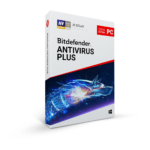
58% Off – Bitdefender Antivirus Plus: 1-year, 1 Device | Multi-Platform Protection, Ransomware Defense, Web Security, – for Windows!

Protect All Your Devices Today – Get Industry-Leading Security That Never Slows You Down! Get Bitdefender Antivirus Plus with discount coupon up to 58% Off
Recommended:
Bitdefender Total Security BEST SELLER

Bitdefender Internet Security BEST SELLER
Bitdefender Antivirus Plus Review at a Glance
Cybercriminals are getting smarter every day, and your devices are constantly at risk from viruses, ransomware, phishing scams, and data breaches. One wrong click can compromise your personal information, financial data, or precious memories stored on your computer or phone. Traditional security solutions either miss new threats or slow down your system to a crawl, forcing you to choose between protection and performance. What if you could have both?
Bitdefender Antivirus Plus solves this problem by delivering the most advanced antivirus protection available today without sacrificing your device’s speed or battery life. With a proven track record of 10 consecutive years of top scores in independent testing, this comprehensive security solution keeps your Windows, macOS, Android, and iOS devices safe from all online threats while running silently in the background.
What is Bitdefender Antivirus Plus
Bitdefender Antivirus Plus is a multi-platform security solution designed to protect all your devices from modern cyber threats. Built on proprietary technologies developed over decades of cybersecurity research, this software provides comprehensive protection against viruses, malware, ransomware, phishing attacks, and online scams across multiple operating systems.
The software uses cloud-based threat intelligence combined with advanced behavioral detection to identify and neutralize threats before they can harm your device. Unlike traditional antivirus programs that rely solely on signature-based detection, Bitdefender Antivirus Plus employs multiple layers of protection that work together to catch even the newest, most sophisticated attacks that haven’t been seen before.
At its core, Bitdefender Antivirus Plus is designed around three fundamental principles: maximum protection, minimal impact, and universal compatibility. Whether you’re using a Windows laptop for work, a Mac for creative projects, an Android phone for daily communication, or an iPhone for personal use, this single solution covers all your devices with the same level of excellence that security experts worldwide have recognized and trusted.
Key Benefits
Choosing Bitdefender Antivirus Plus means investing in proven security technology that adapts to your lifestyle and protects what matters most to you. Here’s why millions of users worldwide trust this solution to keep their digital lives safe.
Industry-Leading Detection Rates
With consistently perfect scores in independent laboratory tests over the past decade, Bitdefender Antivirus Plus sets the standard for malware detection and removal. The software catches threats that other antivirus programs miss, including zero-day exploits, advanced persistent threats, and polymorphic malware that constantly changes to avoid detection. This means you get peace of mind knowing that your devices are protected by technology that has been rigorously tested and validated by independent security researchers.
True Multi-Platform Coverage
Most security solutions claim to be multi-platform but offer different features and protection levels for different operating systems. Bitdefender Antivirus Plus provides comprehensive protection across Windows, macOS, iOS, and Android with features tailored to each platform’s specific vulnerabilities and requirements. You can manage all your devices from a single dashboard, making it easy to monitor and protect your entire digital ecosystem.
Ransomware Protection That Actually Works
Ransomware attacks have become one of the most devastating cyber threats, encrypting your files and demanding payment for their release. Bitdefender Antivirus Plus uses multi-layer ransomware protection that not only detects ransomware before it can encrypt your files but also monitors and protects specific folders containing your most important documents, photos, and videos. The Time Machine Protection feature for Mac users adds another layer by safeguarding your backups from ransomware attacks.
Zero Performance Impact
Traditional antivirus software is notorious for slowing down computers and draining batteries. Bitdefender Antivirus Plus solves this problem through its exclusive Photon technology and cloud-based architecture. The software learns your system’s usage patterns and adapts its scanning schedule accordingly, while offloading heavy processing to the cloud. The result is protection that’s invisible during your daily activities—whether you’re gaming, streaming, working, or browsing.
Safe Online Banking and Shopping
Financial fraud is a growing concern for online shoppers and banking customers. Bitdefender Antivirus Plus includes Safepay, a dedicated secure browser that creates a protected environment for your financial transactions. This feature automatically opens when you visit banking or shopping websites, protecting your credit card details and passwords from keyloggers and other theft attempts.
Privacy Protection Included
Your online privacy is valuable, and Bitdefender Antivirus Plus helps you protect it. The included VPN service encrypts your internet traffic with 200 MB of free daily data, while the Anti-tracker extension blocks companies from following your online activities. You can browse websites, watch videos, and communicate online knowing that your personal information stays private.
Who Benefits from Bitdefender Antivirus Plus
This security solution is perfect for anyone who uses multiple devices and wants comprehensive protection without technical complexity. Home users benefit from the simple, automated protection that works in the background. Families can protect all their devices—parents’ laptops, kids’ tablets, and everyone’s smartphones—with a single subscription. Small business owners and freelancers get professional-grade security at an affordable price. Even tech-savvy users appreciate the advanced features and granular control options available when needed.
Students and remote workers who connect to various Wi-Fi networks throughout the day benefit from the Wi-Fi Security Advisor and VPN protection. Content creators and digital professionals who store valuable work on their devices appreciate the multi-layer ransomware protection that keeps their projects safe. Senior users enjoy the Autopilot feature that makes security decisions automatically, eliminating confusion and ensuring constant protection without requiring technical knowledge.
Features
The following comprehensive list showcases the powerful capabilities that make Bitdefender Antivirus Plus an essential security solution for all your devices, providing advanced protection features that work seamlessly together to defend against every type of cyber threat.
Complete Real-Time Data Protection – Provides continuous monitoring and protection against all types of malware including viruses, worms, Trojans, ransomware, zero-day exploits, rootkits, and spyware, ensuring your data and privacy remain secure at all times
- Behavioral Detection – Monitors active applications in real-time and instantly blocks suspicious activities before they can harm your system
- Signature-Based Scanning – Compares files against a massive database of known malware signatures updated continuously through cloud connectivity
- Heuristic Analysis – Identifies new and unknown threats by analyzing code patterns and behaviors that resemble malicious software
Network Threat Prevention – Analyzes network traffic to identify and block sophisticated attacks at the network level before they reach your device
- Exploit Prevention – Stops attempts to take advantage of software vulnerabilities in popular applications and operating systems
- Botnet Detection – Identifies and blocks communication with command-and-control servers used by cybercriminals to control infected devices
- Brute Force Attack Protection – Detects and stops repeated login attempts designed to guess passwords and gain unauthorized access
Multi-Layer Ransomware Protection – Employs multiple security technologies working together to prevent ransomware from encrypting your files
- Safe Files for Windows and Mac – Creates protected folders that only trusted applications can access, blocking ransomware from reaching your important documents
- Behavioral Ransomware Detection – Identifies encryption activities typical of ransomware attacks and stops them immediately
- Time Machine Protection for Mac – Safeguards your Time Machine backups from ransomware that tries to destroy your ability to recover files
- Automatic Backup Recommendations – Suggests which folders should be protected based on file types and importance
Advanced Threat Defense – Uses machine learning and behavioral analysis to detect and stop advanced persistent threats and zero-day attacks
- Process Monitoring – Tracks all running processes and their activities to identify malicious behavior patterns
- Remediation Capabilities – Automatically reverses malicious changes made by malware to restore your system to a safe state
- Cloud-Based Detection – Leverages Bitdefender’s global threat intelligence network for instant protection against emerging threats
Web Attack Prevention – Protects you from malicious websites and online threats through comprehensive web filtering technology
- URL Filtering – Blocks access to known malicious websites and warns you about dangerous search results before you click
- Safe Search Integration – Shows safety ratings directly in your search results for Google, Bing, and other search engines
- Drive-by Download Prevention – Stops automatic downloads of malware when you visit compromised websites
Anti-Phishing Protection – Detects and blocks fraudulent websites designed to steal your personal information, passwords, and financial data
- Email Phishing Detection – Scans emails for phishing attempts and warns you about suspicious links and attachments
- SMS/MMS Scam Filtering – Automatically moves suspicious text messages containing malicious links to your junk folder on mobile devices
- Calendar Virus Protection – Identifies and removes malicious calendar events that trick you into visiting scam websites
Anti-Fraud System – Provides an additional layer of protection specifically designed to identify and warn you about online scams and fraudulent activities
- Cryptocurrency Mining Protection – Detects and blocks unauthorized use of your device’s resources for cryptocurrency mining
- Tech Support Scam Detection – Identifies fake technical support websites and pop-ups that try to trick you into paying for unnecessary services
Vulnerability Assessment – Scans your system for security weaknesses and provides recommendations to improve your overall security posture
- Outdated Software Detection – Identifies applications that need updates to patch known security vulnerabilities
- Missing Windows Updates – Alerts you to critical security patches that haven’t been installed on your system
- Unsafe Settings Analysis – Reviews system configurations and suggests security improvements
Bitdefender VPN – Encrypts your internet connection to protect your online privacy and secure your data when using public Wi-Fi networks
- 200 MB Daily Traffic – Provides free encrypted browsing with 200 MB of data per day across all your protected devices
- Automatic Hotspot Protection – Activates VPN automatically when connecting to unsecured public Wi-Fi networks
- Global Server Network – Allows you to connect through servers in multiple countries for optimal performance
Anti-tracker Extension – Blocks online trackers that collect your browsing data and personal information for advertising purposes
- Cookie Blocking – Prevents third-party tracking cookies from following your activities across different websites
- Faster Page Loading – Improves browsing speed by blocking unnecessary tracking scripts that slow down website loading
- Tracker Visibility – Shows you exactly which trackers are being blocked on each website you visit
Safepay Secure Browser – Opens a protected browser environment specifically for online banking and shopping transactions
- Virtual Keyboard – Protects against keyloggers by providing an on-screen keyboard for entering sensitive information
- Auto-Fill for Credit Cards – Securely stores and automatically fills in your credit card details on payment pages
- Session Isolation – Creates a separate browsing session that prevents other applications from accessing your financial data
Autopilot Security Advisor – Acts as an intelligent assistant that analyzes your security needs and provides personalized recommendations
- Context-Aware Suggestions – Offers security advice based on your specific system configuration and usage patterns
- Automated Security Actions – Performs routine security tasks automatically so you don’t have to worry about manual configuration
- Security Reports – Provides regular updates on your protection status and security improvements
Photon Technology – Adapts the antivirus scanning process to your system’s hardware configuration and usage patterns for optimized performance
- Application Profiling – Learns which programs you use most frequently and adjusts scanning schedules to avoid interference
- Resource Management – Automatically reduces scanning intensity when system resources are needed for other tasks
- Hardware Optimization – Configures scanning settings based on your CPU, memory, and storage capabilities
Game, Movie and Work Modes – Automatically detects your activities and adjusts protection settings to maintain performance without compromising security
- Pop-up Suppression – Temporarily blocks non-critical notifications during gaming, movie watching, or presentations
- Background Activity Pause – Postpones scheduled scans and updates when you’re using resource-intensive applications
- Visual Settings Adjustment – Optimizes display settings for better performance during full-screen activities
Battery Mode for Laptops and Tablets – Extends battery life by intelligently managing power consumption while maintaining essential protection
- Display Optimization – Adjusts screen brightness and timeout settings when running on battery power
- System Cooling Management – Reduces fan speed and power consumption during low-intensity activities
- Scheduled Task Postponement – Delays non-urgent scans and updates until the device is plugged in
Wi-Fi Security Advisor – Evaluates the security of wireless networks you connect to and identifies potential risks
- Router Vulnerability Check – Scans your router for known security weaknesses and configuration issues
- Encryption Assessment – Verifies that networks use strong encryption protocols like WPA3 or WPA2
- Network Recommendations – Provides advice on improving your home network security settings
Social Network Protection – Monitors your social media feeds for malicious links and dangerous content shared by friends and contacts
- Link Scanning – Checks all links shared on social networks before you click on them
- Malware Detection in Shared Files – Scans files downloaded from social media platforms for hidden threats
- Privacy Settings Review – Suggests improvements to your social media privacy configurations
File Shredder – Permanently deletes sensitive files by overwriting them multiple times, making recovery impossible
- Military-Grade Deletion – Uses Department of Defense approved algorithms to ensure complete data destruction
- Scheduled Shredding – Automatically shreds temporary files and browser cache on a regular schedule
- Recycle Bin Integration – Adds a secure shredding option to your Windows Recycle Bin
Rescue Environment – Creates a bootable recovery environment for removing sophisticated rootkits and boot-sector viruses
- Pre-Boot Scanning – Performs malware removal before Windows starts, eliminating threats that hide in system files
- System Restoration – Repairs system files damaged by malware to restore normal operation
- Automatic Activation – Triggers automatically when Bitdefender detects threats that cannot be removed while Windows is running
Cross-Platform Malware Detection for Mac – Identifies both macOS-specific malware and Windows threats to prevent you from spreading infections to others
- Windows Malware Scanning – Detects PC viruses on your Mac even though they can’t harm macOS directly
- File Sharing Protection – Ensures files you share with Windows users are clean and safe
- Dual-Engine Detection – Uses separate detection engines optimized for macOS and Windows malware
Adware Blocker for Mac – Removes intrusive advertising software and unwanted browser extensions that slow down your Mac
- Browser Hijacker Removal – Eliminates programs that change your homepage or search engine without permission
- Unwanted Toolbar Detection – Identifies and removes browser toolbars installed without your knowledge
- Performance Restoration – Returns your Mac to its original speed by removing resource-hogging adware
Traffic Light Browser Extension – Provides real-time protection for all your browsing activities with intelligent link analysis
- Pre-Click Analysis – Scans links before you click them to prevent accidental visits to dangerous websites
- Content Filtering – Blocks inappropriate content based on customizable settings
- Shopping Protection – Verifies the safety of online stores before you make purchases
App Lock for Android – Protects sensitive applications with PIN code authentication to prevent unauthorized access
- Smart Unlock Feature – Automatically removes PIN protection when connected to trusted Wi-Fi networks
- Customizable App Selection – Choose which applications require PIN protection based on your privacy needs
- Intruder Detection – Records failed unlock attempts and alerts you to unauthorized access attempts
Anti-Theft for Android – Provides remote device management capabilities to help you locate, secure, or wipe your phone if lost or stolen
- Remote Location Tracking – View your device’s location on a map through your Bitdefender Central account
- Remote Lock and Wipe – Secure your data by locking your device or erasing all information remotely
- Mugshot Feature – Automatically takes photos of anyone who enters incorrect unlock codes and sends them to you
- SMS Commands – Control your lost device through text messages even if it’s offline
WearON for Android Smartwatches – Extends mobile security to your wearable devices and helps you keep track of your phone
- Phone Finder – Triggers a loud sound alert on your phone when you can’t find it
- Proximity Alerts – Notifies you when you move too far from your phone so you never leave it behind
- Remote Security Status – Check your phone’s protection status directly from your smartwatch
Account Privacy Monitoring – Scans public data breach databases to alert you if your email accounts or personal information has been compromised
- Breach Notifications – Immediately alerts you when your credentials appear in newly discovered data breaches
- Password Change Recommendations – Advises which accounts need password updates based on breach severity
- Dark Web Monitoring – Checks underground forums and marketplaces for leaked personal information
Security Scan for iOS – Analyzes your iPhone or iPad settings to identify misconfigurations that could put your data at risk
- Privacy Settings Review – Checks app permissions and recommends adjustments to protect your personal information
- Network Security Check – Verifies that you’re using secure connections and strong passwords
- Update Compliance – Ensures your iOS version and apps are up to date with the latest security patches
App Anomaly Detection for Android – Monitors installed applications for unusual behavior that might indicate malicious activity even after passing initial security checks
- Continuous Behavior Monitoring – Tracks app activities over time to detect suspicious changes in behavior
- Permission Abuse Detection – Alerts you when apps access data or features beyond their legitimate purpose
- Financial App Protection – Provides extra scrutiny for banking and payment applications to prevent fraud
Requirements
Before installing Bitdefender Antivirus Plus, verify that your devices meet the following specifications to ensure optimal performance and compatibility:
Windows Requirements
- Operating System: Windows 7 with Service Pack 1, Windows 8.1, Windows 10, or Windows 11
- Processor: Intel CORE Duo (1.66 GHz) or equivalent
- Memory: 2 GB RAM
- Available Free Space: 2.5 GB available hard disk space
- Internet connection required for installation, updates, and cloud-based features
Android Requirements
- Operating System: Android 5.0 or later
- Internet connection required for installation, updates, and cloud-based features
- Google Play Services must be enabled
macOS Requirements
- Operating System: macOS X Yosemite (10.10) or later
- Processor: Intel-based Mac computer
- Memory: 2 GB RAM
- Available Free Space: 1 GB available hard disk space
- Internet connection required for installation, updates, and cloud-based features
iOS Requirements
- Operating System: iOS 13.0 or later, iPadOS 13.0 or later
- Compatible with iPhone, iPad, and iPod touch
- Internet connection required for installation, updates, and cloud-based features
Downloads
See firsthand how Bitdefender Antivirus Plus protects your devices and simplifies your digital security. Download the free trial version to test all premium features for a limited time and experience the difference that award-winning protection makes in your daily computing experience.
The trial includes full access to all protection layers, privacy tools, and performance optimization features, allowing you to verify that Bitdefender works perfectly with your specific device configurations and usage patterns before making a purchase decision.
Buy Now
Bitdefender Antivirus Plus is regularly priced at $69.99 per year for protection covering up to 3 devices across all platforms. However, you can now secure your Bitdefender Antivirus Plus license with our exclusive discount coupon that delivers substantial savings on this industry-leading security solution. This special offer is available for a limited time only, so act now to lock in your discounted rate.

" />
Real‑Time Antivirus, Ransomware Protection, Scam Prevention, Web Protection
- 1-year Subscription for up to 3 Devices
- Multiplatform Windows®, macOS®, Android™, iOS®
- Multi-Awarded Antivirus, Malware, Ransomware Protection
- Scam Prevention & Detection
- Standard VPN
- Identity Protection
- Data Breach Detection
- 30-day Money-back Guarantee
Platforms: Windows®, macOS®, Android™, iOS®
Bitdefender Internet Security BEST SELLER
Bitdefender Total Security BEST SELLER
" />
Absolute antivirus protection against Mac-related threats
- Real-time protection against viruses and ransomware
- Adware blocking and removal
- VPN included for a fast, anonymous and secure online experience - 200 MB/day/device
- Protection for all your browsing, including online shopping and banking
- Time Machine Protection for your backed-up files in case of a ransomware attack
Platforms: Windows
Bitdefender Antivirus Giveaway
unavailable at this moment.
Please note that once you signed in, Please do not close this page. You will be shown how to get this offer for free.
* VAT information can be found in the shopping cart
.** All prices shown here are in listed USD (United States Dollar). You can switch to any other currencies during the checkout process.
User & Media Reviews
What are their users saying about Bitdefender Antivirus Plus 2018?
 Stephen
I work on peoples computers on the side and recommend it to all of them, especially to those that I have to remove viruses from.
Keep up the good work!
B. FarmerI’ve been using Bit Defender Antivirus for many years now and have watched it develop over time into a highly sophisticated and effective AV program. Queries and problems, although rare, are responded to promptly. The steps provided, whether by phone or email, have been straightforward and have always solved the issue, restoring the full functionality of my Windows 7 PC. My recent problem was caused by a 3rd party security solution (I didn’t know I had it) running at the same time as BDF, and it came in with a Microsoft update on “Patch Tuesday” which is when the problem started. The BDF instructions were easy to follow and the issue rectified. I have recommended BDF to several friends over the past 3 years after being called in to disinfect their PCs from viruses & browser hijackers that their own (well-known!) AV programs failed to block, unlike the effective BDF. I really recommend any of the BDF software solutions.
Robyn OneilePlease Report if Bitdefender Antivirus Plus Deal/Discount Coupon/Giveaway has a problem such as expired, broken link, sold out, etc.





I lost my Bitdefender anti-virus when my computer went down I still have a couple of months to run. My Bitdefender Avangate ID. number is 62206363
Help!
In order to retrieve your license key, you will have to access Avangate myAccount and go to “My Products” section.
There you will be able to find:
– License keys for complete orders
– Download links for orders that also have included the Download Insurance Service.