Giveaway – AFKLiveTranslate: Free Full Version | Live Screen Translator – for Windows

Read any on-screen text in your own language, live, with a clean translated overlay that never hides the background. Get a full version of AFKLiveTranslate for FREE today and stop copying, pasting, and switching windows for good!
Free Full Version!
BUY NOW
AFKLiveTranslate is available for $69.95. But, you can now get a full version of AFKLiveTranslate with a Lifetime license for free through the Giveaway tab below! This offer is available for a limited time!

Live Screen Translator with Local OCR Overlay, Auto Text Detection, 22 Languages, Offline Translation for Games, Subtitles, Apps and Documents
- After you purchase AFK Live Translate it may be used indefinitely.
- AFK Live Translate is licensed per computer, and not per user.
- Each license allows installation on 1 computer.
- Transfer of a license to another owned computer is not allowed.
- License activation isn't required.
- You can install/register the software at any time.
- License can be used for Personal use only.
- Support is provided for the lifetime of the product.
- 30 days return policy.
- Your receipt email will contain a link to download and install the software. This will not be accessible after the promotion has expired, so download it immediately.
- Review the Full License details for downloading and installing this software.
- Prices do not necessarily include taxes, which will vary by country.

PDNob Image Translator BEST OFFER

Vovsoft Subtitle Translator GIVEAWAY

Text-R Professional: Lifetime License , Free 2-Year Updates BEST OFFER

Vovsoft OCR Reader: lifetime License GIVEAWAY

SnapText Pro GIVEAWAY
TextSniper: Lifetime License BEST OFFER
AFKLiveTranslate Giveaway
Available now: Free Full Version for a Limited Time!
To access the giveaway, kindly provide your email address. Please refrain from closing this page after signing in to receive instructions on how to access the offer at no cost.
NOTES:
– All prices shown here are in listed USD (United States Dollar).
– Such promotional programs are subject to change without notice, from time to time in our sole discretion.
– Data may vary based on different systems or computers.
AFKLiveTranslate 2 Review at a Glance
Anyone who plays imported games, watches foreign-language videos, reads visual novels, or works with documents in another language knows the frustration. The text is locked inside the image. You cannot select it, copy it, or paste it into a translator. Alt-tabbing out of a game to type a phrase into a browser breaks your focus, interrupts the story, and wastes time.
Many translation tools also rely on cloud OCR. That means your screen content leaves your computer, and heavy background processes can slow down your game or your editing software.
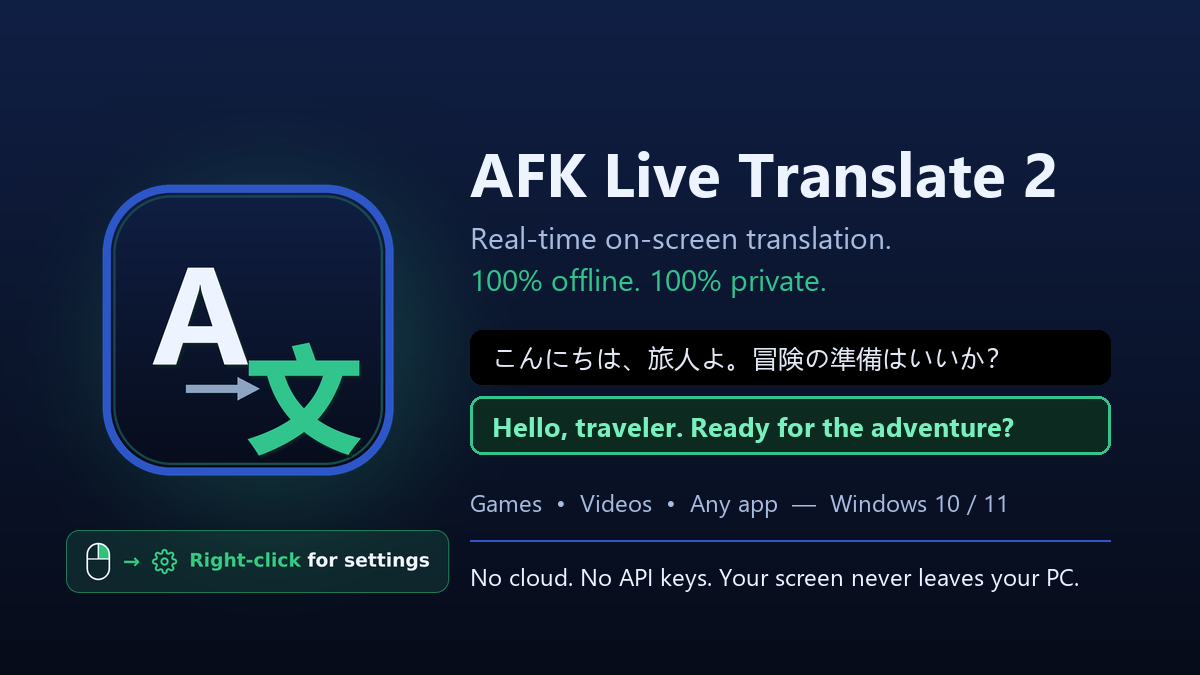
AFKLiveTranslate 2 removes these obstacles. It watches your screen, finds the text by itself, reads it locally on your PC, and paints the translation directly over the original. Your background stays visible, so you never lose context.
What Is AFKLiveTranslate 2?
AFK Live Translate 2 is a Windows 10/11 OCR translation overlay built for text you cannot copy: game menus, dialogue boxes, visual novels, app interfaces, web pages, documents, and subtitles burned into video images. Version 1 let you draw a region and translate it on demand. Version 2 goes further and acts as a live translation layer for the whole screen.
The software detects text zones automatically, reads them with a local engine, validates the result, and paints a clean translated overlay in place. It refreshes up to 20 times per second per screen. It uses about 5% of your GPU to capture the screen and speed up reading. The translation then runs on the CPU (about 15%) and in memory, so your game’s performance stays largely untouched.
Privacy is built in. There is no telemetry by default, and OCR runs locally with no cloud OCR and no Tesseract to install. If you want a different translation engine, you can add your own key (BYOK) for DeepL, Azure, Google, or LibreTranslate. External providers are used only if you enable them.
Why Choose AFKLiveTranslate 2?
- You get automatic detection instead of drawing a region every time the text changes.
- You keep full control with optional multi-region drawing for precise cases.
- Your data stays on your device unless you choose a BYOK provider.
- The Safe Reader stage blocks garbage text, so you see nothing rather than a wrong translation.
- Language and glyph packs are signed and updated weekly.
Who Can Benefit From This Software?
- Gamers who play titles without an official translation and want live dialogue and menu translation without leaving the game.
- Visual novel and manga readers who need to read Japanese text, including vertical text in manga.
- Students and researchers who work with documents, PDFs, and web pages that cannot be copied.
- Content creators and video editors who handle foreign-language footage with burned-in subtitles.
- Freelancers and digital marketers who review foreign websites, competitor pages, or app interfaces.
- Privacy-minded professionals who do not want screen content sent to a cloud OCR service.
- Travelers and remote workers who use software with interfaces in languages they do not read.
What Is AFK Live Translate 2?
AFKLiveTranslate 2 is a lightweight screen translation application for Windows 10 and Windows 11. It combines screen capture, text detection, local OCR, validation, and overlay rendering into one pipeline that runs per screen. You choose the two languages you need, and the app handles the rest.
The pipeline has five steps. Capture records the selected screen live. Detect locates the text zones automatically. Read extracts the text locally, straight from the image. Validate blocks unreadable or junk text before translation. Overlay paints a clean translation in place.
The application supports 22 languages and 462 language pairs. A curated base set ships with the app and works offline after the first run. Any other pack downloads once, automatically, from the developer’s own server the first time you select it. Every pack is signed and checked before use.
Key Benefits
The following benefits show why this tool suits gamers, students, creators, and professionals who need fast and private translation of on-screen content:
- Hands-free translation: automatic text detection means you no longer trigger a capture each time the text changes.
- Smooth performance: about 5% GPU and 15% CPU keeps your game or editing software running normally.
- Privacy by design: local OCR, no telemetry by default, and no cloud OCR keep your screen content on your machine.
- Context stays visible: the overlay sits over the original text while the background remains in view.
- Reliable output: the validation stage blocks unreadable text instead of showing wrong translations.
- Flexible engines: local translation is included, and you can add DeepL, Azure, Google, or LibreTranslate with your own key.
- Multi-monitor ready: screens are auto-detected, and you simply pick the one you want.
- Always current: weekly signed language and glyph packs and regular program updates keep the software improving.
- Broad language coverage: 22 languages and 462 pairs cover most common reading and translation needs.
Key Features
Below is a comprehensive list of the key features that make AFKLiveTranslate 2 a practical addition to your Windows setup:
- Live Auto-Detect Translation: Watches the screen continuously and keeps the translation current as text changes.
- Automatic Text Detection: Finds text zones on screen by itself without manual selection.
- Continuous Live Overlay: Refreshes up to 20 times per second per screen.
- Optional Multi-Region Drawing: Lets you draw one or several regions for precise capture when needed.
- Featherlight Engine: Keeps system load low so games and apps stay responsive.
- GPU Screen Capture: Uses about 5% of the GPU to grab frames and speed up reading.
- CPU and Memory Translation: Runs translation on the CPU at about 15% and in memory.
- No Tesseract, No Cloud OCR: Reads text locally with nothing extra to install.
- Clean Translated Overlay: Presents translations in a readable way that respects the content beneath.
- In-Place Rendering: Paints the translated text where the original text sits.
- Visible Background: Keeps the background in view so you never lose context.
- Readable While Scrolling: Maintains a legible overlay even as content moves.
- Safe Reader Validation: Protects you from misleading output.
- Junk Text Blocking: Stops unreadable or garbage text before translation.
- Reliable-Only Display: Shows the overlay only when the text is dependable.
- Local Translation and BYOK Providers: Gives you control over how translation is processed.
- Built-In Local Translation: Translates on your PC without an outside service.
- Optional BYOK Providers: Supports DeepL, Azure, Google, and LibreTranslate with your own key.
- Opt-In External Use: Sends text to outside providers only if you enable them.
- Multi-Monitor Support: Works with setups that use more than one display.
- Auto-Detected Screens: Recognizes your connected monitors automatically.
- Screen Selection: Lets you pick which screen to translate from the settings.
- 22 Languages and 462 Pairs: Covers a wide range of reading and target languages.
- Curated Base Set: Ships with the app and works offline after the first run.
- On-Demand Language Packs: Downloads extra packs once per language from the developer’s server.
- Script Support: Reads Latin, Cyrillic, Japanese, and Chinese scripts directly from the image.
- Signed Updates: Keeps the software current and trustworthy.
- Weekly Language and Glyph Packs: Updates language data and glyphs together in the background.
- Signed Program Updates: Checks for and applies updates from a button in the menu.
- Verified Packs: Checks every pack before use.
- Version 1 Region Mode: Preserves the draw-a-region workflow for targeted capture.
- Region OCR: Captures only the text you care about.
- Works Across Content: Handles videos, games, apps, and documents.
- Privacy-First Design: Keeps your data under your control.
- No Default Telemetry: Sends no usage data by default.
- Local Operation: Runs on your PC unless you enable BYOK.
Supported Languages and Accuracy
The following overview shows what to expect from each language group in version 1.0.6, based on tests on real web pages and the developer’s language test set:
- Very good reading (about 90 to 96%): Spanish, Catalan, Portuguese, Italian, Dutch, Indonesian, Polish, Romanian, English, and French.
- Good reading (about 83 to 90%): German, Czech, Swedish, Danish, Finnish, Hungarian, Turkish, Vietnamese, Russian, and Ukrainian.
- Japanese and Chinese: Horizontal text on web pages and in games is read well (95 to 97% of words in page tests). Very small or stylized text is less reliable, and vertical Japanese text in manga is supported.
- Best translation direction: Into English or French, where common word groups and expressions are translated as a whole, though long and complex sentences remain fairly literal.
- Into Spanish, Italian, Portuguese, German: Word groups from the main European languages are handled, and others are translated word by word. This is good for getting the gist.
- Into other languages, including Japanese and Chinese: Mostly word by word. It is understandable but literal, so treat it as an early version.
The full list of 22 languages is Catalan, Chinese (Simplified), Czech, Danish, Dutch, English, Finnish, French, German, Hungarian, Indonesian, Italian, Japanese, Polish, Portuguese, Romanian, Russian, Spanish, Swedish, Turkish, Ukrainian, and Vietnamese.
Requirement List
Please check the following requirements before installing, so the software runs reliably on your computer:
- Operating system: Windows 10 or Windows 11.
- Graphics: A GPU that supports screen capture (about 5% load is typical).
- Processor: A CPU with headroom for roughly 15% usage while translating.
- Internet connection: Needed once for extra language pack downloads and for updates. The base languages work offline after the first run.
- Disk space: Some free space for the base set and any additional language packs.
- Optional API keys: A DeepL, Azure, Google, or LibreTranslate key if you want to use a BYOK provider.
Downloads
Test AFKLiveTranslate 2 on your own games, documents, and videos before you decide. Download the trial edition for free by clicking the button below and see how the live overlay works for your setup.
or
Buy now, the price start from:
Thank you for reading AFKLiveTranslate 2 review, and enjoy the discount coupon. If you notice any issues with AFKLiveTranslate 2 discount coupon, deal, or giveaway—such as an expired offer, broken link, or sold‑out promotion—please let us know while the deal is still available.