

Giveaway – Upscal Image Upscaler: Free License Key | Offline AI Image Upscaler and Photo Sharpener – for Windows

Sharpen blurry photos and low-resolution videos privately on your own PC. Get a full version of Upscal Image Upscaler with a license key for free!
Free Full Version
BUY NOW
Upscal Image Upscaler is available for $39.49 for a Lifetime License. But, you can now get a full version of Upscal Image Upscaler with a license code for free through the Giveaway tab below. This offer is available for a limited time!

Offline AI Image Upscaler and Photo Sharpener for Windows - Free Super-Resolution Video Upscaler with Batch Processing, GPU Acceleration, and No Cloud Upload
- After you purchase Upscal - Image Upscaler it may be used indefinitely.
- Upscal - Image Upscaler is licensed per computer, and not per user.
- Each license allows installation on 2 computers, and Upscal - Image Upscaler may be used at exactly the same time on each of them.
- Transfer of a license to another owned computer is allowed.
- Online license activation is required without a hardware footprint.
- This promotion can be used to upgrade or extend an existing license.
- You can install/register the software at any time.
- License can be used for Commercial and Personal use.
- Upgrades to future versions of the software will be free for the lifetime of the product.
- Support is provided for the lifetime of the product.
- No return policy.
- Prices do not necessarily include taxes, which will vary by country.
Platforms: Windows

Topaz Studio BEST OFFER
![[NEW KEY #22] Giveaway – Aiarty Image Enhancer: Free Lifetime License Code, Free Updates | Upscale, Denoise, Deblur, Enhance AI-Generated Images – for Windows & Mac OS X](https://thesoftware.shop/wp-content/uploads/thumbs_dir/Aiarty-Image-Enhancer-Review-Download-Coupon-Giveaway-247kvjgix3k6vm8i87b1abt5iaid7k3m2lvfqhwoiz6c.png)
Aiarty Image Enhancer GIVEAWAY

HitPaw Online BEST OFFER

Topaz Photo BEST OFFER

Gigapixel 8: Perpetual License BEST SELLER

Winxvideo AI BEST OFFER

HitPaw FotorPea BEST OFFER

ImagineArt EXCLUSIVE

DVDFab Photo Enhancer AI: Lifetime License BEST OFFER

ON1 Resize AI BEST OFFER

Bloom by Topaz Labs EXCLUSIVE

ZOYO #1 AI Real Estate Platform: Lifetime Subscription BEST OFFER

DVDFab Enlarger AI: Lifetime License BEST OFFER
Upscal Image Upscaler Key Giveaway
Available now: Free License Key for a Limited Time!

To access the giveaway, kindly provide your email address. Please refrain from closing this page after signing in to receive instructions on how to access the offer at no cost.
NOTES:
– All prices shown here are in listed USD (United States Dollar).
– Such promotional programs are subject to change without notice, from time to time in our sole discretion.
– Data may vary based on different systems or computers.
Upscal Review at a Glance
A blurry product photo, a compressed download, a grainy family scan, or a small video clip can ruin an otherwise good project. Most online upscalers ask you to upload your files to a remote server, wait in a queue, and sometimes pay a monthly fee. That is a poor fit for client images, personal memories, and unreleased creative work.
Upscal by VertexShare solves this by moving the entire process onto your own device. It uses built-in AI models to restore detail, sharpness, and resolution locally. Your files stay in your folders, and you control the output.

What Is Upscal?
Upscal is an offline-first image upscaler and photo sharpening application for Windows. It also runs on macOS, iPhone, iPad, and Apple Vision. It uses super-resolution AI models to enlarge low-resolution photos and videos while keeping edges clean, textures natural, and details visible.
The app works with old scans, compressed downloads, anime frames, illustrations, nature photography, portraits, and product images. You can drag in a single file or a whole folder of images, pick a model and a scale ratio, choose an output folder, and let the app work through the queue. Upscal is completely free to use. It has no subscription, no hidden license fee, and no paywall in front of the core offline upscaling workflow.
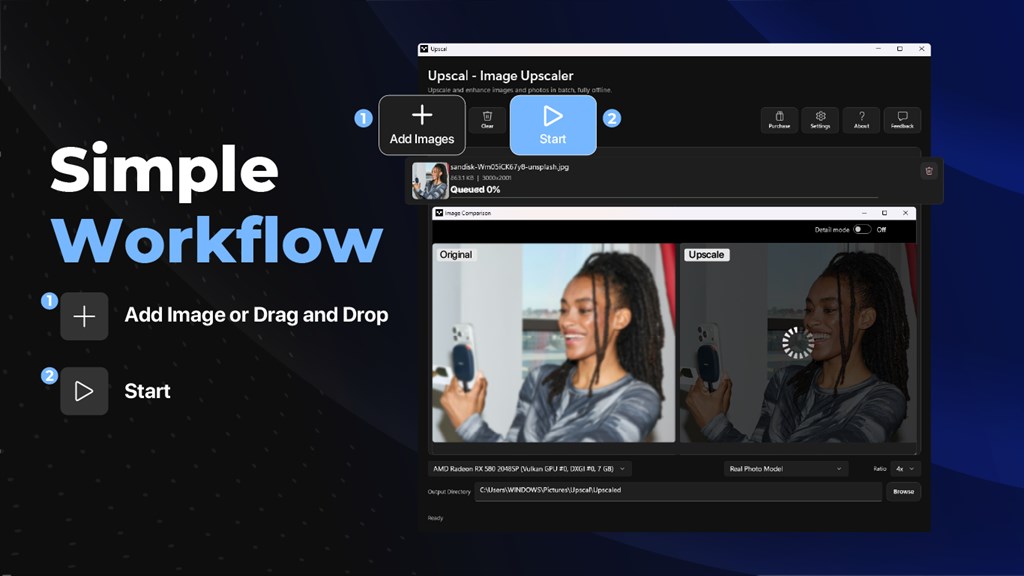
Why Choose Upscal?
Many upscalers trade privacy for convenience. VertexShare Upscal keeps both. Everything runs on your hardware, so there is no upload queue, no cloud workspace, and no remote media library to manage.
- Privacy first: your source files do not leave your computer or mobile device during normal processing.
- Zero cost: the core workflow is free, with no account and no sign-in.
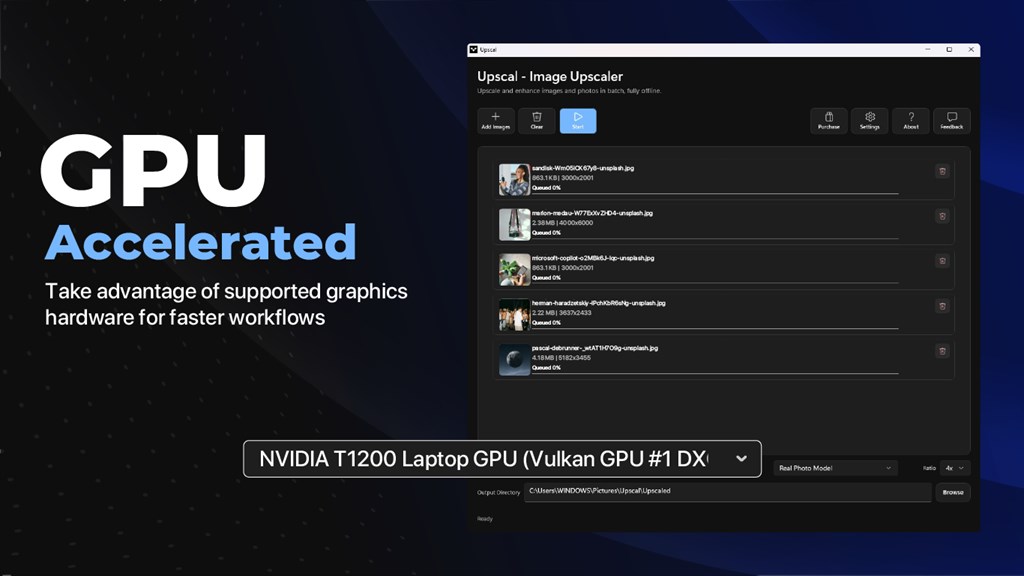
- Practical speed: supported GPUs speed up processing, and CPU fallback is available when no compatible graphics hardware is present.
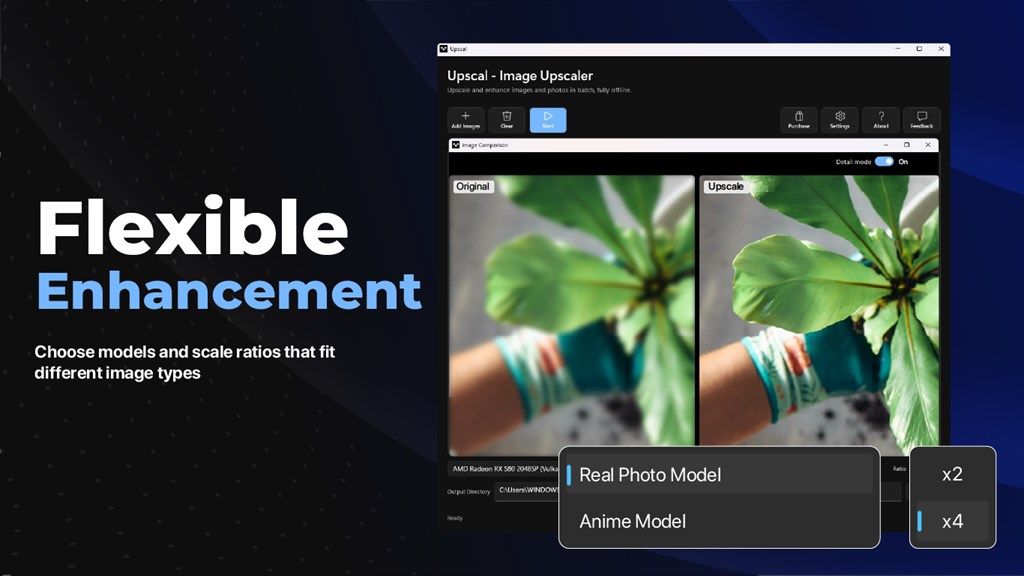
- Flexible output: several models and scale options let you match the result to the type of image.
- Cross-platform reach: the same tool is available on Windows, Mac, iPhone, iPad, and Apple Vision.
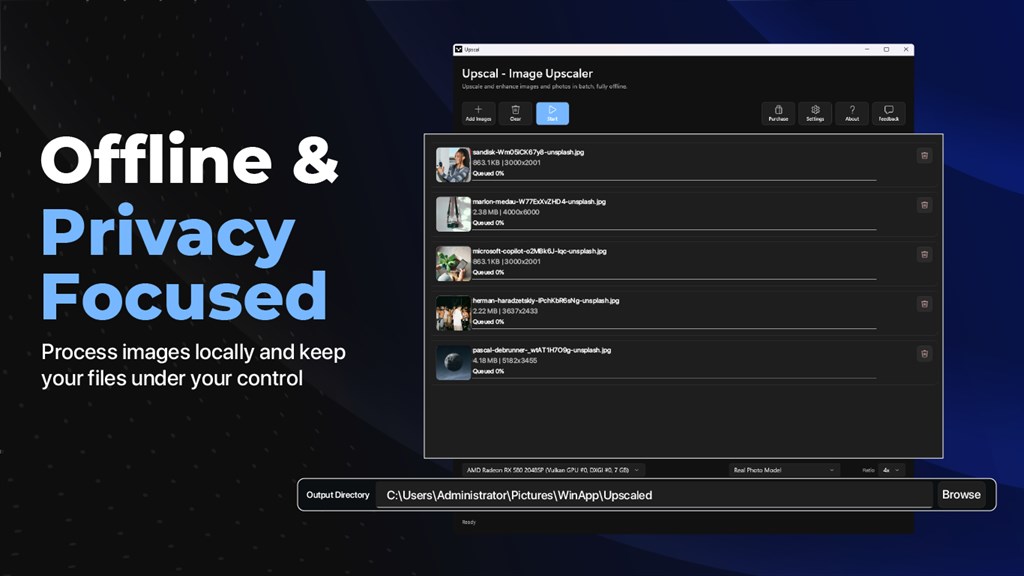
Who Can Benefit from Upscal?
Upscal suits anyone who needs sharper, higher-resolution visuals without sending files to a third party. These groups get the most from it:
- Photographers who want better clarity from soft or small source files.
- Designers who need larger assets for layouts, banners, and presentations.
- E-commerce sellers who must improve product photos for storefronts and catalogs.
- Social media creators who prepare visuals and clips for bigger screens.
- Agencies and small teams that handle client media and cannot risk cloud uploads.
- Everyday users who want to restore old family photos before archiving or printing.
Key Benefits
The benefits below show how VertexShare Upscal helps with real tasks, from restoring a single photo to processing a whole product catalog. Each one is tied to a practical outcome.
- Complete privacy: images and videos are processed on your device, so client work and personal memories stay under your control.
- No cost barrier: the app is free for image and video upscaling, so you can process as many files as you need without a license fee.
- No account needed: you download the app and start working right away, with no profile to create.
- Sharper print and screen output: enlarge pictures for printing, presentations, wallpapers, and websites with cleaner edges and more natural texture.
- Time savings through batch work: a drag-and-drop queue reduces repetitive steps when you handle photo collections or large folders.
- Better product visuals: clearer photos help storefront listings, catalogs, and social posts look more professional.
- Local control over history: enhancement jobs and exported results remain on your own storage, with no remote history.
- Hardware-aware performance: you can select the available processing device and tune the workflow to your system.
- Works across devices: use the same upscaler on a Windows PC, a Mac, an iPhone, or an iPad.
Features
Below is a complete list of the main features that make Upscal Image Upscaler a practical addition to your photo and video workflow:
- AI Image Restoration: recovers sharper edges, cleaner textures, and natural detail in low-resolution, blurry, compressed, or old photos.
- Low-resolution repair: rebuilds missing detail in small images so they look clearer at larger sizes.
- Compression cleanup: reduces the rough look of heavily compressed downloads.
- Old photo recovery: improves scans and older digital images before archiving, sharing, or printing.
- AI Video Restoration: improves low-resolution videos locally, frame by frame, for clearer playback.
- Frame-by-frame clarity: works through footage to bring back visible detail.
- Creator footage support: prepares source clips and exported videos before editing or publishing.
- Social and product clips: sharpens short videos for larger screens and online channels.
- Super-Resolution Upscaling: enlarges images and videos with built-in models while preserving visual detail.
- High-resolution output: produces cleaner results for screens, prints, presentations, and creative projects.
- Scale ratio selection: lets you choose how much to enlarge each file.
- 4x model with optional 2x output: runs the 4x model and can deliver a 2x result when you want a smaller size.
- Batch Image Processing: handles many images in one session through a drag-and-drop queue.
- Multiple file import: adds several images at once.
- Queue management: lets you organize the files waiting for processing.
- Per-file progress tracking: shows the status of each item as it runs.
- Custom output folder: saves finished images exactly where you want them.
- Practical defaults: gives you sensible starting settings for everyday work.
- Offline-First Privacy: keeps all normal processing on your own device.
- No mandatory cloud upload: source files never need to leave your computer.
- No account required: there is no sign-in or profile.
- No remote history: jobs and results stay on local storage.
- GPU Acceleration: uses supported graphics hardware to speed up processing.
- Device selection: lets you choose from the available processing devices.
- Workflow tuning: helps you balance speed and quality for your system.
- CPU fallback: keeps the app usable without a supported GPU, though more slowly.
- Multiple Models and Direct Execution: offers several enhancement models for different image types.
- Model variety: suits portraits, illustrations, anime, nature photography, and product images.
- Direct model execution: runs a chosen model without extra steps.
- Status monitoring: shows what the app is doing during processing.
- Simple Drag-and-Drop Interface: keeps the workflow easy for beginners and fast for professionals.
- Quick file loading: drop images straight into the window.
- Clear controls: gives you direct access to model, scale, and output options.
- Cross-Platform Availability: brings the same approach to desktop and mobile devices.
- Windows and Mac apps: support desktop workflows.
- iPhone and iPad apps: let you work on mobile media.
- Apple Vision support: extends the app to visionOS devices.
What You Can Process with Upscal
VertexShare Upscal handles several types of visual content. The list below shows common use cases and how the app fits each one.
- Old and low-resolution photos: scans, family pictures, compressed downloads, and older digital images.
- Creator and social video: low-resolution clips, source footage, and exported videos.
- Product and marketing images: storefront photos, presentation assets, catalogs, and social graphics.
- Anime, illustration, and digital art: line art, anime frames, drawings, and generated artwork.
Requirements
The details below show what your device needs to run Upscal smoothly. Meeting the recommended specifications gives the best processing speed.
Windows
- Available on: PC, Mobile, Surface Hub, HoloLens
- OS: Windows 10 version 17763.0 or higher
- DirectX: DirectX 12 API, Hardware Feature Level 11 (minimum); DirectX 12 API, Hardware Feature Level 12 (recommended)
- Memory: 4 GB (minimum); 8 GB (recommended)
- Video memory: 1 GB (minimum); 2 GB (recommended)
- Processor: Intel Core i3 or AMD Ryzen 3 (minimum); Intel Core i5 or AMD Ryzen 5 (recommended)
- Graphics processor: DirectX 12 compatible GPU (minimum); Vulkan-compatible GPU recommended for optimal performance
Apple devices
- iPhone: iOS 16.6 or later
- iPad: iPadOS 16.6 or later
- Mac: macOS 13.5 or later
- Apple Vision: visionOS 1.0 or later
Downloads
See how Upscal handles your own pictures and clips. The app is free, so you can download it now and run a test on a blurry photo or a short video without paying anything. Click the button below to get started and compare the original and upscaled results yourself.
or
Buy now, the price start from:
Thank you for reading Upscal review, and enjoy the discount coupon. If you notice any issues with Upscal discount coupon, deal, or giveaway—such as an expired offer, broken link, or sold‑out promotion—please let us know while the deal is still available.







there is massage appear on the activation as the “Not activated on this device”… how to solve this ???
Not activated in this device.