81% Off – Coolmuster Mobile Data Tools Bundle (Android & iOS): Lifetime License | Android Data Manager, iOS Data Transfer, Phone Backup, Data Recovery & iTunes Backup Extractor – for Windows or Mac

Choose Coolmuster Mobile Data Tools Bundle for desktop-based Android and iOS management, supported file transfers, backup extraction, and recovery tools—get now at a 81% OFF!
✔ Lifetime License. ✔ Free Product Updates ✔ Customer Support
BUY NOW
Coolmuster Mobile Data Tools Bundle (Android & iOS) has a total value of $208.00. But, you can now get Coolmuster Mobile Data Tools Bundle (Android & iOS) with a lifetime license that incldues free upgrades and support at a 81% Discount. This offer is available for a limited time!

- After you purchase Mobile Data Tools Bundle (Android & iOS) it may be used indefinitely.
- Mobile Data Tools Bundle (Android & iOS) is licensed per user, so if more people are going to use Mobile Data Tools Bundle (Android & iOS) you will need to purchase additional copies.
- Each license allows installation on a single computer and a laptop.
- Upgrades to future versions of the software will be free for the lifetime of the product.
- Review the Full License details for downloading and installing this software:
http://www.coolmuster.com/license-policy.html
- Prices do not necessarily include taxes, which will vary by country.
Platforms: Windows
- After you purchase Mobile Data Tools Bundle (Android & iOS) it may be used indefinitely.
- Mobile Data Tools Bundle (Android & iOS) is licensed per user, so if more people are going to use Mobile Data Tools Bundle (Android & iOS) you will need to purchase additional copies.
- Each license allows installation on a single computer and a laptop.
- Upgrades to future versions of the software will be free for the lifetime of the product.
- Review the Full License details for downloading and installing this software:
http://www.coolmuster.com/license-policy.html
- Prices do not necessarily include taxes, which will vary by country.
Platforms: Mac

WinX MediaTrans: Lifetime License, 1 PC BEST SELLER
MacX MediaTrans: Lifetime License BEST SELLER

EaseUS MobiSaver for Android BEST OFFER

Apowersoft Unlimited: 1-year Subscription BEST SELLER
FoneTool Unlocker Professional GIVEAWAY
Coolmuster Mobile Data Tools Bundle (Android & iOS) Giveaway
Unavailable at this moment!
To access the giveaway, kindly provide your email address. Please refrain from closing this page after signing in to receive instructions on how to access the offer at no cost.
NOTES:
– All prices shown here are in listed USD (United States Dollar).
– Such promotional programs are subject to change without notice, from time to time in our sole discretion.
– Data may vary based on different systems or computers.
Coolmuster Mobile Data Tools Bundle (Android & iOS) Review at a Glance
A deleted conversation, an overflowing photo collection, or an inaccessible phone backup can interrupt your routine at the worst moment. Coolmuster Mobile Data Tools Bundle (Android & iOS) brings several dedicated utilities together so you can manage supported mobile data from your computer, create local copies, inspect existing backups, and attempt recovery through the appropriate application. Instead of treating every data task as a separate purchasing decision, you can evaluate a package built around everyday organization and data retrieval.
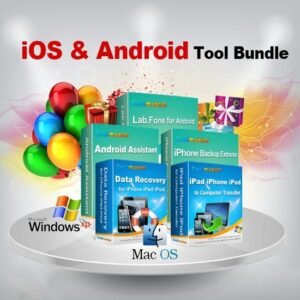
The bundle combines routine management and recovery-focused software rather than relying on a single application to perform every job. Android Assistant handles supported Android transfers, backups, and desktop management, while Lab.Fone for Android focuses on recoverable Android data. On the Apple side, iOS Assistant supports everyday management and transfers, and iPhone Backup Extractor retrieves supported content from existing local backups. The advertised Windows package also includes iPhone Data Recovery, adding a separate recovery application to that edition.
For buyers, the important benefit is having the right tool available for a specific task: organizing contacts is different from extracting an old backup, and both differ from searching for deleted files. The included applications divide these responsibilities into focused workflows, with supported categories and recovery methods varying by product. Review the package contents, test your devices, and choose the edition based on the work you actually need to complete.
What Is Coolmuster Mobile Data Tools Bundle (Android & iOS)?
Coolmuster Mobile Data Tools Bundle is a collection of desktop applications for supported Android and Apple mobile-data tasks, sold in separate Windows and Mac editions. The software runs on your computer and works with connected devices, compatible local backups, or supported storage media, depending on the application and selected mode. It is not a single mobile app installed on your phone.
The distinction between the editions matters because the advertised contents are not identical: the Windows offer lists five programs, while the Mac offer lists four. Both packages include Android Assistant, Lab.Fone for Android, iPhone Backup Extractor, and iOS Assistant in their respective desktop versions; only the Windows bundle listing expressly includes iPhone Data Recovery.
Windows and Mac Editions
Use the following edition breakdown to confirm the applications supplied with each advertised package before ordering.
| Included application | Windows bundle | Mac bundle |
|---|---|---|
| Coolmuster Android Assistant | Included. | Mac version included. |
| Coolmuster Lab.Fone for Android | Included. | Mac version included. |
| Coolmuster iPhone Backup Extractor | Included. | Mac version included. |
| Coolmuster iOS Assistant | Included. | Mac version included. |
| Coolmuster iPhone Data Recovery | Included. | Not listed in this bundle. |
Although current standalone product pages may describe additional versions or newer functions, the purchased bundle determines your entitlement. Confirm the supplied builds and their supported functions with the seller rather than assuming that every capability advertised elsewhere is part of this particular offer.


Key Benefits
The package brings together several practical approaches to mobile-data care, including desktop organization, local backup, selective transfer, and supported recovery tasks. These benefits are most useful when matched to a clear need and a tested device connection.
- Manage data on a larger screen. Work with supported contacts, messages, and media through the Android or iOS management application instead of handling every task on the phone.
- Keep local backup options available. Android Assistant and iOS Assistant provide computer-based backup and restore workflows for supported data.
- Transfer selected files. Preview supported categories and choose the items you want to export rather than copying everything by default.
- Retrieve content from existing backups. iPhone Backup Extractor lets you inspect supported iTunes backup content and export selected records to your computer.
- Attempt recovery with dedicated tools. Lab.Fone for Android and the Windows bundle’s iPhone Data Recovery provide recovery functions for supported sources and file types.
- Evaluate before purchasing. Coolmuster supplies free trials, allowing you to check compatibility and the available trial functions before paying.
Keep Useful Records Accessible
Readable exports can make mobile information easier to reference. Android Assistant supports exporting contacts and text-message records in several common formats, with format choices depending on the category. For example, exporting a contact list can provide a computer-accessible copy for review, while a message export can preserve an accessible record of a supported conversation. Choose the output format that suits your intended use, and protect any exported personal information.
Select Only What Matters
Selective transfer and extraction reduce unnecessary copying. Android Assistant and iOS Assistant let you choose supported data for transfer, while iPhone Backup Extractor provides category-based preview and extraction. If your immediate goal is a particular contact record or a small group of backed-up photos, a targeted workflow can be more relevant than restoring an entire device. Confirm the required category in the trial before relying on a paid operation.
Who Can Benefit?
Consider the bundle through the lens of the information you handle and the devices you maintain. The following examples describe potential use cases, not additional license permissions or guarantees of recovery.
- Everyday smartphone owners: Consider the management applications for supported contacts, media, messages, and computer-based backups.
- Content creators: Use supported photo and video exports to bring mobile media into a desktop file-management workflow.
- Independent professionals: Evaluate supported contact and message exports for maintaining accessible copies of important mobile records.
- Mixed-platform households: Assess the Android and iOS applications included in the selected desktop edition, while checking the per-user license terms.
- Owners of older iPhone backups: Use iPhone Backup Extractor to inspect compatible backup records and retrieve selected supported content.
- Users facing accidental deletion: Test the relevant recovery application to assess what it can detect for the specific device or storage source.
Why Choose Coolmuster Mobile Data Tools Bundle (Android & iOS)?
Choose this package if you want both Android and iOS utilities within one advertised purchase, with separate applications for management and recovery-related work. The arrangement may suit a household using different phone platforms or an individual who maintains both an Android device and an iPad. Compare the included tools against your actual needs: someone seeking only a single export may not need the same package as a buyer maintaining several kinds of mobile records.
The bundle also provides a useful distinction between preventive organization and recovery after a problem. Android Assistant and iOS Assistant support everyday backup and transfer tasks, while the recovery applications address supported data-retrieval situations. Treat these as complementary roles rather than viewing recovery software as a replacement for regularly maintained backups.
Key Features
The features below show how each included application contributes to Coolmuster Mobile Data Tools Bundle (Android & iOS), followed by the individual functions that support its main role. Availability depends on the desktop edition, installed version, device permissions, operating system, and selected data source; test the functions that matter to you before purchase.
- Coolmuster Android Assistant — Android data management: Manage supported Android information and transfers from a Windows PC or Mac.
- One-click backup: Save supported contacts, messages, call logs, media, books, and applications to a computer.
- Backup restoration: Restore supported data from an available Android Assistant backup to a connected compatible Android device.
- Contact editing: Add, edit, delete, import, export, and organize supported contact records from the desktop interface.
- Desktop SMS tools: Send, reply to, forward, import, export, and manage supported Android text messages.
- Media and document transfer: Import or export supported photos, music, videos, books, and documents between the phone and computer.
- Application management: Install, uninstall, or export supported Android applications from the computer.
- USB and Wi-Fi connections: Connect through a USB cable or a supported local Wi-Fi setup using the required Android companion software.
- Coolmuster Lab.Fone for Android — Android data recovery: Scan supported Android storage sources and recover available deleted data through the relevant mode.
- Internal-storage recovery: Attempt to retrieve supported contacts, SMS, call logs, photos, videos, music, and documents; this mode requires root access.
- SD card recovery: Scan an external SD card for supported photos, videos, audio, and documents without rooting the phone.
- Quick and deep media scans: Choose an available scanning method for supported media-recovery tasks.
- Selective recovery: Choose the recoverable records or files you want to save instead of exporting every result.
- Computer-based output: Save recovered content to the computer for later review or further handling.
- Existing-data backup: Export supported existing Android content as an additional local copy.
- Coolmuster iPhone Backup Extractor — Local backup access: Open compatible iTunes backups and extract supported content to your computer.
- Automatic backup detection: Locate available backup records stored in the application’s supported default locations.
- Manual backup selection: Browse to a compatible backup stored in another folder when automatic detection does not find it.
- Broad category access: Extract supported photos, contacts, messages, calendars, notes, WhatsApp content, and other listed backup categories.
- Detailed previews: Review available text records or media thumbnails before choosing what to export.
- Selective or batch extraction: Retrieve individual supported items or a larger selection from the chosen backup.
- No live phone required: Extract from an available compatible backup without connecting the original iPhone.
- Coolmuster iOS Assistant — iPhone and iPad management: Transfer supported iOS data and manage compatible local backup tasks from the desktop.
- Device-to-computer export: Copy supported photos, videos, music, messages, contacts, calendars, and bookmarks to a PC or Mac.
- Supported computer-to-device imports: Import listed categories such as contacts, calendars, bookmarks, and books to a compatible iOS device.
- Contact maintenance: Add, edit, delete, or export supported contact entries through the desktop interface.
- Local backup and restore: Use the application’s supported backup and restoration workflows.
- Custom backup location: Choose a supported computer folder for backup storage.
- Backup housekeeping: View and remove unwanted supported local backup files from the computer.
- Coolmuster iPhone Data Recovery — Additional Windows-bundle recovery tool: Access supported device, iTunes, and iCloud recovery workflows; this application is expressly listed in the Windows package only.
- Direct contacts and SMS recovery: Attempt to retrieve supported deleted contacts and text messages from a compatible connected iOS device.
- iTunes backup extraction: Scan a compatible local backup and export selected supported records to the computer.
- Supported iCloud retrieval: Sign in through the application’s supported process to retrieve available listed iCloud categories.
- Categorized results: Inspect supported data by category before choosing the items to save.
- Existing-data export: Copy supported existing iOS content, with category availability depending on the selected recovery source.
Important Scope and Limits
Recovery is an attempt, not a promise of a complete result. Coolmuster’s Android recovery guide specifies root access for its internal-storage mode, while the SD card workflow does not require a rooted phone. Evaluate this requirement before proceeding, and do not assume that every connected Android device will provide the access needed for your intended task.
Existing files and deleted files are different recovery targets. The iPhone Data Recovery page specifically identifies deleted-contact and deleted-message recovery, while also listing exports of existing photos, media, and other information. Do not interpret a category appearing in the interface as a guarantee that every previously deleted item in that category can be recovered.
Permanent erasure, system cleaning, and direct Android-to-iPhone migration are not established by the itemized bundle contents. Although the promotional overview uses broader cleaning and erasure language, its application list does not identify a dedicated eraser, cleaner, or Coolmuster Mobile Transfer license. Base your purchase on the named applications and confirmed functions, not on an assumption that this is a complete phone-maintenance or cross-platform cloning suite.
Requirements
Check the requirements for each application you intend to install, because the Coolmuster Mobile Data Tools Bundle (Android & iOS) contains separate programs rather than one shared installer specification. The following manufacturer-listed examples cover the two management applications; they are not a universal minimum for the entire bundle.
| Requirement | Android Assistant | iOS Assistant |
|---|---|---|
| Windows | Windows 7 or newer. | Windows 7 or newer. |
| Mac | OS X 10.10 or newer. | OS X 10.10 or newer. |
| Mobile operating system | Android 6.0 or newer. | iOS 5.0 or newer, subject to feature and device support. |
| Listed installation space | At least 200 MB. | At least 1 GB. |
| Listed Windows memory | At least 256 MB; 1 GB recommended. | At least 512 MB. |
| Listed Mac memory | At least 512 MB. | At least 1 GB. |
Plan your setup around the specific operation, not only the installation requirements. The practical items below help identify what your selected workflow calls for.
- Compatible desktop edition: Purchase the Windows or Mac package that matches the computer you intend to use.
- Device connection and permissions: Follow the application’s connection steps, including Android USB debugging where required.
- SD card reader: Use a suitable reader when running Lab.Fone’s separate SD card recovery workflow.
- Available local backup: Provide an existing compatible backup when using iPhone Backup Extractor.
- Destination storage: Allow additional computer space for the backups, exports, or recovered files you plan to save.
- Account access: Have the required account credentials available for supported iCloud workflows; these are not needed for every bundle task.
Free to Try
Test your connection, inspect the interface, and check the available data categories before purchasing. Coolmuster offers free trials through its official product pages, so you can evaluate the relevant applications on your own computer and devices. Start with the tools that match your immediate needs rather than installing every application at once.
or
Buy now, the price start from:
Thank you for reading Coolmuster Mobile Data Tools Bundle (Android & iOS) review, and enjoy the discount coupon. If you notice any issues with Coolmuster Mobile Data Tools Bundle (Android & iOS) discount coupon, deal, or giveaway—such as an expired offer, broken link, or sold‑out promotion—please let us know while the deal is still available.