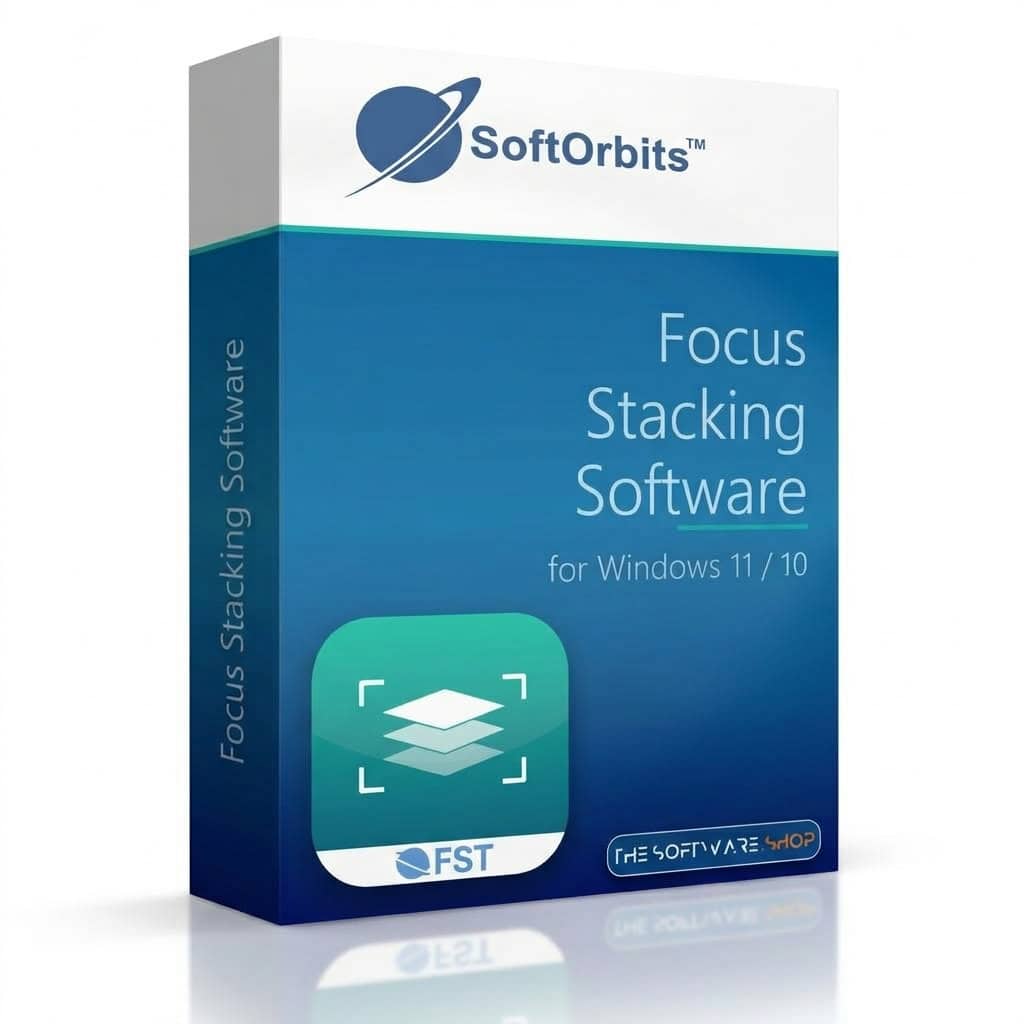
Giveaway – SoftOrbits Focus Stacking Software: Free Lciense key | Merge Macro Photo Series into One Sharp Image – for Windows

Merge 20, 50 or 100 frames into one picture that is sharp from front to back, then soften the background with a single slider. Get your SoftOrbits Focus Stacking Software license for FREE today and stop losing detail to shallow depth of field!
✔ Lifetime License. ✔ Free Product Updates ✔ Customer Support
BUY NOW
SoftOrbits Focus Stacking Software is available at $15. For a limited time, you can get a full license for FREE through the Giveaway tab below. Use the offer while it lasts and keep the full price for your next lens.
Luminar BEST OFFER

On1 Photo RAW 2026 + 2027: Perpetual License BEST SELLER

Topaz Photo BEST OFFER

Focus Projects Professional BEST OFFER

SHARPEN projects 5 Professional BEST OFFER
Ashampoo Photo Optimizer Pro 26 BEST OFFER

Topaz Image Web BEST OFFER
Ashampoo SHARPEN #6 Professional BEST OFFER

HitPaw Online BEST OFFER

Excire Search 2026: One-time payment, no subscription model BEST SELLER
SoftOrbits Focus Stacking Software Key Giveaway
Available now: Free License Key For a Limited Time!
To access the giveaway, kindly provide your email address. Please refrain from closing this page after signing in to receive instructions on how to access the offer at no cost.
NOTES:
– All prices shown here are in listed USD (United States Dollar).
– Such promotional programs are subject to change without notice, from time to time in our sole discretion.
– Data may vary based on different systems or computers.
SoftOrbits Focus Stacking Software Review at a Glance
At f/5.6, a macro lens keeps only a sliver of your subject sharp, often about a millimeter deep. You can close the aperture, but then diffraction softens the whole frame. Retouching several exposures together by hand takes hours and leaves visible seams. Insect photographers, coin sellers and jewelry shooters all run into the same wall: the nearest edge is crisp, the far edge is blurry, and the buyer or the archive cannot see the detail that matters.
SoftOrbits Focus Stacking Software solves this by merging a bracketed series into a single image.
What Is SoftOrbits Focus Stacking Software?
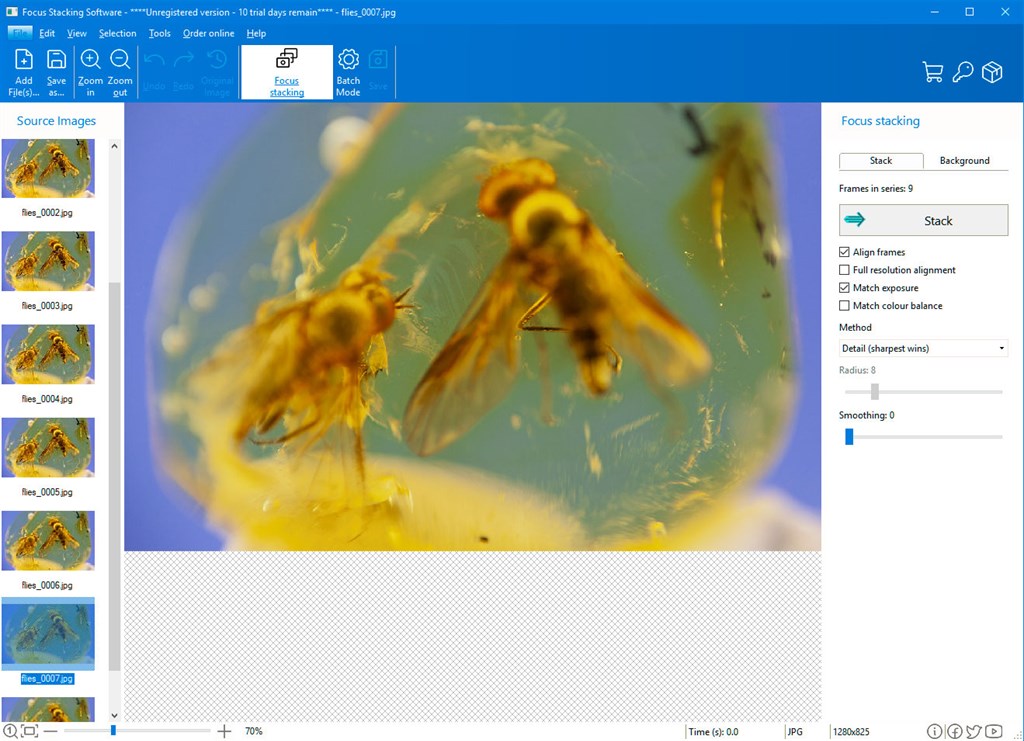
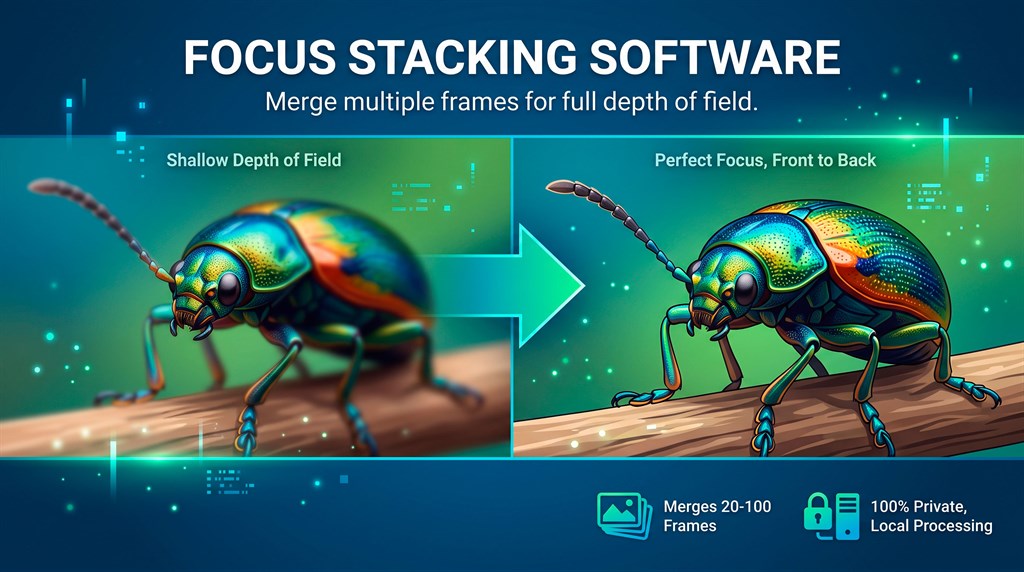
Focus stacking software combines several photographs of one subject, each focused at a different distance, into a single image with a much deeper zone of sharpness. SoftOrbits Focus Stacking Software is a Windows desktop application that does this in a short workflow. You open the series, press Stack, check the result at 100% and save it.
The program works in two stages. It first aligns every frame, correcting the small changes in scale and position that come from focus breathing, a creeping rail or a nudged tripod head. It then merges the frames by one of two methods, Detail or Smooth. Because the frames are taken from near to far, the merge also knows the distance of every pixel. That depth information powers the background blur slider, so a stacked image does not have to look flat.
You shoot the same subject many times and move the focus a little between frames, so each frame is sharp in a different place. The program aligns the frames, keeps the sharp part of each one, and produces one picture with the whole subject in focus. It is built for macro, coins, jewelry and small product work on Windows 10 and 11.
The software runs entirely on your PC. The installer contains no neural model and no Python runtime. Your frames are read from your disk and written back to your disk. That matters when the material belongs to a museum, a laboratory, an auction house or a client under NDA.
Input can be RAW (DNG, CR2, CR3, NEF, ARW, ORF and RW2, decoded by LibRaw into linear 16-bit data) or ordinary JPEG, PNG, TIFF and BMP files. Output can be 16-bit TIFF, JPEG or PNG.
Why Choose SoftOrbits Focus Stacking Software
Many stacking tools slow down or crash as the series grows. Memory use here follows the resolution of one frame, at roughly 200 MB per megapixel, and the number of frames does not change it. The same shoot used about 633 MB at 47 frames and at 53 frames. If the first minute does not run you out of memory, the last one will not either.
Speed does not depend on special hardware. A series of 74 frames at six megapixels merged in about a minute and a half on a test desktop with no graphics card. Larger frames take proportionally longer, and RAW files take longer still because every frame must be decoded first.
You also see the result before you decide to buy. The finished render stays on screen at full resolution with no watermark. The unregistered version will not save that render to your drive, and you know this before you start.
Key Benefits of SoftOrbits Focus Stacking Software
The points below describe what you gain in daily work with this program.
- Full depth of field from one stack. At 1:1 magnification a lens holds a fraction of a millimeter in focus, and a stack gives you the whole subject sharp.
- Predictable memory use. Depth of the stack is free, and only resolution is paid for.
- No watermark preview. You judge the actual result at full resolution before you buy.
- Fast results on a plain CPU. No graphics card is needed for the merge.
- No flat look. One slider restores a soft background while the subject keeps its original pixels.
- Batch capability. A night of shooting, such as 40 specimens in 40 folders, returns 40 separate stacks in one pass.
- Editing-ready output. 16-bit TIFF keeps room for levels and local contrast work.
- Private by design. Frames never leave your machine.
- One-time ownership. A perpetual license covers the one job you need, instead of a monthly photo suite subscription.
Who Can Benefit
- Insect and specimen photographers who shoot 30 to 100 frames of legs, antennae and mounted pins.
- Coin and collectible sellers who need the rim, the field and the relief readable in one image.
- Product and jewelry photographers who shoot rings, watches and tools with a deep front-to-back shape.
- Museum, herbarium and lab staff who digitize collections and cannot send files off-site.
- Microscopy users who want a slide viewed through a shallow objective to become one readable image.
- Marketplace sellers who sell small items and want every detail visible to cut returns.
Key Features
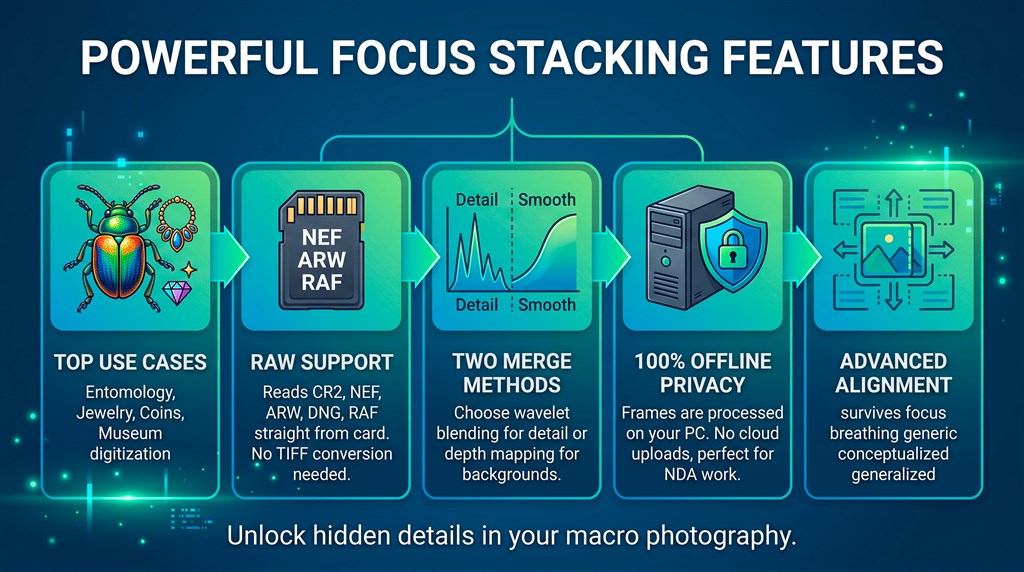
Below is a complete list of the main capabilities that make this program a practical tool for macro and product shooters:
- Two merge methods: Pick the approach that suits the subject, and run a hard series twice with one click.
- Detail: Works on wavelet coefficients and holds fine texture such as wing scales and coin rim milling.
- Smooth: Builds a depth map across the series and blends along it, which suits gradients and soft backgrounds.
- Radius setting: Spans 3 to 32 and trades sharpness for calm, keeping roughly four fifths of Detail at Radius 3 and about half at Radius 32.
- Smoothing control: Sits beside Radius and balances noise against halos on a difficult subject.
- Built-in alignment: Corrects shifts and scale changes before the merge begins.
- Two-stage matching: Matches each frame to its neighbor rather than a single reference, so the chain holds on a long rail run.
- Affine ECC model: Covers the scale and shift caused by focus breathing.
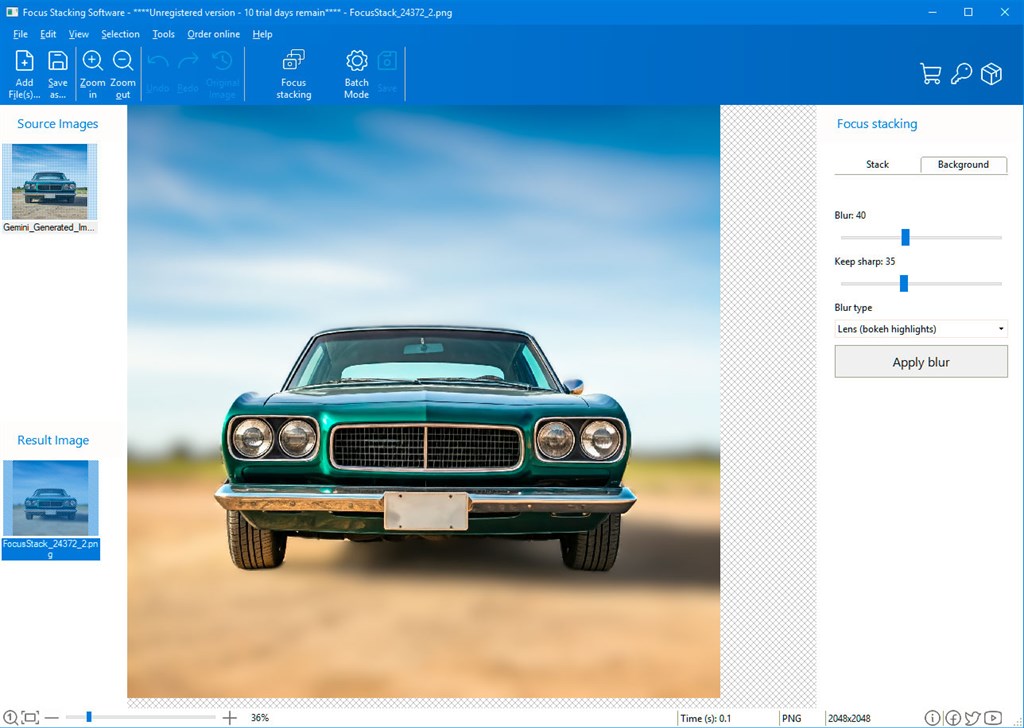
- Background blur from depth: Softens the distant area using the distance each pixel already carries.
- Amount slider: Sets how strong the blur is.
- Sharp depth slider: Sets how much depth stays sharp.
- Lens style: Swells bright points into round highlights.
- Plain soft style: Gives an even, simple blur.
- Non-destructive recompute: Apply blur starts from the clean merge every time, so the sharp part returns as original 16-bit pixels, and it takes about 2.5 seconds on a 17-megapixel result.
- Batch folder mode: Handles many series in a single run.
- Subfolder series: Treats each subfolder as its own stack.
- Named results: Writes each result file under the name of its folder.
- RAW and standard format support: Reads the files your camera actually writes.
- LibRaw decoding: Reads DNG, CR2, CR3, NEF, ARW, ORF and RW2 as linear 16-bit data.
- Common formats: Reads JPEG, PNG, TIFF and BMP.
- Output choices: Writes 16-bit TIFF, JPEG or PNG.
- Predictable memory handling: Merges incrementally so large stacks stay manageable.
- Resolution-based cost: Uses about 200 MB per megapixel.
- Frame-count independence: 20 frames and 100 frames of the same camera cost the same RAM.
- Local, lightweight processing: Keeps the work on your computer.
- Lighweight installer: Links OpenCV, LibRaw and the image codecs statically.
- No uploads: Reads and writes only on your own disk.
- Reliable cancel: Stops a run when you ask it to.
- Clean memory release: A cancelled 74-frame run returned 849 MB back to 46 MB.
- Intact workspace: The window and file list remain after cancelling.
- Clear series checking: Helps you catch mistakes before they cost time.
- Natural-order list: Shows every file in the merge so you can compare it with your shooting notes.
- Size validation: Stops the run with a message naming any frame of a different pixel size.
Formats It Reads and Writes
The table shows which file types go in and which come out.
| Format | Extensions | Read | Written |
|---|---|---|---|
| RAW | .DNG, .CR2, .CR3, .NEF, .ARW, .ORF, .RW2 | Yes, decoded by LibRaw | No |
| TIFF | .TIF, .TIFF | Yes | Yes, 16 bits per channel |
| JPEG | .JPG, .JPEG | Yes | Yes |
| PNG | .PNG | Yes | Yes |
| BMP | .BMP | Yes | No |
How to Use It
- Install it. Download and run the installer on a 64-bit Windows 10 or 11 system. There is no 32-bit build, because deep series of high-resolution frames need more address space.
- Add the frames. Press Open series and pick the frames from one shoot. All frames must share the same pixel size.
- Merge the stack. Press Stack. Alignment runs first and the merge second, and the progress bar shows the stage.
- Check the edges, then save. Zoom to 100% and inspect antennae, leg tips or ring prongs, then save under a name you will recognize later.
Requirements
These are the system specifications supplied for the program:
- Windows 11/10/8.1/8/7 (32/64 bit). The how-to notes say the current build targets 64-bit Windows 10 and 11, so use those for best results.
- Intel i3, AMD Ryzen 5 or above
- 4 GB of RAM or above
- A supported graphics card with up-to-date drivers, such as NVIDIA GeForce series 8 and 8M, Intel HD Graphics 2000, Quadro FX 4800, Quadro FX 5600, AMD Radeon R600, Mobility Radeon HD 4330, Mobility FirePro series or Radeon R5 M230 or higher
- 1280 x 768 screen resolution, 32-bit color
- 1 GB of free hard disk space or above
Downloads
Test how SoftOrbits Focus Stacking Software handles your own series before you spend anything. Download the free trial edition by clicking the button below. The trial shows the full-resolution merged render with no watermark. It stacks the first folder in batch mode, but it will not save the render to your drive.
or
Buy now, the price start from:
Thank you for reading SoftOrbits Focus Stacking Software review, and enjoy the discount coupon. If you notice any issues with SoftOrbits Focus Stacking Software discount coupon, deal, or giveaway—such as an expired offer, broken link, or sold‑out promotion—please let us know while the deal is still available.