
Giveaway – Excel Password Recovery: Free License Key | Recover Forgotten Open Passwords for XLS and XLSX – for Windows

Locked out of your own Excel workbook? Remove sheet and workbook protection at once, recover forgotten open passwords, and preview the result for free. Get Excel Password Recovery with a License Key For FREE today and stop rebuilding spreadsheets from scratch!
Free Full Version!
BUY NOW
SoftOrbits Excel Password Recovery is available for $7.50. For a limited time, you can get a full version of SoftOrbits Excel Password Recovery with a license key for free through the Giveaway tab below. Act now to lock in the lower price before the offer ends!

Ashampoo Office 27: Perpetual License, 5 PCs BEST OFFER
Advanced Password Recovery Suite: Lifetime License BEST SELLER

Xenarmor Browser Password Recovery Pro: Personal Edition BEST OFFER

XenArmor WiFi Password Recovery Pro: Personal Edition BEST OFFER

Browser Password Recovery Tool BEST SELLER
XenArmor All-In-One Password Recovery Pro BEST OFFER
Tenorshare 4uKey Password Manager BEST OFFER
Magic Recovery Key Pro BEST OFFER
DataNumen Office Repair BEST OFFER
Tenorshare 4DDiG - Windows Data Recovery BEST OFFER

SysTools OST Recovery: Personal License BEST SELLER
SysTools Outlook Recovery BEST SELLER
SoftOrbits Excel Password Recovery Giveaway
Available now: Free License Key for a Limited TIme!
To access the giveaway, kindly provide your email address. Please refrain from closing this page after signing in to receive instructions on how to access the offer at no cost.
NOTES:
– All prices shown here are in listed USD (United States Dollar).
– Such promotional programs are subject to change without notice, from time to time in our sole discretion.
– Data may vary based on different systems or computers.
Excel Password Recovery Review at a Glance
A budget file sits on your drive, and the password is gone. Maybe you protected a payroll sheet years ago and never reopened it. Maybe you inherited a shared drive full of locked workbooks with no notes. Re-entering the data by hand wastes hours, and a single typo can corrupt the figures you depend on.
SoftOrbits Excel Password Recovery solves this problem for files you own.
What Is SoftOrbits Excel Password Recovery?
SoftOrbits Excel Password Recovery is a Windows desktop utility. It removes protection from your own Excel sheets and workbooks and recovers forgotten open passwords. It handles .xlsx, .xlsm, and legacy .xls formats.
It reads both modern XLSX and older XLS workbooks. It clears sheet and workbook protection immediately, with no password required. If a workbook is locked with an open password, the program searches for the password you set and shows it to you. Your spreadsheet never leaves your PC, so sensitive financial and business data stays on your machine.
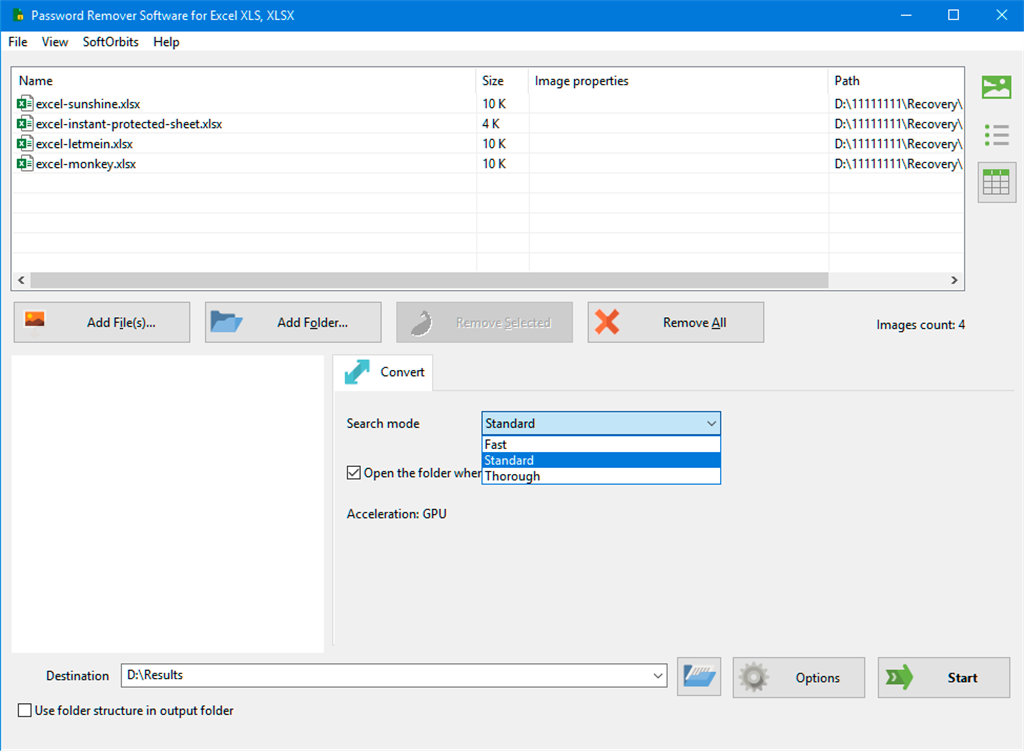
Two kinds of locks exist in Excel, and the software treats them differently. A locked sheet or workbook structure is not encryption. It is a flag stored inside the file. SoftOrbits clears that flag and returns an editable workbook, with no password needed.
The program is built around one simple action. You add a file or a whole folder, press Start, and let the software work. There is no mode to choose and no technical setting to adjust. A progress bar shows the search speed and the estimated time, and a Stop button lets you pause whenever you need to.
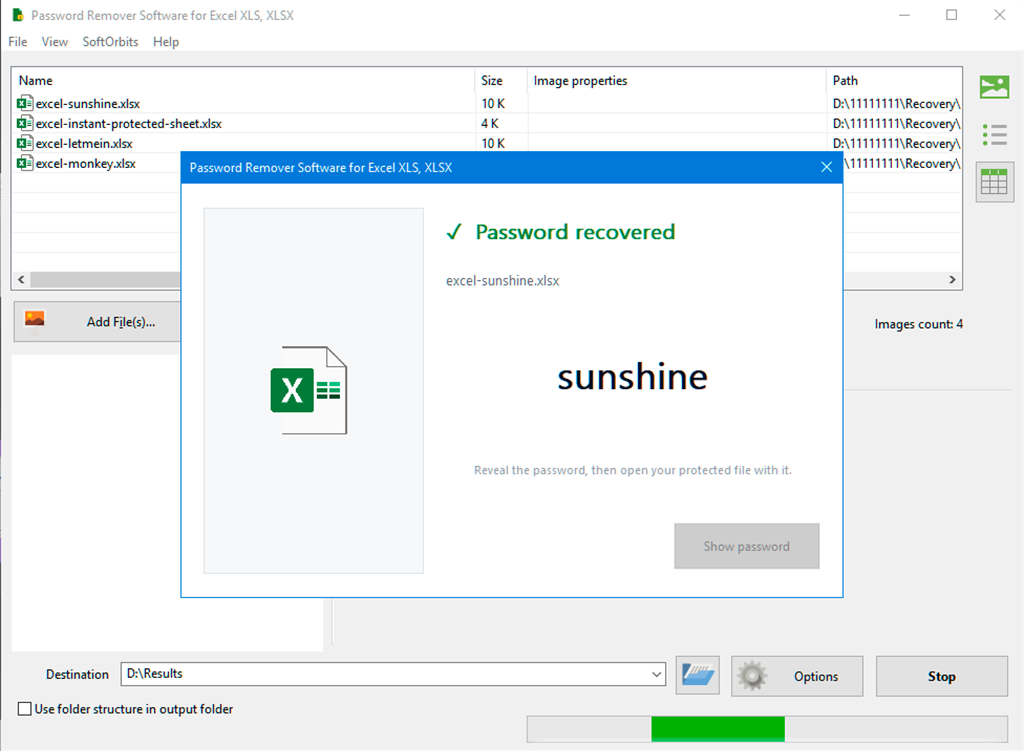
An open password is different, because it encrypts the file. For these files, the program searches a dictionary of common and human-chosen passwords, with rule-based variations such as added digits or changed capitalization. It does not try every possible combination. This keeps the process practical and honest about the odds.
The software is also clear about its limits. A long, random password on Excel 2013 and newer, protected with AES-256, stays out of reach, and the program says so before it starts. Older Excel 97-2003 files use weaker RC4 protection, so they are usually recovered quickly whatever the password length.
Why Choose This Software?
Many password tools make big promises and leave you waiting for days. SoftOrbits takes a more transparent approach. It removes what can be removed at once, searches only where a search is realistic, and tells you the expected result before you commit time. You also get a free preview of the outcome before you register.
The program also supports real workflows. You can point it at an entire folder and work through every locked file in a single run. A graphics card speeds up the search, and a plain CPU works too, with a time estimate shown first.
Key Benefits
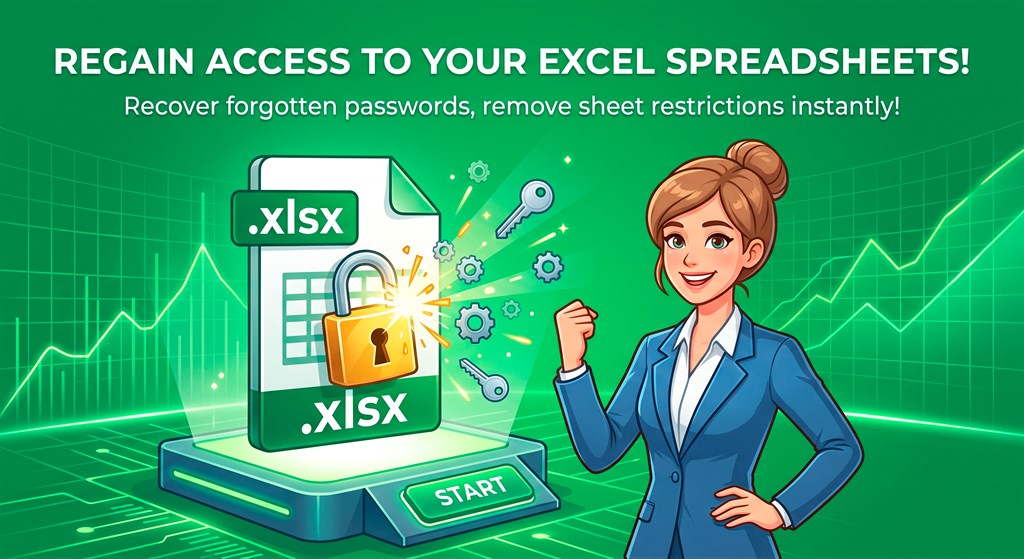
The advantages below show how the software saves time and protects your data. Each one comes from how the program is built and how it handles your files.
- Privacy by design: Your spreadsheet never leaves your PC, so confidential budgets, payroll data, and client records stay under your control.
- No rebuilding from scratch: You get back into workbooks you own instead of retyping formulas, tables, and figures that took weeks to build.
- Batch processing: Point the program at a whole folder and work through every locked file in one run, which saves hours on large archives.
- Immediate protection removal: Sheet and workbook structure protection is cleared at once, with no password and no waiting.
- Honest expectations: The program states the odds before it starts, so you never waste time on an unrealistic search.
- Fast results on legacy files: Older .xls workbooks with RC4 protection are recovered quickly, whatever the password length.
- Hardware flexibility: A graphics card speeds up the search, and a plain CPU still works, with a time estimate provided first.
- Try before you buy: The trial does the full job and shows a preview, so you can confirm the result before you pay.
Who Can Benefit?
Office and finance users often put an open password on a budget or payroll workbook and then forget it. The program recovers the password so they can get back to work. When a board deck built from that workbook is locked too, PowerPoint files can be handled the same way, on the same PC.
IT administrators and power users often take over a file share or a colleague’s laptop full of protected sheets with no password written down. The program removes the protection so they can edit or audit the workbooks. They can also compare two Excel workbooks once both are open.
Owners of old .xls archives may find years-old legacy accounting files with the password long gone. Older files use weaker protection, so these usually open fast. A QBO to CSV Converter can then open bank downloads from the same years without QuickBooks.
Freelancers, small business owners, and consultants also benefit. They keep client reports, invoices, and forecasts in Excel, and a forgotten password should not stop a project or delay an invoice.
Key Features
Below is a comprehensive list of the key features that make SoftOrbits Excel Password Recovery a practical choice for anyone with locked workbooks:
- One-Click Operation – A single Start button handles the whole recovery process with no modes to choose.
- Automatic Workflow – The program removes sheet or workbook protection first, then searches for an open password only if needed.
- Progress Monitoring – A progress bar shows the search speed, the estimated time, and a Stop button.
- Wide File Support – The software reads both modern and legacy Excel file formats.
- XLSX and XLSM Support – Workbooks from Excel 2007 through Excel 365 are opened and processed.
- XLS Support – Legacy Excel 97-2003 files with older RC4 protection are recovered quickly.
- Protection Removal Without a Password – Sheet and workbook structure locks are cleared at once.
- Flag Clearing – The program clears the protection flag inside the file because this type of lock is not encryption.
- Editable Output – You receive a workbook you can edit, format, and share as usual.
- Open Password Recovery – The program searches for the password that protects a workbook from being opened.
- Dictionary Search – A dictionary of common and human-chosen passwords is tested against the file.
- Rule-Based Variations – Common changes, such as added numbers or altered capitalization, are tried automatically.
- Password Display – Once found, the password is shown so you can open the file in Excel yourself.
- Batch Processing – Many locked files can be handled in one session.
- Single File Input – You can drop in one workbook for a quick fix.
- Folder Input – You can add a whole folder and work through every locked file in one run.
- Hardware Acceleration – The search speed adapts to your computer.
- Graphics Card Support – A compatible GPU speeds up the password search.
- CPU Mode – A plain processor works too, and a time estimate is shown first.
- Free Result Preview – You can check the outcome before registering.
- Content Preview – The trial shows the unprotected workbook content.
- Masked Password Preview – The trial shows the recovered password with a few characters hidden.
- Local Processing – All work happens on your own computer.
- No Uploads – Your files are never sent to a server or cloud service.
- Safe Saving – After registration, you save the clean file as a new workbook.
What to Expect by File Type
The table below summarizes what the program does with each Excel version and protection type, so you can set realistic expectations before you begin.
| Excel version and file | What is locked | What the program does |
|---|---|---|
| Any Excel (.xlsx, .xlsm) | Sheet or workbook structure protection | Removed at once, no password needed |
| Excel 2007 (.xlsx) | Open password | Searched by dictionary and rule-based variations |
| Excel 2010 (.xlsx) | Open password | Searched the same way; each guess takes a little longer to test |
| Excel 2013-2021 and 365 (.xlsx) | Open password (AES-256) | A human-chosen password is found; a long, complex one is not realistic |
| Legacy Excel 97-2003 (.xls) | Open password (older RC4) | Recovered fast, whatever the length |
How to Recover Your Excel Password
The process takes three short steps. Follow them in order for the best result:
- Add your locked files. Open the program and drop in a single file or a whole folder of .xlsx and .xls workbooks.
- Press Start. The program first removes sheet or workbook protection without a password. If the file still needs an open password, it searches for it and shows the speed and estimated time.
- Get back in. Once the protection is gone, save the unprotected workbook. For an open password, the program shows you the password so you can open the file in Excel yourself.
Requirement List
Before installing, check that your computer meets the following system requirements so the program runs smoothly:
- Operating system: Windows 11/10/8.1/8/7 (32/64 bit)
- Processor: Intel i3, AMD Ryzen 5 or above
- Memory: 4 GB of RAM or above
- Graphics card: NVIDIA GeForce series 8 and 8M, Intel HD Graphics 2000, Quadro FX 4800, Quadro FX 5600, AMD Radeon R600, Mobility Radeon HD 4330, Mobility FirePro series, Radeon R5 M230 or higher, with up-to-date drivers
- Display: 1280 × 768 screen resolution, 32-bit color
- Storage: 1 GB of free hard disk space or above
Downloads
See how SoftOrbits Excel Password Recovery handles your own locked workbooks. Download the free trial edition and test the software by clicking the button below. The trial does the full job and shows a preview of the unprotected content or the recovered password with a few characters hidden. Nothing is saved during the trial, so you can check the result with no risk before you register.
or
Buy now, the price start from:
Thank you for reading SoftOrbits Excel Password Recovery review, and enjoy the discount coupon. If you notice any issues with SoftOrbits Excel Password Recovery discount coupon, deal, or giveaway—such as an expired offer, broken link, or sold‑out promotion—please let us know while the deal is still available.


