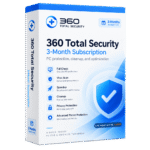
Giveaway – 360 Total Security Premium: Free 1-year License | Complete Antivirus, Anti-Ransomware, PC Cleaner, Firewall and Privacy Protection Software with Driver Updater and Game Booster – for Windows
Protect your PC from viruses, ransomware, phishing and trackers, and get rid of ads, with 360 Total Security Premium. Get a 1-year premium plan for FREE today and get complete protection!
You can also get a lifetime license for 360 Total Security Premium for a one-time payment of just $49.
✔ Lifetime License. ✔ Free Product Updates ✔ Customer Support
BUY NOW
360 Total Security Premium is available for $19.99 for a year. For a limited time, you can get a a lifetime license for 360 Total Security Premium for a one-time payment of just $49.. This offer will not last, so claim your savings today.
Software Giveaway: You can also get 360 Total Security Premium with a 1-year license for free through he Giveaway tab below!
What you get with your Premium purchase:
- Official license: A genuine license that activates every Premium feature.
- Ad-free protection: No advertisements or interruptions while your PC is protected.
- Technical support: Help from the support team if you have installation or activation questions.
- Updates: Regular updates for security engines, virus definitions and features.
- Premium tools: Access to Privacy Antitracker, Duplicate Cleaner, Data Shield, Desktop Organizer and Data Shredder.
- Exclusive savings: Premium member discounts of up to 80% on games and apps.
- Lively Themes: A stylish interface with themes to match your taste.

Complete Antivirus, Anti-Ransomware, PC Cleaner, Firewall and Privacy Protection Software with Driver Updater and Game Booster
- Lifetime License
- Use on unlimited devices with one license.
- All current Premium features, yours forever.
- Never pay a subscription fee again.
- One payment, VIP support, lasting peace of mind.
Platforms: Windows
Complete Antivirus, Anti-Ransomware, PC Cleaner, Firewall and Privacy Protection Software with Driver Updater and Game Booster
- 1-year License
- Get every Premium feature for a full year.
- Unlimited devices with one plan.
- Much cheaper than paying month by month.
- Early access to features, priority support.
Platforms: Windows
Complete Antivirus, Anti-Ransomware, PC Cleaner, Firewall and Privacy Protection Software with Driver Updater and Game Booster
- 3-month License
- Get every Premium feature for three months.
- Costs less each month than the monthly plan.
- Privacy, faster PC, and no ads in one plan.
- A simple first step to long-term protection.
Platforms: Windows

IObit Advanced SystemCare Ultimate 18 with Gift Bundle BEST SELLER
VIPRE Ultimate Security BEST SELLER
PC Matic Complete Security EXCLUSIVE

Bitdefender Premium Security: 10-device 1-year License BEST OFFER
Acronis True Image BEST OFFER
ZoneAlarm Anti-Ransomware BEST OFFER
360 Total Security Premium Key Giveaway
Available now: Free 1-year License for a Limited Time!
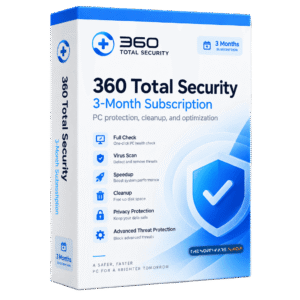
To access the giveaway, kindly provide your email address. Please refrain from closing this page after signing in to receive instructions on how to access the offer at no cost.
NOTES:
– All prices shown here are in listed USD (United States Dollar).
– Such promotional programs are subject to change without notice, from time to time in our sole discretion.
– Data may vary based on different systems or computers.
360 Total Security Premium Review at a Glance
Every time you browse, shop online, download a file or chat with friends, your computer faces risks. Viruses, Trojans, ransomware, phishing emails and hijacked browsers can arrive through any of these activities. Over time, junk files, old caches, outdated drivers and a cluttered desktop also slow your PC down. Many users end up juggling a separate antivirus, a cleaner, a firewall and a privacy tool, which costs money and takes time to manage.
360 Total Security Premium replaces that pile of tools with one package. It combines five security engines, layered threat blocking, privacy tools and system optimization utilities in a single Windows application. Premium also removes the advertisements that appear in the standard antivirus, so you get protection without interruptions. Lively Themes give the interface a stylish look, and Premium members get exclusive discounts of up to 80% on games and apps.
What Is 360 Total Security Premium?
360 Total Security Premium is a Windows security and PC optimization suite. It gives your computer complete protection from viruses, Trojans and other emerging threats. It also includes a set of utilities for cleaning, speeding up and maintaining the system. The Premium edition adds an ad-free experience, advanced privacy tools such as Privacy Antitracker, Duplicate Cleaner, Data Shield, Desktop Organizer and Data Shredder, and Lively Themes for customizing the look of the program.
Its virus detection draws on five security engines, including the 360 Cloud Scan Engine, 360 QVMII AI Engine, QEX and KunPeng. Behind the engines are layers such as a Sandbox, Anti-Phishing, Anti-Ransomware, Browser Protection and Document Guard. A one-click Full Check reviews the overall health and safety of your computer in seconds. The Cleanup, Speedup and Protection modules cover day-to-day upkeep.
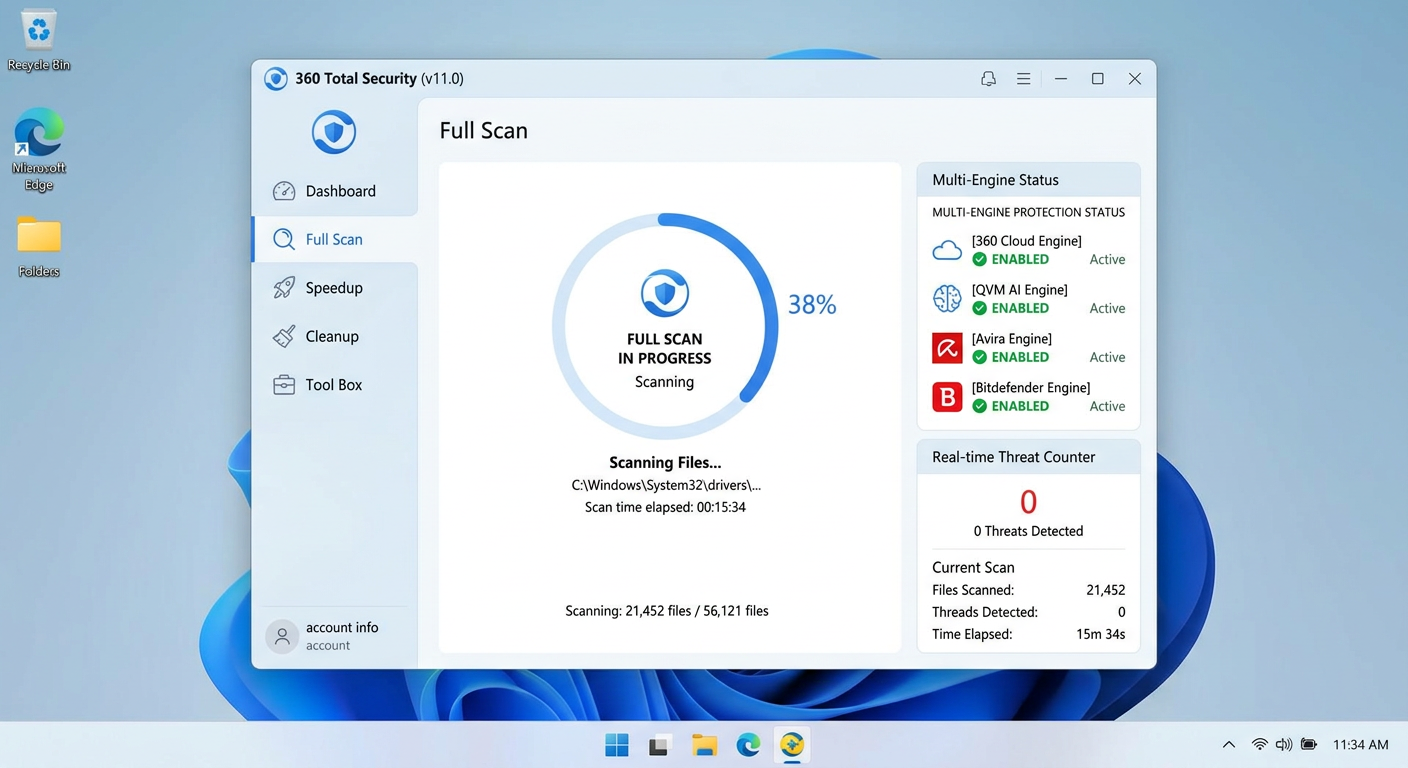
The suite covers three areas. It detects and blocks threats such as malware, phishing and ransomware. It protects your privacy by stopping trackers, erasing your traces and shredding sensitive files. It also keeps your PC fast with cleanup, startup management, driver updates and a game booster. Each area is covered below.
Premium also suits users who want a fast, clean workspace. Disk Analyzer, Scheduled Cleanup, Registry Cleaner and System Disk Slimming help you recover storage. Driver Updater with backup, Patch Up and the Firewall keep the system current and your network traffic under control.
Key Benefits
The benefits below are the main reasons users choose this suite for everyday computing.
- Strong threat detection: Five security engines give a high virus detection rate, so even well-disguised malware has little room to hide.
- Ad-free experience: Premium removes the advertisements found in the standard antivirus, so protection runs without interruptions.
- Protection against ransomware and phishing: Ransomware is blocked before it can lock your files, and fake emails and unsafe websites are identified before they can trick you.
- Better privacy: Privacy Antitracker, Privacy Cleaner, Data Shield and Data Shredder reduce tracking, remove digital footprints and make sure deleted files stay deleted.
- Faster performance: Cleanup, Speedup, Registry Cleaner and Scheduled Cleanup remove clutter and shorten boot times.
- Safe testing of unknown files: The Sandbox runs untrusted programs in isolation, away from your system.
- Data safety: Document Guard uses automatic backup and real-time monitoring against data hijacking, tampering and loss from system crashes.
- Savings on software: Premium members get exclusive offers of up to 80% off on games and apps.
- Personal style: Lively Themes let you match the interface to your taste.
Why Choose This Product
Most users have to pick a separate tool for each job. 360 Total Security Premium puts security, privacy and optimization in one dashboard, so you can run a full check, clean the system and update drivers without switching programs. The four protection modes (Performance, Balanced, Security and Custom) let you choose between speed and maximum safety. The ad-free interface keeps the focus on your work, and the cleanup tools help older machines run more smoothly.
Who Can Benefit
- Home users who shop, bank and chat online and want one program that guards them.
- Students and remote workers who download files often and need their documents backed up.
- Gamers who want fewer background slowdowns and an automatic booster at game launch.
- Freelancers and content creators who store large files and need free disk space and safe backups.
- Small business owners who need ransomware defense, a firewall and privacy tools without a complicated setup.
- Owners of older PCs who want to speed up systems running Windows 7, Vista or even XP.
Key Features
Below is a detailed list of the main tools that make this suite a practical addition to any Windows computer:
- Privacy Antitracker – Stops websites from tracking your online behavior and protects you from targeted advertising and privacy leakage.
- Tracker Blocking – Prevents sites from following your browsing habits.
- Leak Prevention – Reduces the risk of personal data being exposed.
- Duplicate Cleaner – Removes duplicate files to free up space and improve computer performance.
- Duplicate Detection – Finds identical files stored in different places.
- Space Recovery – Frees storage after unneeded copies are deleted.
- Data Shield – Provides five layers of privacy protection for personal information.
- Trace Cleanup – Clears privacy traces left on the system.
- Information Protection – Keeps personal data from being leaked.
- Desktop Organizer – Tidies a messy desktop with one click and keeps it clean.
- File Search – Finds files quickly from the desktop assistant.
- Screenshot Shortcut – Captures the screen with a quick shortcut.
- To-Do List – Manages daily tasks through a built-in widget.
- Daily News – Shows news and other useful widgets on the desktop.
- Data Shredder – Fully destroys deleted files so that nobody can recover them.
- Permanent Deletion – Erases files beyond the reach of recovery tools.
- Secret File Protection – Keeps sensitive items safe even if someone accesses the drive.
- Privacy Cleaner – Removes the digital footprints you leave behind while using your PC.
- Browser History Removal – Clears browsing records.
- Program Activity Cleanup – Erases traces of application use.
- System Run History Cleanup – Deletes records of system activity.
- Disk Analyzer – Shows what is taking up disk space at a glance.
- Size Sorting – Lists files from largest to smallest to show where to begin cleaning.
- Easy Deletion – Removes unused items to free up space.
- Driver Updater – Keeps all drivers current with simple updates.
- Driver Backup – Saves the existing driver before an update.
- Driver Restore – Returns to the previous version if a driver fails.
- Firewall – Controls and monitors network traffic for safer, faster communications.
- Bandwidth Monitoring – Tracks how much bandwidth each app uses.
- Traffic Throttling – Limits total traffic to keep the connection responsive.
- Suspicious Access Blocking – Stops suspicious attempts to reach the Internet.
- Scheduled Cleanup – Runs regular automatic cleanups to keep the PC free of clutter.
- Cache Removal – Clears trash caches.
- Junk File Removal – Deletes useless files.
- Performance Issue Cleanup – Resolves items that slow the system.
- 5 Security Engines – Delivers a high virus detection rate with several detection technologies.
- 360 Cloud Scan Engine – Checks files against cloud-based intelligence.
- 360 QVMII AI Engine – Uses artificial intelligence to spot suspicious files.
- QEX Engine – Adds another layer of malware detection.
- KunPeng Engine – Strengthens overall scanning capability.
- Multi-Layer Security – Blocks programs that show suspicious behavior as soon as they are detected.
- Behavior Blocking – Stops disguised malware by watching how it acts.
- Anti-Phishing – Identifies fake emails and unsafe sites to protect your personal information.
- Fake Email Detection – Flags deceptive messages.
- Unsafe Site Warning – Alerts you to dangerous websites.
- Anti-Ransomware – Blocks ransomware before it can lock your PC.
- Early Blocking – Stops encryption attempts at the start.
- Sandbox – Offers an isolated environment for testing files from unknown sources.
- Isolated Execution – Runs risky programs without changing the host system.
- Threat Containment – Keeps threats separate from your system.
- Browser Protection – Locks browser settings and prevents unauthorized changes.
- Homepage Lock – Stops homepage hijackers.
- Search Engine Lock – Keeps your default search engine unchanged.
- Document Guard (360 Document Protector) – Safeguards documents with real-time monitoring and automatic backup.
- Automatic Backup – Saves copies of important files.
- Real-Time Monitoring – Watches for hijacking and tampering.
- Customized Protection – Lets you choose the protection mode that fits your needs.
- Performance Mode – Favors system speed.
- Balanced Mode – Mixes protection and speed.
- Security Mode – Prioritizes maximum safety.
- Custom Mode – Lets you set your own options.
- Full Check – Reviews your computer’s overall health and safety with one click.
- Health Overview – Summarizes system condition.
- Safety Overview – Highlights security issues quickly.
- Speedup – Optimizes system services, boot items and plugins to shorten boot time.
- Startup Management – Controls programs that launch at boot.
- Service Optimization – Manages system services.
- Plugin Management – Handles plugins that slow the PC.
- Cleanup – Frees disk space by removing junk files and plugins.
- Selective Cleaning – Lets you decide which areas and files to clean.
- WiFi Security Check – Analyzes router settings for a safe internet experience.
- Router Analysis – Reviews configuration for weaknesses.
- Patch Up – Scans for and installs the latest patches and security updates.
- Windows Updates – Delivers operating system updates.
- Vulnerability Patching – Fixes known security holes.
- 360 Instant Setup – Installs popular software with a single click.
- One-Click Installation – Gets a new PC ready fast.
- Registry Cleaner – Clears registry junk to keep the system running smoothly.
- Registry Junk Removal – Deletes leftover and invalid entries.
- System Backup Cleaner – Removes system update backup files and unused driver files.
- Update Backup Cleanup – Clears old update backups.
- Unused Driver Cleanup – Deletes drivers no longer needed.
- System Disk Slimming – Moves and cleans system disk files to free up space.
- File Transfer – Relocates files off the system disk.
- System Disk Cleanup – Clears items that fill the system drive.
- 360 Game Booster – Boosts gaming performance automatically when a game starts.
- Automatic Activation – Starts when you launch a game.
- Resource Optimization – Frees system resources for smoother play.
- Lively Themes – Gives the security interface a stylish, vivid look.
- Theme Variety – Offers designs for different tastes.
- Ad-Free Premium Experience – Removes the advertisements shown in the standard antivirus.
- Uninterrupted Protection – Keeps pop-ups out of your workflow.
- Special Offers on Games & Apps – Gives Premium members exclusive discounts.
- Discounts up to 80% Off – Cuts the cost of selected games and apps.
Requirements
The program supports a wide range of Windows versions, including older systems:
- Operating system: Windows 11, 10, 8.1, 8, 7, Vista, XP and Server 2008 and above
- Platform: Windows PC
Free to Try
Test the program on your own computer before you decide. The free edition lets you try the Full Check, Virus Scan and Cleanup tools and see how they fit your daily routine. Click the button below to get the trial edition and see the difference for yourself.
or
Buy now, the price start from:
Thank you for reading 360 Total Security Premium review, and enjoy the discount coupon. If you notice any issues with 360 Total Security Premium discount coupon, deal, or giveaway—such as an expired offer, broken link, or sold‑out promotion—please let us know while the deal is still available.