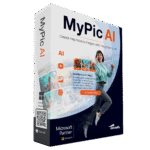
62% Off – MyPic AI: Yearly Subscription | Fast AI Image Generator – for Windows

Turn simple ideas into striking AI images on your Windows PC. Create custom artwork, restyle photos, and get polished results fast with MyPic AI — get now at a 62% discount!
✔ Full Version. ✔ Free Product Updates ✔ 24×7 Customer Support ✔ 30-day Money-back Guarantee.

MyPic AI Review at a Glance
Coming up with a great visual is often easy in your head and frustrating on screen. Many people can picture a scene, a mood, a portrait, or a gift idea clearly, yet they cannot draw it, build it in editing software, or get the right result from complicated online AI tools.
MyPic AI solves that problem by giving you a simple Windows application that turns short text descriptions into finished images in just a few steps. Instead of dealing with cluttered menus, technical wording, and confusing controls, you can focus on your idea and let the software do the hard work.

What Is MyPic AI?
MyPic AI is a Windows application for AI image creation and photo restyling. It takes the idea in your head and helps turn it into a visual result using plain-language input, guided controls, and built-in AI assistance. You do not need drawing skills, Photoshop knowledge, or technical AI experience to start using it.
At its core, MyPic AI works as a text-to-image generator. You enter a short description, and the software creates an image based on that request. If your wording is too brief or not specific enough, the built-in prompt assistant rewrites it into a stronger prompt so the AI can produce a better result. This saves time and reduces the trial-and-error that often comes with other AI image tools.
The software also supports creative reworking of existing photos. You can load an image and ask MyPic AI to produce new visual versions in different looks or styles. That gives old snapshots, portraits, and personal photos new artistic life without forcing you to learn advanced editing tools.
Because it runs as a desktop app on Windows, MyPic AI keeps the process focused and straightforward. You work in a calm interface instead of jumping through browser tabs or learning an online workspace. For many users, that makes the product feel more comfortable and easier to control.

Why Choose MyPic AI?
If you have tried other AI art tools before, you may already know the common problems: confusing settings, weak prompt guidance, and results that miss the idea you had in mind. MyPic AI is designed to reduce those issues. It gives you a simpler route from concept to image and keeps the process friendly for non-experts.
The built-in prompt assistant is one of its most useful advantages. Instead of expecting you to write a perfect prompt, the software helps shape your request into something clearer and more effective. That small step can make a big difference in visual quality and relevance.
Ease of use is another major reason to pick this software. The interface is made for beginners, with readable controls and a step-by-step flow. You can begin fast, make changes easily, and spend more time creating instead of troubleshooting.
MyPic AI also gives you variety without complexity. You can start from scratch with text, begin with a template, or load your own photo and create a fresh version. That flexibility makes the product useful for many personal and creative tasks while still keeping the software easy to understand.
How MyPic AI Works
Using MyPic AI is simple by design. The workflow removes unnecessary friction and keeps each step easy to follow, even for first-time users.
- Enter your idea — Type a short text description in everyday language.
- Refine the prompt — Let the built-in AI assistant improve the wording for stronger image guidance.
- Generate the image — Click once and let the software create your visual result.
- Save your creation — Store the final image and use it for personal art, gifts, invitations, fun projects, or inspiration.
This clear process is one of the software’s biggest strengths. You are not pushed into a maze of technical settings. You simply describe the result you want and move forward step by step.
Key Benefits
Below are the main reasons MyPic AI can be a valuable addition to your creative toolkit:
- Easy for beginners — The software is built for users who want clear guidance instead of a steep learning curve.
- Fast image creation — Go from an idea to a finished visual in a short amount of time.
- AI-refined prompts — The built-in assistant rewrites your request for stronger and more accurate output.
- Creative support from templates — Start faster with ready-made ideas for styles and subjects.
- Photo reworking included — Load your own images and create fresh visual versions inside the app.
- Windows desktop convenience — Work in a focused desktop environment without relying on a busy browser layout.
- Useful for many projects — Create artwork for gifts, fun concepts, invitations, personal collections, and creative planning.
- Less frustration, more output — Spend less time guessing prompt wording and more time generating results you actually want.
Who Can Benefit from MyPic AI?
MyPic AI is a helpful tool for anyone who wants visual creation without a technical barrier. It is especially useful for people who have ideas but lack the time, software skills, or design background to build those ideas manually.
Here are some of the users who can get real value from this software:
- Beginners who want AI image creation without complex controls.
- Hobby creators who enjoy making fantasy art, character concepts, scenic artwork, or fun visual experiments.
- Gift makers who want personal images for birthdays, holidays, invitations, or special occasions.
- Families who want to give old photos a fresh artistic look.
- Students who need quick creative visuals for personal or school-related concepts.
- Content planners who want draft image ideas for posts, projects, and design direction.
- Windows users who prefer a desktop application instead of browser-based tools.
MyPic AI is built for people who want fast, attractive AI image creation without a steep learning curve. You type a few words, let the built-in prompt assistant polish your request, click once, and the software creates an image that matches your concept much more closely. That makes MyPic AI useful for personal projects, fun creative experiments, gift ideas, mood boards, invitations, social content drafts, and artistic photo reworks. The process feels direct, clear, and approachable, even for someone who has never used AI art software before.

One of the biggest frustrations with AI image tools is that the results often depend on writing the “right” prompt. Most users do not want to study prompt formulas or guess which terms the AI needs. MyPic AI removes that barrier with an integrated prompt assistant that rewrites and sharpens your input automatically. A short phrase like “dreamy evening landscape” can be refined into a stronger instruction that gives the AI more direction, saving time and improving consistency.
The software also helps when you do not know where to begin. Creative blocks happen, and not every user wants to start from a blank field. MyPic AI includes ready-to-use templates that suggest styles, subjects, and directions so you can begin quickly. One click can give you a useful starting point for portraits, fantasy scenes, nostalgic visuals, artistic concepts, or playful personal artwork. This makes the app especially friendly for beginners who want ideas without pressure.
MyPic AI is not limited to text-based image creation. It also lets you load an existing picture and create fresh versions in different styles. A simple snapshot can become artistic, modern, stylized, or visually reworked in a new way inside the same application. That gives your photo library more creative value without requiring advanced editing knowledge, layer-based tools, or a separate design program.
Another strong reason to choose MyPic AI is its clean Windows-focused design. Many browser-based tools feel busy and distracting, with tabs, pop-ups, credit systems, and crowded dashboards. MyPic AI keeps the experience centered on your work in a traditional desktop application. The buttons are large, the labels are readable, and the workflow is guided step by step. That structure helps you stay productive and reduces the stress that often comes with feature-heavy software.

This product is a practical fit for a wide range of users. Beginners can create art without technical skill. Hobby users can turn random ideas into fun visuals. Families can make custom gifts or creative keepsakes. Students can produce visual concepts for personal projects. Content creators can draft original image ideas quickly. Anyone who wants AI image creation to feel simple instead of overwhelming can benefit from MyPic AI.
A typical use case shows why the software is so appealing. Let’s say you want a personalized birthday image featuring a friend and their pet in a comic-book style. With many tools, you would need a detailed prompt, style research, and editing experience. With MyPic AI, you can start with a short idea, let the assistant improve it, generate the image, and save the result in a much simpler workflow. That speed and clarity make the product useful not only for creativity, but also for convenience.
MyPic AI is also a strong option for users who want results quickly. Instead of spending time learning complex controls, you move from idea to image in a short sequence: type, refine, generate, save. That makes it easier to produce more variations, test more concepts, and keep your creative momentum going. The software gives you room to try different looks without making the process feel heavy or technical.
If your goal is simple AI art creation on a Windows PC, MyPic AI answers that need directly. It combines text-to-image generation, prompt polishing, helpful templates, photo reworking, and a beginner-friendly interface in one place. The result is a creative tool that feels practical, inviting, and ready for everyday use.
Features
Below is a comprehensive list of the key features that make the software a valuable addition to your needs:
- AI Image Generator – Create high‑quality images from simple text descriptions in seconds.
- Text‑to‑Image Creation – Turns everyday wording into finished AI images automatically.
- Fast Image Rendering – Produces results quickly without long wait times.
- Prompt Assistant – Improves your input so the AI understands your idea clearly.
- Automatic Prompt Optimization – Rewrites short or unclear prompts into detailed ones.
- One‑Click Enhancement – Improves results instantly with a single click.
- Templates – Provides ready‑made ideas to help you start faster.
- Style Templates – Suggests visual styles like artistic, modern, or dreamy.
- Subject Templates – Offers starting points for people, landscapes, pets, and more.
- Image Variations – Creates new versions of existing images using AI.
- Style Transformation – Changes photos into artistic, realistic, or futuristic looks.
- Creative Reworks – Generates fresh interpretations of the same image.
- Photo Transformation – Enhances or reimagines your own photos easily.
- Modernization – Gives old photos a fresh, updated appearance.
- Artistic Conversion – Turns simple photos into expressive artwork.
- Easy‑to‑Use Interface – Keeps the experience simple and stress‑free.
- Clean Layout – Uses clear design with large buttons and readable controls.
- Guided Workflow – Walks users step by step through image creation.
- Beginner‑Friendly Design – Requires no technical or editing knowledge.
- No Complex Settings – Removes advanced controls that confuse new users.
- Clear Instructions – Explains each step in plain language.
- Windows Desktop Application – Runs directly on your PC without a browser.
- Offline‑Style Workspace – No web dashboards or distracting tabs.
- Native Windows App – Feels like a standard Windows program.
- Wide Windows Compatibility – Works across multiple Windows versions.
- Windows 11 Support – Fully compatible with the latest Windows version.
- Windows 10 to 7 Support – Runs on older supported Windows systems.
- Save and Use Images Anywhere – Lets you export creations for any purpose.
- Instant Saving – Saves images immediately after generation.
- Flexible Usage – Use images for gifts, projects, invitations, or personal art.
- AI‑Powered Creativity – Helps turn ideas into visuals without effort.
- Idea‑to‑Image Flow – Shortens the gap between imagination and result.
- Unlimited Creative Output – Every new prompt produces a unique image.
Requirements
Before using MyPic AI, make sure your setup matches the product’s supported environment and intended workflow. The available product details point to the following requirements and usage conditions:
- Operating system support — Windows 11, Windows 10, Windows 8.1, Windows 8, or Windows 7.
- Device type — A Windows PC capable of running desktop applications.
- Input method — Text descriptions for AI image creation.
- Optional source files — Your own images or photos for creative reworking and style changes.
- User skill level — Designed for beginners, with guided steps and intuitive controls.
BUY NOW
Ready for faster and simpler AI image creation on your PC? MyPic AI is offered at the current price shown on this listing, and any active promotion or coupon can make the purchase even more appealing for a limited time. If you want a desktop tool that helps turn text ideas into polished visuals without technical stress, this is a practical time to buy.

" />
AI Image Generator for Windows PC - Create Custom AI Art from Text, Refine Prompts Automatically, Restyle Photos, Use Creative Templates, Fast Beginner-Friendly Results
- Immediate use after purchase
- Free Support
- Made in Germany
Platforms: Windows
REGULAR OFFERS
" />
AI Image Generator for Windows PC - Create Custom AI Art from Text, Refine Prompts Automatically, Restyle Photos, Use Creative Templates, Fast Beginner-Friendly Results
- Immediate use after purchase
- Free Support
- Made in Germany
Platforms: Windows

Pixlr Premium BEST SELLER

HitPaw Online BEST OFFER
Vovsoft AI Requester GIVEAWAY
Deep Art Creator Pro BEST OFFER

ImagineArt EXCLUSIVE
MyPic AI Giveaway
Unavailable at this moment!
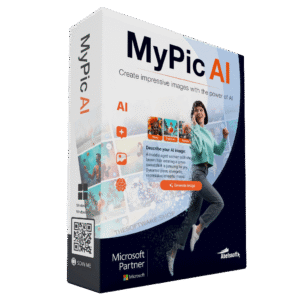
To access the giveaway, kindly provide your email address. Please refrain from closing this page after signing in to receive instructions on how to access the offer at no cost.
NOTES:
– All prices shown here are in listed USD (United States Dollar).
– Such promotional programs are subject to change without notice, from time to time in our sole discretion.
– Data may vary based on different systems or computers.
Thanks for reading MyPic AI Review & Enjoy the discount coupon. Please Report if MyPic AI Discount Coupon/Deal/Giveaway has a problem such as expired, broken link, sold out, etc while the deal still exists.