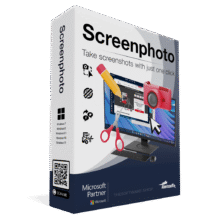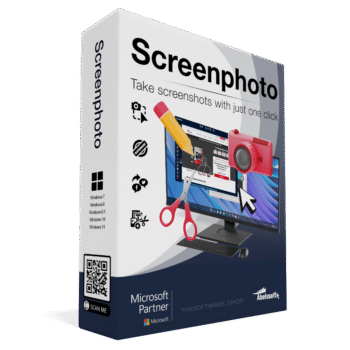
Giveaway – Abelssoft ScreenPhoto 2026: Free Full Version | Lifetime License – for Windows

Free Lifetime License | Full Version at $0 | One-Click Screenshots | Built-In Annotation Tools | JPG, PNG & PDF Export
Capture, annotate, and share your screen in seconds! Get Abelssoft ScreenPhoto 2026 today and take advantage of the limited-time lifetime license giveaway before it ends.
Special Offers
ScreenPhoto BEST OFFER

Abelssoft EasyBackup: Full Version! BEST OFFER

Find My Files BEST OFFER

Abelssoft SyncManager BEST OFFER

PhotoSort: Full Version! BEST OFFER

Abelssoft File Organizer BEST OFFER

Data2Pocket BEST OFFER
Limited-Time Giveaway Offer
Abelssoft ScreenPhoto 2026 normally sells for $19.95. During this promotion, the full version comes with a lifetime license at no cost. That means no subscription, no renewal fee, and no trial countdown. You get the complete program and keep it permanently on your Windows computer.
- Click the “GET NOW” button to open the Abelssoft ScreenPhoto deal page.
- Go to the “BUY NOW” section and select the “Giveaway” tab.
- Enter your email address in the offering box to receive the full version.
- Read the “HINTS” shown in the offering box for further instructions.
Giveaways are available for a limited time, so claim your copy while the offer is active.
Overview
Most people have needed to save something on their screen before it disappeared. It might be a confirmation number, a chart in a report, a chat message, a recipe, or an error message you need to show a support team. Abelssoft ScreenPhoto 2026 is Windows screenshot software built for these moments. One click saves exactly what you need, with no complicated setup and no extra steps.
The program works like a camera for your screen. A small camera icon stays on your desktop. You click it, choose what to capture, and the image is ready to save, mark up, or send. You don’t need technical knowledge, and you don’t need to watch a tutorial first.

One-Click Screenshots
The main feature is speed. ScreenPhoto lets you take high-quality screenshots with a single click. You can capture any area you choose, or you can capture an entire window. This is useful when you only need one part of a page, such as a table, a photo, or a paragraph, and don’t want the whole desktop in the image.
Because the process is so short, you can capture content in a few seconds. That helps when you are on a video call, reading a document, or checking a website and don’t want to interrupt your work. The tool stays out of your way until you need it.
Mark, Comment, and Highlight
A screenshot often needs a short explanation. ScreenPhoto 2026 includes editing tools so you can add that explanation directly on the image. You can draw arrows that point to a button or setting, add text labels, highlight important areas, and write comments. You can also add watermarks to mark your images as your own work.
These tools suit many situations:
- Presentations that need clear callouts on a slide or diagram.
- Creative projects where a screenshot is one part of a larger design.
- Quick notes that you want to save with a short comment attached.
- Step-by-step guides for coworkers, clients, or family members.
A marked-up image can replace a long written explanation. A single arrow and a short label tell the reader where to look.

Save as JPG, PNG, or PDF
ScreenPhoto 2026 saves your results in the format that fits the job. JPG keeps file sizes small for email and messaging. PNG keeps text and interface elements sharp, which is useful for software guides and design work. PDF is useful for documents, records, and files you want to print or archive.
Once you choose a preferred format, the program remembers it. You won’t have to pick the same option every time you capture an image.
Share Without Extra Steps
Sharing is built into the workflow. You can save a screenshot to your computer or send it as an attachment. You can also share it through a link. This removes the usual routine of saving a file, finding it in a folder, and attaching it manually. For anyone who sends screenshots to clients, teammates, or support staff, this saves time over a full day.
Settings That Adapt to You
ScreenPhoto 2026 follows your habits instead of forcing a fixed routine. Three settings show this:
- Your preferred image format is saved automatically.
- You can place the camera icon anywhere on your screen that suits your layout.
- Screenshots go automatically to the folder you select, so your files stay organized.
With the folder set once, every capture lands in the same place. You can find old images easily, and you don’t need to rename or move files each time.
Who Benefits From ScreenPhoto 2026
The software is simple enough for beginners and fast enough for daily professional use. Typical users include:
- Office workers who document tasks, send reports, or collect proof of completed work.
- Students who save lecture slides, research pages, and reference material.
- Online sellers and marketers who capture product pages, ad layouts, and competitor listings for review.
- Content creators who need quick images for tutorials, social posts, and guides.
- Family members who help relatives with computer problems and need to show them exactly what to click.
- Home users who keep records of receipts, bookings, and online forms.
At work, ScreenPhoto helps with emails, documents, and team communication. At home, it helps with personal records and everyday computer help. A picture can say more than a long message, and this tool makes that picture easy to produce.

Why Choose Abelssoft ScreenPhoto 2026
Many screenshot programs are either too basic to be useful or too complex for casual use. ScreenPhoto 2026 sits in the middle. It handles the common tasks, which are capturing, annotating, saving, and sharing. It keeps the controls clear and avoids unnecessary options that slow you down.
The key points are:
- One-click capture of any area or a full window.
- Arrows, text, watermarks, comments, and highlights for editing.
- Export to JPG, PNG, or PDF.
- Sharing by link or attachment.
- Automatic saving to your chosen folder.
- A movable camera icon and remembered format settings.
- A modern interface designed for Windows users.
- A lifetime license through the current giveaway.
System Use and Compatibility
ScreenPhoto 2026 is made for Windows computers. It is a desktop program, so you install it once and use it whenever you need it. Because it is light and simple, it suits both new and older machines that are used for daily office work.
Conclusion
Abelssoft ScreenPhoto 2026 gives Windows users a fast, clear way to capture, mark, save, and share what appears on their screens. One click starts a capture, built-in tools add arrows, text, watermarks, and comments, and JPG, PNG, and PDF exports cover most everyday needs. The remembered settings and automatic folder saving keep your files organized without extra effort. With a regular price of $19.95 and a limited-time giveaway that includes a lifetime license, now is a good moment to add this screenshot tool to your computer. Claim your free copy through the deal page before the offer ends.