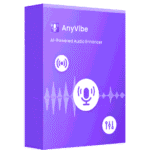
Giveaway – AnyVibe: Free License | AI Audio Enhancer – AI Noise Removal, Speech Clarity Boost, Reverb Reduction

Remove noise, reverb, and hiss while enhancing speech clarity and music quality—completely free, with no limits on time, length, or file size. Get AnyVide with a full version license at no cost.
Free Full Version!
AnyVibe Review at a Glance
Every creator, podcaster, and content maker faces the same problem: great ideas recorded over poor audio. Background noise, annoying hiss, nasty reverb, or distant microphones can ruin an otherwise perfect voice‑over, podcast episode, YouTube video, or music track. Editing by hand is slow, and most tools either limit file length, cap file size, or don’t deliver real clarity.
AnyVibe – AI‑Powered Audio Enhancer solves this problem once and for all.

What is AnyVibe – AI‑Powered Audio Enhancer?
AnyVibe is an AI‑driven audio enhancement software designed to automatically remove noise, reverb, and unwanted background sounds while improving speech clarity and overall audio quality. It works as a one‑click audio cleaner that can be used by content creators, podcasters, musicians, educators, and professionals who need clean, clear, and broadcast‑ready audio without technical audio‑editing skills.
The software detects and fixes common audio issues such as background noise, echo, reverb, hiss, hum, and uneven volume levels. It can be applied to individual files or entire batches, supports unlimited audio length, and works with all major audio formats—including MP3, WAV, FLAC, AAC, OGG, M4A, and WMA. AnyVibe also includes a Voice mode specifically tuned for podcasts, speeches, interviews, and voice‑over work, giving you a professional‑sounding vocal track from almost any recording device.

Key Benefits
- Remove background noise and reverb from your audio automatically, leaving your voice or music clean and clear.
- Boost speech clarity and intelligibility, making podcasts, lectures, and interviews easier to understand.
- Work with audio of any length or file size, so you can process multi‑hour recordings and large music files without splitting or compressing.
- Support for all major audio formats (MP3, WAV, FLAC, AAC, OGG, M4A, WMA, and more) so you can upload directly without conversion.
- Simple one‑click operation for quick, hassle‑free audio cleanup—no complex settings or manual editing required.
- Voice mode tuned for speech to turn basic microphone or phone recordings into studio‑like vocal tracks.
- Batch processing to clean up multiple tracks at once, saving time for podcast series, music albums, and course content.
- Ultra‑fast AI processing that delivers results in seconds instead of minutes or hours.
- Preview and compare the original and enhanced audio before exporting, so you stay in control of the final sound.
- Ideal for a wide range of users, including podcasters, YouTubers, musicians, educators, webinar hosts, and remote workers.

AnyVibe by AmoyShare uses advanced AI models to detect and remove noise, reverb, and unwanted artifacts while preserving and boosting your core audio. Whether you’re a podcaster, YouTuber, musician, educator, or business professional, AnyVibe helps you turn low‑quality recordings into crisp, clear, and professional‑sounding audio—without any extra effort.
Unlike basic tools that force you to chop long files, compress before upload, or convert formats, AnyVibe works with any audio length, any file size, and all major audio formats. You can upload MP3, WAV, FLAC, AAC, OGG, M4A, WMA, and more—no conversion needed. The AI system detects voice, music, and noise segments automatically, then removes background distractions and boosts clarity in seconds.
AmoyShare AnyVibe includes a dedicated Voice mode that turns cheap microphones, smartphone recordings, or scratch‑quality audio into studio‑like vocal tracks. It automatically removes echo, reverb, and ambient noise, balances volume, and enhances speech intelligibility—perfect for podcasts, lectures, interviews, and voice‑overs.
For music and creative projects, AnyVibe’s audio enhancer preserves natural timbre and detail while removing hiss, hum, and unwanted artifacts. The batch processing feature lets you clean up multiple tracks at once, and the preview system lets you compare the original and enhanced audio before exporting. With no length or size restrictions, AnyVibe can handle hours‑long recordings with no extra steps.
If you’re tired of wrestling with complicated audio editors, workarounds, and file‑size limits, AnyVibe gives you a simple, fast, and powerful way to clean your audio with AI—leaving you more time to focus on your content, not your noise floor.
Features
Below is a comprehensive list of the key features that make the software a valuable addition to your needs:
- AI-Powered Audio Enhancement – Automatically improves overall audio quality by cleaning and optimizing sound using intelligent processing.
- Automatic Quality Boost – Enhances clarity, balance, and loudness without manual adjustments.
- Smart Audio Analysis – Detects audio issues and applies the right improvements instantly.
- Noise Removal – Removes unwanted background noise while keeping the original voice or music intact.
- White Noise Detection – Identifies and removes hiss, hum, and static automatically.
- Background Noise Suppression – Reduces environmental sounds like wind, traffic, or room noise.
- Reverb Removal – Eliminates echo and room reflections to produce clean, studio-like audio.
- Echo Reduction – Removes excessive reflections caused by recording spaces.
- Vocal Clarity Preservation – Maintains natural voice tone while reducing reverb.
- Voice Enhancement Mode – Optimizes microphone recordings for clear and professional speech.
- Speech-Focused AI Model – Enhances spoken audio for podcasts, interviews, and narration.
- Mic Quality Improvement – Turns basic microphone recordings into crisp, polished audio.
- Music Enhancement – Improves music tracks by cleaning noise and balancing sound elements.
- Instrument Preservation – Keeps musical details intact while enhancing clarity.
- Balanced Sound Output – Automatically adjusts levels for a cleaner listening experience.
- Unlimited Audio Length – Processes audio files of any duration without time restrictions.
- Long-Form Audio Support – Handles hours-long recordings smoothly.
- No Time Caps – No limits on processing duration.
- No File Size Limits – Allows processing of large audio files without compression or splitting.
- Large File Handling – Upload and enhance massive files effortlessly.
- Quality Retention – Maintains original audio quality during processing.
- Batch Processing – Enhances multiple audio files at once to save time.
- Multi-File Upload – Upload and process several files simultaneously.
- Consistent Output Quality – Applies the same enhancement standards across all files.
- Ultra-Fast Processing – Delivers enhanced audio results within seconds.
- Rapid AI Analysis – Quickly scans and optimizes audio files.
- Time-Saving Workflow – Reduces waiting time for large or multiple files.
- Audio Preview – Lets you listen to enhanced audio before exporting.
- Before-and-After Comparison – Instantly compare original and enhanced versions.
- Quality Assurance Playback – Ensures results meet your expectations before download.
- Wide Format Compatibility – Supports all major audio formats without conversion.
- Multi-Format Support – Works with MP3, WAV, FLAC, AAC, OGG, M4A, WMA, and more.
- Direct Upload – No need to convert files before processing.
- One-Click Audio Cleanup – Enhances audio with a simple and intuitive process.
- Automatic Level Balancing – Adjusts volume and clarity automatically.
- Hiss and Noise Reduction – Removes unwanted artifacts with one click.
Requirements
To run #THE SOFTWARE with optimum reliability and performance, your system should match the following requirements:
- Windows 10 or later (64‑bit) or macOS 11 or later (Apple Silicon or Intel).
- A modern processor (multi‑core recommended).
- At least 4 GB of RAM (8 GB recommended for large files).
- Stable internet connection for initial activation and cloud‑based AI features (if applicable).
- Sufficient disk space for temporary audio files and exports.
- Supported audio formats: MP3, WAV, FLAC, AAC, OGG, M4A, WMA, and other common audio files.
Downloads
Explore how AmoyShare AnyVibe works according to your needs. Get or download the trial / Free edition for free to test the software by clicking the button below. The trial lets you process real audio files, test noise removal, reverb reduction, and Voice mode, and see how it improves your podcasts, music, and speech recordings.
BUY NOW
AnyVibe AI‑Powered Audio Enhancer is available for a $6.99 per month.
But you can now get an AnyVibe license for free in the Giveaway tab below. This offer is valid for a limited time only, so act now and turn your audio into professional‑quality sound.

HitPaw Online BEST OFFER

VibeSonic Pro BEST OFFER

HitPaw VoicePea BEST SELLER

1min AI Lifetime Deal BEST OFFER
Boom 3D BEST SELLER

ImagineArt EXCLUSIVE

OpenArt AI GIVEAWAY

Winxvideo AI BEST OFFER

VideoProc Converter AI: Lifetime License BEST SELLER

FlexClip AI Lifetime Deal BEST OFFER
AnyVibe License Giveaway
Available now: Free License for a Limited Time!
To access the giveaway, kindly provide your email address. Please refrain from closing this page after signing in to receive instructions on how to access the offer at no cost.

NOTES:
– All prices shown here are in listed USD (United States Dollar).
– Such promotional programs are subject to change without notice, from time to time in our sole discretion.
– Data may vary based on different systems or computers.
Thanks for reading AnyVibe Review & Enjoy the discount coupon. Please Report if AnyVibe Discount Coupon/Deal/Giveaway has a problem such as expired, broken link, sold out, etc while the deal still exists.