ExpiredGiveaway – FocuSee Screen Recorder: Free Activation Code | Core Recording and Editing Full Version – For Windows & Mac

Full-Version Giveaway License | Screen & Webcam Recording | AI-Powered Transcript Editing | Professional Cursor and Zoom Effects | Windows & Mac Support
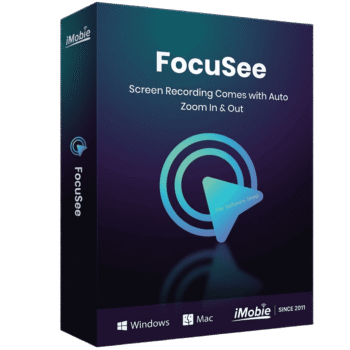
FocuSee Screen Recorder Giveaway – Free Activation Code for Full Version AI Video Editor on Windows and Mac, Includes Core Recording and Editing Features!
Special Offers

FocuSee VIP Access BEST OFFER
Giveaway
FocuSee is available for $$19.99/per month but for a limited time, you can get FocuSee Screen Recorder with an activation code for free!
- Click the GET NOW button on the post above to visit the deal page on our website.
- On the deal page, scroll down to the BUY NOW section and open the Giveaway tab. Enter your email address to unlock the offer box.
- Once it’s unlocked, read the hints inside the offer box for the next steps.
- Done—enjoy the full features!
What’s Included in Your Giveaway License
This giveaway includes an activation code for the full version of FocuSee, and it is important to understand exactly what that covers. The license gives you access to most of FocuSee’s core screen recording and video editing features, including screen and webcam capture, timeline editing, cursor and zoom effects, annotations, exporting, and the general editing toolkit described throughout this listing. These core features work right out of the box and do not require any AI credits, so you can start recording, editing, and exporting videos immediately after activation.
AI credits are a separate resource used only for a small number of the newer AI-driven features, such as certain AI Virtual Avatar renders, some AI Subtitle generation runs, or select AI Background Removal processing, depending on how the software allocates credit usage for those specific tools. These AI credits are not included as part of this giveaway license. If you want to use those particular AI-powered functions beyond any free allowance the software may provide, you would need to purchase AI credits separately through FocuSee.
In practical terms, this means the giveaway license is genuinely useful on its own. You get a complete, professional screen recording and editing application with no watermark and no time limit on the core toolkit, and you can produce polished tutorials, demos, and course videos using traditional recording and editing tools without spending anything further. The AI-powered extras layered on top, like the virtual avatar or automated background removal, are available to try, but they draw from a credit system that sits outside this particular giveaway offer.
Overview

FocuSee 2.0 is a complete screen recording and video creation solution built for creators, educators, marketers, and business teams who need to produce polished videos without expensive equipment or years of editing experience. This latest version brings a major leap forward with a set of AI-powered tools that automatically turn raw screen recordings into professional, ready-to-share content. For a product demo, a training course, a software tutorial, or a marketing video, FocuSee 2.0 gives you a streamlined workflow from the first click of record to the final export, running smoothly on both Windows and Mac.
The core idea behind FocuSee has always been simple: help people capture their screen, highlight what matters, and share their message clearly. Over the past two years, the development team has listened closely to feedback from real users and rebuilt several parts of the software around artificial intelligence, so that time-consuming manual editing tasks can now be done in a fraction of the time. This update is not a small patch; it is a redesigned experience that adds real capability while keeping the interface approachable for beginners.
AI Virtual Avatar for On-Camera Confidence

One of the most requested features in this release is the AI Virtual Avatar. Many creators want to connect with their audience through a face on screen, but not everyone feels comfortable being filmed, and not everyone has a quiet, well-lit space to record in. With more than 100 lifelike avatar options, FocuSee 2.0 lets you build a digital presenter that speaks and moves in sync with your narration. This removes the pressure of being on camera while still giving viewers a personal, engaging presence to follow along with.
The Virtual Avatar feature is especially useful for business presentations, internal training material, product walkthroughs, and personal branding content where consistency matters. Because the avatar can be reused across multiple videos, it also helps maintain a recognizable identity for a channel, course, or company without needing to reset lighting, wardrobe, or a webcam every time a new video is recorded.
Remove Filler Words and Silence With Visual Precision

Editing out “um,” “uh,” long pauses, and dead air used to mean scrubbing back and forth through a timeline for minutes or hours. FocuSee 2.0 changes that by transcribing your speech into text and marking filler words and silent gaps directly inside that transcript. From there, cleaning up your narration is as simple as selecting the highlighted text and removing it with one click, and the video and audio stay perfectly synced throughout the process.
This transcript-based editing approach supports more than 55 languages, which makes it practical for creators who record in a language other than English or who produce multilingual training material for global teams. Instead of guessing where a cut should happen, you can see your entire script laid out, spot every unnecessary pause, and tighten your pacing until the final video sounds natural and confident.
AI Background Removal for a Clean, Professional Look

Not every recording happens in a studio. Many creators work from a home office, a shared desk, a café table, or a cramped corner of an apartment, and a messy or distracting background can pull attention away from the message. FocuSee 2.0 addresses this with AI Background Removal, which can blur, replace, or completely clean up the space behind you without requiring a physical green screen.
This feature analyzes your webcam feed and separates you from your surroundings in real time, letting you swap in a solid color, a branded backdrop, or a softly blurred version of your actual room. The result is a consistent, distraction-free presentation style that looks the same at your kitchen table or in a shared office, which is particularly valuable for teams that record training videos from many different locations.
Additional AI Tools That Strengthen the Whole Workflow

Beyond the three headline features, FocuSee 2.0 includes a set of supporting tools designed to round out the editing process from start to finish.
AI Subtitles automatically generate captions in more than 55 languages with accuracy reported at up to 98 percent, which saves hours of manual transcription work and helps your videos stay accessible to viewers who watch with the sound off or who speak a different language than the presenter.
AI Noise Reduction has been rebuilt to filter out background hum, fan noise, keyboard clatter, and mouth clicks, while boosting the clarity of your voice, so your narration sounds clean even if you recorded in a less than ideal environment.
Smart Mouse Effects automatically hide the cursor when it is not moving and apply sharper, high-resolution styling when it is, which keeps software demonstrations easy to follow without a cursor that lingers awkwardly on screen.
Custom Camera Cropping gives you control over exactly what part of your webcam frame is shown, so you can frame yourself precisely for a talking-head layout, a picture-in-picture overlay, or a tighter close-up shot.
The refreshed user interface ties all of these tools together with a cleaner layout and smoother navigation between recording, editing, and exporting, so switching between tasks feels faster and less cluttered than in earlier versions.
Built for Creators, Educators, and Marketing Teams
FocuSee 2.0 works well across a wide range of use cases. Software companies use it to build clear, step-by-step product tutorials that reduce support tickets. Online instructors use it to record course lessons that stay engaging and easy to follow. Marketing teams use it to produce demo videos and promotional walkthroughs without booking a studio or hiring a video editor. Freelancers and solo creators use it to keep a consistent publishing schedule without spending entire days trapped in an editing timeline.
Because the software runs on both Windows and Mac, teams with mixed operating systems can standardize on one tool instead of juggling separate recording apps for different computers. The activation code included with this offer activates the full version, giving you complete access to every recording mode, editing tool, and AI feature described above, with no feature restrictions or watermarks holding back your finished videos.
Why This Update Matters Right Now
Video has become one of the primary ways that people learn, evaluate products, and get support online, and the expectations for video quality keep rising. Viewers are quick to click away from a video that sounds muffled, drags through long pauses, or shows a messy background, even if the information itself is useful. FocuSee 2.0 directly addresses each of those pain points with a specific tool, so the technical polish of your video no longer depends on hours of manual editing skill.
For anyone who has previously avoided making video content because the editing process felt intimidating or time-consuming, this version removes most of the friction. The combination of automatic transcription, one-click cleanup, avatar-based presenting, and background handling means a first-time user can produce a video that looks and sounds like it came from an experienced production team.
Final Thoughts
FocuSee 2.0 brings together screen recording and AI-assisted editing in a single application that fits naturally into the daily routine of creators, educators, and marketing professionals. From the AI Virtual Avatar that removes camera anxiety, to the transcript-based filler word remover that cuts editing time down to minutes, to the background removal tool that keeps every recording looking clean and professional, each feature solves a real, everyday recording problem. Paired with reliable subtitle generation, noise reduction, smart mouse styling, and flexible camera cropping, this release gives you a genuinely complete toolkit for producing polished videos on Windows or Mac without needing a studio, a production crew, or years of editing experience. Remember that this giveaway license covers the core recording and editing toolkit without AI credits, so you get a fully functional application from day one, with the option to add AI credits later if you want the avatar, subtitle, or background AI extras. Claim your free activation code today and put the full version of FocuSee 2.0 to work on your next tutorial, course, or demo video.