Giveaway – Donemax Recorder: Free License Key | AI Auto–Zoom Screen Recorder – for Windows

Turn raw screen recordings into polished videos without the editing work. Get Donemax Recorder with a Registration Code for FREE today!
Free Full Version!
BUY NOW
Donemax Recorder is available for $99.99 for a lifetime. But, you can now get a full version of Donemax Recorder with a lifetime license key for free through the Giveaway tab below. This offer is available for a limited time!

Screen Bolt (Mac) BEST OFFER

FocuSee VIP Access BEST OFFER

iTop Screen Recorder 7 PRO: Lifetime License BEST OFFER

SurFlex Screen Recorder - Lifetime License BEST OFFER
ASCOMP Screencapt Professional BEST OFFER
RecMaster PRO: Lifetime License BEST OFFER
Mirillis Action! Screen & Gameplay Recorder: Lifetime Subscription BEST SELLER
HitPaw Edimakor Screen Recorder BEST OFFER
Aiseesoft Screen Recorder: Lifetime License BEST OFFER
Vov Screen Recorder: Lifetime License EXCLUSIVE
ScreenVideo BEST OFFER

Tipard Screen Capture: Lifetime License BEST OFFER

Fast Screen Recorder BEST OFFER
AceThinker Screen Grabber Pro: Lifetime Subscription BEST SELLER

EaseUS RecExperts Pro: Lifetime License BEST SELLER
Donemax Recorder Key Giveaway
Available now: Free License Key for a Limited Time!
To access the giveaway, kindly provide your email address. Please refrain from closing this page after signing in to receive instructions on how to access the offer at no cost.
NOTES:
– All prices shown here are in listed USD (United States Dollar).
– Such promotional programs are subject to change without notice, from time to time in our sole discretion.
– Data may vary based on different systems or computers.
Donemax Recorder Review at a Glance
Struggling to spend hours on video editing? Donemax Recorder solves this by automatically enhancing your recordings as you capture them. It’s an auto-zoom screen recorder that identifies clicks and key actions, magnifying important areas so the video is ready-to-share immediately. Instead of manually trimming and zooming your footage, the software’s AI “edits itself” – it adds zoom effects and polished animations without any timeline work. The result is a high-quality, professional-looking video with minimal effort on your part.
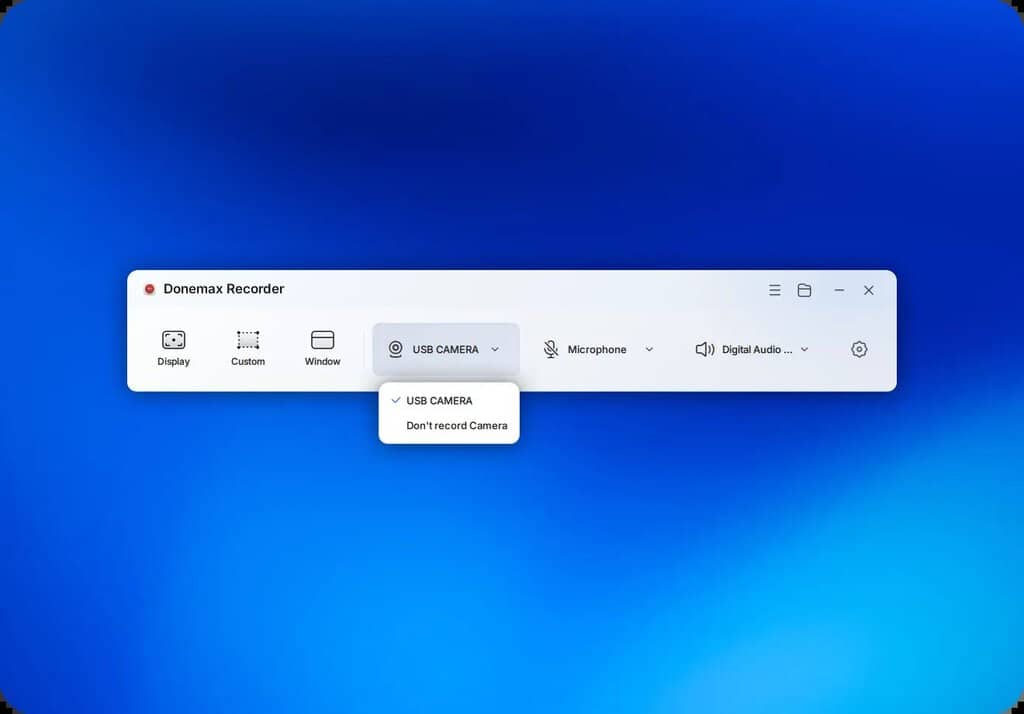
What is Donemax Recorder?
Donemax Recorder is an advanced, AI-powered screen recording application. It captures your screen, webcam, and audio simultaneously in one take, then uses built-in AI to automatically edit the recording. In practice, as soon as you press Stop, the software has already applied zoom-in effects and smooth cursor animations based on your clicks.
There is no need to manually cut or zoom afterwards – the tool handles it for you. Think of it as a one-click solution: you record everything, and Donemax Recorder “self-edits” the footage to create a polished, professional video. It’s essentially your on-demand video editor that follows your actions, automatically emphasizing each detail so the final video looks like it was produced by a pro.
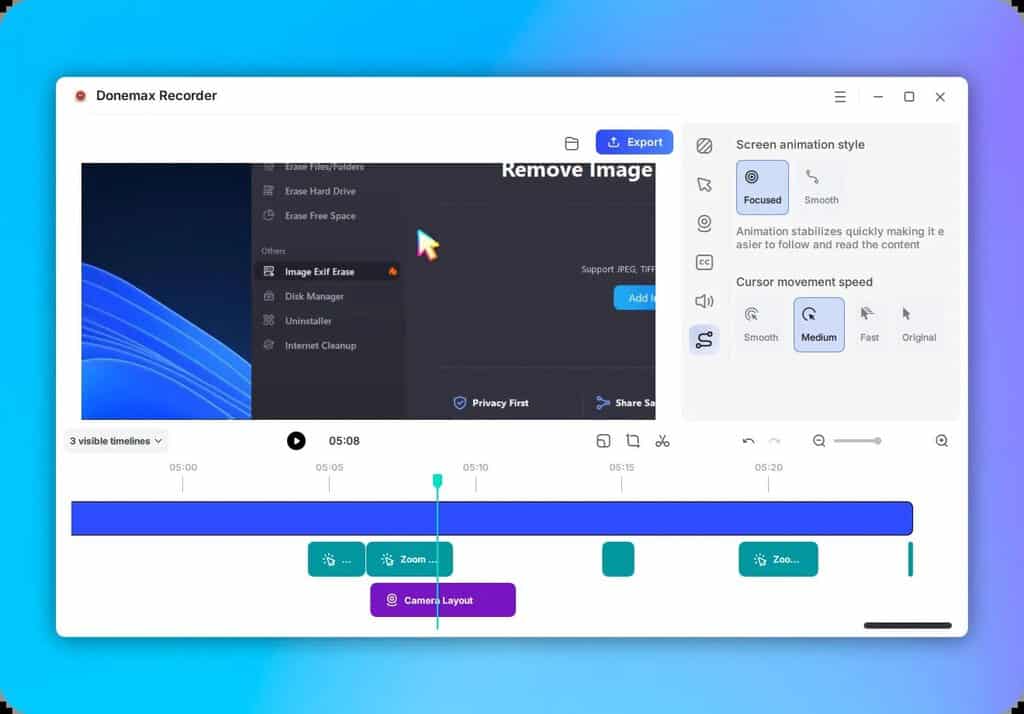
Below is a comprehensive list of the key features that make Donemax Recorder a valuable addition to your workflow:
- Automatic Zoom — Instantly magnifies each click or keystroke to highlight important details without any manual work.
- Intelligent action detection — The software detects where and when you click, so it knows exactly which area to zoom on during playback.
- Automatic content focus — Keeps the most relevant part of the screen centered and clear, so viewers see exactly what you want them to see.
- Sustained viewer attention — By emphasizing key actions continuously, it helps keep your audience engaged throughout the video.
- Professional animations — Produces a polished look by smoothing out cursor movements and allowing post-edit adjustments.
- Smooth, gliding cursor motion — Your pointer moves fluidly in the final video, giving it a cinematic feel.
- Customizable cursor styles — Choose from different pointer designs and colors to match your style or presentation.
- Adjustable movement & speed — Even after recording, you can fine-tune how the cursor moves and how fast it goes for maximum clarity.
- Personalize your recordings — Full creative control over the look and layout of your video with easy adjustments.
- Customize backgrounds, margins, and rounded corners — Select a background color or image, change the frame padding, and round the corners of your video for a clean, branded appearance.
- Flexible webcam positioning and sizing — Drag and resize the picture-in-picture webcam feed anywhere on screen with a single click.
- One-click resizing for multiple formats — Easily switch your final video between common aspect ratios (16:9, 9:16, 1:1, 4:3, 3:4) for sharing on different platforms.
- Simpler recording — Records all sources in one go, so you capture everything you need with minimal setup.
- Camera recording — Simultaneously records your screen and a connected webcam, creating picture-in-picture or side-by-side layouts automatically.
- Microphone audio capture — Captures your voice narration on its own track for clear commentary.
- System audio recording — Records internal sounds or application audio separately, perfect for software demos and gaming videos.
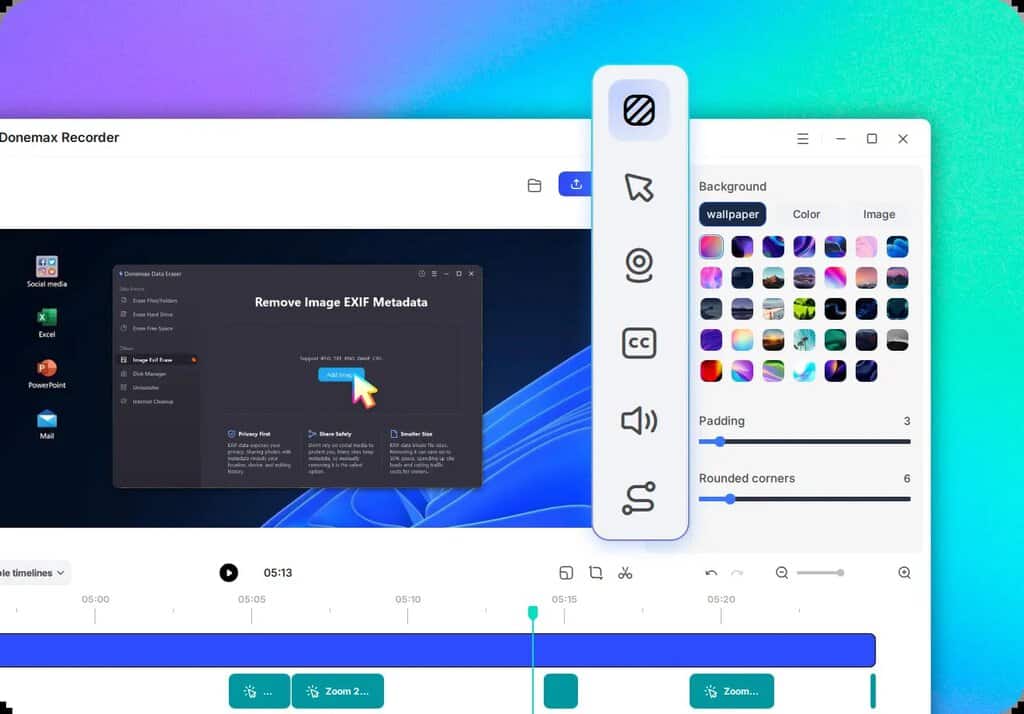
This versatile recorder captures your full desktop, a selected region, or a single app window, along with webcam and audio, all in one step. The AI automatically focuses on key content: every click is highlighted and every movement is smoothed. You’ll notice crisp, smooth cursor motion and picture-in-picture camera overlays without lifting a finger. Donemax Recorder is ideal for content creators, educators, and business professionals who need to produce polished videos – be it online courses, product demonstrations, marketing clips, or team presentations.
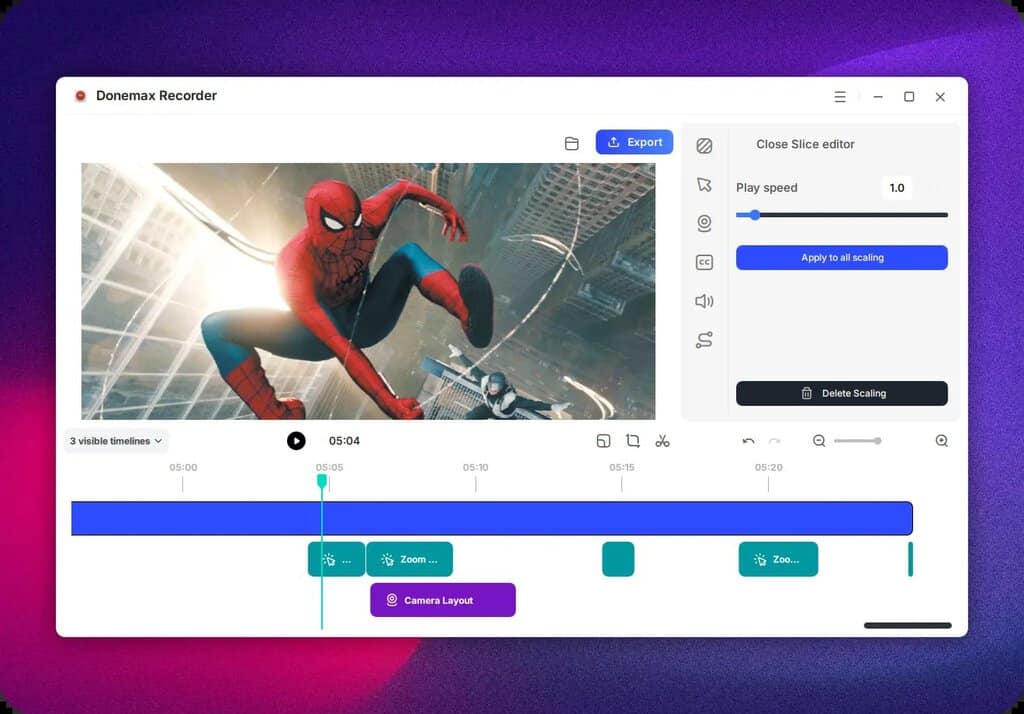
Users love Donemax Recorder because it streamlines the workflow. Once you stop recording, the editing is already done. There’s no need to wrestle with complex editing software or keyframe zooms. Every frame is automatically adjusted for clarity and engagement. By keeping your audience’s focus on the important details, the software helps maintain viewer attention throughout. In short, Donemax Recorder saves you time and delivers professional-grade videos without requiring you to become a video editing expert.
Key Benefits
Donemax Recorder offers several major benefits that help you make better videos faster:
- Time-saving automatic editing – Eliminates the need for manual cutting or zooming, so your video is ready the moment you stop recording.
- Enhanced engagement – Auto-zoom keeps the focus on important content, preventing viewers from missing key points.
- Professional-quality output – Built-in smooth cursor animations and polished design elements give your videos a refined, high-end look.
- Versatile capture options – Records screen, webcam, mic, and system audio all at once, each on its own track, for maximum flexibility.
- Customizable layouts – Quickly adjust backgrounds, margins, corner styles, and aspect ratios without any editing skills.
- Easy sharing – Supports exporting to multiple formats (16:9, 9:16, 1:1, etc.), making it simple to prepare videos for social media, presentations, or training platforms.
These benefits mean you spend less time editing and more time communicating your message. Whether you’re a teacher creating lessons, a designer making product demos, or a manager training your team, Donemax Recorder helps turn raw footage into an engaging final product with minimal effort.
Requirements
Make sure your PC meets these requirements to run Donemax Recorder smoothly:
- Operating System: Windows 10 or 11 (64-bit) or macOS 13.0 (Ventura) or later.
- Processor: Intel Core i5 or better (multi-core CPU recommended for the AI auto-zoom and captions).
- Memory: 8 GB RAM minimum (16 GB recommended for best performance).
- Storage: ~2 GB free disk space for installation (additional space needed for saving recordings).
- Optional Hardware: Webcam, microphone, and speakers/headphones if you want to record video and audio. An internet connection is required for activation and initial AI model download.
Downloads
You can try Donemax Recorder for free before buying. Download the free edition to test the automatic zoom and editing features yourself. The free version lets you record and export one finished video. This gives you a chance to explore how the software works – see the auto-zoom and animation in action – without paying. Simply click the download button below to get the free edition and start creating a sample video. No credit card is required to begin experimenting with the AI-powered editing.
or
Buy now, the price start from:
Thank you for reading Donemax Recorder review, and enjoy the discount coupon. If you notice any issues with Donemax Recorder discount coupon, deal, or giveaway—such as an expired offer, broken link, or sold‑out promotion—please let us know while the deal is still available.