Giveaway – Kaizen Focus Pro: Free License key | Website & App Blocker – for Windows

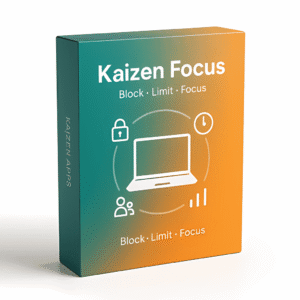
Block Distracting Sites, Set Smart Limits, and Own Your Screen Time — Get a Full Version of Kaizen Focus Pro with a License Key For Free Today!
Free Full Version!
Kaizen Focus Pro Review at a Glance
Every hour spent mindlessly scrolling through social media, looping YouTube videos, or flipping between apps is an hour that doesn’t come back. The tools most people reach for — browser extensions, basic parental controls, built-in screen time apps — are easy to bypass, easy to ignore, and easy to forget. A single browser switch defeats most extensions. One click disables most parental apps. And cloud-based monitoring tools store your family’s or team’s activity data on someone else’s servers, with no guarantee of privacy. The result? Rules that don’t hold. Reports you can’t trust. Time that quietly disappears.
Kaizen Focus Pro was built specifically because every existing alternative fell short in at least one critical way. It started as an internal tool built for real kids, after Kaspersky Safe Kids and every major competitor failed to deliver grouped limits, local-only data storage, and the kind of granular blocking that can target a single YouTube channel without nuking all of YouTube. That real-world frustration produced something sharper: a lightweight, local-first, deeply configurable screen-time tool for Windows that works equally well for individuals, families, and small teams.
What Is Kaizen Focus Pro?
Kaizen Focus Pro is a Windows desktop application that gives you system-level control over how apps and websites are used on your machine. Unlike browser extensions that only work inside a single browser, Focus uses the Windows UI Automation API to read URLs directly from every supported browser window — Chrome, Firefox, Edge, IE, Opera, Brave, and Maxthon — with zero extensions required. It also enforces restrictions at the process level for desktop apps, meaning if Steam or Discord is blocked, Focus closes the window the moment you try to open it.
The app operates in three distinct modes: Self mode (you manage your own rules and lock them behind a PIN), Parent mode (an admin account manages individual child profiles with their own rules and timelines), and Employee mode (managers set tracked hours, enforce minimum working time, and receive automated reports). All activity data — every app session, every URL, every screenshot — is stored locally on your machine. Nothing leaves your network. No account required for core features. No subscription required to use the free tier.
Focus is built to be load-bearing. Uninstalling requires the admin PIN. Pausing restrictions requires the admin PIN. A watchdog service restarts Focus if it is forcibly killed. Lock screens resist Alt+F4, Task Manager overrides, and taskbar workarounds. This is not an app you accidentally disable — it’s an infrastructure layer for serious digital discipline.
Key Benefits
Kaizen Focus Pro delivers measurable, reliable control over screen time — and it does so without compromising privacy, performance, or flexibility. Here is why individuals, parents, and team managers choose it over the alternatives:
- No cloud dependency — All blocking, tracking, and enforcement works fully offline. Your activity data stays on your machine, not a third-party server
- Browser-agnostic blocking — Uses Windows UI Automation API instead of extensions, so switching browsers does not bypass your rules
- Granular control at every level — Block a full domain, a single URL, or a specific YouTube channel independently, without affecting the rest of the platform
- Tamper-resistant by design — A watchdog service, PIN-locked settings, and lock screens that resist Alt+F4 and Task Manager make rules genuinely enforceable
- Real usage data, not estimates — The activity timeline logs every app and domain with 30-minute resolution, auto-detects idle vs. active time, and includes IP tracking to show which network you were on
- Three modes in one install — Self-discipline, parental control, and employee accountability are built into the same app with no mode switching fee
- Per day-of-week flexibility — Monday through Friday can run strict rules while weekends allow relaxed limits, all configured in the same interface
- Visual proof with screenshots — Optional periodic screenshots are grouped into 30-minute collages and can be attached to daily, weekly, or monthly email reports
- No extensions to manage — Everything runs at the OS level, so there is nothing to install in each browser and nothing for a user to quietly remove
Features
Below is a comprehensive list of the key features that make the software a valuable addition to your needs:
- Website Blocking — Block any URL, full domain, or specific YouTube channel across all supported browsers without installing extensions.
- Windows UI Automation API enforcement — Reads URLs directly from browser windows at the OS level, closing the browser-switching loophole.
- Per-block granularity — Choose between blocking a full domain, a specific URL path, or a single YouTube channel while leaving the rest of the platform accessible.
- Supported browsers — Chrome, Firefox, Edge, Internet Explorer, Opera, Brave, and Maxthon are all covered natively.
- Process-level app blocking — Desktop apps like Steam, Discord, and others are closed at the process level the moment they open during a restriction window.
- Full-screen lock overlay — A tamper-resistant overlay appears on any violation attempt; Alt+F4 is disabled, system audio is muted, and the taskbar is hidden.
- App Time Limits — Assign a daily time budget to any app or website; when the budget runs out, the app is blocked for the rest of the day.
- 43+ pre-recognised apps — YouTube, YouTube Shorts, Instagram, Facebook, TikTok, Netflix, Twitch, Reddit, WhatsApp Web, and more are detected automatically.
- Grouped limits — Combine multiple apps into a single shared budget (e.g., “Social Media: 45 minutes per day”).
- Per day-of-week configuration — Each day of the week can carry a different budget, so weekday and weekend rules are fully independent.
- Real-time countdown — Remaining minutes for each limit are visible on the dashboard at all times.
- Midnight reset — All budgets automatically reset at midnight, requiring no manual intervention.
- Downtime & Free Time — Schedule hard-block windows that enforce every item on your blocklist, with optional whitelist exceptions carved out inside them.
- Multiple downtime slots — The free tier includes one slot; Pro adds three more for up to four separate daily windows.
- Free Time whitelist windows — Up to four whitelist windows can punch holes in Downtime, allowing specific approved apps (meditation app, reading app, calculator) during otherwise blocked periods.
- All-week or specific day scheduling — Downtime can apply every day or only on selected days of the week.
- Wake-from-sleep grace period — A 30-second grace window after Windows wakes from sleep prevents false enforcement triggers.
- Category Filtering — Every app and website is classified as Productive, Neutral, or Unproductive, with server-maintained defaults for 1,000+ common apps and domains.
- Three-tier classification system — Productive (code editors, document apps), Neutral (utilities), and Unproductive (social media, entertainment) are the three available tiers.
- Per-user overrides — Any default classification can be changed on a per-user basis without affecting other accounts.
- Report integration — Category splits are shown in usage reports and the activity timeline so you can see at a glance how your day was distributed.
- Usage Tracking & Reports — Passively logs every app and domain, then presents the data in structured reports with multiple aggregation levels.
- 30-minute resolution timeline — A stacked-bar activity timeline shows the exact mix of apps and sites used in each 30-minute window.
- Active vs. idle auto-detection — Focus retroactively applies a 5-minute grace period to remove idle time from your active usage totals.
- IP tracking — Each session records which network you were on, useful for remote work accountability.
- Email reports — Daily, weekly, and monthly reports with HTML charts are sent automatically to the configured address.
- Screenshot attachments — Reports can include screenshot collages from the reporting period for visual verification.
- Screenshot Monitoring — Optional periodic screenshots create a visual record of activity, stored locally and accessible from the gallery view.
- Configurable capture interval — Set how frequently screenshots are taken; intervals can be adjusted per-user.
- Per-user toggle — A parent can enable screenshots for a child account while keeping them disabled for the parent account.
- Admin-only deletion — Optional restriction prevents non-admin users from deleting screenshots, preserving the audit trail.
- 30-minute collage generator — Screenshots from each 30-minute interval are automatically grouped into compact collages for cleaner reports.
- Three-Mode Architecture — Self, Parent, and Employee modes are built into a single install with no additional cost per mode.
- Self mode — The user is their own admin; settings are locked behind a PIN that only the future self would need to bypass.
- Parent mode — Admin (parent) manages one or more child profiles, each with independent rules, timelines, and restrictions; pause requests go through an email approval flow.
- Employee mode — Managers define tracked hours, enforce minimum working time (daily, weekly, or monthly), and receive automated accountability reports.
- Admin PIN & Tamper Resistance — A 4-digit PIN locks every settings panel, and multiple system-level mechanisms prevent bypass.
- PIN-locked settings — Changing rules, disabling Focus, or deleting screenshots all require the admin PIN.
- Alt+F4 and Task Manager resistance — Lock screens cannot be dismissed with standard keyboard shortcuts or the Windows Task Manager.
- Watchdog service — A background service automatically restarts Focus if the process is forcibly terminated.
- PIN-required uninstall — Removing the application from the machine requires the admin PIN, preventing silent removal.
- Pause Restrictions flow — Pausing restrictions either requires the PIN directly or sends an email approval request to the admin, depending on the setup.
Requirements
To run #THE SOFTWARE with optimum reliability and performance, your system should match the following requirements:
- Operating System: Windows 10 or Windows 11 (64-bit recommended)
- Internet connection: Required for license activation and email reports; all blocking and tracking works fully offline
- Permissions: Administrator rights required for installation and watchdog service setup
- Browser support: Chrome, Firefox, Edge, Internet Explorer, Opera, Brave, Maxthon (no extensions required)
- Email client: Any email address for receiving automated reports (optional)
Downloads
Take Kaizen Focus Pro for a full test drive before committing to a purchase. The free tier includes website and app blocking, one downtime slot, category filtering, and screenshot monitoring — more than enough to see whether the enforcement actually holds in your environment. No credit card required, no account sign-up for core features.
Put it through its paces on your real workflow, with your actual blocklist, before deciding if the Pro upgrade is right for you. Download the free version directly from kaizen-apps.com and run the setup in under five minutes.
BUY NOW
Kaizen Focus Pro is available at $49 per year or $99 as a one-time lifetime purchase. But right now, you can get a Kaizen Focus Pro full version with a license key for free in the Giveaway tab below — this offer is available for a limited time, so act before it expires.
HT Parental Controls BEST SELLER
AdGuard DNS BEST OFFER

FocuSee VIP Access BEST OFFER
Gamban - Gambling Sites & Apps Blocker GIVEAWAY
AdGuard: Lifetime Subscription BEST SELLER

AdLock Premium BEST OFFER

OysterVPN BEST OFFER

AdGuard VPN + Ad Blocker 3-year Subscription Bundle BEST OFFER

Xenarmor Website Blocker Pro BEST OFFER

Bitdefender Premium Security: 10-device 1-year License BEST OFFER
Kaizen Focus Pro Giveaway
Available now: Free License Key For a Limited Time!
To access the giveaway, kindly provide your email address. Please refrain from closing this page after signing in to receive instructions on how to access the offer at no cost.

NOTES:
– All prices shown here are in listed USD (United States Dollar).
– Such promotional programs are subject to change without notice, from time to time in our sole discretion.
– Data may vary based on different systems or computers.
Thanks for reading Kaizen Focus Pro Review & Enjoy the discount coupon. Please Report if Kaizen Focus Pro Discount Coupon/Deal/Giveaway has a problem such as expired, broken link, sold out, etc while the deal still exists.