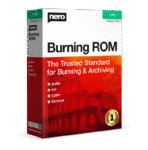
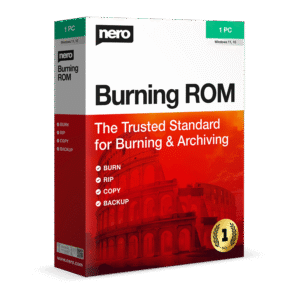
55% Off – Nero Burning ROM 2026: Unlimited License | Professional Disc Suite for CD, DVD & Blu-ray Projects – for Windows

Rip, copy, burn, and protect CDs, DVDs, and Blu‑ray discs using proven SecurDisc 4.0 technology with 256‑bit encryption and advanced data redundancy for long‑term reliability. Get Nero Burning ROM 2026 with Unlimited License at a 55% DIscount!
✔ Free Product Updates ✔ 24×7 Customer Support ✔ 30-day Money-back Guarantee.

Nero Burning ROM 2026 Review at a Glance
digital data management has become increasingly complex, many users struggle with unreliable burning solutions that fail to protect sensitive information, produce poor-quality copies, or lack compatibility with modern disc formats. Whether you’re a professional managing critical business archives or a home user preserving precious memories, the challenge of finding dependable burning software that combines security, quality, and versatility remains a persistent issue. Lost data from corrupted discs, unencrypted sensitive files, and incompatible media formats create frustration and potential security risks that demand a comprehensive solution.
Nero Burning ROM 2026 addresses these challenges head-on as the industry-standard burning software trusted by professionals and home users worldwide.

What is Nero Burning ROM 2026
Nero Burning ROM 2026 is a professional-grade disc burning software designed for Windows operating systems that enables users to create, copy, and protect optical media with industry-leading quality and security. As the latest iteration of the world’s most trusted burning solution, this application provides comprehensive tools for burning CDs, DVDs, and Blu-ray discs while incorporating advanced features like SecurDisc 4.0 encryption, audio ripping with format conversion, and ISO image creation.
The software functions as a complete multimedia archiving solution that goes far beyond basic burning capabilities. Users can rip audio CDs and convert them to multiple formats including MP3, MP3 PRO, AAC, FLAC, and APE, all while preserving original song titles, album information, and cover artwork through integrated Gracenote technology. The application supports drag-and-drop burning for simplified workflows, multisession disc creation, and advanced features like buffer underrun protection to prevent burning errors.

At its core, Nero Burning ROM 2026 serves as a reliable data protection platform that combines traditional burning functionality with modern security requirements. The SecurDisc 4.0 technology employs industry-standard 256-bit encryption, digital signatures, and password protection to ensure that only authorized users can access burned data archives. Additionally, the software’s adjustable data redundancy features ensure disc readability even when media becomes scratched or deteriorated over time, making it an ideal solution for long-term archival storage.
The software represents the culmination of decades of development in optical media technology, offering a robust solution that handles every aspect of disc management. With support for virtually every CD, DVD, and Blu-ray format available, including advanced BDXL formats, users gain access to comprehensive burning capabilities that adapt to any project requirement. The integration of Gracenote technology ensures your music collections maintain proper metadata and album artwork, while the SecurDisc 4.0 system provides military-grade encryption that keeps your sensitive files protected from unauthorized access.

Why choose Nero Burning ROM 2026
Choosing burning software is not just about “can it write a disc.” Quality matters for readable results, repeatable processes, and fewer coasters. Nero Burning ROM is designed around a stable set of core functions: ripping for clean audio files, copying for reliable reproduction, burning for consistent project output, and protection for archives that should not be casually accessed.
It also reduces the small annoyances that add up: manual tagging, inconsistent album art, and disorganized files after ripping. Metadata support is a practical time-saver when ripping multiple discs or rebuilding a digital music library from a physical collection.
Finally, Nero Burning ROM is a good fit for people who want both everyday ease and “serious mode” settings. Flexibility helps when one day’s job is a simple family-photo backup and the next day’s job is a protected archive for sensitive documents.
Key Benefits
The benefits below focus on practical outcomes—better discs, cleaner audio files, and safer archives—so the software delivers results that matter after the burn is finished.
- Faster creation of data and music discs when a dependable workflow is needed.
- Better organization for ripped music with track details and album art support.
- Stronger privacy for archives using encryption and password protection.
- Higher confidence in long-term readability with redundancy options for scratched discs.
- Flexible output options for audio so files match phones, PCs, and portable players.
- Useful disc image handling (ISO and more) for repeatable burns and safe storage.
Who benefits most
This software is useful for a wide audience, but it is especially relevant for users who still depend on optical discs for real workflows. Creators can archive project deliveries, photographers can store client folders, and videographers can keep offline masters of final renders.
Small offices and schools can prepare discs for distribution, internal recordkeeping, or long-term storage in a format that does not depend on a login. Teams that want a repeatable workflow can also standardize on ISO images for consistent burning across multiple PCs.
Home users benefit when they want a straightforward way to keep a second copy of important files, make playable audio CDs, or turn old CD collections into device-ready files. Families can also use discs as a simple “offline shelf backup” that is easy to label and store.
Features
The comprehensive feature set below showcases the advanced capabilities that make Nero Burning ROM 2026 an essential tool for anyone requiring professional burning and archiving solutions.
- Advanced Burning Engine – Industry-leading burning technology that ensures reliable, high-quality disc creation across all supported media formats with optimized write speeds and error prevention
- Adjustable Write Speeds – Customize burning speed based on media quality and project requirements for optimal results
- Data Integrity Verification – Automatic verification process confirms that burned data matches source files perfectly
- Buffer Underrun Protection – Advanced technology prevents burning failures caused by data flow interruptions
- Multisession Burning – Add new data to existing discs without finalizing, enabling incremental backups and updates
- Comprehensive Format Support – Wide compatibility with virtually every optical media format available, ensuring flexibility for any project requirement
- CD Formats – Full support for CD-R and CD-RW media for audio and data projects
- DVD Formats – Compatible with DVD±R, DVD±RW, DVD-RAM, and DVD±R DL for standard and dual-layer projects
- Blu-ray Formats – Complete support for BD-R, BD-RE, BD-R DL, and BD-RE DL for high-definition content
- BDXL Formats – Advanced compatibility with BD-R TL, BD-RE TL, BD-R QL, and BD-RE QL for maximum capacity projects
- Image Formats – Create and burn ISO, NRG, and BIN image files for versatile disc replication
- SecurDisc 4.0 Technology – Military-grade security features that protect sensitive data through multiple layers of encryption and authentication
- 256-bit AES Encryption – Industry-standard encryption technology ensures maximum data protection against unauthorized access
- Digital Signatures – Verify source, authenticity, and integrity of archived data to prevent tampering
- Password Protection – Secure discs with strong passwords that prevent unauthorized reading of burned content
- Data Redundancy – Adjustable redundancy settings ensure disc readability even when media becomes scratched or damaged
- USB SecurDisc Support – Extend security features to USB sticks and SD cards for comprehensive portable storage protection
- Audio Ripping and Conversion – Professional audio extraction tools that convert CD tracks to multiple digital formats with perfect quality preservation
- Multiple Format Support – Convert audio to MP3, MP3 PRO, AAC, FLAC, APE, and other popular formats
- Gracenote Integration – Automatically retrieve song titles, album information, and original album covers for proper metadata management
- Lossless Audio Options – Rip to FLAC format for perfect audio quality preservation in digital archives
- Audio Format Conversion – Transform existing audio files between different formats without quality degradation
- CD-Text Support – Maintain and edit CD-Text information in multiple languages for professional audio discs
- High-Quality Audio CD Creation – Advanced audio burning capabilities that produce superior-sounding CDs through intelligent sound processing
- Audio Filters – Apply professional-grade filters to improve sound quality during burning process
- Automatic Sound Improvement – Intelligent audio enhancement matches sound characteristics to your preferences
- MP3 CD/DVD with Album Art – Create MP3 discs with embedded album artwork compatible with modern car radios and players
- Playlist Management – Organize and browse music collections conveniently with integrated metadata
- Disc Copying and Cloning – Perfect replication tools that create exact copies of optical media with quality matching the original
- CD/DVD/Blu-ray Copying – Copy all disc types while maintaining complete quality and sound fidelity
- Audio CD Reproduction – Quickly duplicate audio CDs including CD-Text and original album details with artwork
- On-the-Fly Copying – Create disc copies directly without creating intermediate image files
- Multiple Copy Creation – Efficiently produce multiple disc copies from single source media
- ISO Image Management – Versatile image handling capabilities for creating, editing, and burning disc images
- ISO Image Creation – Generate standard ISO image files from any disc or file compilation
- Image Burning – Burn existing disc images to physical media with perfect accuracy
- Video Disc Structure Support – Create and burn DVD-Video, BDMV, and AVCHD compilations
- Bootable Disc Creation – Produce bootable data discs including Raspberry Pi OS on USB/SD cards
- Nero DiscSpan SmartFit – Intelligent file splitting technology that automatically divides oversized files across multiple discs
- Automatic Size Calculation – Software calculates optimal file distribution across required disc count
- Seamless Multi-Disc Projects – Handle large files that exceed single disc capacity without manual intervention
- Efficient Space Utilization – Maximize disc space usage by intelligently organizing file placement
- Nero CoverDesigner – Professional design tools for creating custom disc labels, covers, and booklets
- Template Library – Access pre-designed templates for quick cover creation
- Custom Design Options – Create unique visual designs that match your project aesthetic
- Print Support – Direct printing to compatible disc label printers with LightScribe and LabelFlash support
- Artwork Integration – Incorporate album covers and custom graphics into disc designs
- Data Recovery Features – Advanced restoration capabilities that recover lost or damaged data from various storage media
- Hard Drive Recovery – Restore accidentally deleted files from computer hard drives
- Optical Disc Recovery – Recover data from scratched or damaged CDs and DVDs
- Flash Drive Recovery – Retrieve lost data from USB sticks and memory cards
- Nero MediaBrowser – Intuitive media management interface for organizing and adding content to burning compilations
- Drag-and-Drop Interface – Simplified workflow for adding files and folders to disc projects
- Media Preview – View and preview files before adding them to compilations
- Compilation Organization – Manage multiple projects simultaneously with clear visual organization
- Command Line Interface – Professional automation support through Nero CMD for advanced users and IT environments
- Scripting Support – Automate burning tasks through command-line scripts
- Batch Processing – Execute multiple burning operations without manual intervention
- Enterprise Integration – Incorporate burning functionality into existing business workflows
- Mobile Integration Features – Cross-platform connectivity that extends burning capabilities to mobile devices through companion apps
- Nero AirBurn Support – Burn media directly from smartphones and tablets to optical discs
- WiFi Transfer App – Wirelessly transfer files between mobile devices and computer for burning projects
- Nero Streaming Player – Stream content from computer to mobile devices for convenient playback
Requirements
The following technical specifications ensure optimal performance and compatibility with Nero Burning ROM 2026 across various Windows environments.
- Operating System – Windows 7 SP1 Home Premium, Professional or Ultimate (32/64 bit), Windows 8 (32/64 bit) with April 2014 Update, Windows 10 (32/64 bit), Windows 11 (32/64 bit)
- Processor – 2 GHz AMD or Intel processor (Intel Haswell i7-4770 or above recommended for highest quality streaming)
- Memory – 1 GB RAM minimum
- Hard Drive Space – 5 GB for typical installation of all components including templates, content, and temporary disc space
- Graphics Card – Microsoft DirectX compliant graphics card
- Optical Drive – DVD disc drive for installation and playback; CD, DVD, or Blu-ray Disc recordable or rewritable drive for burning functions
- Software Dependencies – Windows Media Player 9 or higher, Internet Explorer 11 or higher
- Additional Components – Microsoft .NET 5.2 and Microsoft DirectX (shipped with product or downloaded during installation)
- Internet Connection – Required for license verification
- Ultra HD Requirements – 64-bit operating systems required for 4K editing (Windows 7 SP1, Windows 8, Windows 10)
Mobile App Compatibility
- DriveSpan App – Android 5.0 and higher, iOS 12.1 and higher
- Nero AirBurn App – Android 5.0 and higher, iOS 12.1 and higher
- WiFi Transfer App – Android 5.0 and higher, iOS 12.1 and higher
- Nero Streaming Player Apps – Android 5.0 and higher, iOS 12.1 and higher
- Nero TuneItUp 2 App – Android 5.0 and higher
- WiFi Transfer MAC App – MAC 10.10
Important System Notes
The software operates in 32-bit emulation mode on 64-bit operating systems to ensure broad compatibility. For optimal functionality, all recording devices must be correctly installed and recognized by the operating system, with the latest WHQL-certified device drivers installed. Media access server features require a computer connected to a local network for proper operation.
Downloads
Experience the powerful capabilities of Nero Burning ROM 2026 firsthand by downloading the free trial version before making your purchase decision.
This 14-day trial period provides full access to all burning, copying, and security features, allowing you to test the software’s compatibility with your hardware and verify that it meets your specific archiving requirements. Visit the official Nero website to download the trial edition and see how this industry-leading burning technology can transform your data management workflow.
BUY NOW
Nero Burning ROM 2026 is available for $44.95 (regular price $55.95), representing exceptional value for professional-grade burning software with enterprise-level security features. Take advantage of our exclusive discount / sale opportunity to acquire this essential archiving tool at a reduced price – this limited-time offer provides significant savings on the industry’s most trusted burning solution
This special offer is available only to a limited number of selected customers – if you're interested, please take advantage of this opportunity as soon as possible.
- 1 PC
- Unlimited license (individual purchase)
- Free Surprise Gift included
Platforms: WINDOWS
Professional CD DVD Blu-ray Burning Software with SecurDisc 4.0 Encryption | Rip Audio, Copy Media, Create ISO Images | Windows 11/10 Compatible Disc Burning Solution
- 1 PC
- Unlimited license (individual purchase)
Platforms: WINDOWS
The investment in Nero Burning ROM 2026 provides long-term value through its comprehensive feature set that eliminates the need for multiple specialized applications. Whether you’re archiving critical business data with military-grade encryption, creating high-quality audio compilations, or managing extensive media libraries, this single software solution handles every requirement with professional-grade reliability. The proven burning technology and continuous development support ensure your purchase remains relevant and functional for years to come.
Nero Platinum Suite 2026 BEST SELLER
Nero AI Image Upscaler EXCLUSIVE

Nero USBxCopy BEST OFFER

Nero AI Video Upscaler PRO GIVEAWAY

Nero MediaHome 2025 Unlimited BEST OFFER
Nero Burning ROM 2026 Free Key Giveaway
Unavailable at this moment!
To access the giveaway, kindly provide your email address. Please refrain from closing this page after signing in to receive instructions on how to access the offer at no cost.
NOTES:
– All prices shown here are in listed USD (United States Dollar).
– Such promotional programs are subject to change without notice, from time to time in our sole discretion.
– Data may vary based on different systems or computers.
Thanks for reading Nero Burning ROM 2026 Review & Enjoy the discount coupon. Please Report if Nero Burning ROM 2026 Discount Coupon/Deal/Giveaway has a problem such as expired, broken link, sold out, etc while the deal still exists.