78% Off – ScreenMemory: Lifetime License | Screen Recorder, OCR Search, Timeline History, Privacy Blacklist – for Mac

Never Lose a Digital Memory Again — Get ScreenMemory for Mac at a 78% Discount Today and Make Every Screen Moment Instantly Searchable!
✔ Lifetime License. ✔ Free Product Updates ✔ Customer Support
BUY NOW
ScreenMemory is available as a paid license with competitive pricing of $27.00, reflecting its value as a daily productivity tool. Right now, you can get your ScreenMemory license with an exclusive limited-time discount of up to 78% OFF— this offer is not permanent, so securing your license now means locking in the best available price.
By purchasing ScreenMemory, you receive:
- Full perpetual license for the purchased version, activated on your Mac
- Priority customer support to help with setup, configuration, and any questions
- Free updates for your licensed version, including performance improvements and new features
- Unlimited personal use on your licensed device with no usage caps or recording limits
This is a limited-time offer. Click the Buy Now button to get your ScreenMemory license at the discounted price and start making your entire digital history searchable from today.

- Please Notes:
- You may be directed to the bundle page, but it is possible to purchase the software individually.
- If you're having difficulty locating the product on the bundle page, please utilize the browser's search feature.
- Get an additional $3 discount on all orders more that $30.
- LEGITIMATE: All apps are authentic and have original licenses obtained directly from the creators via contracts.
- INSTANT ACCESS: Fully activated macOS Apps & Windows Software with instant downloads & license key access.
- Device Activation: 3 Devices
- Usable on up to 3 machines per license
- Major & Minor Updates Included
- Lifetime License
Platforms: Mac

SurFlex Screen Recorder - Lifetime License BEST OFFER

AceThinker Screen Grabber Pro: Lifetime Subscription BEST SELLER

HitPaw Edimakor Screen Recorder BEST OFFER

ApowerRec: Lifetime License BEST SELLER

Allavsoft Video Downloader Converter BEST SELLER
ScreenMemory Giveaway
Unavailable at this moment!

To access the giveaway, kindly provide your email address. Please refrain from closing this page after signing in to receive instructions on how to access the offer at no cost.
NOTES:
– All prices shown here are in listed USD (United States Dollar).
– Such promotional programs are subject to change without notice, from time to time in our sole discretion.
– Data may vary based on different systems or computers.
ScreenMemory Review at a Glance
Every day, you interact with dozens of apps, documents, websites, and conversations on your Mac. You write notes, read articles, review spreadsheets, attend video calls, and browse countless pages. But human memory is imperfect — and the moment you close a tab or switch an app, that information can vanish. Hours later, you’re desperately trying to remember: “What was that document I had open on Monday?” or “Which website had that pricing table I saw last week?” You search your downloads, scroll your browser history, check your recents — and still come up empty. This frustrating cycle of lost digital moments costs knowledge workers, developers, and creatives significant time and mental energy every single day.
ScreenMemory is built to solve this problem at its root.
Rather than relying on your biological memory or fragmented app histories, ScreenMemory works silently in the background on your Mac, continuously capturing your screen at configurable intervals. Every captured frame is stored locally on your device and indexed using on-device Optical Character Recognition (OCR), making the full text of everything you’ve ever seen on your screen instantly searchable — no cloud upload, no privacy compromise, no subscription to external services required.
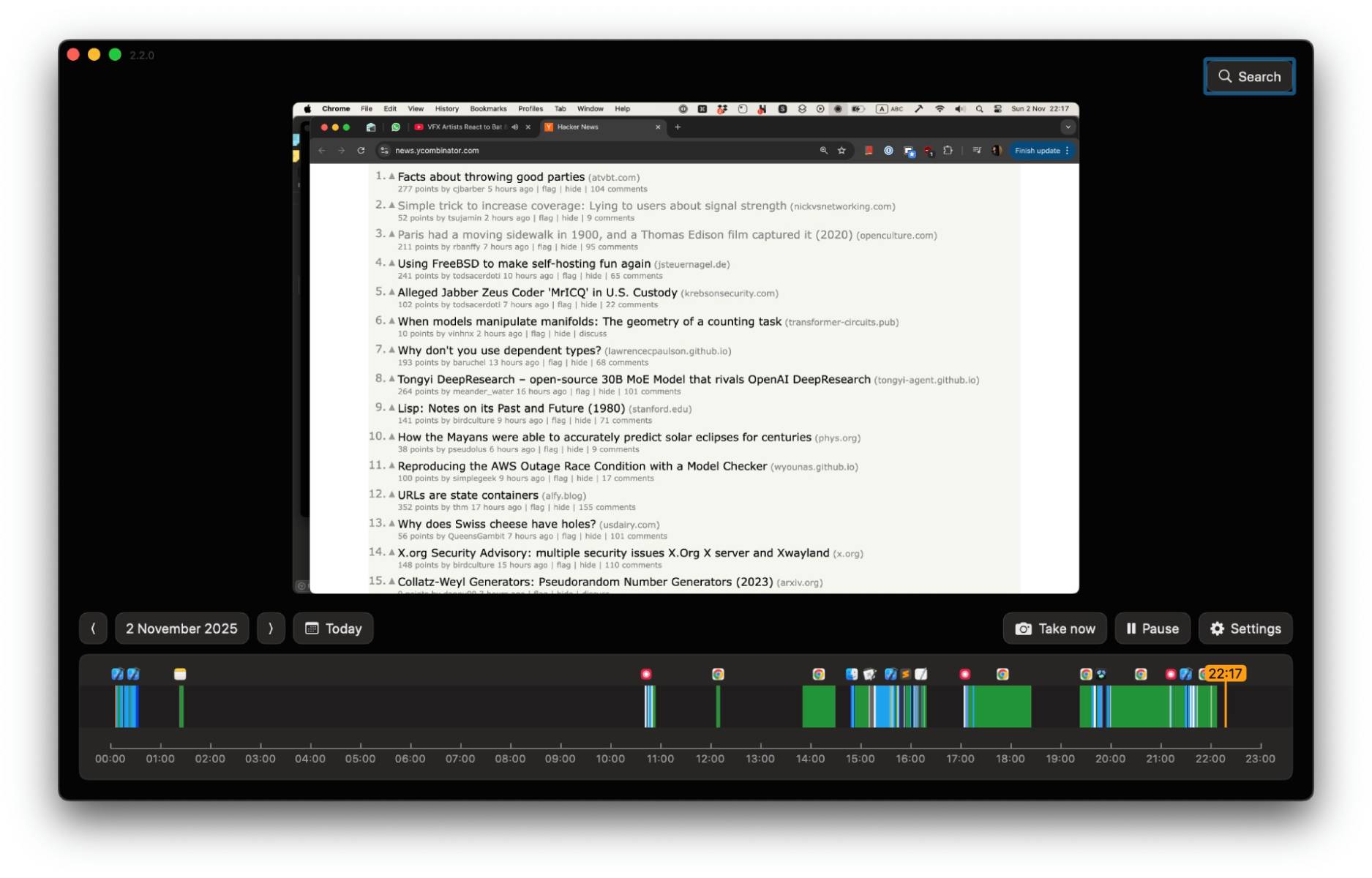
What is ScreenMemory?
ScreenMemory is a macOS productivity application that gives your computer a photographic memory. It runs quietly in the background, taking periodic screenshots of your screen and organizing them into an intelligent, fully indexed archive. Think of it as a personal black box for your Mac — a complete, searchable record of everything you’ve seen and done during your workday.
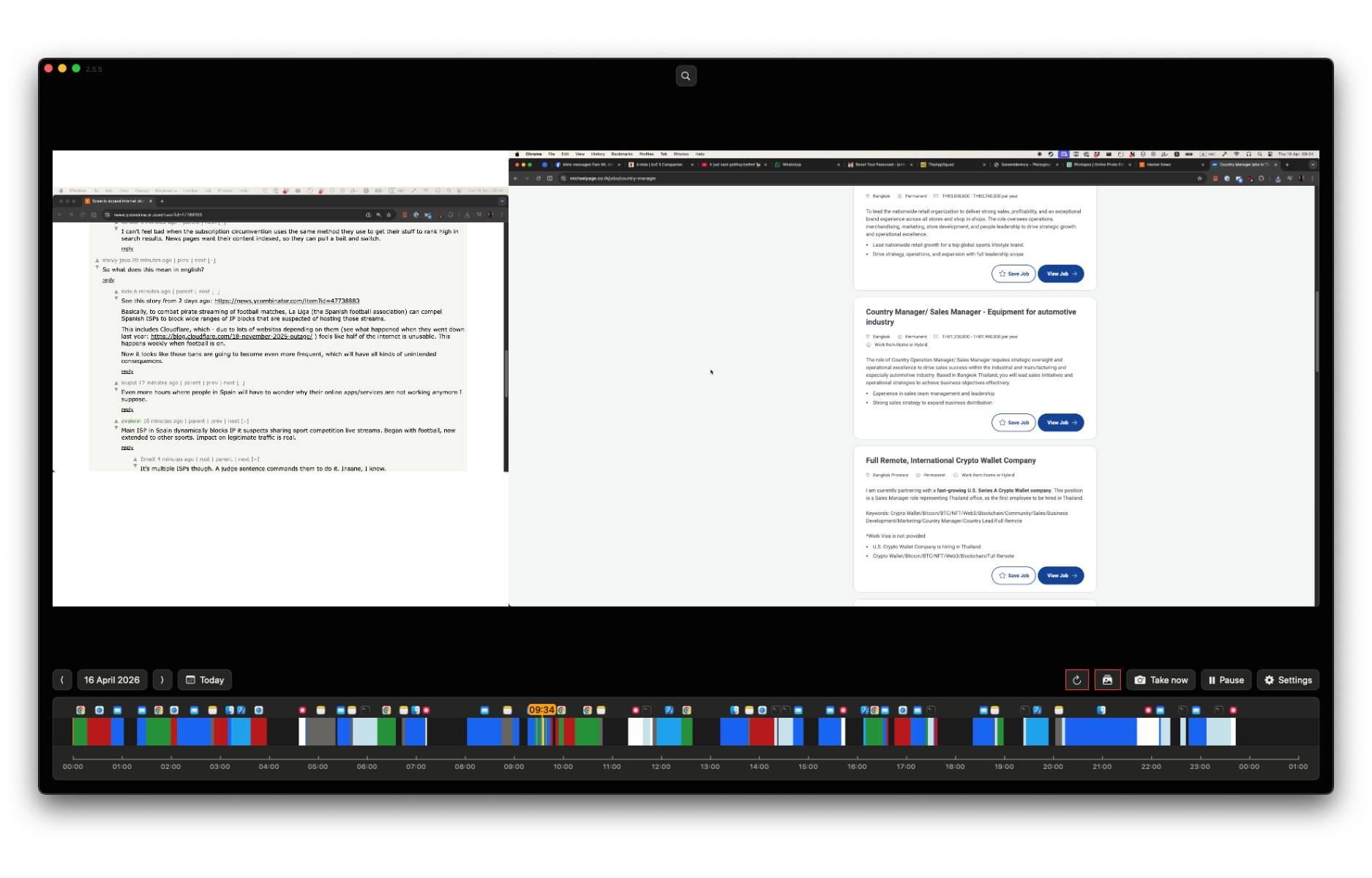
Using a combination of an interactive visual timeline, full-text OCR search, and a calendar-based heatmap view, ScreenMemory lets you rewind your digital day to any moment, find any piece of text you saw on screen, and review your activity patterns over time. It is fully self-contained: all data is stored locally on your machine, and no screen data is ever transmitted to external servers. The application is designed as a universal binary for macOS 13 (Ventura) and above, running natively on both Intel and Apple Silicon (M-series) Macs for maximum performance and efficiency.
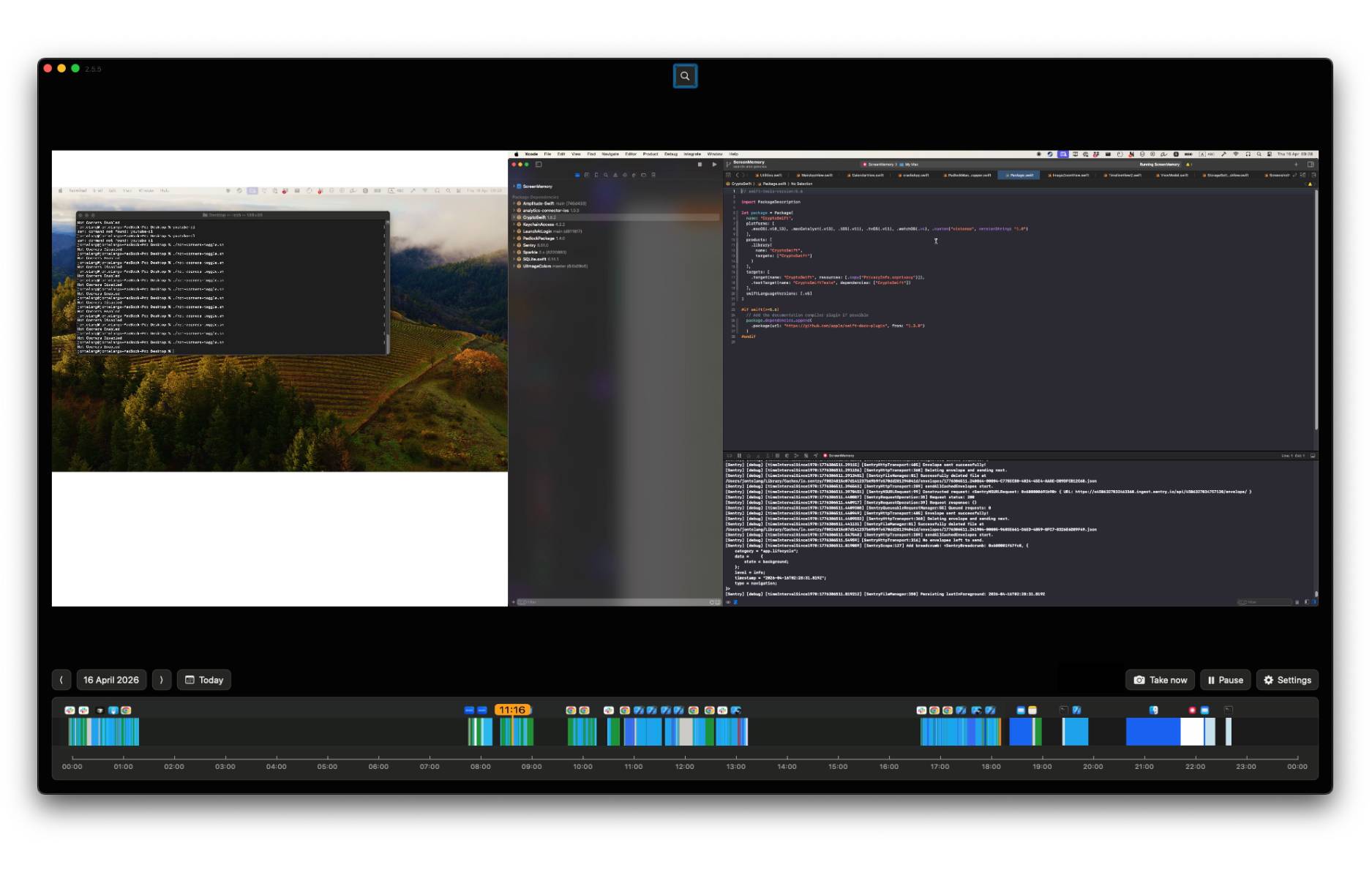
ScreenMemory is ideal for developers, researchers, writers, lawyers, analysts, students, and any professional who works heavily on a computer and needs reliable access to their own digital history. If you have ever lost track of something you clearly remember seeing on your screen — this tool was made for you.
Key Benefits
ScreenMemory delivers tangible, measurable improvements to how you work and recall information. Here is why professionals across disciplines are making it a permanent fixture of their Mac workflow:
- Eliminate lost information for good. Everything you see on your screen is automatically captured and indexed, so nothing slips through the cracks — not a tab you closed by accident, not a message you forgot to save, not a document you saw briefly in a meeting.
- Save hours of search time every week. Instead of digging through browser history, Finder recents, or Slack archives to track down something you saw days ago, you can type a keyword and find the exact screen moment in seconds.
- Gain real insight into your own productivity. The calendar heatmap and timeline view give you an honest, visual picture of how you spend your time on your Mac — which apps dominate your day, when you’re most active, and where your attention actually goes.
- Stay completely in control of your privacy. Unlike cloud-based productivity tools, ScreenMemory never sends your screen data off your device. You decide what gets recorded and what gets excluded. Sensitive apps like password managers can be permanently blocked from capture.
- Run it without slowing down your Mac. ScreenMemory is engineered for low resource consumption. The OCR processing happens locally and lightly in the background, and compressed screenshot storage means a typical 8-hour workday uses approximately 280MB of storage — comparable to a few high-resolution photos.
- Work natively on your hardware. As a universal binary, ScreenMemory runs with full native efficiency on both Intel Macs and Apple Silicon (M1, M2, M3, M4) Macs, with no Rosetta translation overhead or performance compromises.
- Set it and forget it. Once configured, ScreenMemory requires zero manual intervention. It records continuously in the background, so your entire workday is always captured without you having to remember to do anything.
Key Features
Below is a detailed breakdown of the core features that make ScreenMemory a uniquely powerful tool for anyone who wants a reliable, searchable record of their digital activity:
- Interactive Timeline — A rich, visual, scrubbable timeline that displays your entire screen history in chronological order, making it easy to navigate through your day at a glance.
- High-resolution playback — Review any captured screen moment in full detail, exactly as it appeared on your display.
- Filter by application usage — Narrow your timeline view to a specific app to quickly isolate exactly when and how long you used it.
- App usage duration tracking — See at a glance which applications you had open and for how long, giving you an accurate picture of your workflow.
- Full-Text Search via On-Device OCR — While recording, ScreenMemory runs lightweight OCR locally on every captured frame, converting everything visible on your screen into searchable text — no internet required.
- Keyword search across your entire history — Type any word or phrase and instantly surface every screen moment where that text appeared, regardless of which app was open.
- Local processing only — All OCR analysis happens on your Mac, meaning your screen content is never sent to external servers for indexing.
- Fast retrieval — Search results return in seconds, even across weeks of captured history.
- Calendar View with Heatmap — A calendar-style overview that uses color intensity to visualize your most and least active days, helping you identify productivity trends over time.
- Heatmap activity visualization — Days with higher screen activity appear more prominently, giving you an at-a-glance productivity audit without manual tracking.
- Jump-to-date navigation — Click any day on the calendar to instantly jump to the timeline view for that specific date.
- Privacy Blacklist — A dedicated list of applications and sources that ScreenMemory will never capture, giving you precise control over what enters your screen history.
- App-level exclusions — Add any application — such as password managers, banking apps, or private messaging tools — to the blacklist to prevent it from ever appearing in your recordings.
- Persistent and automatic — Exclusions apply automatically every session with no need to re-configure them.
- Local-Only Data Storage — All captured screenshots and OCR data are stored exclusively on your local device, with no cloud sync, no remote backup, and no external data sharing.
- Air-gapped data security — Your screen history is as secure as the rest of your files on your Mac; ScreenMemory does not add any external exposure.
- Minimal internet requirement — The only internet activity ScreenMemory performs is periodic license verification (once or twice per month), which does not involve any screen data.
- Configurable Capture Settings — Adjust the screenshot interval and monitor selection to match your specific workflow and storage preferences.
- Screenshot interval control — Set how frequently screenshots are taken (e.g., every 30 seconds, 60 seconds) to balance detail versus storage consumption.
- Multi-monitor support — Configure which monitors are captured to focus recording on what matters most.
- Optimized Storage Efficiency — ScreenMemory uses intelligent image compression to keep storage usage manageable; a typical 8-hour workday at 60-second capture intervals uses approximately 280MB, thanks to excellent compression ratios for text-heavy screens.
- macOS Native Universal Binary — ScreenMemory is built as a universal binary, running natively on macOS 13 (Ventura) and above on both Intel and Apple Silicon Macs.
- Apple Silicon optimized — Full native performance on M-series chips with no emulation overhead.
- Intel Mac compatible — Works equally well on older Intel-based Mac hardware.
Requirements
To run ScreenMemory, your system must meet the following specifications:
- Operating System: macOS 13 (Ventura) or later
- Processor: Intel or Apple Silicon (M1, M2, M3, M4 or later)
- Architecture: Universal binary — runs natively on both Intel and Apple Silicon
- Internet Connection: Required occasionally for license verification (once or twice per month); not required for recording or search
- Storage: Variable based on settings; approximately 280MB/day for a typical 8-hour workday at 60-second capture intervals
Downloads
See exactly how ScreenMemory fits into your daily workflow before making a purchase decision. A free trial edition is available so you can test the timeline navigation, full-text OCR search, calendar heatmap, and privacy blacklist with your own screen activity on your own Mac. Take it for a real-world run — click the button below to download the free trial and start building your searchable screen history today.
or
Buy now, the price start from:
Thank you for reading ScreenMemory review, and enjoy the discount coupon. If you notice any issues with ScreenMemory discount coupon, deal, or giveaway—such as an expired offer, broken link, or sold‑out promotion—please let us know while the deal is still available.