
72% Off – CleanBoard: Lifetime License | Clipboard Formatting Remover – for Windows & macOS

Strip Clipboard Formatting in One Extra Keystroke — Get CleanBoard at a 72% Off Today and Paste Clean Text Every Time!
✔ Lifetime License. ✔ Free Product Updates ✔ Customer Support
BUY NOW
CleanBoard is available with a free tier to get you started immediately. Upgrade to the premium license and get unlimited character cleaning, priority support, and all future feature updates included. Right now, you can get your CleanBoard premium license at an exclusive limited-time discount — this offer will not last long, so act now before the price goes back up.
What you get with CleanBoard Premium:
- Unlimited character cleaning — No monthly caps, no restrictions, clean as much text as you need
- Lifetime license — Pay once, use forever with no recurring subscription fees
- Free updates — All future versions and feature improvements included at no extra cost
- Priority customer support — Get fast, dedicated help from the CleanBoard team whenever you need it
- Cross-platform coverage — One license works on both your macOS and Windows devices
- Peace of mind — Knowing your clipboard is always clean, always private, always ready
Click the BUY NOW button below now to secure your CleanBoard premium license at the discounted price. Your clipboard — and your productivity — will thank you.

Copy and Paste Plain Text Instantly | Clipboard Formatting Remover for Windows 10/11 & macOS | Double-Copy to Clean | Lightweight System Tray App | Privacy-First Local Processing
- Please Notes:
- You may be directed to the bundle page, but it is possible to purchase the software individually.
- If you're having difficulty locating the product on the bundle page, please utilize the browser's search feature.
- Get an additional $3 discount on all orders more that $30.
- LEGITIMATE: All apps are authentic and have original licenses obtained directly from the creators via contracts.
- INSTANT ACCESS: Fully activated macOS Apps & Windows Software with instant downloads & license key access.
- Device Activation: 1 Device
- Major & Minor Updates Included
- Lifetime License
Platforms: Windows, Mac
iClip BEST OFFER

Smart Clip: 1 Year License, 3 PCs BEST OFFER

PasteJet BEST OFFER
FastPaste 3 GIVEAWAY
BZG Quip Mac App BEST OFFER
CleanBoard Giveaway
Unavailable at this moment!

To access the giveaway, kindly provide your email address. Please refrain from closing this page after signing in to receive instructions on how to access the offer at no cost.
NOTES:
– All prices shown here are in listed USD (United States Dollar).
– Such promotional programs are subject to change without notice, from time to time in our sole discretion.
– Data may vary based on different systems or computers.
CleanBoard Review at a Glance
The Hidden Problem Slowing Down Your Workflow
Every day, millions of people copy text from websites, PDFs, emails, and documents — only to paste a chaotic mess of bold fonts, mismatched colors, oversized headings, and invisible special characters into their work. Whether you are writing a report, drafting an email, filling a form, or building a presentation, unwanted formatting wastes your time and disrupts your document’s consistency. You end up manually fixing font sizes, removing hyperlinks, stripping colors, and correcting spacing — all for something as simple as copying a line of text. This small friction compounds throughout the day into a real productivity drain, and most people simply accept it as “just how copy-paste works.”
It doesn’t have to be that way. Meet CleanBoard!
What is CleanBoard?
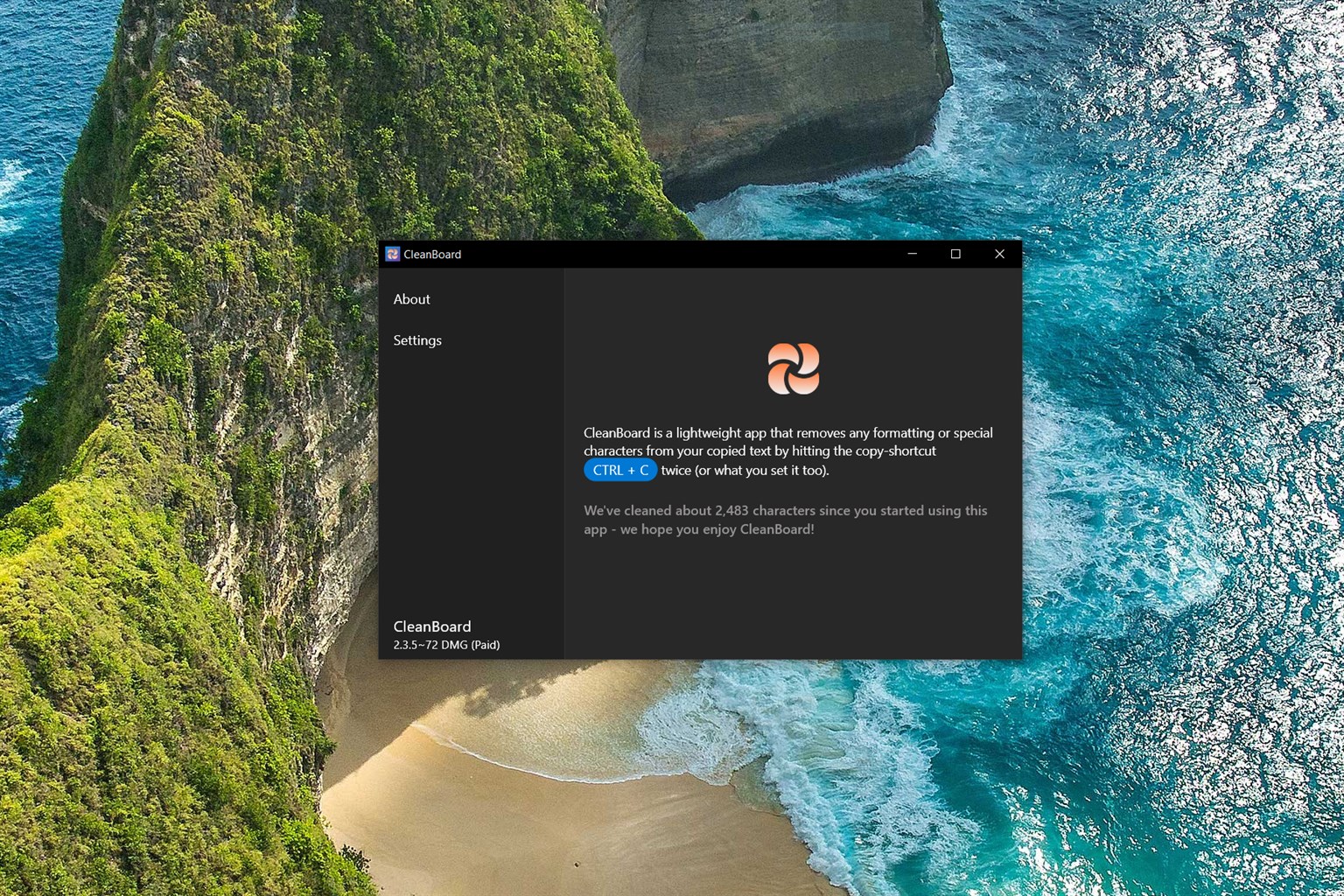
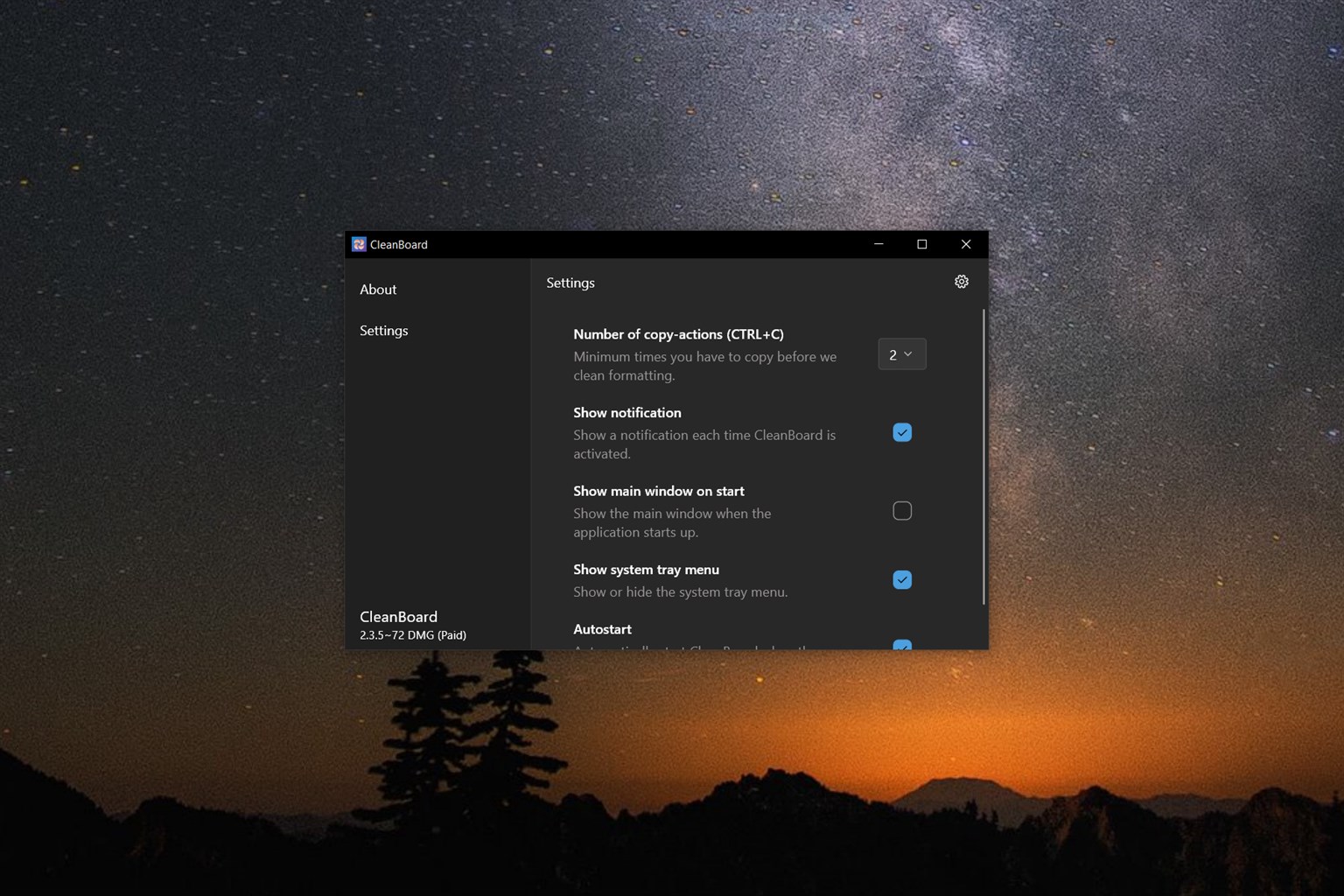
CleanBoard is a lightweight clipboard utility for Windows 10/11 and macOS that automatically strips all formatting, special characters, and invisible junk from your copied text — the moment you hit your copy shortcut twice. No extra windows to open. No new keyboard shortcuts to memorize. No configuration required to get started. CleanBoard lives quietly in your system tray, always running in the background, always ready. The moment you double-press Ctrl+C (Windows) or Command+C (macOS), your clipboard is instantly cleaned. What you paste next is pure, plain text — exactly as it should be.
CleanBoard is built on a single principle: simplicity should not be sacrificed for features. It does one job, and it does it flawlessly. Unlike heavy clipboard managers that clutter your workflow with history panels, cloud sync, and unnecessary options, CleanBoard stays out of your way until you need it. The result is a tool that feels invisible — until the moment it saves you from a formatting disaster.
Key Benefits
CleanBoard delivers immediate, tangible value to anyone who works with text on a daily basis. Here is why thousands of users across macOS and Windows rely on it:
- Stop Fixing Formatting Manually. Every second you spend removing bold text, resetting font sizes, or clearing background colors from a pasted paragraph is a second lost. CleanBoard eliminates that friction entirely. Double-copy your text, and the formatting is gone before you even paste. Your documents stay consistent, your workflow stays uninterrupted, and your frustration level drops to zero.
- No Learning Curve. CleanBoard uses the same copy shortcut you already know — Ctrl+C or Command+C — just pressed twice. There is nothing new to learn. No extra key combinations to remember. No toolbar buttons to click. It integrates into the way you already work, not the other way around.
- Your Data Stays Private. In an era where apps constantly send data to the cloud, CleanBoard takes a different approach. All text processing happens entirely on your local device. Your clipboard content is never transmitted over the internet, never stored on external servers, and never exposed to third parties. What you copy stays yours — always.
- Works in Every Application. CleanBoard is application-agnostic. It works in Microsoft Word, Google Chrome, Slack, Notion, Excel, Outlook, VS Code, or any other app on your system. You do not need to set up integrations or install plugins. It operates at the operating system level, so it just works — everywhere, every time.
- Runs Without Getting in Your Way. CleanBoard launches on startup and sits silently in your system tray. It uses minimal system resources and never interrupts your focus. When you need it, it is there. When you do not, you will not even know it is running.
- Track Your Productivity. CleanBoard includes a built-in character tracking feature so you can monitor how much text you have cleaned over time. The free tier includes 5,000 characters, giving you a meaningful taste of the tool before committing to a paid plan.
Who Should Use CleanBoard?
CleanBoard is the ideal tool for a wide range of users:
- Writers and editors who copy research from the web and paste into clean documents
- Developers and engineers who need plain text when working in code editors or terminals
- Business professionals who paste content into emails, reports, and presentations
- Students and academics who pull text from PDFs or online sources into their notes
- Customer support agents who paste responses into ticketing systems that do not accept rich text
- Content marketers who format copy for platforms like WordPress, Webflow, or Shopify
If you regularly copy and paste text as part of your job or studies, CleanBoard will immediately improve your daily workflow.
Key Features
CleanBoard packs a focused set of powerful features into a remarkably lightweight package. Below is a comprehensive breakdown of every capability the app offers, designed to show you exactly why CleanBoard is the most practical clipboard cleaning tool available for Windows and macOS:
- Double-Copy to Clean — Instantly strip all formatting by pressing your copy shortcut twice; no additional tools or steps required.
- Supports Ctrl+C (Windows) — Uses the native Windows copy shortcut for zero-friction activation on any Windows machine.
- Supports Command+C (macOS) — Integrates with the standard macOS copy shortcut so the workflow feels completely natural.
- Works instantly — Clipboard is cleaned in milliseconds, with no noticeable delay between copying and pasting.
- Formatting Removal Engine — Strips all rich text attributes from copied content, delivering raw plain text every time.
- Removes font styling — Eliminates bold, italic, underline, strikethrough, and all other text decoration automatically.
- Clears colors and highlights — Removes text color, background color, and highlight attributes from copied content.
- Strips hyperlinks — Converts linked text into plain unlinked text, preventing unwanted URLs from embedding in your paste destination.
- Removes special and invisible characters — Cleans zero-width spaces, non-breaking spaces, and other hidden characters that cause problems in editors and forms.
- Privacy-First Local Processing — Every operation is performed entirely on your device, with no internet connection required.
- No cloud transmission — Your clipboard data is never sent to any server or external service.
- No data storage — CleanBoard does not log, store, or cache your clipboard history anywhere outside your machine.
- Offline-ready — Works fully without an active internet connection, making it safe for sensitive or confidential content.
- System Tray Integration — CleanBoard runs as a lightweight background process accessible from your system tray at all times.
- Minimal resource usage — Designed to have a near-zero impact on CPU and RAM so your system performance is never affected.
- Launch on startup — Optionally configure CleanBoard to start automatically when your computer boots, so it is always available.
- Quick access settings — Open the configuration panel directly from the tray icon without launching a full application window.
- Cross-Platform Compatibility — One consistent, familiar experience across both major desktop operating systems.
- macOS 11.0 (Big Sur) and later — Fully optimized for modern Apple hardware including Intel and Apple Silicon (M1/M2/M3) Macs.
- Windows 10 and Windows 11 — Fully supported on both versions of Windows with identical functionality and behavior.
- Same workflow on every device — No relearning required when switching between platforms; the double-copy behavior works identically everywhere.
- Character Tracking — Monitor your clipboard cleaning activity with a built-in usage tracker.
- Free tier includes 5,000 characters — Generous free allowance lets you meaningfully evaluate the app before upgrading.
- Usage displayed in system tray — Check your cleaned character count at a glance directly from the tray icon.
- Resets on cycle — Tracking cycles reset periodically so you always have a clear view of recent usage.
- Easy Configuration Panel — A clean, minimal settings interface lets you adjust app behavior without complexity.
- Behavior settings — Toggle startup behavior, notification preferences, and cleaning sensitivity from one simple panel.
- Usage monitoring — View character count and tier status directly within the settings panel.
- Homebrew installation support (macOS) — macOS users can install and update CleanBoard using the Homebrew package manager for seamless command-line setup.
Requirements
The following system requirements must be met to run CleanBoard on your device:
- Operating System: macOS 11.0 (Big Sur) or later, OR Windows 10 / Windows 11
- Architecture: Compatible with both Intel and Apple Silicon (M1/M2/M3) on macOS
- Internet Connection: Not required for core functionality (local processing only)
- Disk Space: Minimal — CleanBoard is a lightweight utility app
- Permissions: Accessibility/clipboard access permission required for clipboard monitoring
Downloads
Ready to see what a cleaner clipboard feels like? CleanBoard offers a free tier that lets you experience the full double-copy workflow at no cost, with up to 5,000 characters of cleaned text included. macOS users can install CleanBoard instantly using Homebrew by running the following commands in Terminal:
textbrew tap tompodab/cleanboard
brew install --cask cleanboard
Windows users can download the app directly from the Microsoft Store. Try CleanBoard for free today — no credit card required, no time limit — and find out how much smoother your copy-paste workflow can be when formatting is never your problem again.
or
Buy now, the price start from:
Thank you for reading CleanBoard review, and enjoy the discount coupon. If you notice any issues with CleanBoard discount coupon, deal, or giveaway—such as an expired offer, broken link, or sold‑out promotion—please let us know while the deal is still available.