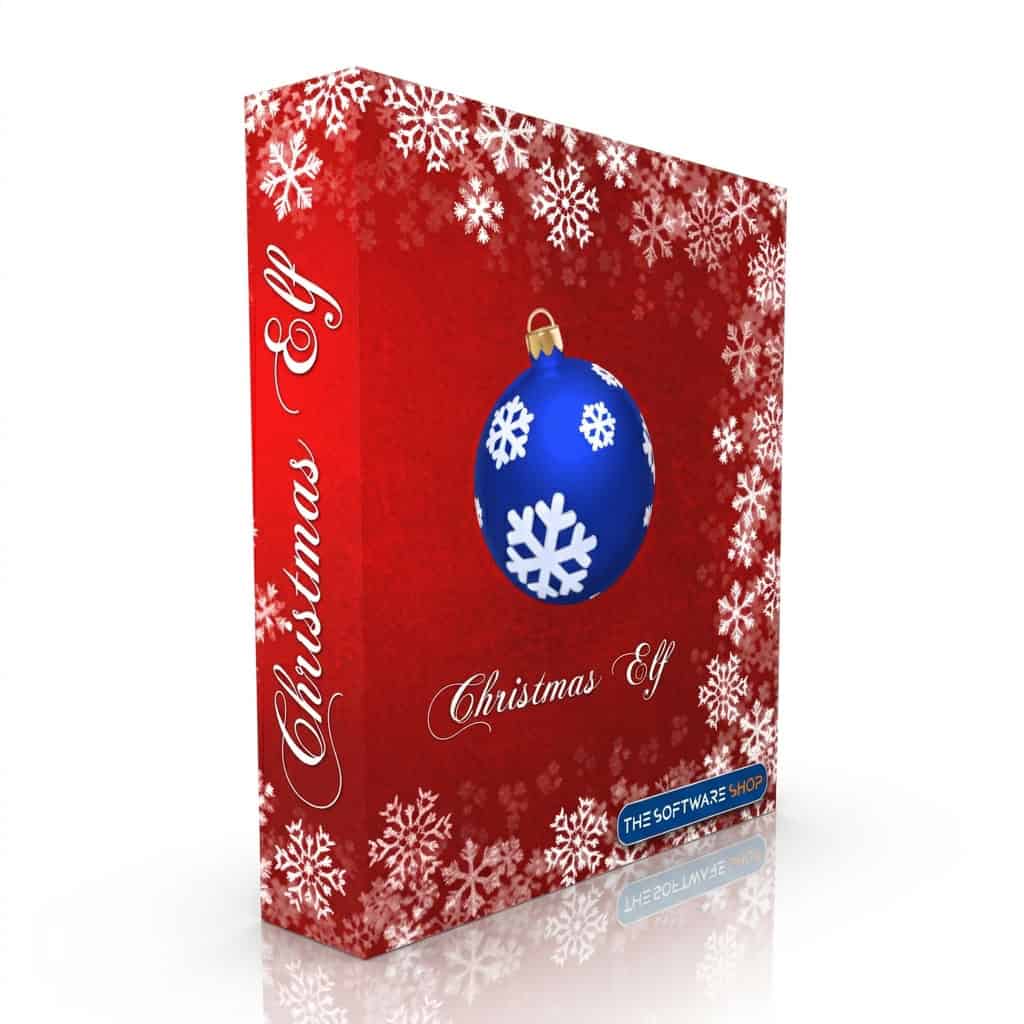
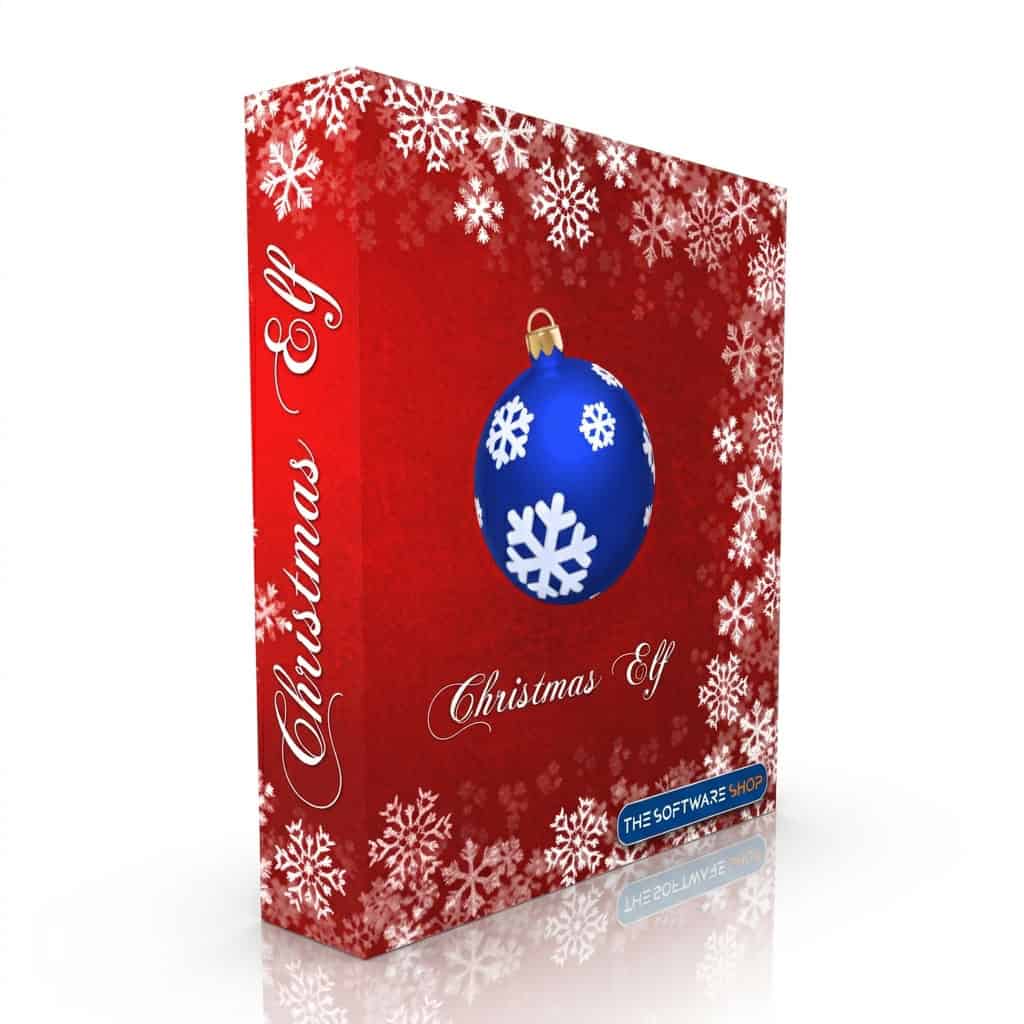
Giveaway – Pothos Christmas Elf: Free Full Version | Christmas Desktop Decoration Software – for Windows

Create a warm, joyful Christmas atmosphere right on your computer screen! Get a full version of Get Pothos Christmas Elf for FREE today!
Free Full Version!
BUY NOW
Pothos Christmas Elf is available for $14.99. But, you can now get Pothos Christmas Elf lifetime license with a 20% discount. This offer is available for a limited time!
Software Giveaway: You can also get a full version of Pothos Christmas Elf 3.6 for FREE through the Giveaway tab below
Christmas Desktop Decoration Software for Windows, Animated Christmas Lights, Falling Snow, Festive Trees, Holiday Music, Fireplace Sounds & Wallpapers
- One-time Purchase
- Lifetime License
- Free Updates
- Free Support at https://pothos.info/?p=contacts
Platforms: Windows

iTop Easy Desktop PRO BEST OFFER

Winstep Nexus Ultimate BEST OFFER
Parallels Desktop for Mac BEST SELLER

Copernic Desktop Search & Cloud BEST SELLER
Windows 10 Professional BEST OFFER
Pothos Christmas Elf Free License Giveaway
Available : Free Full Version for a limited Time!
To access the giveaway, kindly provide your email address. Please refrain from closing this page after signing in to receive instructions on how to access the offer at no cost.
NOTES:
– All prices shown here are in listed USD (United States Dollar).
– Such promotional programs are subject to change without notice, from time to time in our sole discretion.
– Data may vary based on different systems or computers.
Pothos Christmas Elf Review at a Glance
Christmas is a special time of year filled with colorful decorations, sparkling lights, beautiful winter scenery, and cheerful music. However, your computer desktop can often look just like it does throughout the rest of the year. While your home may be decorated with Christmas trees, glowing lights, and festive ornaments, your Windows desktop might still have the same ordinary appearance. Pothos Christmas Elf provides a fun and convenient way to bring the Christmas spirit directly to your computer screen.
What Is Pothos Christmas Elf?
Pothos Christmas Elf is a Christmas-themed desktop decoration application for Windows computers developed by Pothos.info. Its main purpose is to help users customize their computer screens with traditional Christmas decorations and seasonal entertainment.
The software combines several holiday-inspired features, including animated Christmas lights, decorative garlands, falling snow effects, illuminated Christmas trees, festive music, relaxing background sounds, and attractive Christmas wallpapers.
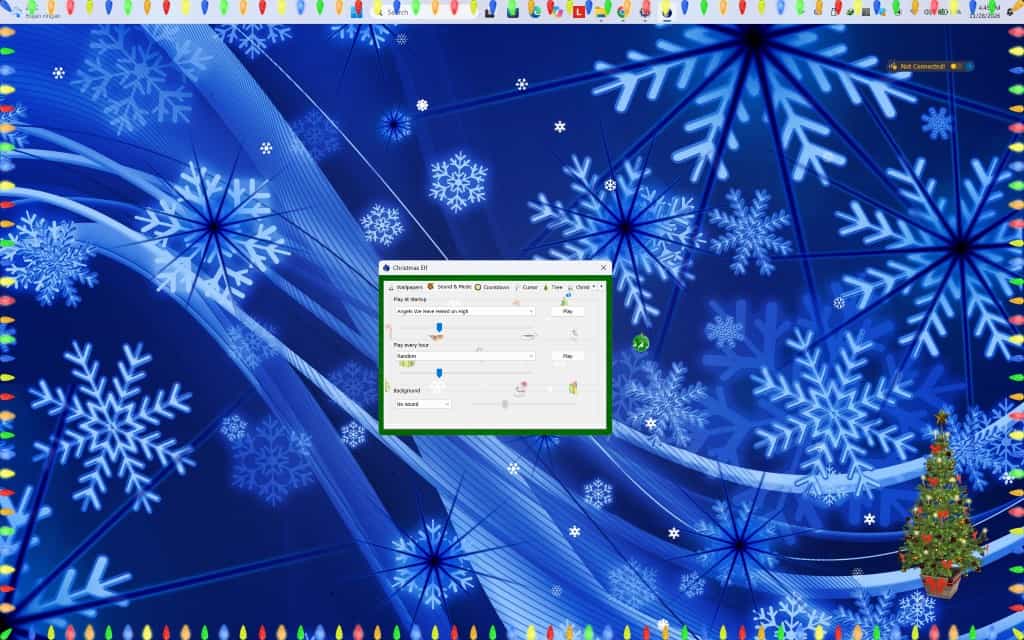
Instead of providing only a static Christmas background, Christmas Elf offers a collection of decorative elements that can make the desktop feel more lively and festive. Users can choose different types of lights, adjust flashing modes and speeds, select Christmas tree decorations, and enjoy seasonal audio.
The software focuses on making Christmas desktop customization accessible and enjoyable. You do not need advanced graphic design knowledge or complicated editing skills to create a festive computer screen. Simply use the available decoration options to personalize your desktop according to your preferred Christmas atmosphere.
Christmas Elf by Pothos is particularly useful for people who spend considerable time using their computers during the winter holidays. It adds seasonal visual interest to an everyday digital environment and provides a pleasant way to celebrate Christmas while completing normal computer activities.
From colorful holiday decorations to peaceful snowfall and relaxing fireplace sounds, the application brings together different elements associated with Christmas in one place.
Key Benefits
Pothos Christmas Elf offers several advantages for people who want to personalize their Windows desktops during the Christmas season. Here are the main benefits that make this seasonal application a useful addition to your holiday preparations:
- Create a Festive Desktop Environment: Give your ordinary Windows desktop a Christmas-inspired appearance with decorative lights, garlands, Christmas trees, snow effects, and holiday wallpapers.
- Enjoy Christmas Decorations All Year: Experience the beauty of falling snow and seasonal decorations even when the weather outside is warm or it is not winter in your location.
- Customize Your Christmas Lighting: Choose from different light and garland styles, then adjust flashing modes and speeds to suit your preferred visual atmosphere.
- Bring Winter Scenery to Your Screen: Add falling snow effects that create a snowy atmosphere and make your desktop feel more connected to the winter holiday season.
- Decorate Your Desktop with Christmas Trees: Select from several Christmas tree decoration options featuring flashing lights to give your screen a traditional holiday centerpiece.
- Enjoy Seasonal Music: Listen to popular Christmas tunes that help create a cheerful environment while using your computer.
- Relax with Background Sounds: Add the pleasant atmosphere of a crackling fireplace or snowstorm through the available background audio options.
- Refresh Your Desktop Appearance: Use beautiful Christmas wallpapers featuring winter landscapes, cozy interiors, and festive compositions to change the look of your screen.
- Combine Different Holiday Elements: Bring together multiple visual and audio decorations to create a more complete Christmas desktop experience.
- Personalize Your Seasonal Experience: Adjust available decoration settings and select the elements that best match your preferred holiday style.
- Make Everyday Computer Use More Enjoyable: Add seasonal character to your digital workspace while performing ordinary activities such as browsing, studying, or working.
- Celebrate Christmas Through Your Computer: Create a festive environment at home or in the office and enjoy the familiar sights and sounds associated with the holiday season.
- Enjoy a Convenient Decoration Application: Access different Christmas-themed decoration options through one Windows application instead of relying on several separate desktop customization tools.
- Create a Cozy Winter Atmosphere: Combine snowy visuals, fireplace sounds, Christmas trees, and seasonal wallpapers to create a peaceful and comfortable desktop setting.
- Share the Christmas Spirit: Give family members and other computer users a more cheerful seasonal environment that reflects the excitement of Christmas and the New Year.
Designed for people who enjoy Christmas decorations and seasonal desktop customization, Christmas Elf by Pothos is Windows desktop decoration software that gives your computer a festive holiday appearance. It brings together several traditional Christmas elements in one application, allowing you to decorate your screen with animated lights, decorative garlands, falling snow, Christmas trees, seasonal music, relaxing winter sounds, and beautiful holiday wallpapers.
Instead of settling for a plain desktop during the holiday season, you can use Christmas Elf to create a more cheerful and visually appealing computer environment. The software offers different decoration options, giving you the freedom to combine seasonal elements according to your preferences. From colorful Christmas bulbs and elegant icicle lights to snowy landscapes and beautifully decorated trees, the application provides multiple ways to bring the atmosphere of Christmas to your Windows desktop.
One of the most enjoyable aspects of Christmas Elf is its selection of Christmas lights and decorative garlands. Christmas lights are among the most recognizable symbols of the holiday season, and this software brings that familiar decoration to your screen. You can choose from different lighting styles, including colored bulbs, pine garlands, and icicle lights. The flashing mode and speed can also be adjusted, allowing you to customize the appearance and movement of the decorations.
Snow is another important part of the Christmas experience. Even if the weather outside is warm or your location does not experience snowfall, Christmas Elf allows you to enjoy the appearance of falling snow directly on your computer screen. Its snow effects create a winter-inspired atmosphere that can make your desktop feel more seasonal. You can enjoy the visual charm of a snowy Christmas without depending on the actual weather outside.
A Christmas tree is often the centerpiece of holiday decorations, and Christmas Elf includes several Christmas tree options to bring this traditional symbol to your desktop. Each option features decorative flashing lights, helping create a festive appearance. You can select the tree decoration that best matches your preferred holiday style and adjust available settings to create a desktop environment that feels more personal.
The holiday atmosphere is not complete without music and relaxing background sounds. Christmas Elf includes popular Christmas tunes that help bring familiar seasonal melodies to your computer. In addition to music, the software provides pleasant background sounds, including a crackling fireplace and a snowstorm. These audio options offer another way to enjoy the atmosphere of the winter holidays while working, browsing, or spending time at your computer.
Visual customization is also an important part of the experience. Christmas Elf helps you find beautiful Christmas wallpapers featuring winter landscapes, cozy domestic scenes, and festive compositions. These images provide an opportunity to change the overall appearance of your desktop and complement the other decorations available in the application.
Pothos Christmas Elf brings multiple Christmas decoration elements together in one convenient Windows application. Rather than using separate tools for lights, snow effects, holiday music, and seasonal backgrounds, you can enjoy a collection of festive features through one software package.
The application is suitable for Christmas enthusiasts, families, students, office workers, and anyone who wants a more cheerful desktop during the holiday season. It can also be a fun addition to a home computer, family workstation, or personal laptop, helping create a seasonal environment that reflects the excitement of Christmas and the New Year.
Whether you prefer colorful decorations, peaceful winter scenery, gentle snowfall, or cheerful Christmas music, Pothos Christmas Elf provides several ways to customize your desktop. Its combination of visual and audio elements makes it a practical choice for anyone looking to celebrate the season through computer personalization.
Bring the warmth, colors, sounds, and beauty of Christmas to your Windows desktop with Christmas Elf!
Features
Christmas Elf brings together a collection of seasonal desktop decorations and entertainment options designed to make your Windows computer feel more festive. Below is a detailed breakdown of the main features and their available customization options:
– Christmas Lights and Garlands: Decorate the edges of your desktop with colorful Christmas lighting and traditional holiday garlands.
- Colored Christmas Bulbs: Add colorful decorative bulbs to your screen for a cheerful holiday appearance.
- Pine Garlands: Display traditional green pine garlands to create a natural Christmas decoration style.
- Icicle Lights: Add icicle-style lighting inspired by the decorative lights commonly used on homes during Christmas.
- Flashing Modes: Customize the lighting behavior using the available flashing patterns.
- Adjustable Flashing Speed: Change the speed of the flashing lights to suit your preferred decorative appearance.
- Multiple Lighting Styles: Choose from different lighting options to create a personalized desktop decoration.
– Animated Falling Snow Effects: Bring the visual atmosphere of winter to your computer with different types of falling snow.
- Different Snow Types: Select from different snow appearances to customize the winter scenery on your screen.
- White Snowfall: Enjoy the appearance of fresh white snow falling across your desktop.
- Winter Atmosphere: Create a snowy environment even if your local weather does not include actual snowfall.
- Customizable Snow Settings: Adjust available snow options to create a visual effect that matches your preferences.
– Decorative Christmas Trees: Add a traditional Christmas tree to your Windows desktop and make it a central part of your seasonal decoration.
- Multiple Tree Options: Choose from several Christmas tree decoration styles.
- Flashing Tree Lights: Enjoy Christmas trees decorated with attractive flashing lights.
- Customizable Tree Settings: Adjust available settings to personalize the appearance of your selected tree.
- Traditional Holiday Decoration: Bring one of the most recognizable Christmas symbols directly to your computer screen.
– Festive Christmas Music: Add familiar seasonal melodies to your computer and enjoy popular Christmas tunes.
- Popular Christmas Tunes: Listen to Christmas-themed music that helps create a cheerful holiday atmosphere.
- Seasonal Audio Entertainment: Add a musical element to your desktop decoration experience.
- Holiday Mood: Enjoy festive tunes while working, studying, browsing, or spending time at your computer.
– Relaxing Background Sounds: Complement your desktop decorations with pleasant ambient sounds inspired by winter and Christmas.
- Crackling Fireplace Sounds: Enjoy the comforting sound of a crackling fireplace for a cozy seasonal atmosphere.
- Snowstorm Sounds: Add winter-inspired background audio that complements the falling snow effects.
- Atmospheric Audio: Combine seasonal sounds with visual decorations for a more immersive desktop environment.
– Christmas Wallpapers: Refresh your Windows desktop with attractive seasonal images and beautiful Christmas-themed backgrounds.
- Winter Landscapes: Choose scenic winter imagery featuring snowy surroundings and seasonal scenery.
- Cozy Domestic Scenes: Bring the comfortable atmosphere of a decorated home to your desktop.
- Festive Compositions: Use Christmas-inspired pictures that complement your holiday decorations.
- Desktop Personalization: Change your computer background to match your preferred seasonal style.
– Flexible Desktop Decoration: Combine different Christmas elements and customize available settings to create a desktop environment that reflects your personal preferences.
- Multiple Decoration Categories: Access lights, garlands, snow, trees, music, sounds, and wallpapers through one application.
- Personalized Appearance: Select the decorative elements you enjoy most.
- Visual and Audio Options: Combine seasonal visuals with music and ambient sounds for a more complete holiday experience.
Requirements
Before installing Christmas Elf by Pothos, check the following operating system compatibility information to make sure your Windows computer meets the listed requirements.
Supported Operating Systems:
- Windows 11 (x86)
- Windows 10 (x86)
- Windows 8 (x86)
- Windows 7
- Windows Vista
Additional Considerations:
- Windows Compatibility: Use a supported Windows operating system to install and run the application.
- Display: A functioning computer display is required to enjoy the desktop decorations, animations, and wallpapers.
- Audio: Speakers or headphones are recommended for listening to Christmas tunes, fireplace sounds, and snowstorm audio.
- Available Resources: Make sure your computer has sufficient available resources to run the application and its visual effects comfortably.
Note: The operating system versions listed above are based on the supplied product specifications. Check the seller’s latest compatibility information before purchasing, particularly if you use a newer Windows installation or a different system architecture.
Downloads
Want to see how Pothos Christmas Elf looks and works on your own computer before making a purchase? A trial edition, when provided by the seller, gives you an opportunity to evaluate the available Christmas decorations and see how they fit your desktop environment.
or
Buy now, the price start from:
Thank you for reading Pothos Christmas Elf review, and enjoy the discount coupon. If you notice any issues with Pothos Christmas Elf discount coupon, deal, or giveaway—such as an expired offer, broken link, or sold‑out promotion—please let us know while the deal is still available.