

85% Off – PC Game Booster 8 Pro: 1-Year 1-PC License | The Ultimate PC Games Booster – for Windows

Enjoy the best gaming experience without lags or slow down! Get PC Game Booster 8 PRO license key includes free updates & support with our exclusive discount coupon and save up to 85% Off.
BUY NOW
PC Game Booster 8 PRO by Smart PC Utilities retails for $17.95 instead of $29.95 But, on our website, The Software Shop, you can save more on your license purchase with our exclusive extra discount coupon code. This offer is available for a limited time!
1-YEAR SUBSCRIPTION

1-Year Subscription, 1 PC
- Use the Pro edition on 1 PC for 12 Months/1 Year
- Free Software Updates within the subscription period
- Automatic High Priority Updates
- 24/7 Premium Support
Platform: Windows
1-Year Subscription, 1 PC
- Use the Pro edition on 1 PC for 12 Months/1 Year
- Free Software Updates within the subscription period
- Automatic High Priority Updates
- 24/7 Premium Support
Platform: Windows
1 Year Subscription, 3 PCs
- Use the Pro edition on 3 PCs for 12 Months/1 Year
- Free Software Updates within the subscription period
- Automatic High Priority Updates
- 24/7 Premium Support
Platform: Windows
1 Year Subscription, 10 PCs
- Use the Pro edition on 10 PCs for 12 Months/1 Year
- Free Software Updates within the subscription period
- Automatic High Priority Updates
- 24/7 Premium Support
Platform: Windows
2-YEAR SUBSCRIPTION
2-Year Subscription, 1 PC
- Use the Pro edition on 1 PC for 24 Months (2 Years)
- Free Software Updates within the subscription period
- Automatic High Priority Updates
- 24/7 Premium Support
Platform: Windows
2-Year Subscription, 1 PC
- Use the Pro edition on 1 PC for 24 Months (2 Years)
- Free Software Updates within the subscription period
- Automatic High Priority Updates
- 24/7 Premium Support
Platform: Windows
2Year Subscription, 3 PCs
- Use the Pro edition on 3 PCs for 24 Months (2 Years)
- Free Software Updates within the subscription period
- Automatic High Priority Updates
- 24/7 Premium Support
Platform: Windows
2 Year Subscription, 10 PCs
- Use the Pro edition on 10 PCs for 24 Months (2 Years)
- Free Software Updates within the subscription period
- Automatic High Priority Updates
- 24/7 Premium Support
Platform: Windows
LIFETIME LICENSE
Lifetime Subscription, 1 PC
- Use the Pro edition on 1 PC for a LIFETIME
- Free Software Updates within the subscription period
- Automatic High Priority Updates
- 24/7 Premium Support
Platform: Windows
Lifetime Subscription, 2 PCs
- Use the Pro edition on 2 PCs for a LIFETIME
- Free Software Updates within the subscription period
- Automatic High Priority Updates
- 24/7 Premium Support
Platform: Windows
Lifetime Subscription, 3 PCs
- Use the Pro edition on 3 PCs for a LIFETIME
- Free Software Updates within the subscription period
- Automatic High Priority Updates
- 24/7 Premium Support
Platform: Windows
PC Game Booster 8 PRO for Mac OS X is unavailable, but you maight like the following similar app (Performance Booster) for Mac
MacBooster 8 PRO: Lifetime License BEST SELLER
System Mechanic Ultimate Defense BEST SELLER

iolo System Mechanic Pro BEST SELLER

AV Voizgame for Windows BEST SELLER
Gecata by Movavi BEST OFFER

GOM Cam - for PC BEST SELLER
System Mechanic Ultimate Defense BEST SELLER
iolo System Mechanic Pro BEST SELLER
AV Voizgame for Windows BEST SELLER
Gecata by Movavi BEST OFFER
GOM Cam - for PC BEST SELLER
PC Game Booster 8 PRO Key Giveaway
Available now: Free License Key for a limited time!
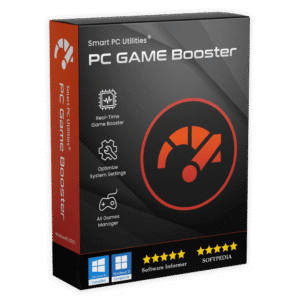
Also, check out the latest software giveaways that are available here on the software giveaway page.

PC Game Booster 8 Pro Review at a Glance
Are you tired of lag and slow performance while playing your favorite games on your PC? Do you want a tool that can optimize your computer for peak performance and provide you with a smooth and pleasant gaming experience? Look no further than PC Game Booster 8 Pro.
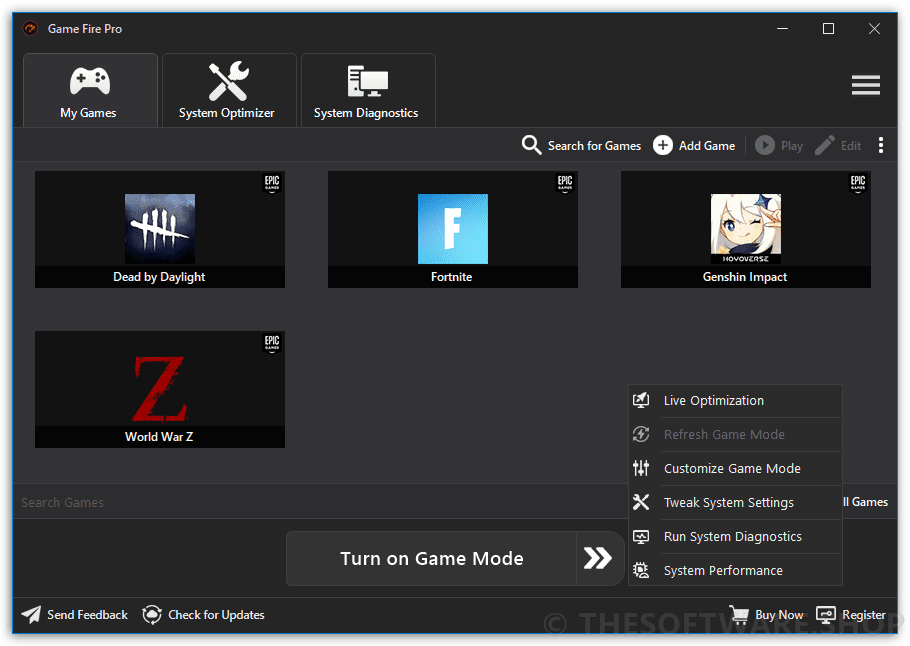
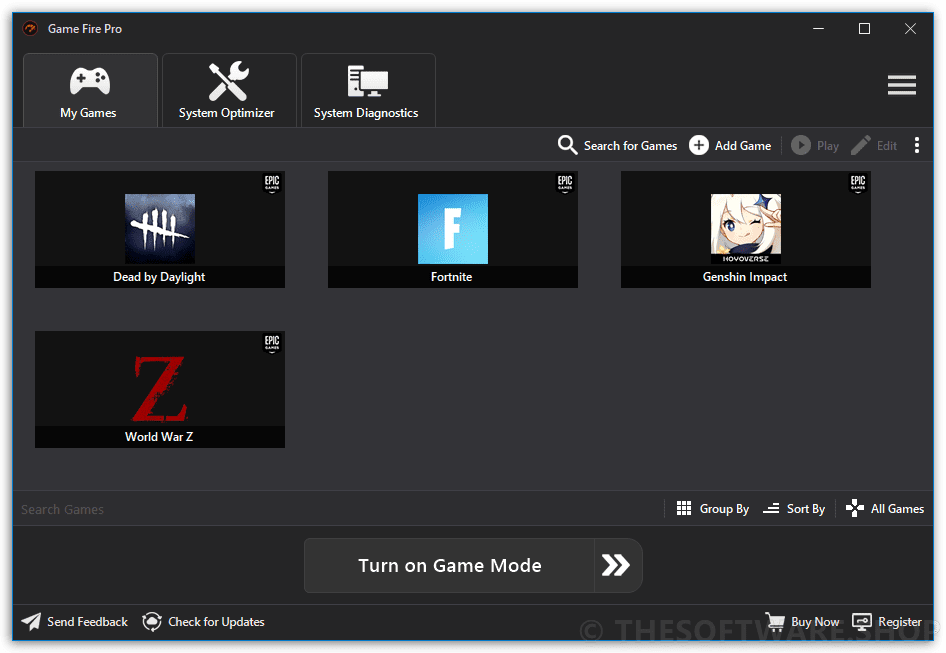
PC Game Booster 8 PRO (Formerly Game Fire Pro) is a powerful game booster that can help you enjoy a smoother and more enjoyable gaming experience with just the touch of a button. It optimizes your computer for peak performance, focusing all system resources on running your favorite games.
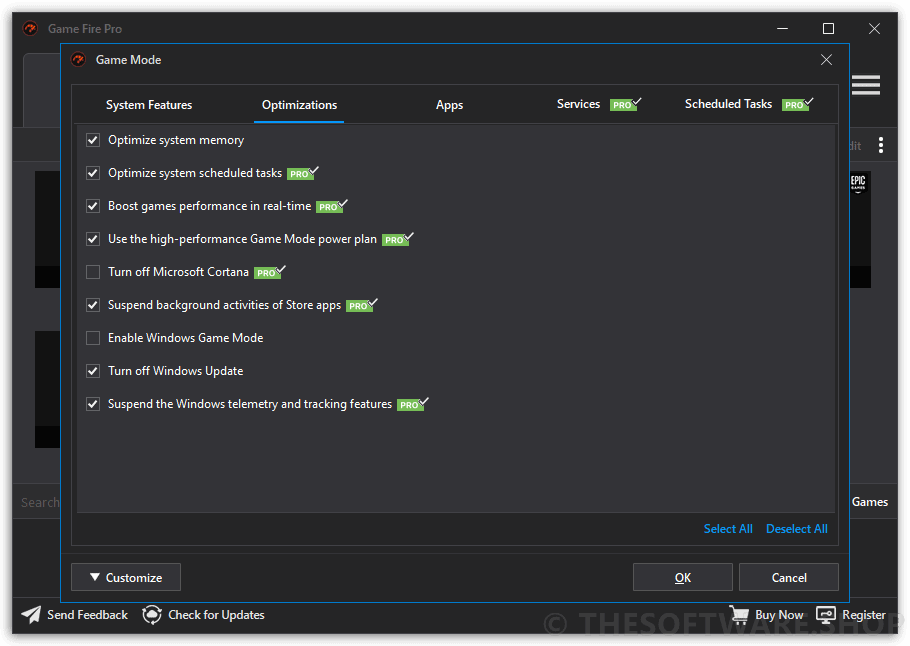
This PC game optimization tool boosts your computer performance by suspending unnecessary Windows features, defragging system memory, optimizing Windows scheduled tasks, turning off unnecessary applications, defragging game files, and applying several system tweaks.
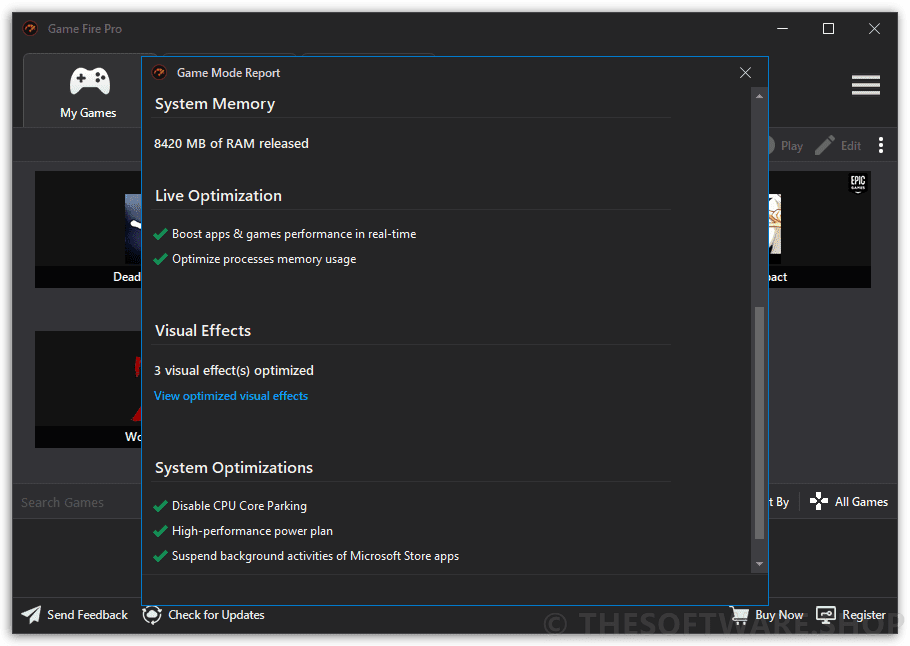
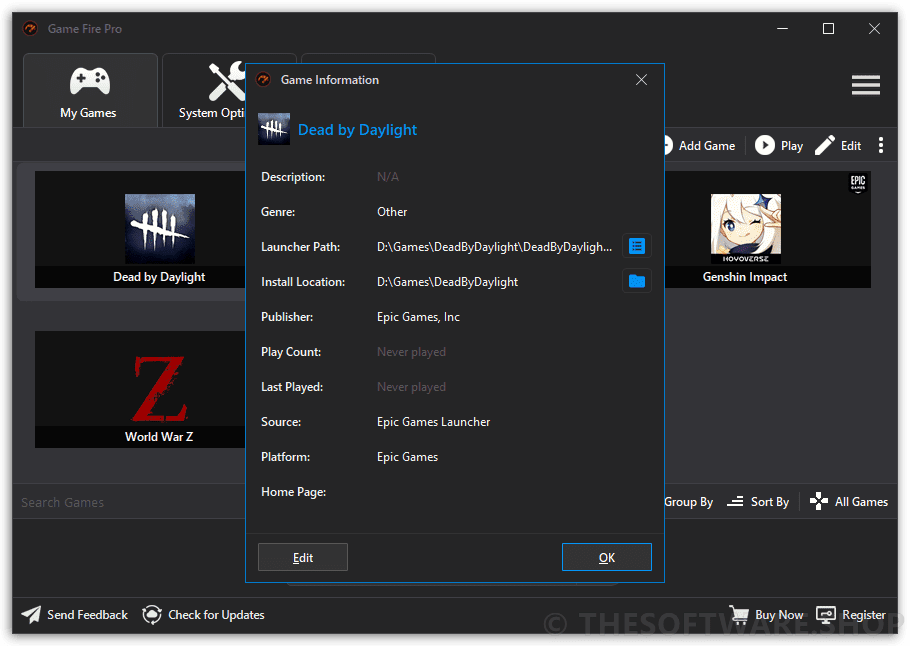
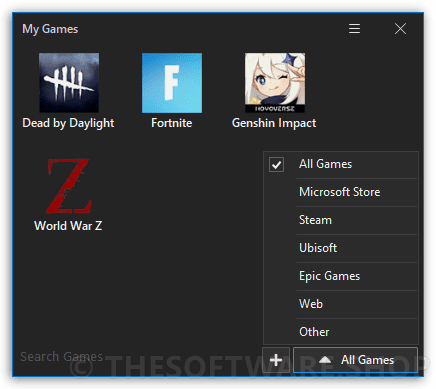
In addition to improving system performance and reliability, PC Game Booster 8 Pro enhances your gaming experience by enabling you to organize and manage your favorite games, whether local or online, in one centralized place. You can manage, launch, defrag, and even search cheats for your favorite games with ease.
Plus, PC Game Booster Pro optimizes computer performance based on configuration profiles for specific game titles. You can easily create these profiles in the program or let PC Game Booster search for installed games and prepare settings to ensure maximum performance for playing them.
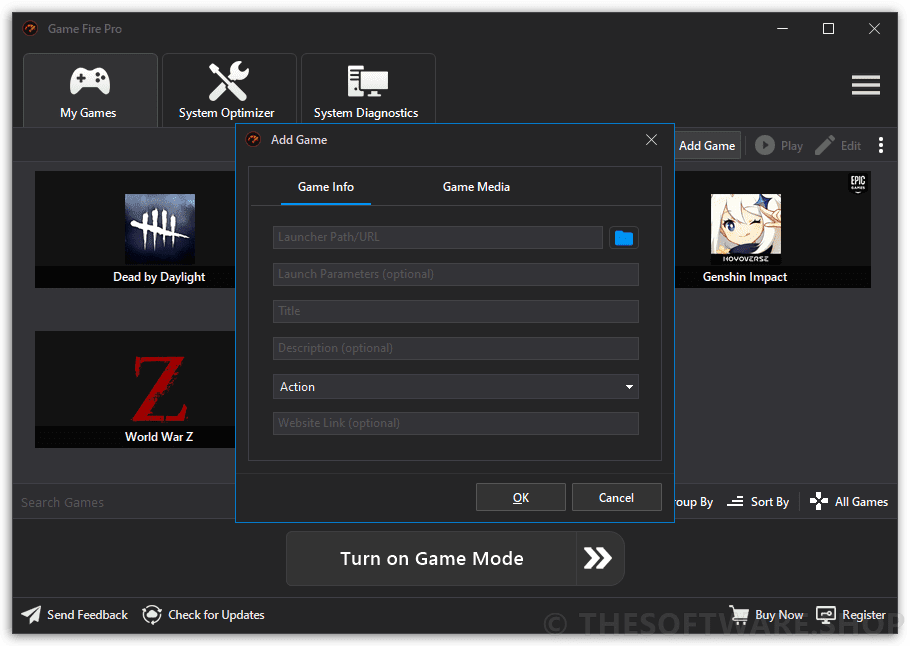
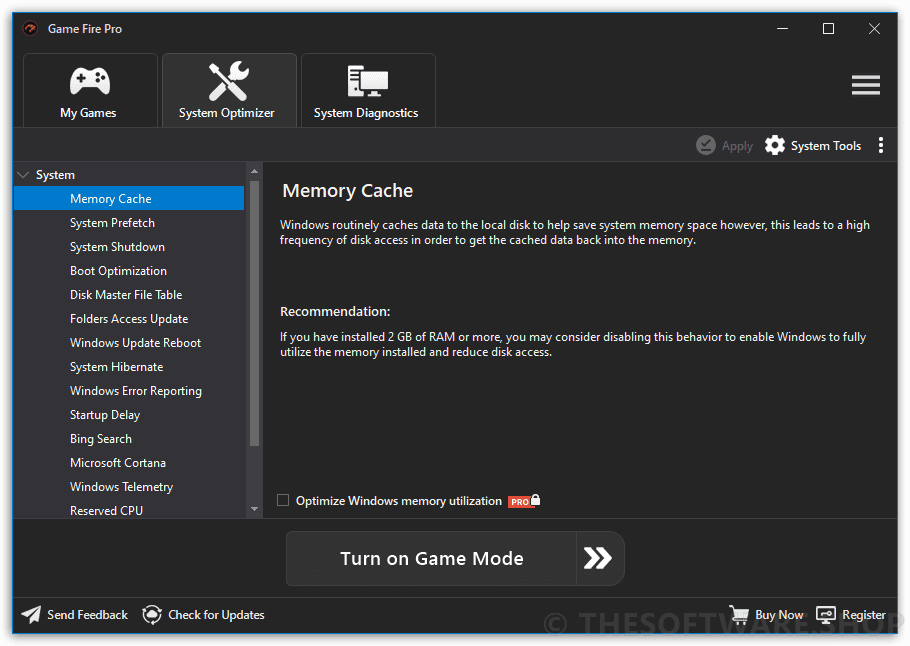
But PC Game Booster 8 isn’t just for gaming. You can also use its performance optimization outside of gaming to achieve higher performance and fluency when working with any application. The optimization settings offer several levels of performance increase, making your computer run faster and smoother for any task.
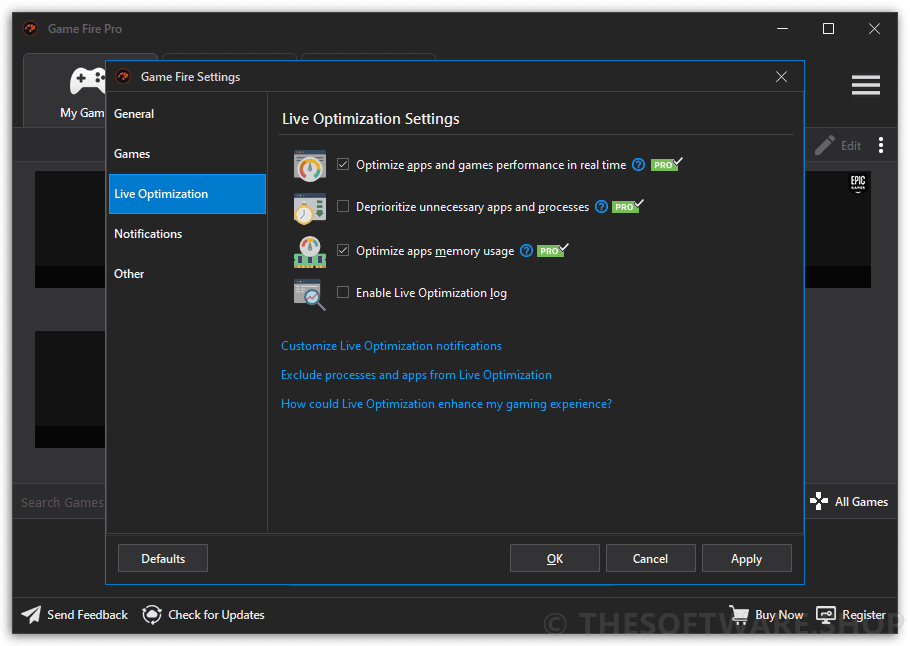
One of the standout features of PC Game Booster 8 Pro is its real-time optimization. Unlike other game boosters, PC Game Booster Pro 8 can boost games and applications’ performance in real-time, allowing them to fully utilize computer resources like CPU and memory while deprioritizing unnecessary and background processes.
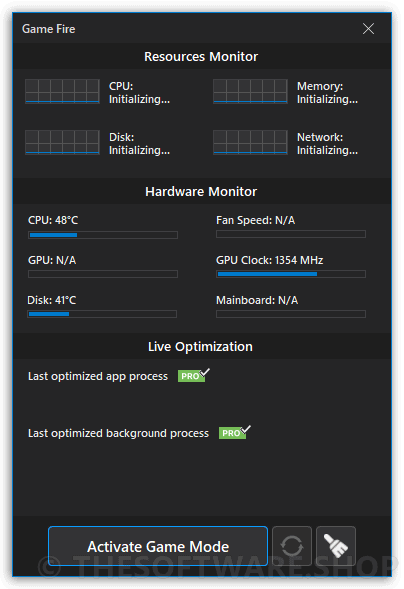
It also provides real-time system health and performance information like the CPU and GPU temperature, helping you optimize your PC gaming performance.
PC Game Booster 8 Pro is highly customizable, allowing experienced users to have control over every aspect of the optimization process by using easy-to-understand options. It also provides a wide range of powerful optimization tools that can squeeze every bit of performance out of your computer, including a disk defragment utility, settings tweaking tool, applications optimizer, and much more.
In conclusion, PC Game Booster 8 Pro is an all-in-one solution to optimize your computer for peak performance and reliability, offering real-time boosting, customization, and a centralized place to manage your favorite games. It’s perfect for gamers who want to enjoy their games with smooth and pleasant performance and for anyone who wants to achieve a faster and smoother computer experience overall.
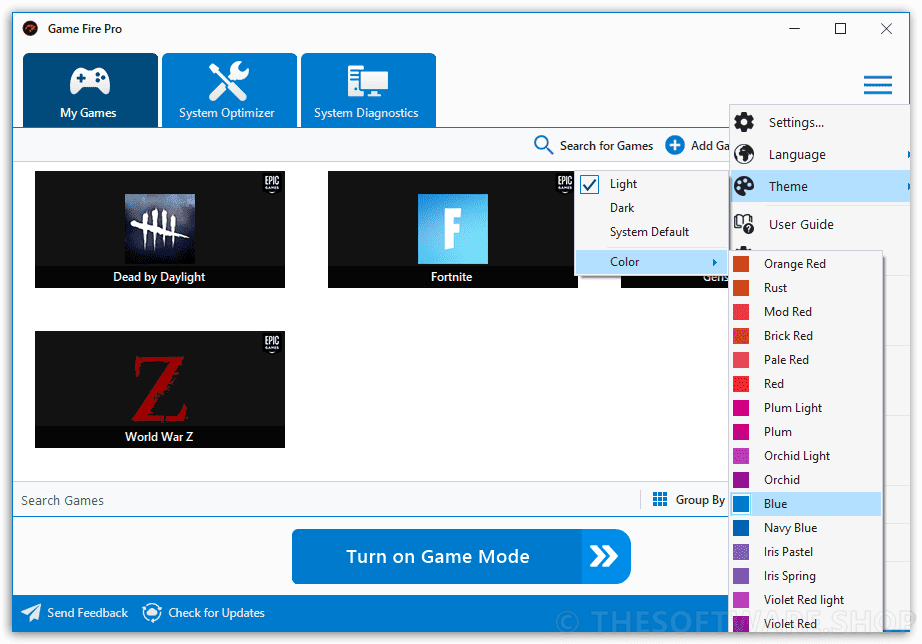
Screenshots of PC Game Booster 8 Pro
What’s new in PC Game Booster Pro?
PC Game Booster v8 delivers a powerful upgrade focused on smarter optimization, a faster and more polished interface, and deeper control over your gaming environment. This release introduces a brand‑new Game Mode engine rebuilt from the ground up to improve system optimization, stability, and recovery, while expanding customization options that let you fine‑tune performance down to the smallest detail.
The updated user interface feels cleaner and more responsive, with improved workflows and new language support. Game discovery is now faster and more flexible, with expanded platform support and enhanced game management tools. Behind the scenes, numerous performance enhancements, reliability improvements, and bug fixes ensure smoother gameplay and a more dependable gaming experience overall.
What’s New
- New Game Mode engine with improved optimization, restoration, and error handling
- Updated Flat UI Framework and redesigned Game Mode progress and configuration windows
- New language support: Chinese (Simplified), German, and Italian
- Expanded Game Mode options, including CPU core parking control, Windows key blocking, clipboard clearing, and widget management
- Background app cache updates from the system tray
- Enhanced My Games with Microsoft Store and Battle.net support, Favorites, customizable thumbnails, and faster scanning
- New hot key management tab and memory‑freeing hot key
- Improved system optimizer, hardware temperature monitoring, and Live Optimization reliability
- Better integration with Windows Defender
- Multiple stability improvements and bug fixes across game clients and threading systems
Features
Key Features of PC Game Booster 8 PRO
- Optimize and Manage all your Favorite Games from One Place
- Basic System Tweaking and Performance Optimization
- Boost Games and Applications Performance in Real-time
- Automatic Performance Boost when Launching Games
- Optimize Windows Visual Effects on the Fly New
- Optimize Windows Apps & Processes
- Prevent Background Processes from Consuming Available Resources
- TuneUp System Settings to Eliminate Lags and Interruptions
- Optimize Internet and Network Performance
- Defrag Hard Drive to Boost Games Performance
- Tweak All Resources Consuming Processes, Services, and Scheduled Tasks
- Automatic RAM Optimization to SpeedUp Games and Applications
- Game Mode Power Plan for Maximum Performance and Reliability
- Monitor System Health and Performance in Real-time
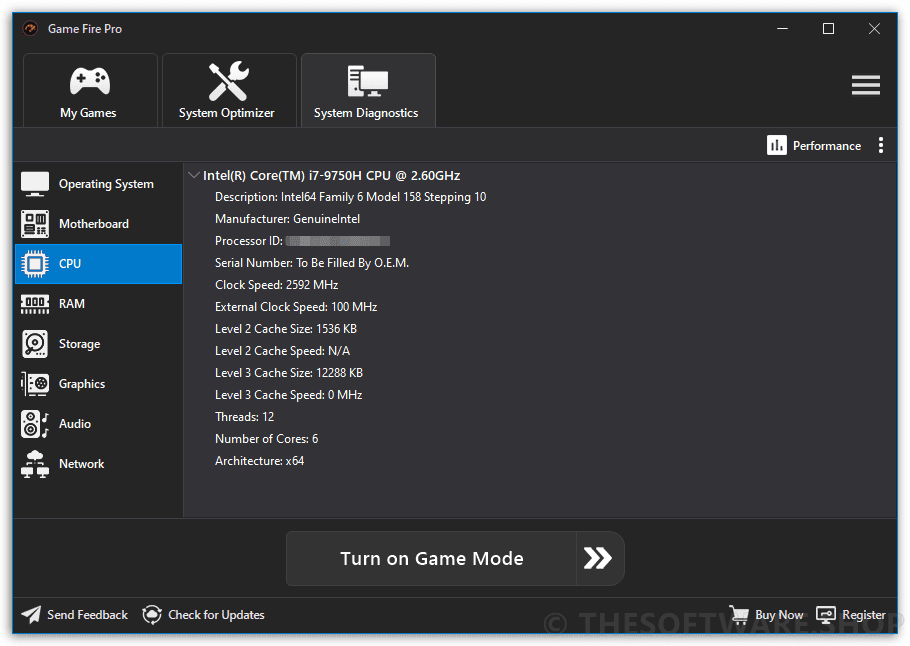
- Get Detailed Information about System, Hardware, and Performance using System Diagnostics
- Automatic Update to the Latest Version
- Microsoft Windows 11 Support New
- 24/7 Premium Support
Requirements
Minimum System Requirements for PC Game Booster 8 PRO
- Supported OS: Microsoft Windows 11/10/8.1
- Supported Languages: Chinese (Simplified), English, French, German, Italian, Japanese, Portuguese, Russian, and Spanish
- Requirements: Microsoft .NET Framework 4.8
Downloads
Please feel free to download PC Game Booster 8 for PC here. PC Game Booster 8 has been tested professionally and we are assured that no viruses, Trojans, adware, or malware are contained.
Why install? The purpose of the PC Game Booster application is to ensure that as much CPU power and memory capacity as possible is available to the currently running game or other system-intensive application. PC Game Booster Pro gains additional resources by stopping unnecessary Windows processes and services, as well as restricting other applications’ access to system resources. The result is a smoother run of demanding game titles with a higher frame rate and an overall better gaming experience. Once activated, PC Game Booster Pro optimizes computer performance in real-time, so it constantly checks where to get additional system resources for running games or other demanding applications (video editors, 3D modeling programs, etc.). Optimizing the performance of a computer with Game Fire is completely safe even for less experienced users.
Media Reviews

“PC Game Booster is stable, reliable, and useful. It’s the game accelerator most of us would pick.”
“PC Game Booster is the kind of acceleration tool I especially need when playing games that seem to ignore my recent attempts at hardware updating and freeze, slow down and drag like hell. Games are rarely the avatars of speed, so accelerators are in high regard, and PC Game Booster can easily be listed among the best.” – SoftwareInformer.com





GET NOW
Ready to boost your PC gaming performance and enjoy smoother gameplay without lag? Get PC Game Booster 8 Pro today and unlock real-time optimization, powerful system tweaks, and a faster, more responsive computer. Grab this limited-time 85% discount and start gaming at your PC’s full potential now.
Thanks for reading PC Game Booster 8 PRO Review & Enjoy the discount coupon. Please Report if PC Game Booster 8 PRO Discount Coupon/Deal/Giveaway has a problem such as expired, broken link, sold out, etc while the deal still exists.




not working, not able to write license file.