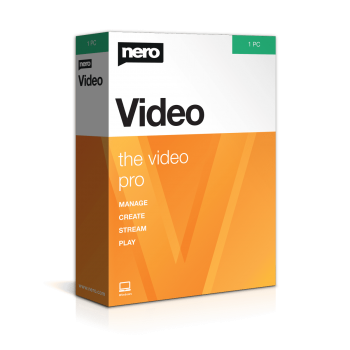
Giveaway – Nero Video SE 2026: Free 1-year License | Full Version – for Windows

Free 1-Year License | Full Video Editing Suite | Up to 8K Export | DVD & Blu-ray Authoring
Nero Video SE 2026 – Free 1-Year License Video Editing Software for Windows | Timeline Editing, Slow Motion & Time-Lapse Effects, 8K Video Export, DVD and Blu-ray Creation Tools
Special Offers
Nero Platinum Suite 2026 BEST SELLER
Nero Video 2026 BEST OFFER
Nero AI Image Upscaler EXCLUSIVE

Nero Burning ROM 2026 BEST OFFER

Nero BackItUp PRO GIVEAWAY

Nero AI Photo Tagger BEST SELLER
Nero Video SE 2026 Free License Giveaway
For a limited time, You can get Nero Video SE 2026 with a 1-year license for free. This is a great opportunity to try out the software and see all the features and benefits it has to offer.
- Click on the GET NOW button above to access the deal page for Nero Video SE 2026.
- On the deal page, navigate to the BUY NOW section and click on the Giveaway tab.
- In the Giveaway tab, enter your email address to unlock the offering box that includes the buy button to request your exclusive key for free.
- Read the HINTS provided in the offering box for the next steps to redeem your free key.
- Don’t miss out on this amazing deal – visit our deal page to claim your free 1-year license key or the best deal now!
Overview of Nero Video SE 2026

Nero Video SE is a complete video editing software for Windows that gives content creators, families, and small business owners a straightforward way to cut, arrange, and finish video projects without a steep learning curve. This free special version, offered for a limited time with a one-year license through THESOFTWARE.SHOP GIVEAWAY, gives users access to a paid-grade editing suite at no cost for the license period. The program is built around a timeline-based editing workspace, which means every clip, audio track, and effect can be arranged visually in the order it will appear in the final export, making the process intuitive even for people who have never edited a video before.
At its core, Nero Video SE reads nearly every common video, image, and audio format in circulation today, including MP4, MKV, MOV, and WMV for video, JPEG and TIFF for images, and MP3 and AAC for audio. This broad compatibility removes one of the most frustrating parts of video production: file conversion. Footage from a phone, a camera, a screen recorder, or an older archive can typically be dropped straight into a project without extra conversion steps.
Editing Tools Built for Precision and Creativity
The timeline editor in Nero Video SE supports trimming, splitting, reordering, and layering clips with drag-and-drop simplicity. Beginners can quickly assemble a rough cut, while more advanced users can fine-tune pacing clip by clip. A library of design templates and transitions is included, so switching between scenes does not require building effects from scratch. These templates cover a range of styles, from clean cuts suitable for corporate or product videos to more expressive wipes and fades for personal projects.
Beyond basic cutting, the software includes special effects that give footage a distinct look and feel. Slow motion and time-lapse tools let creators control the pace of a scene, useful for anything from dramatic action shots to condensed footage of a long process. Keying tools support background replacement, which is helpful for anyone recording in front of a green screen. Zoom controls, contrast adjustments, and exposure correction give users direct control over image quality without needing a separate photo editor. Artistic filters such as an airbrush effect or an old film look add stylistic touches for creative or nostalgic projects.
Text animation tools round out the editing feature set, allowing users to build titles, lower-thirds, and end credits that move and fade in sync with the video. These animated text elements are useful for tutorials, event videos, and marketing content where on-screen labeling adds clarity.

Audio and Sound Design Capabilities
Video is only half the story, and Nero Video SE treats audio as a first-class part of the editing process. Users can add music tracks, sound effects, and voiceovers directly into the timeline alongside video clips. A picture-in-picture, or PiP, filter allows a secondary video feed, such as a webcam commentary track, to sit on top of the main footage, a format commonly used for tutorials, reaction videos, and gaming commentary.
One standout capability is the ability to synchronize music with video automatically, aligning cuts and transitions to the beat of a chosen song. This beat-matching feature saves considerable manual effort, since lining up edits with music by hand is one of the more time-consuming tasks in traditional video editing. For finishing touches, the bundled Nero WaveEditor add-on gives users a dedicated space to clean up and polish MP3, WAV, or AAC audio files with dedicated filters and editing controls, useful for removing background noise or balancing volume levels before a final export.

Export Quality and Output Formats
Once a project is finished, Nero Video SE supports exporting to a wide range of common video formats, with resolution options reaching up to Ultra HD, also known as 8K. Surround sound export is also supported, which matters for anyone producing content meant to be watched on a home theater system or a large-screen television. Finished files can be transferred directly to a camera device, making the software useful not just for online content but also for anyone preparing footage for playback on dedicated hardware.
For projects meant for physical media, the software supports authoring DVDs and Blu-ray discs complete with custom navigation menus. This is a feature that has become less common in mainstream editing software, making it a practical choice for users who still produce physical copies of home videos, wedding films, or business presentations for clients who prefer discs over digital delivery.
Slideshow Creation for Photos and Memories
Nero Video SE is not limited to moving footage. The software includes a dedicated slideshow builder that turns photo collections into polished presentations within a few clicks. Users can combine still images with music, text overlays, transition effects, and recorded audio commentary, which makes it well suited for wedding albums, travel memories, family archives, or promotional photo reels for a small business.


How the Free One-Year License Works
Getting access to this free special version requires a short registration process directly with the manufacturer. Users visit the Nero Video SE promotional page and select the request download option, then create a free Nero user account with an email address and password. A confirmation code arrives by email and is entered on the promotional site to activate the account. A second email then provides the download link for the Nero Video installation file. After installation, users open Nero Start and log in with their Nero account to activate the special version and begin editing right away.
Who Should Consider This Software
Nero Video SE fits a wide range of users. Beginners benefit from the clear timeline interface and ready-made templates, while more experienced editors will appreciate the depth available in effects, audio synchronization, and export controls. Small business owners and marketing professionals can use it to produce polished promotional clips and social content, while families and hobbyists can rely on it for organizing photo and video memories into shareable slideshows or discs. Anyone producing tutorials, gaming commentary, or reaction content will find the PiP filter and beat-syncing tools particularly useful for building engaging, well-paced videos.
Conclusion
Nero Video SE 2026 packages a genuinely capable set of editing, audio, and disc-authoring tools into one program, and the free one-year license makes it an accessible entry point for anyone who wants professional-style results without an upfront cost. From trimming a quick clip to building a full slideshow with music and narration, or burning a finished project to Blu-ray with a custom menu, the software covers a wide span of everyday video needs in a single, approachable package. For a limited time, claiming the free key only requires a short account registration, making this a practical opportunity for anyone ready to build better video content on a Windows PC.