
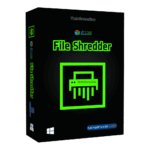
Giveaway – Qiling File Shredder 4.5: Free License Code | Advanced Data Erasure Software to Permanently Wipe – for Windows

Secure your personal identity and sensitive business information by permanently removing files. Get Qiling File Shredder 4.5 full version with a lifetime license code for free!
You can also get Qiling File Shredder with a lifetime license, which includes free upgrades and support, at a special discounted price.
✔ Lifetime License. ✔ Free Product Updates ✔ 24×7 Customer Support ✔ 14-day Money-back Guarantee.
Qiling File Shredder Review at a Glance
When you delete a file or format a drive, the data often remains on the disk and can be rebuilt using recovery tools, putting passwords, contracts, photos, client records, and financial documents at risk of exposure through simple recovery attempts.
That gap between “deleted” and “gone forever” is exactly where Qiling File Shredder helps—by overwriting data so it can’t be reconstructed, even with specialized utilities.
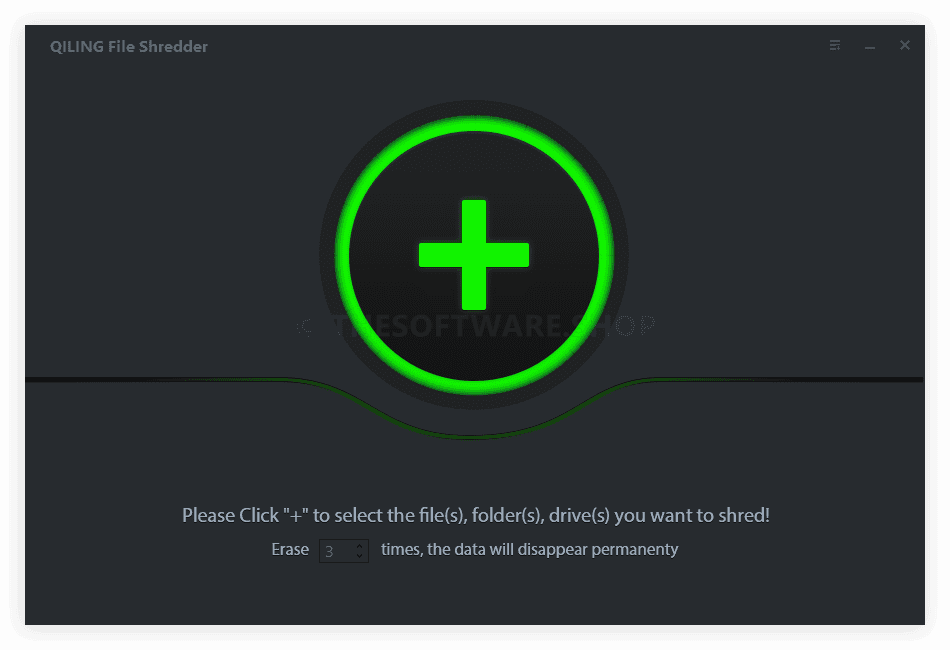
What is Qiling File Shredder
Qiling File Shredder is a Windows software utility that permanently deletes data by overwriting it, rather than sending it to the Recycle Bin or removing only the file reference. It can shred individual files, entire folders, and selected desktop items, as well as wipe partitions and disks to remove existing and historical data remnants.
It’s also built to work across a wide range of storage devices and file systems, including HDDs, SSDs, USB drives, memory cards, and large-capacity drives, so you can use one tool for many scenarios. Instead of relying on formatting (which can leave recoverable traces), Qiling focuses on irreversible removal aligned with data erasure best practices.
For day-to-day use, the workflow is simple: choose what you want to wipe, confirm you selected the correct target, then run the shred job and let the software handle the overwrite process. The interface is designed to be approachable for new users while still offering the core functions power users expect.
Key Benefits
The benefits below focus on practical outcomes you can expect from using Qiling File Shredder in real situations such as PC resale, drive reuse, or routine privacy cleanup.
- Privacy protection against file recovery attempts after deletion or formatting.
- Permanent deletion for sensitive documents, photos, archives, and work files.
- Time savings via high-speed wiping designed to finish jobs faster.
- Performance improvement by wiping unused or historical data remnants on selected drives/partitions (non-destructive options as provided by the tool).
- Flexibility across internal drives and common removable media (USB, SD cards, cameras, external drives).
- Simplicity with an intuitive workflow that new users can follow in minutes.
Qiling File Shredder is a Windows data erasure tool designed to permanently shred specific files and folders, wipe unused space, and clean partitions or entire disks without leaving recoverable traces of sensitive information. It supports common day-to-day wiping tasks (like shredding a folder on your desktop) as well as broader scenarios (like wiping a reused external drive, cleaning a partition before repurposing a PC, or removing old data from storage media).
Unlike basic deletion, Qiling uses certified data erasure algorithms and overwriting processes intended to make removed data unrecoverable. It also focuses on speed and low system resource usage, so you can run a wipe job without turning your computer into a slow, unusable machine for hours.
This product fits home users who want privacy, professionals handling confidential files, small businesses that rotate PCs and drives, and anyone who sells, donates, or hands down old hardware. If you routinely use USB drives, SD cards, portable HDDs, or SSDs for work or personal files, Qiling File Shredder provides a direct way to reduce the risk of sensitive information leakage.
How to Shred Data and Wipe Hard Drives
Using Qiling File Shredder is intentionally straightforward, so you can start wiping data with a few guided clicks while still maintaining control over targets. The main safety rule is simple: double-check the selected folder/partition/disk before you confirm, because shredding is intended to be irreversible.
For better protection against accidental loss, copy important files to another location (like an external drive you trust) before you run any wipe job, especially when wiping partitions or full disks. Once the overwrite begins, you should assume the selected data cannot be restored by normal recovery software.
Here’s the quick process the tool follows once you choose what to wipe, making it accessible for new users but still useful for routine privacy maintenance weekly.
- Click the “+” button to add a target.
- Select the specific folder, partition, or drive you want to shred.
- Click “Shred” / “Shred Now” to start, then wait for completion.
If you’re preparing a computer for resale, retiring an old HDD/SSD, or cleaning up sensitive documents before sharing storage with others, buying now can be the most direct path to getting the full feature set plus ongoing updates. Check the current listing for the latest coupon details and availability of the free-license promotion window.
Final Notes for Confident Data Removal
Permanent deletion only works when you choose the correct target and complete the wipe job without interruption, so a careful workflow matters as much as the tool itself. Qiling File Shredder focuses on irreversible data removal, broad device support, and an approachable interface, making it a practical fit for home privacy, office compliance habits, and day-to-day cleanup before you reuse or share storage media.
Features
Below is a detailed set of the key features that make Qiling File Shredder a practical addition to your privacy and data disposal toolkit.
- File Shredder: Permanently deletes selected files and folders beyond recovery.Sub-features (File Shredder) that support common file-cleanup needs daily.
- Documents: Shreds office files (PDF, Word, spreadsheets) to prevent reconstruction.
- Pictures: Removes photos and image libraries so they can’t be restored later.
- Videos: Deletes personal or work videos with irreversible overwriting.
- Audio: Eliminates recordings and voice files that contain private content.
- Archives: Destroys ZIP/RAR backups that often include many sensitive items at once.
- Emails: Helps remove exported email files that may contain credentials and attachments.
- Hard Drive Wiper: Wipes existing and historical data on HDDs and SSDs for clean reuse.Sub-features (Hard Drive Wiper) that help with drive repurposing and retirement safely.
- Whole-drive wipe: Cleans an entire physical disk before sale, donation, or reassignment.
- Data-remnant cleanup: Targets leftover traces that basic deletion can leave behind.
- High-speed mode: Prioritizes faster completion while still applying overwrite logic.
- Partition Volume Wiper: Wipes a selected partition/volume without blocking future reuse.Sub-features (Partition Volume Wiper) that support selective cleaning with less disruption overall.
- Targeted partition wiping: Cleans one volume while leaving other volumes intact.
- Reuse-ready result: Prepares the partition for continued use after wiping completes.
- Space reclamation support: Helps free storage by removing redundant/unneeded data areas.
- External Drives Wiper: Quickly wipes removable media such as USB drives, SD cards, and camera storage.Sub-features (External Drives Wiper) for portable devices used across work and home often.
- USB drives: Clears thumb drives used for file transfers and quick backups.
- SD cards: Wipes camera/drone cards before reuse or disposal.
- Camera storage: Removes media from digital cameras/camcorders to reduce leakage risk.
- Memory cards: Cleans CF and other card formats used in professional equipment.
- Certified Erasure Algorithms: Uses certified overwriting methods to reduce the chance of recovery.Sub-features (Erasure Algorithms) for users with stronger privacy requirements today.
- Overwrite passes: Rewrites data to make reconstruction significantly harder.
- Verification logic: Supports confidence that the job completed as intended (as provided by the program).
- Lightweight System Usage: Designed to run wipe operations with minimal resource impact.Sub-features (System Usage) that keep your PC usable during long wipe jobs.
- Low-CPU footprint: Helps prevent the system from becoming unresponsive.
- Stable operation: Built to run through large wipe tasks without frequent interruptions.
Requirements
Before installing, confirm these requirements so the software runs smoothly on your device. The items below reflect the supported systems, storage types, and minimum hardware resources provided in the product specifications.
- System: Windows 10/8/7/Vista/XP/2000 and Windows Server.
- File system: FAT 12/16/32, exFAT, NTFS, NTFS5, ext2, ext3, HFS+.
- Disk space: Minimum 100 MB free space for installation/running.
- CPU: 1 GHz (32-bit or 64-bit).
- RAM: 128 MB or more.
- Computer types: PC, laptop, internal HDD/SSD.
- Card storage: SD Card, Memory Card, CF Card, Smart Card.
- Digital devices: Digital camera/camcorder, DV, MP3/4 player.
- Large storage: RAID, large-capacity drives (including >2 TB).
- Media types: USB/pen/zip drive, floppy disk, memory stick.
Downloads
To check fit before purchasing, you can download and install Qiling File Shredder and review the interface, supported targets, and available wiping options on your Windows system. If a limited-time free full-version license key promotion is active, you can apply the key to access the complete feature set during the offer window.
Because erasure is permanent, treat any first run like a test: start with non-important sample files or an empty folder so you can confirm you selected the right location. After that, you can proceed to larger jobs such as wiping old project folders, clearing removable drives, or cleaning a partition before reuse.
BUY NOW
Qiling File Shredder is available for $19.00 as a 1-PC lifetime license, and for a limited time you can get it with a 40% discount. If you want dependable, irreversible deletion without recurring subscription payments, the lifetime model keeps ownership simple.
Software Giveaway: Get Qiling File Shredder 4.5.0 full version—free with a lifetime license code. For a Limited Time, head to the Giveaway tab below to claim it.

" />
Secure File Shredder & Data Eraser, Hard Drive/SSD Wiper, Partition Cleaner, USB/SD Card Wipe Tool for Privacy Protection
- Activation for 1 PC
- Lifetime usage rights for that device
- Free Product Maintenance Updates
- Free Technical Support
- Suitable for:
- Routine privacy cleanups
- Periodic external-drive wiping
- Pre-transfer PC preparation
- 14 days money back policy
Platforms: Windows
Qiling Disk Master Professional BEST SELLER
Qiling Fast Cache: Lifetime License BEST SELLER
QILING Safe Disk 3: Lifetime License GIVEAWAY
Qiling File Shredder Key Giveaway
Available now: Free License Key For a Limited Time!
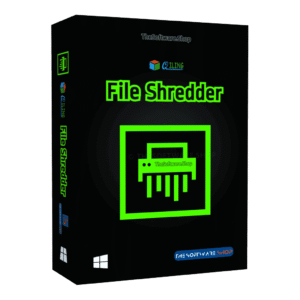
To access the giveaway, kindly provide your email address. Please refrain from closing this page after signing in to receive instructions on how to access the offer at no cost.
NOTES:
– All prices shown here are in listed USD (United States Dollar).
– Such promotional programs are subject to change without notice, from time to time in our sole discretion.
– Data may vary based on different systems or computers.
Thanks for reading Qiling File Shredder Review & Enjoy the discount coupon. Please Report if Qiling File Shredder Discount Coupon/Deal/Giveaway has a problem such as expired, broken link, sold out, etc while the deal still exists.


![[GIVEAWAY #3] Giveaway – Wise Care 365 Pro v7.3.4: Lifetime License | Free Full Version Licensed Download – for Windows](https://thesoftware.shop/wp-content/uploads/thumbs_dir/Wise-Care-365-PRO-Review-Free-Download-Discount-Coupon-rfoske2o1p4wwkrdqwe4p5j0slyv3rghxs5ypysd5k.png)
![[NEW LINK #3] Giveaway – Glary Utilities 6 Professional: Free 3-PC 1-year License Code – for Windows](https://thesoftware.shop/wp-content/uploads/thumbs_dir/Glary-Utilities-Pro-boxshot-min-rfosjj1zs5yg9g0fs0zfwvct6w7r1r1ctimxvu2cuw.png)

