83% Off – ToAnything: Lifetime License | Batch Media Converter | Audio, Video, Images & Subtitles – for Mac

Convert Any Media Format in Seconds — Get ToAnything Now at 83% Off Before This Deal Expires!
✔ Lifetime License. ✔ Free Product Updates ✔ Customer Support
BUY NOW
ToAnything is regularly priced at $14.99, but right now you can get a full lifetime license for just $2.50 — that’s an incredible 83% discount, available for a limited time only. This offer won’t last, so grab it while you still can.
By purchasing ToAnything at this exclusive price, you receive everything you need for professional-grade media conversion on your Mac:
- Lifetime License — pay once, use forever with no recurring subscription fees
- 2-Device Activation — install and activate ToAnything on up to two Macs with a single license
- All Updates Included Up to the Next Major Version — stay current with every feature and improvement released in the current version cycle
- Minor Updates Included — receive all bug fixes, performance patches, and minor feature additions automatically
- Priority Support — get help when you need it, backed by the developer’s commitment to keeping your workflow running smoothly
This is one of the best-value deals available for a native macOS media converter — professional features, hardware-level performance, and a lifetime license for less than the cost of a cup of coffee. Act now before this limited-time price disappears.

Batch Media Converter for Mac | Convert Audio, Video, Images & Subtitles | Hardware-Accelerated, Drag & Drop, macOS 13+, Apple Silicon & Intel Compatible
- Please Notes:
- You may be directed to the bundle page, but it is possible to purchase the software individually.
- If you're having difficulty locating the product on the bundle page, please utilize the browser's search feature.
- Get an additional $3 discount on all orders more that $30.
- LEGITIMATE: All apps are authentic and have original licenses obtained directly from the creators via contracts.
- INSTANT ACCESS: Fully activated macOS Apps & Windows Software with instant downloads & license key access.
- Device Activation: 2 Devices
- All updates included up to next major version
- Minor Updates Included Only
- Lifetime License
Platforms: Mac
MacX Media Management Suite Bundle: Lifetime License BEST OFFER

Permute: Permanent License BEST OFFER

Picmal BEST OFFER
MacX MediaTrans: Lifetime License BEST SELLER
Macxvideo AI GIVEAWAY
ToAnything Giveaway
Unavailable at this moment!
To access the giveaway, kindly provide your email address. Please refrain from closing this page after signing in to receive instructions on how to access the offer at no cost.
NOTES:
– All prices shown here are in listed USD (United States Dollar).
– Such promotional programs are subject to change without notice, from time to time in our sole discretion.
– Data may vary based on different systems or computers.
ToAnything Review at a Glance
Every day, Mac users face the same frustrating problem: you have a folder of videos, audio files, or images in formats that simply won’t work where you need them. Maybe your video editor rejects the file type, your streaming platform demands a specific codec, or your audio files are in a format your device can’t play. You search for online converters, but they come with file size limits, privacy risks, upload wait times, and results that rarely match expectations. You try desktop apps, but they’re either too complicated, too expensive, or so slow they heat your Mac to uncomfortable temperatures. There has to be a better way.
ToAnything is that better way.
What is ToAnything?
ToAnything is a native macOS media conversion application that allows users to convert audio, video, image, and subtitle files across dozens of formats with minimal effort. It runs entirely on your Mac — no internet connection required, no file size limits, no privacy concerns — and uses Apple’s VideoToolbox hardware acceleration to deliver fast, energy-efficient conversions. Compatible with macOS 13.0 and above, it fully supports M1, M2, M3, M4 chips, and the latest macOS Tahoe, making it one of the most future-ready converters available today.
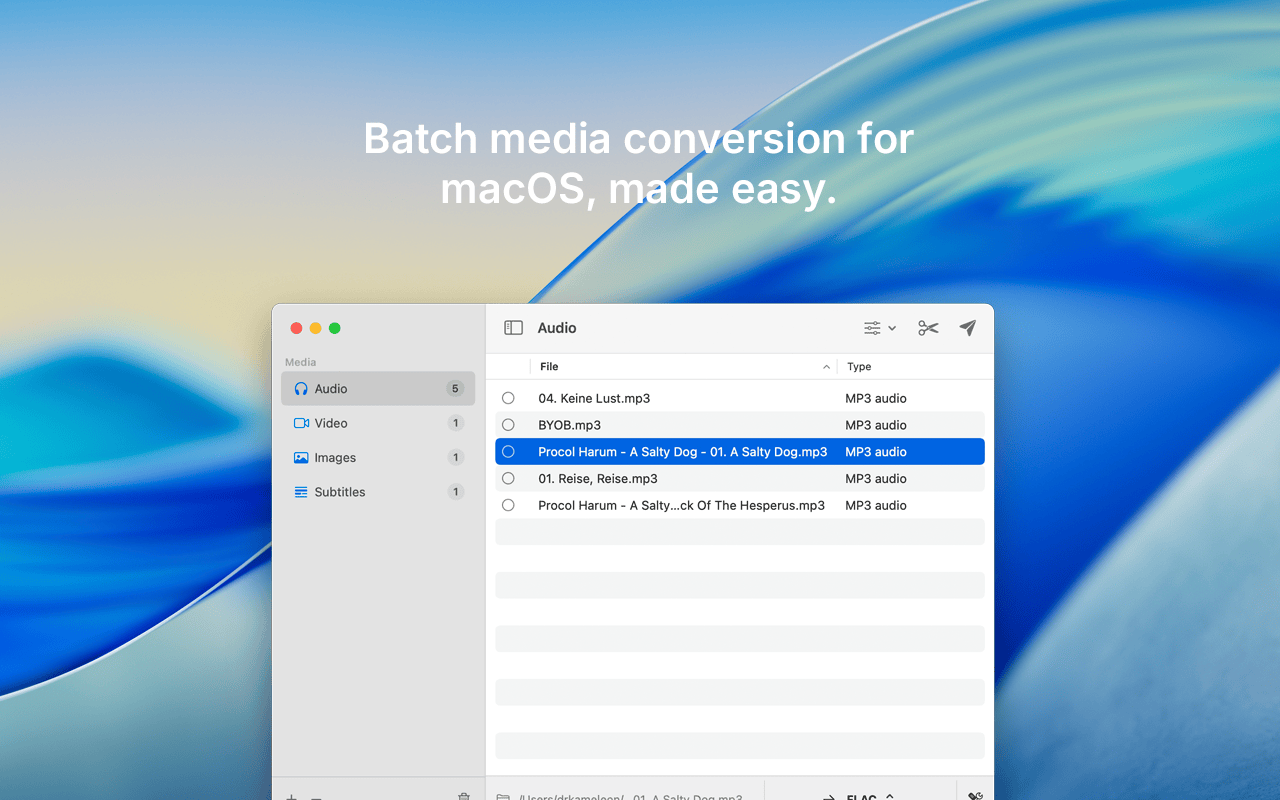
Unlike web-based tools that require uploading your files to external servers, ToAnything processes everything locally on your device. This means your files stay private, your conversions are faster, and you are never dependent on a network connection to get your work done. It supports a wide range of formats including MP3, AAC, MP4, HEVC, WebM, WMV, OGV, and many more, giving you the flexibility to convert to virtually any format your workflow demands.
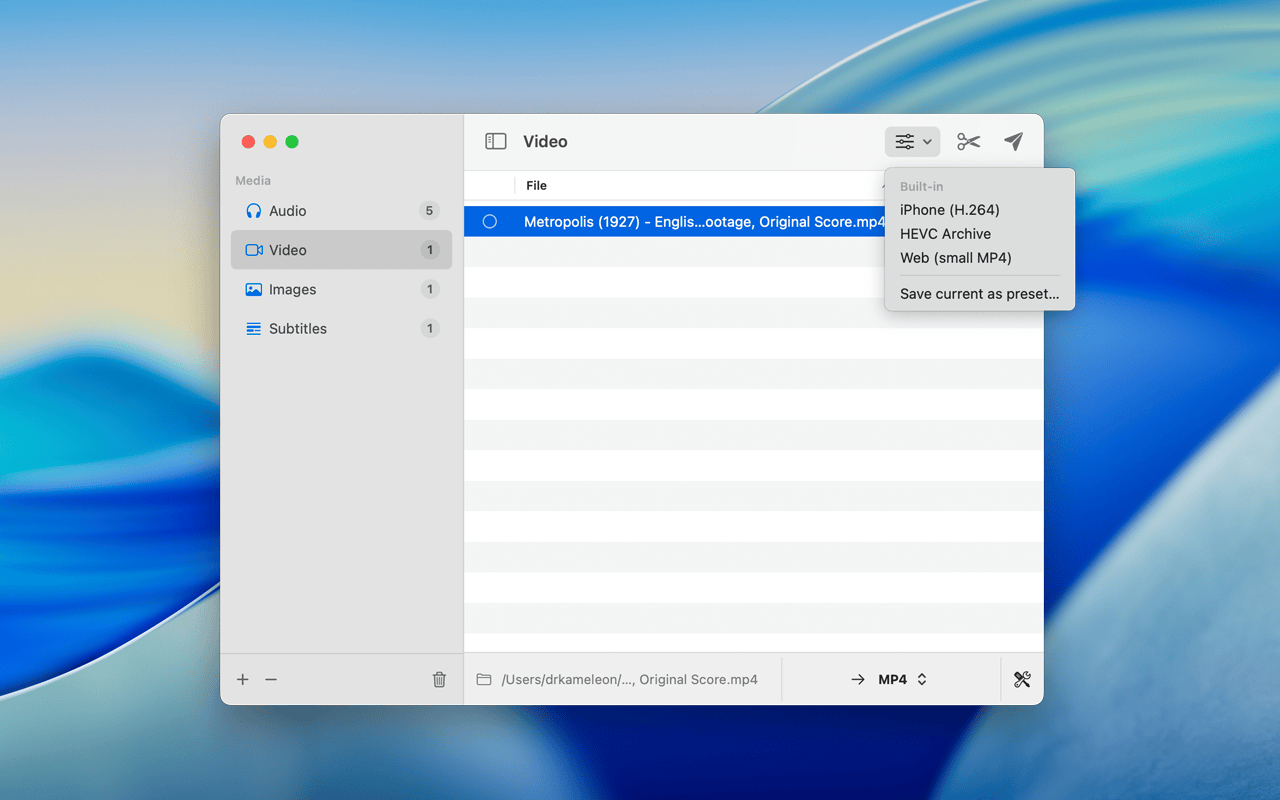
Designed exclusively for macOS, ToAnything is a powerful, beautifully simple batch media converter that handles audio, video, images, and subtitles — all in one place. It was built from the ground up to take full advantage of Apple’s hardware, leveraging VideoToolbox-powered encoding on both Apple Silicon and Intel Macs, meaning your conversions finish faster and your fans stay quiet. Whether you are a content creator managing hundreds of clips, a photographer converting image libraries, a podcaster exporting audio in multiple formats, or just a regular user who needs to quickly convert a file or two, ToAnything fits naturally into your workflow.
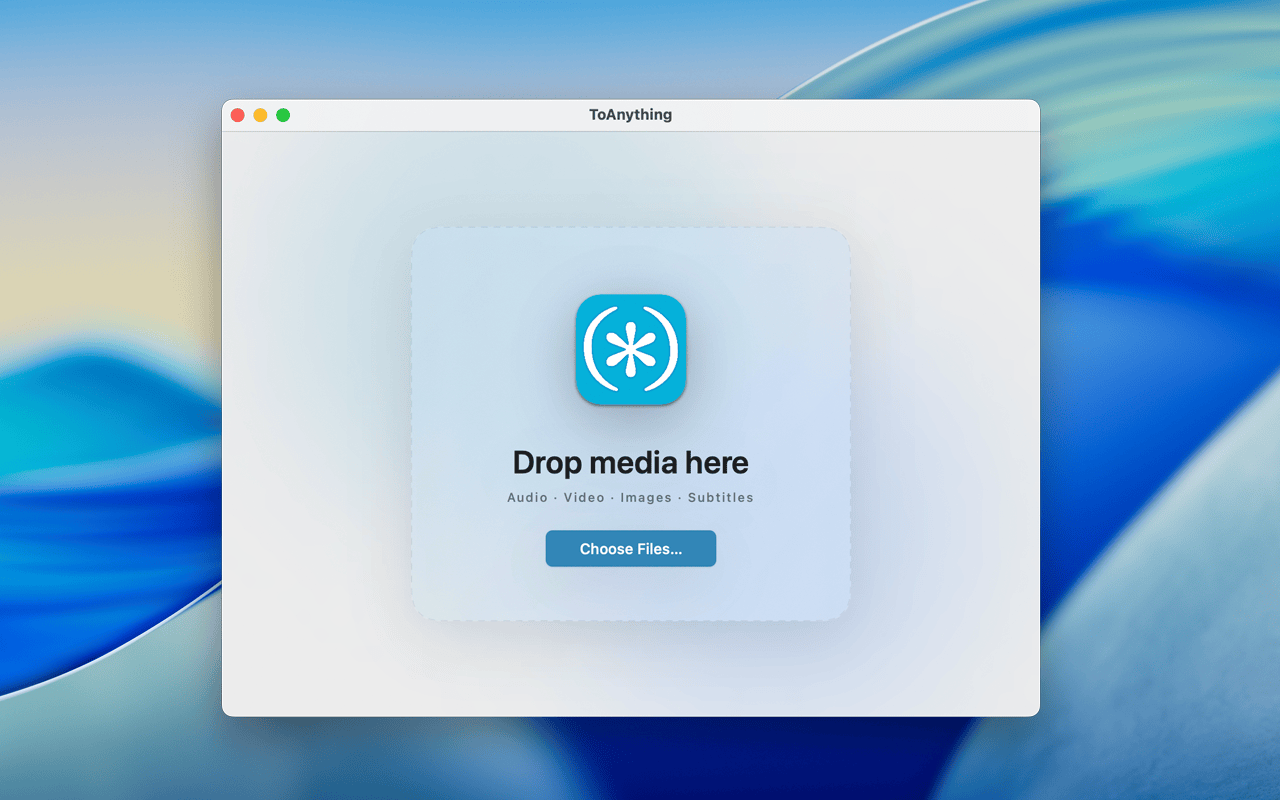
The app’s drag-and-drop interface means there is no learning curve. Drop files or entire folders onto the app window — or directly onto the Dock icon — and ToAnything instantly sorts them by type and gets them ready to convert. You choose your target format, configure any additional options you need, and let the app do the rest. With parallel batch processing, you are not stuck waiting for one file to finish before the next one starts. Everything runs at once, efficiently and quietly in the background.
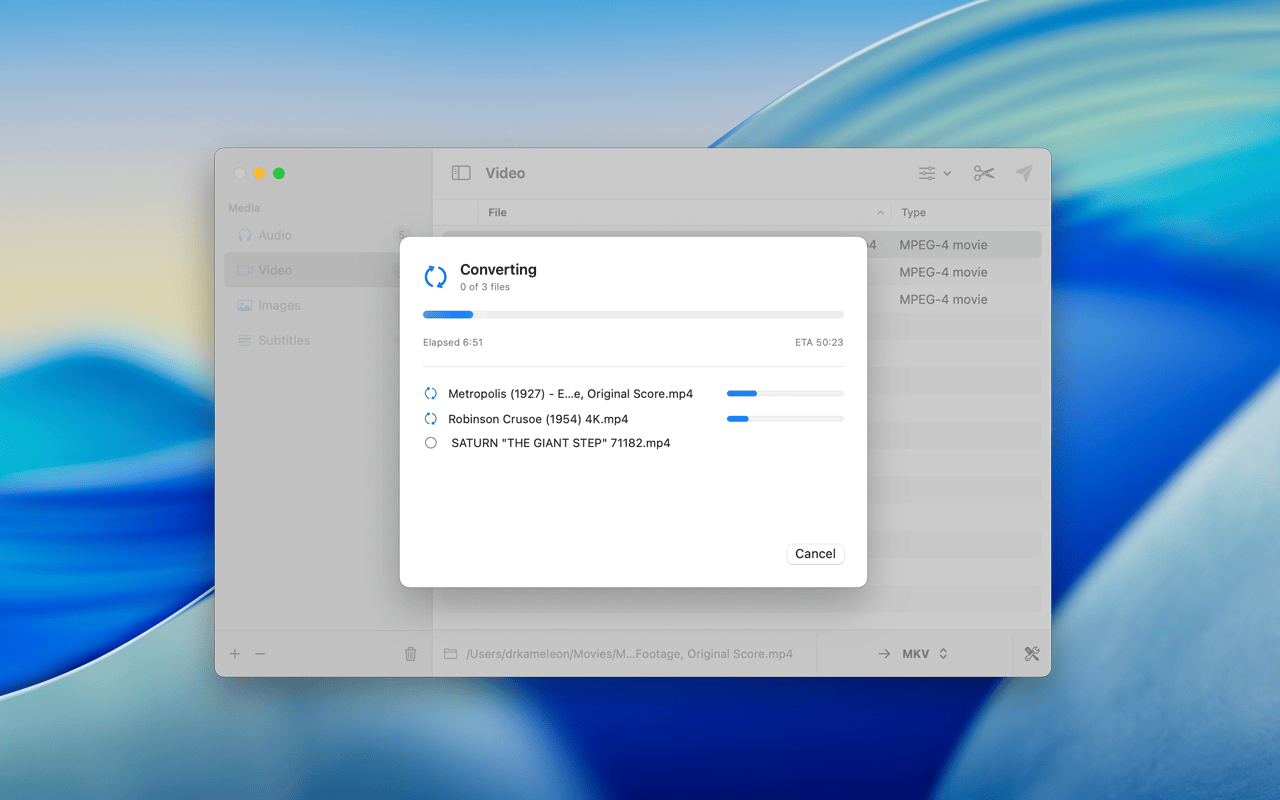
ToAnything also respects your time with smart skip logic — it automatically skips files that are already in the desired format, so you never waste a second re-converting something that doesn’t need it. Pair that with customizable presets that save your favourite settings for reuse, and you have a converter that truly works the way you do. The result is a tool that professionals and everyday users alike can rely on, day after day, without frustration, without confusion, and without compromise.
Key Benefits
ToAnything delivers a set of standout advantages that make it the go-to media converter for Mac users who value speed, simplicity, and reliability. Here is why thousands of users choose ToAnything over every alternative:
- Save time with batch processing — convert entire folders of files simultaneously instead of one by one, cutting your conversion time dramatically
- Stay cool and efficient — hardware acceleration via VideoToolbox means your Mac’s CPU isn’t overloaded, keeping your system cool and responsive while conversions run
- Keep your files private — all conversions happen locally on your Mac with no uploads to any server, ensuring your personal and professional media stays yours
- Work smarter with presets — save your preferred conversion settings once and apply them instantly every time, eliminating repetitive manual configuration
- Skip what’s already done — the smart skip feature automatically detects already-converted files and bypasses them, so you never waste time re-processing
- Monitor every conversion — live per-file progress, ETA estimates, and total elapsed time keep you fully informed without needing to babysit the process
- Handle any format — with support for dozens of audio, video, image, and subtitle formats, you are covered for virtually every use case
- Access results instantly — the output folder opens automatically the moment your conversions are complete, so you can get back to work without hunting for your files
Key Features
Below is a comprehensive breakdown of the standout capabilities packed into ToAnything, designed to give you complete control over every aspect of your media conversion workflow:
- Drag & Drop File Import — instantly add files or entire folders by dragging them onto the app window or the Dock icon for a friction-free start.
- Automatic file classification — dropped files are immediately sorted by type (audio, video, image, subtitle) without any manual input required.
- Folder-level batch import — drop an entire directory and ToAnything handles the rest, identifying and queuing all compatible files automatically.
- Multi-Format Support — convert across dozens of widely used and specialized media formats covering audio, video, images, and subtitles.
- Audio formats — supports MP3, AAC, FLAC, WAV, OGG, and more for full compatibility across all audio workflows.
- Video formats — handles MP4, HEVC (H.265), WebM, WMV, OGV, MOV, and additional codecs for professional and personal video needs.
- Image formats — convert between popular image types for web, print, and editing pipelines.
- Subtitle formats — process and convert subtitle files alongside your video content for complete media package handling.
- VideoToolbox Hardware Acceleration — uses Apple’s native VideoToolbox framework to encode files using dedicated hardware on both Apple Silicon and Intel Macs.
- Apple Silicon optimization — fully tuned for M1, M2, M3, and M4 chips to maximize encoding speed and energy efficiency.
- Intel Mac support — hardware acceleration also extends to Intel-based Macs, ensuring fast conversions regardless of your machine generation.
- Fan-friendly performance — offloads encoding from the CPU to dedicated hardware, keeping your Mac cool and quiet during even heavy batch jobs.
- Batch Processing Engine — convert multiple files simultaneously with a parallel processing engine that makes full use of your Mac’s available hardware resources.
- Parallel conversions — multiple files are processed at the same time rather than sequentially, dramatically reducing total conversion time.
- One-click library conversion — queue your entire media library and kick off all conversions with a single click, no manual triggering required.
- Trim & Rescale Tools — go beyond simple format conversion with built-in tools for trimming time ranges and rescaling video dimensions.
- Time range trimming — define start and end points to export only the portion of a file you need, without external editing software.
- Video rescaling — adjust output resolution to match your target platform or storage requirements directly within the app.
- Presets System — create and save custom conversion configurations for instant reuse across future projects.
- Custom preset creation — define format, quality, resolution, and other parameters once, then save them as a named preset for repeated use.
- Quick-apply presets — apply any saved preset to a batch of files with a single selection, eliminating manual reconfiguration every time.
- Smart Skip Logic — ToAnything intelligently detects files that already match your target format and skips them automatically.
- Format-aware detection — analyzes existing output files before starting to avoid redundant conversions and wasted processing time.
- Efficient re-runs — safely re-run a conversion job on a folder after adding new files and only the new ones will be processed.
- Live Progress Tracking — a real-time progress dashboard gives you full visibility into every active conversion at a glance.
- Per-file progress bars — individual progress indicators for each file in the queue so you always know exactly what’s happening.
- ETA and elapsed time — live estimates of remaining time and total elapsed time help you plan around your workflow.
- Cancel anytime — stop any conversion mid-process without data loss or corrupted outputs.
- Auto-open output folder — the destination folder opens automatically the moment all conversions complete, putting your results right in front of you.
- macOS-Native Design — built specifically for macOS with a clean, intuitive interface that feels right at home alongside your other Apple apps.
- macOS 13+ compatibility — requires macOS Ventura or later, ensuring modern system performance and stability.
- macOS Tahoe support — fully compatible with the latest macOS Tahoe release for continued reliability as your system updates.
- Dock icon drop target — files can be dropped directly onto the ToAnything Dock icon to launch and queue them instantly.
Requirements
- Operating System: macOS 13.0 (Ventura) or later
- Chip Compatibility: Apple Silicon (M1, M2, M3, M4) and Intel Mac
- macOS Tahoe: Fully supported
- Internet Connection: Not required (all conversions are local)
Downloads
Experience the speed and simplicity of ToAnything for yourself before committing to a purchase. The best way to understand just how fast and intuitive local media conversion can be is to run it on your own files, with your own formats, on your own Mac. Get the free trial edition of ToAnything and put it through its paces — no risk, no obligation, just results. Click the button below to download and start converting today.
or
Buy now, the price start from:
Thank you for reading ToAnything Mac App review, and enjoy the discount coupon. If you notice any issues with the ToAnything discount coupon, deal, or giveaway—such as an expired offer, broken link, or sold‑out promotion—please let us know while the deal is still available.


![[2026 Giveaway #4] Giveaway – MobiKin HEIC to JPG Converter: Free 1-year License Code | Easy-to-use HEIC Photo File to PNG/JPG Converter – for Windows](https://thesoftware.shop/wp-content/uploads/thumbs_dir/MobiKin-HEIC-to-JPG-Review-Download-Discount-Giveaway-rfosmaovwlqug3zpm81w967o5qknpo0wj7ser5ymjc.png)
![[NEW LINK #5] Giveaway – Audials Music 2026 SE: Free Lifetime License | Full Version – for Windows](https://thesoftware.shop/wp-content/uploads/thumbs_dir/Audials-Music-2026-Special-Edition-Review-Download-Free-Giveaway-rfy5w62nqt1wed8um44g6por66u091ewvwgo4935i0.png)