
77% Off – Transcrybe: Lifetime License | Real-Time On-Device Speech Transcription & Translation App – for Mac

Break Language Barriers Instantly — Get Real-Time Subtitles for Any Audio on Your Mac, 100% On-Device. Get Transcrybe with a Lifetime License at a 77% Discount Today and Never Miss a Word Again!
✔ Lifetime License. ✔ Free Product Updates ✔ 24×7 Customer Support
BUY NOW
Transcrybe for Mac is available for $29.95. But, you can now get Transcrybe Mac App with a Lifetime license that includes free updates and support at a discount of up to 77% OFF. This offer is available for a limited time!

Real-Time On-Device Speech Transcription & Translation App for Mac | Live Subtitles, 19 Languages, Privacy-First macOS Menu Bar Translator
- Please Notes:
- You may be directed to the bundle page, but it is possible to purchase the software individually.
- If you're having difficulty locating the product on the bundle page, please utilize the browser's search feature.
- Get an additional $3 discount on all orders more that $30.
- LEGITIMATE: All apps are authentic and have original licenses obtained directly from the creators via contracts.
- INSTANT ACCESS: Fully activated macOS Apps & Windows Software with instant downloads & license key access.
- Device Activation: 5 Devices
- License Terms: https://www.apple.com/legal/internet-services/itunes/dev/stdeula/
- Major & Minor Updates Included
- Lifetime License
Platforms: Mac OS X

PDNob Image Translator BEST OFFER

Vovsoft Subtitle Translator GIVEAWAY

VOVSOFT Batch Translator: Lifetime License GIVEAWAY

Hitpaw Video Editor: Lifetime License BEST OFFER

Multilizer PDF Translator for Windows
Transcrybe Mac App Giveaway
Unavailable at this moment!

To access the giveaway, kindly provide your email address. Please refrain from closing this page after signing in to receive instructions on how to access the offer at no cost.
” thumb=”/wp-content/uploads/2026/05/Transcrybe-Mac-App-Review-DOwnload-Sale-150×150.png” logo_thumb=”” offer_coupon_mask=””]
We will not send this via email.
[/sociallocker][/signinlocker]
NOTES:
– All prices shown here are in listed USD (United States Dollar).
– Such promotional programs are subject to change without notice, from time to time in our sole discretion.
– Data may vary based on different systems or computers.
Transcrybe Review at a Glance
The Problem Every Global Mac User Faces
Every day, millions of people sit through international meetings, foreign-language videos, and multilingual presentations — struggling to keep up. You strain to catch every word, miss critical details, and feel the frustration of language becoming a wall instead of a bridge. Traditional translation tools require uploading audio to remote servers, introducing delays, privacy risks, and the constant need for an internet connection. For professionals, students, language learners, and content creators who need instant, accurate, and secure translation, the existing options fall short. There has never been a truly seamless, on-device solution built specifically for the Mac — until now.
What Is Transcrybe?
Transcrybe is a lightweight, lightning-fast macOS menu bar application that transcribes and translates speech in real time, entirely on your device. It sits quietly in your Mac’s menu bar, ready at a moment’s notice to convert spoken audio into readable subtitles in your preferred language — no servers, no internet dependency, no compromises on privacy.

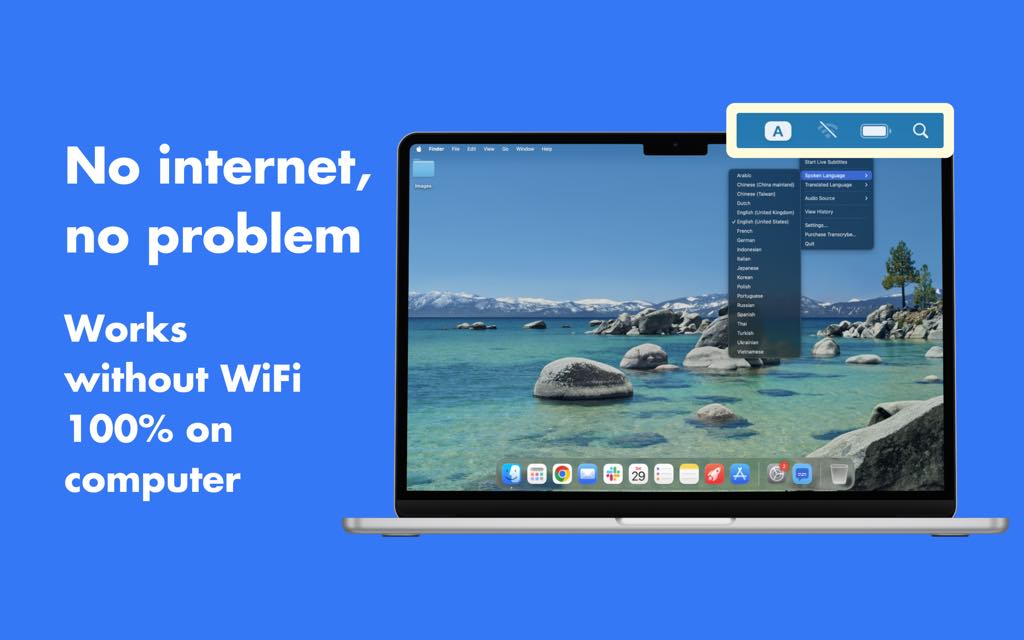
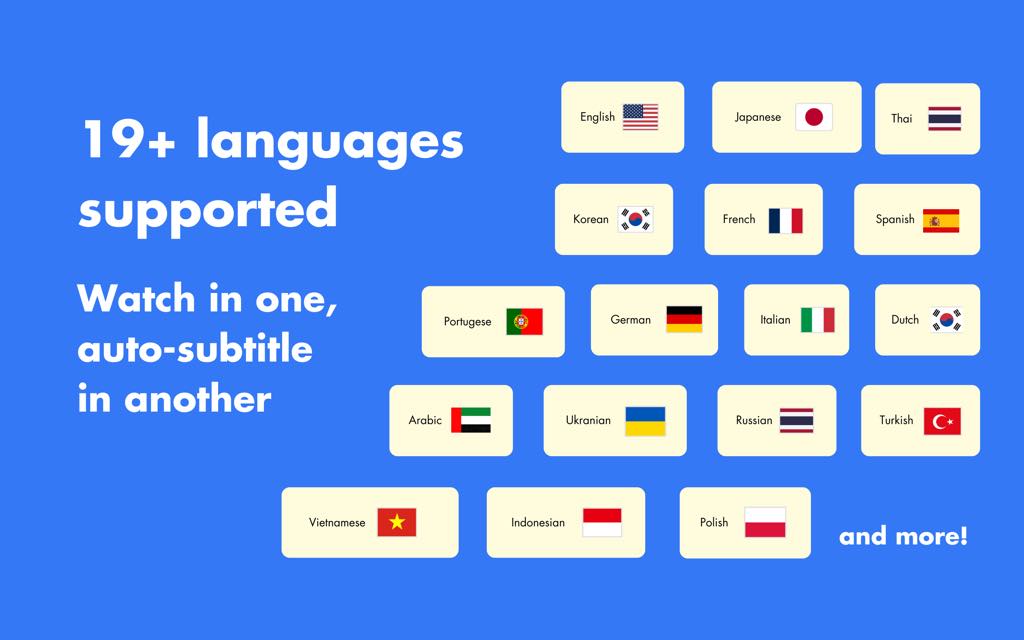
At its core, Transcrybe is powered by Whisper, Parakeet, and Apple’s Translation framework — a combination of cutting-edge on-device AI models that deliver rapid, highly accurate transcription and translation across 19 supported languages: Arabic, Cantonese, Dutch, English, French, German, Indonesian, Italian, Japanese, Korean, Mandarin Chinese, Polish, Portuguese, Russian, Spanish, Thai, Turkish, Ukrainian, and Vietnamese.
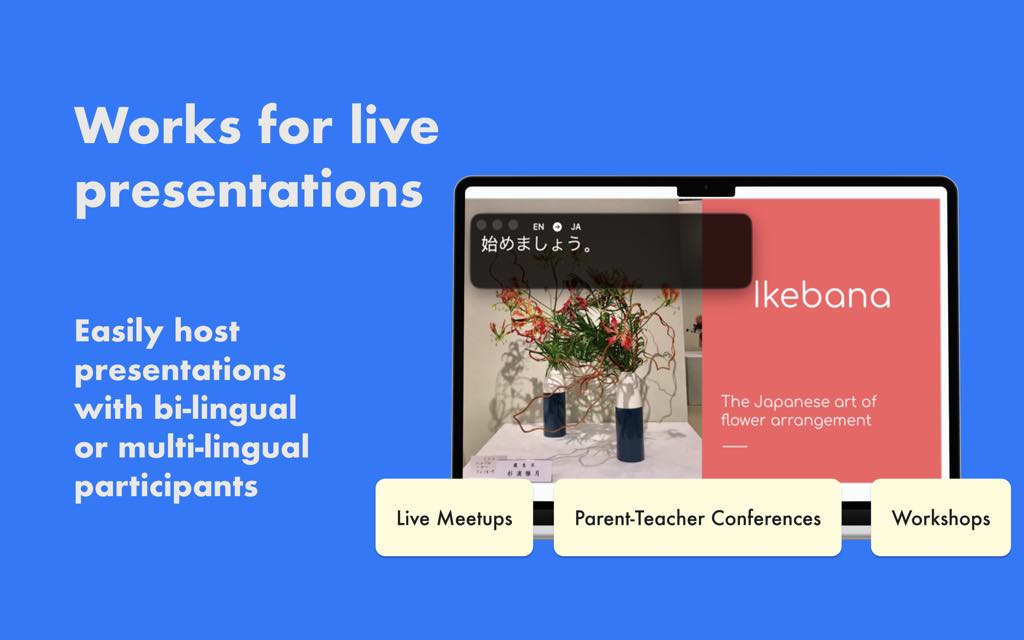
Whether you are presenting to an international audience, participating in a multilingual Zoom call, watching a foreign-language YouTube video, or following a podcast in a language you are still learning, Transcrybe listens, processes, and displays subtitles instantly on your screen — all without your audio ever leaving your Mac.

The app works with any audio source on your Mac: your microphone for live speech, or any application that plays audio, giving you complete flexibility in how and when you use it. The subtitles are fully customizable — you control the size, color, font, and on-screen positioning to suit your personal workflow and viewing comfort.
Transcrybe is built for macOS 15 and above, with enhanced transcription and translation capabilities specifically optimized for macOS 26, ensuring you always get the best possible performance on the latest Apple platforms.
Key Benefits
Transcrybe delivers a set of meaningful, practical advantages that make it the go-to translation companion for Mac users across a wide range of professional and personal use cases.
- Real-time transcription and translation — Speech is processed and displayed as subtitles with virtually zero perceptible delay, keeping you in sync with any conversation or audio content as it happens
- Complete on-device privacy — Your audio is never uploaded to any external server; all processing runs locally on your Mac, meaning sensitive conversations, confidential meetings, and personal audio remain entirely private
- Works with any Mac audio source — Capture audio from your microphone for live speech translation or route audio from any app — Zoom, YouTube, Spotify, FaceTime, or any other application — giving you true versatility
- Support for 19 languages — A broad multilingual range covers major global languages including Arabic, Cantonese, French, German, Indonesian, Japanese, Korean, Mandarin Chinese, Portuguese, Spanish, and more, making Transcrybe genuinely useful for international teams and global audiences
- Powered by advanced AI models — The combination of Whisper, Parakeet, and Apple’s Translation framework ensures industry-leading accuracy and speed without requiring a cloud connection
- Fully customizable subtitles — Adjust font, size, color, and position to match your screen setup and personal preference, so subtitles never feel intrusive
- Menu bar convenience — Transcrybe is accessible in a single click from your Mac’s menu bar, making it effortless to activate and use right when you need it without interrupting your workflow
- Ideal for diverse users — Language learners building comprehension skills, international business teams collaborating across borders, content creators producing multilingual material, educators teaching global audiences, and travelers navigating foreign environments all benefit directly from Transcrybe’s capabilities

Features
Below is a detailed breakdown of the core features that make Transcrybe a powerful and indispensable tool for real-time translation on macOS. Each feature has been carefully designed to deliver speed, accuracy, and ease of use in everyday scenarios:
- Real-Time Speech Transcription — Converts spoken audio into text on screen instantly as speech occurs, with no noticeable lag
- Whisper Integration — Uses OpenAI’s Whisper model for robust, high-accuracy speech-to-text across multiple languages and accents
- Parakeet Model Support — Employs Parakeet for fast, efficient transcription optimized for on-device performance on Apple Silicon
- Live On-Device Translation — Translates transcribed text into your chosen target language in real time, entirely on your Mac
- Apple Translation Framework — Leverages Apple’s native Translation framework for fluid, natural-sounding language output
- 19 Language Support — Covers Arabic, Cantonese, Dutch, English, French, German, Indonesian, Italian, Japanese, Korean, Mandarin Chinese, Polish, Portuguese, Russian, Spanish, Thai, Turkish, Ukrainian, and Vietnamese
- Flexible Audio Source Selection — Gives you complete control over which audio input Transcrybe listens to at any given moment
- Microphone Input — Captures live speech from your Mac’s built-in or external microphone for in-person conversations and presentations
- App Audio Capture — Routes audio from any running macOS application — including Zoom, YouTube, FaceTime, and more — as the translation source
- On-Screen Subtitle Display — Renders translated text directly on your Mac’s screen, overlaying any active window or content in real time
- Customizable Font — Choose from available font options to match your readability preference
- Adjustable Size and Color — Scale subtitle text and change its color for optimal visibility against any background
- Flexible Positioning — Reposition subtitles anywhere on screen to avoid obscuring important content
- Menu Bar Integration — Lives discreetly in your Mac’s menu bar and is accessible instantly with a single click
- Quick Activation — Start or stop translation sessions without opening a separate application window
- Lightweight Footprint — Designed to run efficiently in the background without taxing your Mac’s CPU or memory
- Privacy-First Architecture — All audio processing and translation computation happens locally on your device
- No Server Uploads — Audio data is never transmitted to external servers or cloud services
- No Internet Required — Core transcription and translation functions operate fully offline once models are loaded
- macOS Platform Optimization — Built natively for macOS 15 and above with dedicated enhancements for macOS 26
- Apple Silicon Performance — Optimized to take full advantage of Apple Silicon chips for maximum speed and energy efficiency
- macOS 26 Improvements — Delivers upgraded transcription and translation accuracy on the latest macOS release
Requirements
To use Transcrybe, your system must meet the following minimum specifications:
- Operating System: macOS 15 or later (macOS 26 recommended for improved transcription and translation performance)
- Processor: Apple Silicon (M1 or later recommended for optimal on-device model performance)
- Storage: Sufficient disk space for on-device AI model files
- Internet: Not required for core transcription and translation functions; initial model download may require a connection
Free to Try
Take Transcrybe for a spin before you commit. The best way to experience real-time on-device translation is to see it in action on your own Mac, with your own audio, in your own language. A free trial or demo edition lets you test every core feature — from microphone input to app audio capture, subtitle customization to live multilingual translation — completely risk-free. Click the button below to download and try Transcrybe at no cost.
GET NOW
Stop Struggling with Language Barriers — Act Now.
Transcrybe brings real-time, on-device translation to your Mac in seconds. Every meeting, video, and presentation becomes instantly accessible in your language. Get Transcrybe today at an exclusive limited-time price — grab your discount before it’s gone.
Thanks for reading Transcrybe Review & Enjoy the discount coupon. Please Report if Transcrybe Discount Coupon/Deal/Giveaway has a problem such as expired, broken link, sold out, etc while the deal still exists.