Giveaway – SensiGuard: Free License Key | AES-256 File Encryption Software for PC & USB Drives – for Windows

Keep private data safe with fast AES-256 file and folder encryption for your PC and removable drives—Get SensiGuard with a license key for free and start protecting documents, photos, and personal records in minutes.
You can also get your won license of SensiGuard that includes free upgrades and support today and say up to 75% OFF!
✔ Free Product Updates ✔ 24×7 Customer Support ✔ 30-day Money-back Guarantee.
SensiGuard Review at a Glance
A lost laptop, a misplaced USB drive, or a shared home/office computer can turn normal files into a real privacy risk—because unprotected folders can be opened, copied, or forwarded without your permission, and “deleted” files in Windows can often be recovered later.
SensiGuard targets that exact problem with practical encryption tools designed for everyday use, so you can lock sensitive files and folders before an accident, theft, or curious coworker creates damage you can’t undo. The goal is control: you decide what stays readable, what stays hidden, and what gets removed for good.
What is SensiGuard
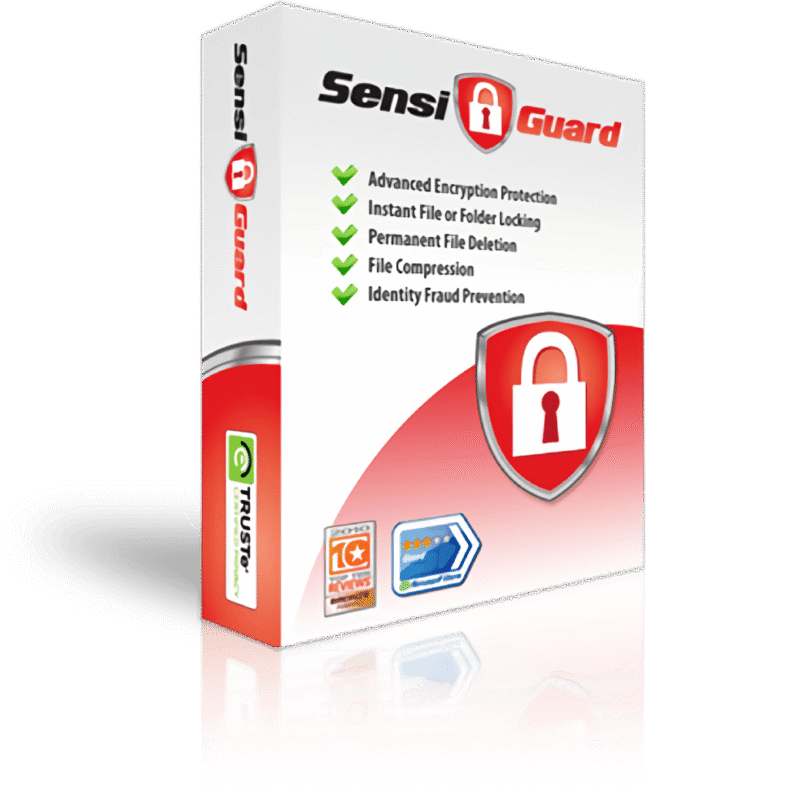
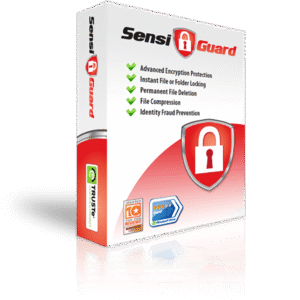
SensiGuard is file and folder encryption software for Windows PCs that uses 256-bit AES encryption (the same class of encryption approved by the U.S. Government for protecting classified information up to Top Secret). Instead of forcing you to reorganize everything into special containers or “virtual volumes,” SensiGuard focuses on simple actions that fit how people already work: lock a file, lock a folder, send encrypted files to someone else, compress encrypted data to save disk space, and shred files so recovery tools can’t bring them back. The software is built to feel simple even for non-technical users.
This listing is a strong fit for anyone who stores personal documents (tax files, scans of IDs, contracts), personal photos, saved emails, finance records, or client materials on a laptop or desktop. It is also useful for students and professionals who move files between school, work, and home using USB flash drives and external storage. If you want fewer “what if my device is stolen?” worries and more consistent privacy habits, SensiGuard provides a practical workflow: encrypt what matters, delete what should never return, and carry only protected files on removable media.
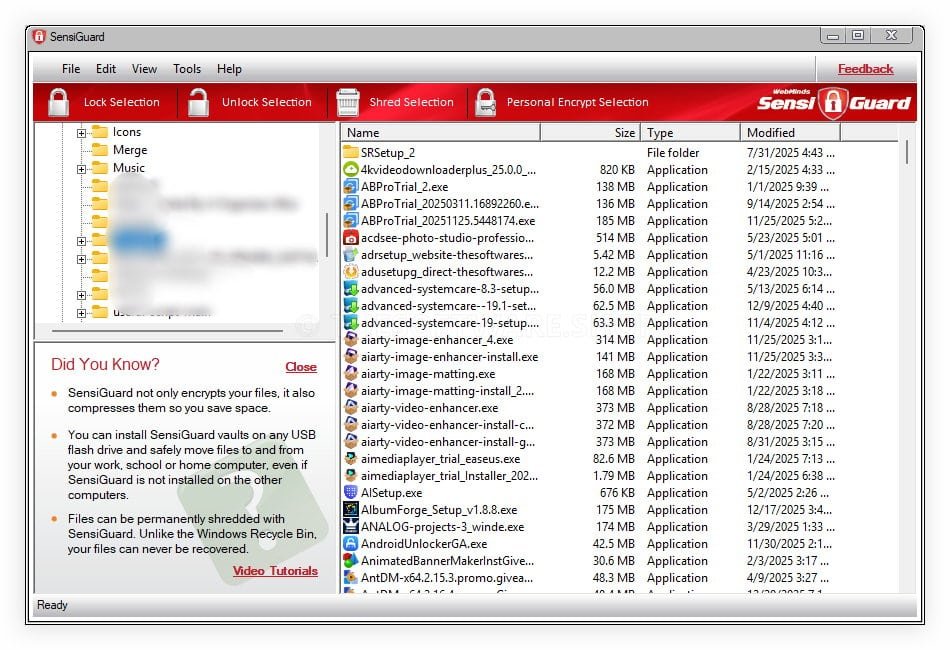
Unlike tools that force you to build special vaults and then copy content into them, SensiGuard is designed to reduce friction when you secure your data. You can encrypt items directly, then access them again when authorized, without turning your whole workflow upside down. For removable media, SensiGuard also supports USB vaults so you can carry protected files between computers while keeping contents unreadable if the drive goes missing. This approach keeps your security consistent across PCs and portable drives.
Key Benefits
SensiGuard is built to solve common, high-impact risks that come from storing sensitive data on everyday devices. The benefits below explain what you gain in daily use, from reducing exposure after theft to preventing recovery of files you thought you erased. The focus is clarity: you know what is protected, what is shared securely, and what is permanently removed.
- Strong protection for confidential files using AES 256-bit encryption.
- Faster protection habits since locking files and folders is designed to be quick.
- Better safety on laptops if a device is lost or stolen.
- Safer portable storage when using USB flash drives and external drives.
- Less risk of recovery of deleted files using the built-in file shredder.
- More secure file sharing by sending encrypted files instead of open documents.
Features
Below is a detailed list of the key features that make SensiGuard a valuable addition to your needs: each feature maps to a real-world scenario (lost device, shared PC, sending attachments, cleaning up sensitive data), so you can pick the protections that match your day-to-day work. The emphasis is usability: strong security with steps that stay straightforward.
- Encryption: Locks files and folders using AES 256-bit protection for confidentiality.
- AES: Uses 256-bit AES encryption aligned with widely trusted security standards.
- Approval: Built on an encryption level approved for protecting classified information up to Top Secret.
- Locking: Encrypt files or folders quickly so private data stays inaccessible to unauthorized users.
- Click: Lock items with simple actions designed for non-technical users.
- Workflow: Avoids forcing you into special “virtual volumes” that disrupt file organization.
- Shredder: Permanently deletes files so recovery tools can’t restore them later.
- Erase: Removes sensitive data beyond the standard Windows delete behavior.
- Single: Shred selected files with a direct, simple action.
- Sharing: Sends encrypted files so only the intended recipient can open them.
- Transfer: Reduces exposure that can occur when sending regular attachments.
- Recipient: Helps ensure the person you share with is the only one who can read the file.
- Compression: Compresses encrypted files to reduce clutter and save disk space.
- Space: Frees storage while keeping protection in place.
- Automatic: Applies compression as part of the encrypted file handling.
- Identity: Helps prevent identity theft by keeping personal documents unreadable to intruders.
- Records: Protects tax returns, credit card data, personal emails, and private photos.
- Key: Keeps access tied to your password so unauthorized users cannot read content.
- Home: Secures data on shared PCs so family members or coworkers can’t browse private folders.
- Office: Reduces risk from nosy coworkers on shared machines.
- Access: Keeps sensitive folders locked unless you authorize access.
- Laptop: Protects information on portable computers if lost or stolen.
- Theft: Keeps encrypted folders unreadable even if a device changes hands.
- Travel: Supports safer use for commuting, business trips, and remote work.
- USB: Creates protected USB vaults for flash drives and memory cards to carry files safely.
- Vaults: Stores encrypted files on removable drives so lost media stays useless without you.
- Unlimited: USB vault creation remains available on unlimited USB drives even after the trial ends.
- Passwords: Applies password security best practices to support safe access control.
- Management: Helps you keep access centered on credentials you control.
- Control: Keeps private data accessible to you and blocked for others.
- Speed: Encrypts quickly so security steps do not slow down routine work.
- Interface: Uses an intuitive design suitable for people outside IT roles.
- Simple: Aims for fast protection without complicated setup.
- Guarantee: Includes a 30-day money-back guarantee for the paid version.
- Refund: Full refund during the first 30 days if you are not satisfied.
- Noquestions: Designed to be “no-hassle” so you can purchase with confidence.
Requirements
Before installing, confirm your system matches the basic requirements below so you can encrypt files reliably on your day-to-day machine. These requirements focus on compatibility with the Windows versions referenced for SensiGuard usage and on having access to the drives you plan to protect.
- A Windows PC running Windows XP, Windows Vista, or Windows 7.
- Local administrator rights for installation (common for security software).
- Available storage space for installation and encrypted file handling.
- USB flash drive, pen drive, memory card, or external drive (optional for USB vault use).
- Email access to receive your license key and setup instructions after purchase.
Downloads
See how SensiGuard fits your routine by installing the trial and testing file/folder locking on real documents (copies recommended), then verify how encrypted sharing and shredding behave on your PC before you commit.
BUY NOW
SensiGuard is available starting at $39 for 1 PC. But, you can secure your SensiGuard license using an exclusive discount sale when offered, and act while the promotion remains active for a limited time.
Software Giveaway: You can also check the Giveaway tab below for a chance to get the SensiGuard full version with a license key at no cost, based on the promotion’s availability and terms. This option can be useful if you want to start with a licensed edition immediately.

" />
Get 6 Amazing Apps for Only $49.95 and SAVE $298.75. Offer Lasts Until Next Day!
- A License for 1 PC
- Free Product Updates
- Free Technical Support
- 30-day money-back guarantee
Platforms: Windows

" />
AES-256 File Encryption Software for PC & USB Drives – Folder Lock, Secure File Sharing, Permanent File Shredder, Compression, Identity Theft Protection
- A License for 1 PC
- Free Product Updates
- Free Technical Support
- 30-day money-back guarantee
Platforms: Windows
" />
AES-256 File Encryption Software for PC & USB Drives – Folder Lock, Secure File Sharing, Permanent File Shredder, Compression, Identity Theft Protection
- A License for 4 PCs
- Free Product Updates
- Free Technical Support
- 30-day money-back guarantee
Platforms: Windows
" />
AES-256 File Encryption Software for PC & USB Drives – Folder Lock, Secure File Sharing, Permanent File Shredder, Compression, Identity Theft Protection
- A License for 10 PCs
- Free Product Updates
- Free Technical Support
- 30-day money-back guarantee
Platforms: Windows
Abelssoft FileCryptor BEST OFFER

Abelssoft KeyDepot BEST OFFER

Avast Ultimate BEST OFFER

TunnelBear BEST SELLER

OysterVPN BEST OFFER
Sticky Password Premium 8: Lifetime Deals BEST SELLER
SensiGuard Key Giveaway
Available now: Free License Key For a Limited Time!
To access the giveaway, kindly provide your email address. Please refrain from closing this page after signing in to receive instructions on how to access the offer at no cost.
NOTES:
– All prices shown here are in listed USD (United States Dollar).
– Such promotional programs are subject to change without notice, from time to time in our sole discretion.
– Data may vary based on different systems or computers.
Thanks for reading SensiGuard Review & Enjoy the discount coupon. Please Report if SensiGuard Discount Coupon/Deal/Giveaway has a problem such as expired, broken link, sold out, etc while the deal still exists.


![[NEW KEY #10] Giveaway – Top Data Protector Pro 3: Free License Code | Easy-to-use Folder Lock Software – for Windows](https://thesoftware.shop/wp-content/uploads/thumbs_dir/Top-Data-Protector-Pro-Review-Download-Discount-Coupon-Gievaway-rfosm440krhu6u99on7i9pvg01h37sas6b80e88dqw.png)