
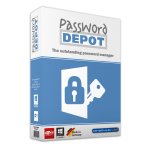
20% Off – AceBIT Password Depot 19: Upgrade License | The Best Password Manager – for Windows

Organizes all of your passwords – but also, for instance, information from your credit cards or software licenses. Get Password Depot 19 Upgrade License with a 20% discount!
⭐ Perpetual License ⭐ 2 Computers ⭐ Technical Support by AceBIT GmbH ⭐
BUY NOW
AceBIT Password Depot 19 retails for €99.95 (about $108.90). And, on our website, THE SOFTWARE SHOP, you can get AceBIT Password Depot 19 Upgrade license with our 20% discount coupon! This offer is available for a limited time!

You already own an older version of Password Depot? Then use the preferential price and save 20 €!
Upgrade from the previous version with a discount of up to 20%!!!
- Lifetime License for 1 user
- Use the software full version for a lifetime
- The license can be used to activate the software on an unlimited number of devices of a user according to licensing terms.
- The editions for Android, macOS and iOS are free - you can install and use them on any number of devices without incurring additional costs.
- Free Software Maintenance Updates
- Free Technical Support by AceBIT
Platform: Windows
- Lifetime License for 1 User
- Use the software full version for a lifetime
- The license can be used to activate the software on an unlimited number of devices of a user according to licensing terms.
- The editions for Android, macOS and iOS are free - you can install and use them on any number of devices without incurring additional costs.
- Free Software Maintenance Updates
- Free Technical Support by AceBIT
Platform: Windows
Enjoy Password Depot with up to five people - family or friends. You decide who you provide a license with.
- Save 70% (Compared to 1 New license fee x 5 Pcs)
- Family License allows you to use the license for 5 Users
- Use the software full version for a lifetime
- The license can be used to activate the software on an unlimited number of devices of each user according to licensing terms.
- The editions for Android, macOS and iOS are free - you can install and use them on any number of devices without incurring additional costs.
- Free Software Maintenance Updates
- Free Technical Support by AceBIT
Platform: Windows
OTHER PASSWORD DEPOT COUPON CODE
System Mechanic Ultimate Defense BEST SELLER
iolo ByePass™ Password Manager BEST OFFER

Sticky Password Premium 8: Lifetime Deals BEST SELLER
Steganos Password Manager BEST SELLER

F-Secure KEY Premium Voucher EXCLUSIVE
AceBIT Password Depot 18 Key Giveaway
Available now FREE for a limited time!
Please note that once you signed in, do not close this page. You will be shown how to get this offer for free.
Also, check out the latest software giveaways that are available here on the software giveaway page.
AceBIT Password Depot 19 Review at a Glance
AceBIT Password Depot 19 is a powerful, technically mature, and first, secure application for managing your passwords and access data. Different from conventional freeware and shareware utilities, Password Depot supplies sophisticated security mechanisms and a well-conceived, wide range of functions and can also be employed in professional environments where strict security standards apply.
AceBIT Password Depot 19 encrypts password files using the Rijndael 256 algorithm, which is also known as AES-256 (Advanced Encryption Standard). According to the ultramodern, this is certainly the most secure method of encrypting data on a computer. In the United States, AES is accepted for national documents with the highest level of privacy. One advantage of this security algorithm is that the expert password for encrypting a password list is not stored on your computer. Nobody can therefore find the primary password on your computer. You are the only one who knows this password.
Several new options perfect the protection of AceBIT Password Depot 19 itself: When the program enters the locked state, all sensitive data is cleared from memory. The program can auto-minimize/auto-lock when the computer switches to standby or hibernate mode, when the current session changes, etc.
AceBIT Password Depot 19 uses a shredder conforming to the DOD 5220.22-M specification of the US Department of Defense to remove temporary program files. The definite deletion of temporary files is also particularly important because they can have data that could be extracted by someone. Deleting files in Windows Explorer is not secure, because only the filename will be removed. To destroy a file beyond recovery, you must overwrite the file before removing it.
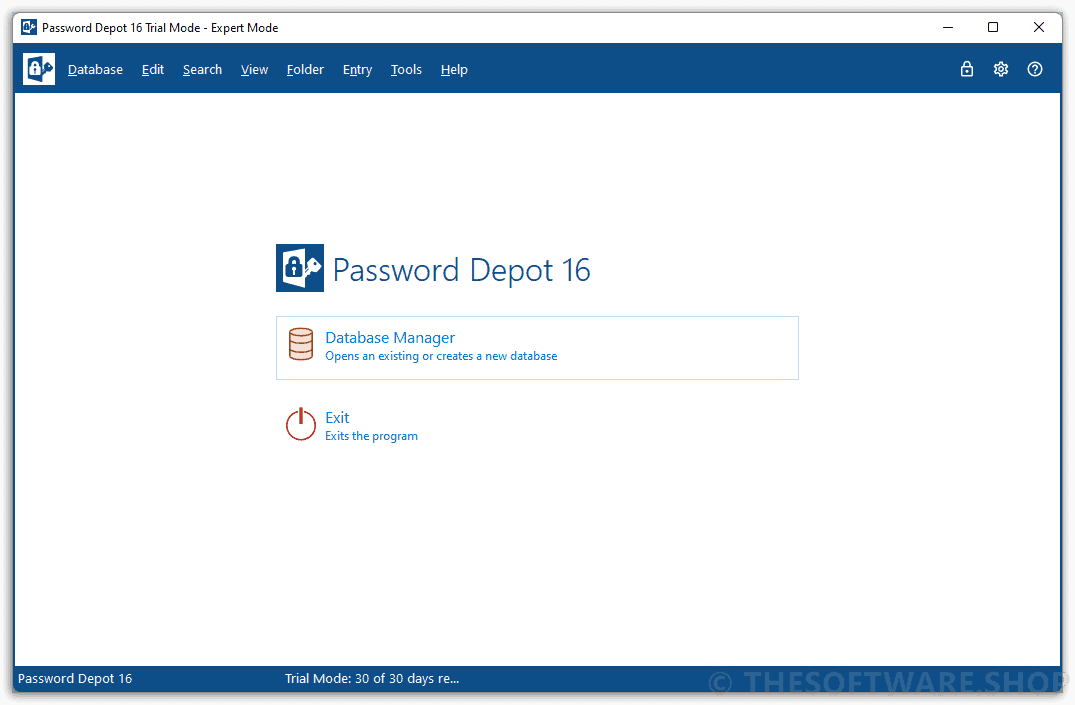
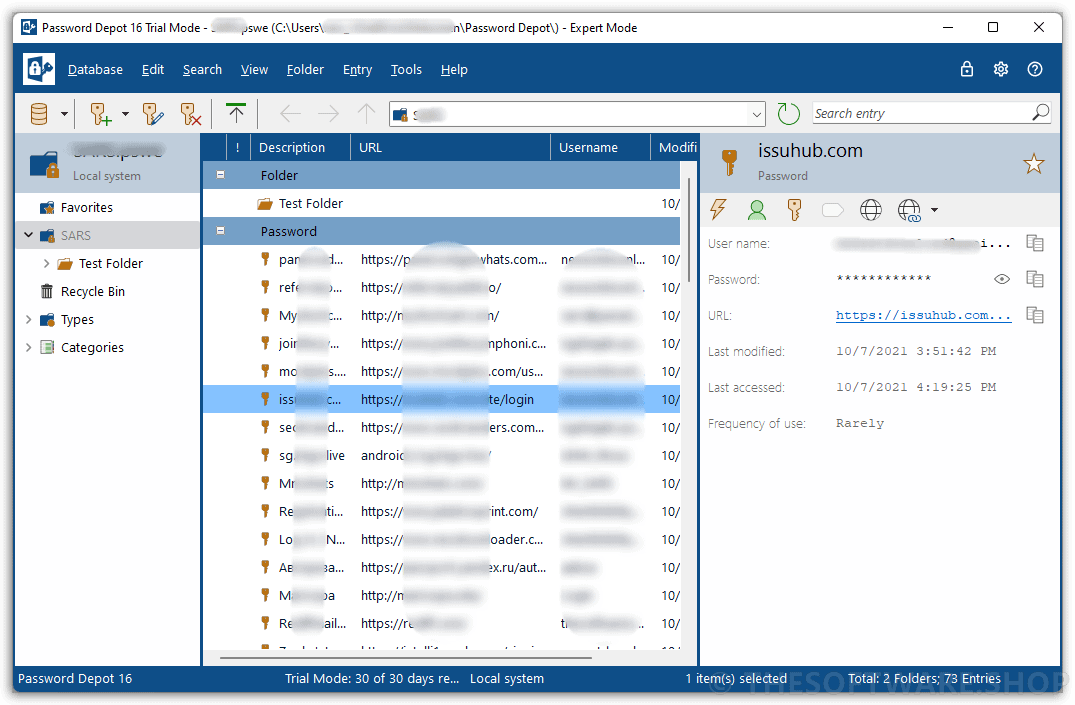
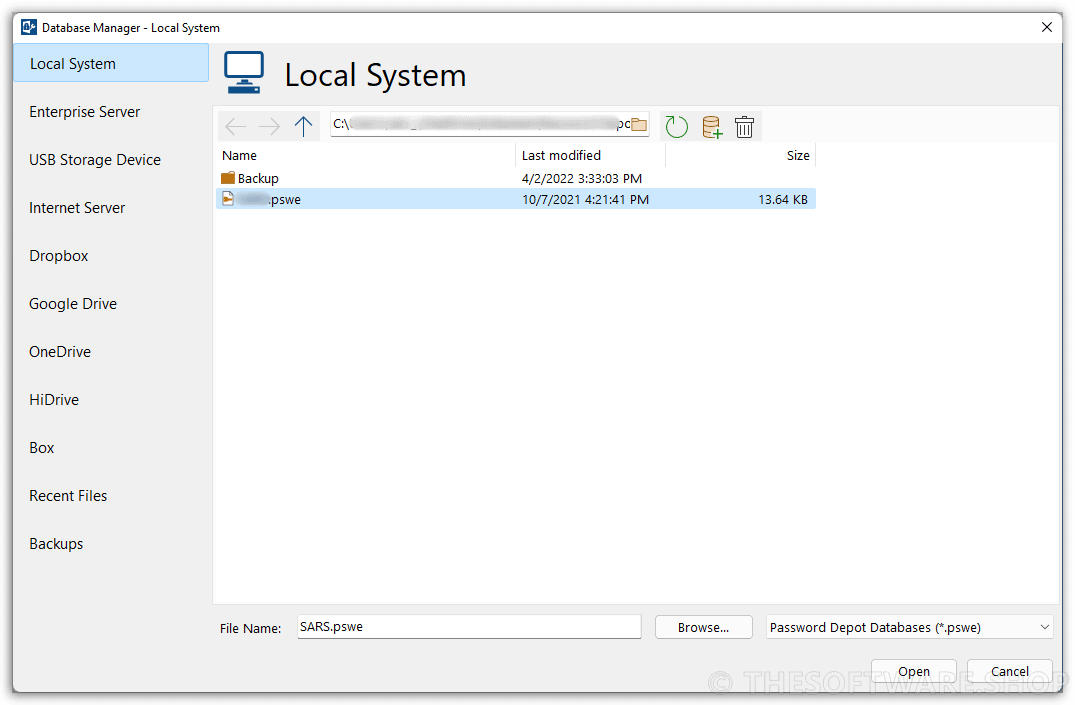
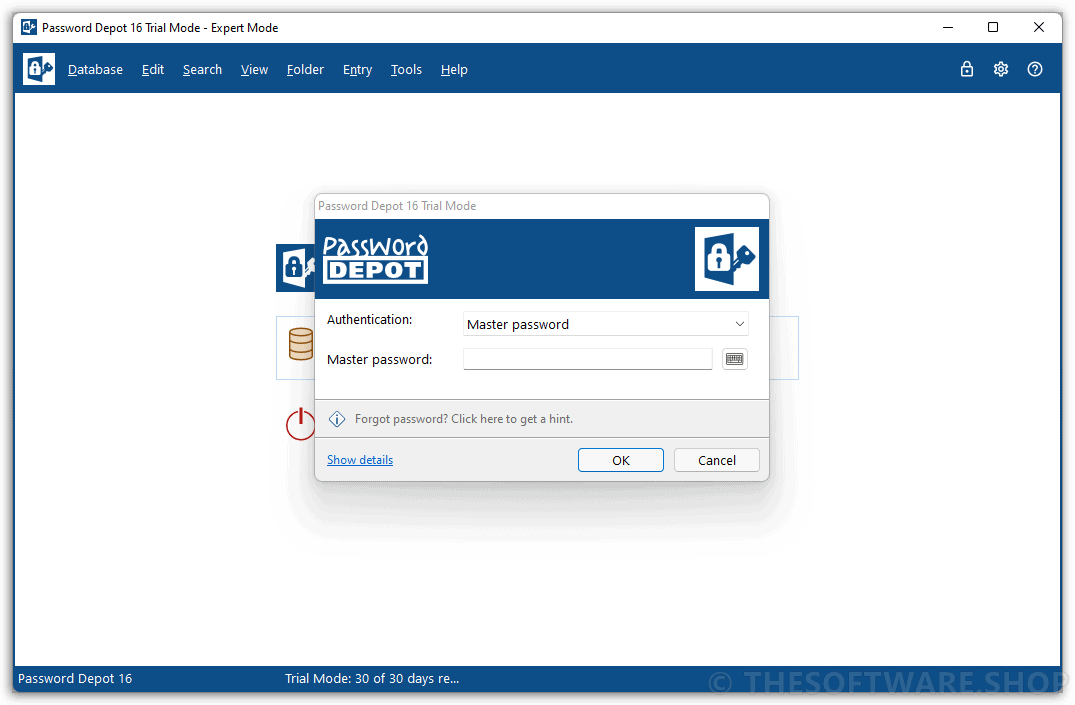
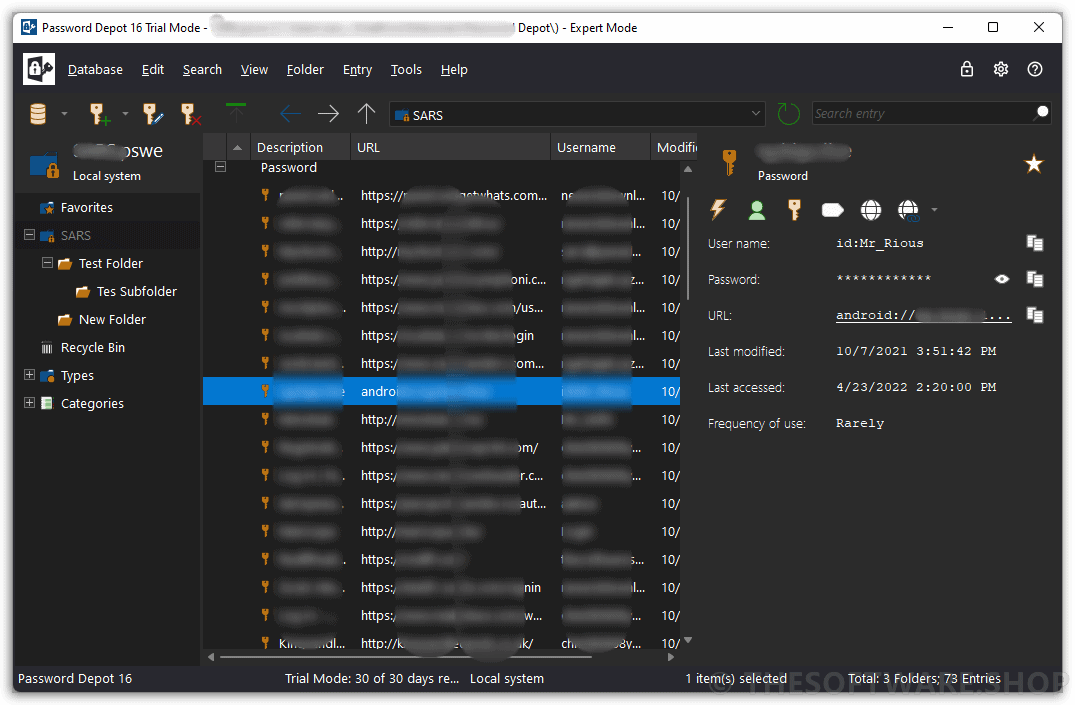
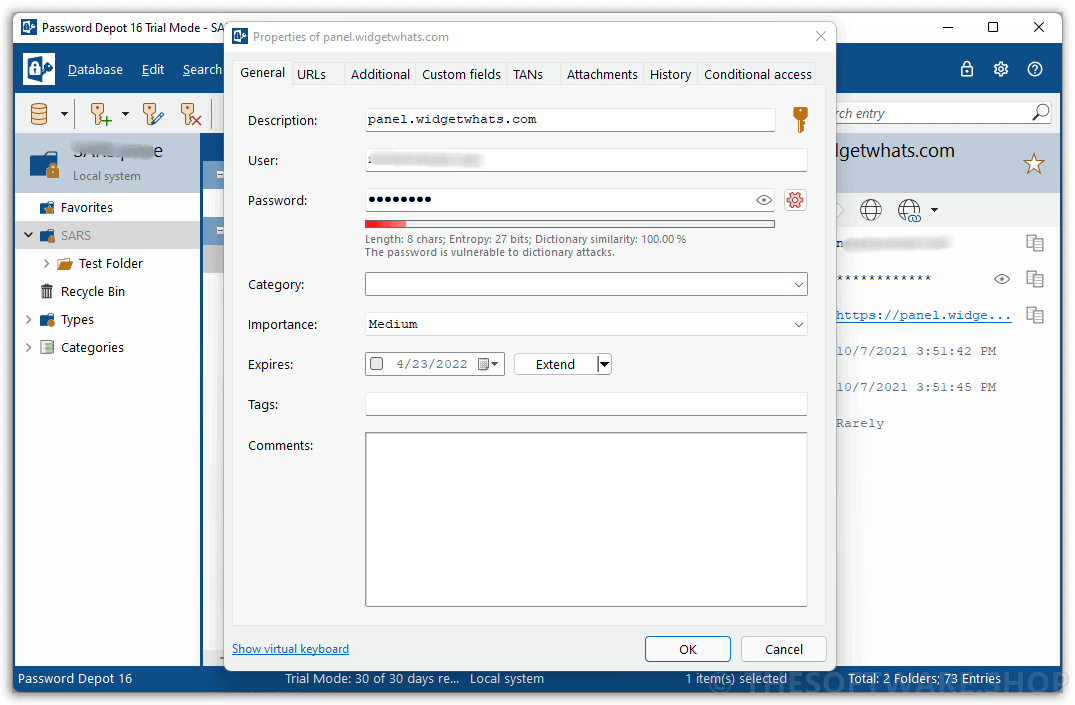
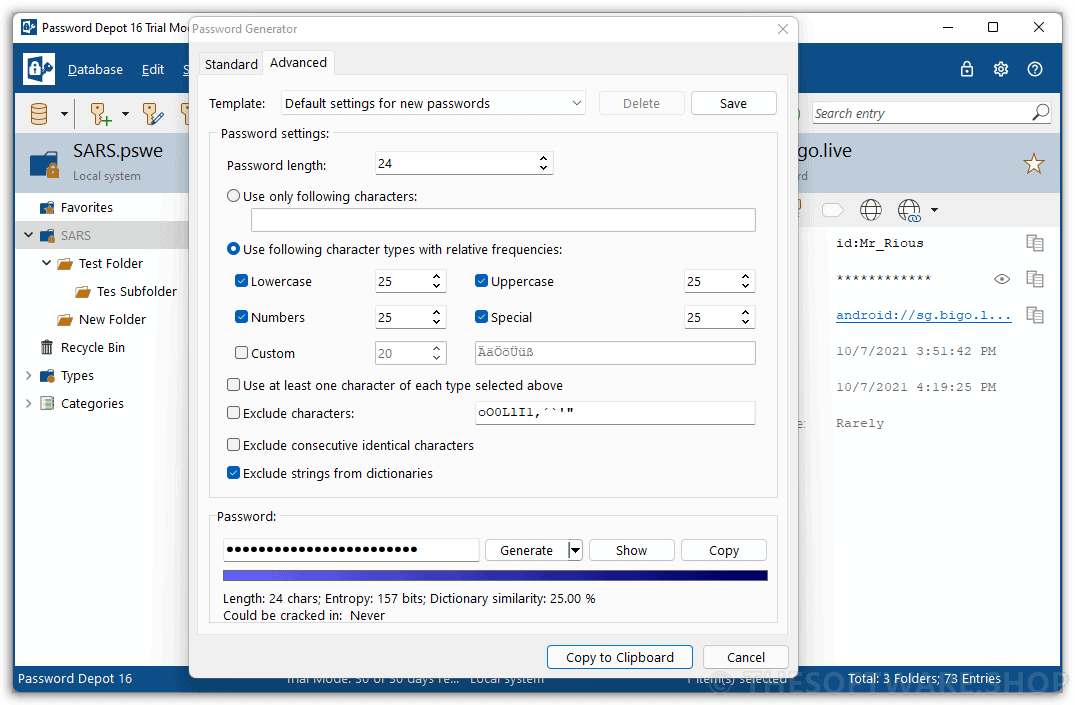
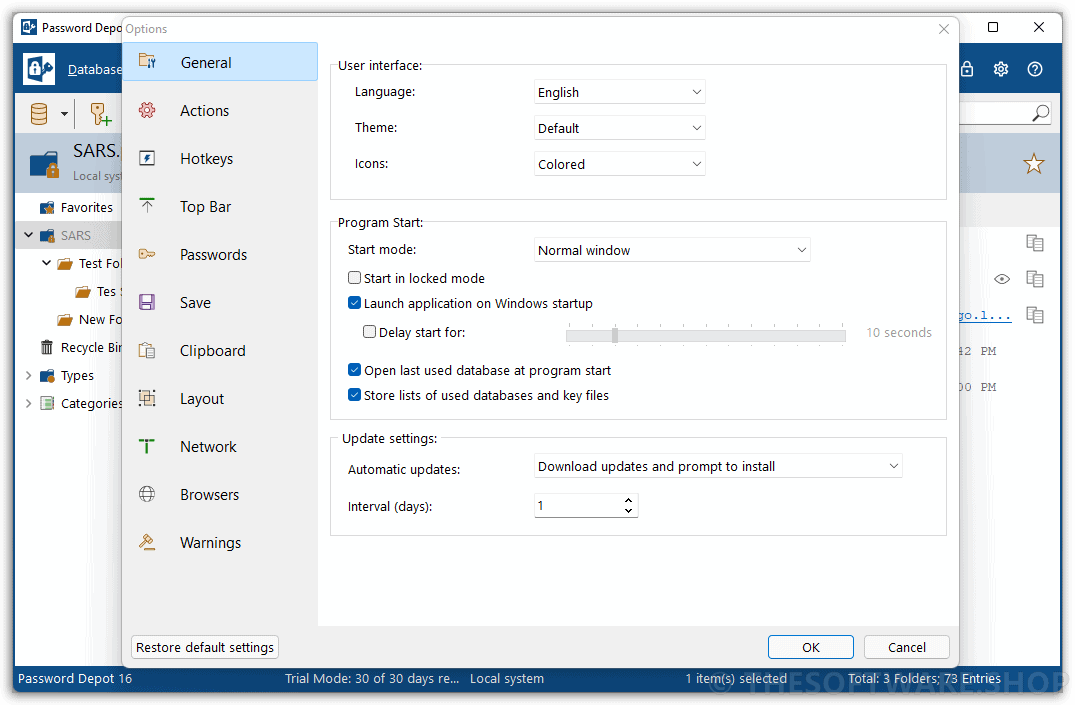
AceBIT Password Depot Screenshots
Features
Key Features of AceBIT Password Depot 19:
- Safe Password Storage
- Best possible encryption. In Password Depot, your information is encrypted not merely once but in fact twice, thanks to the algorithm AES or Rijndael 256.
- Double protection. You can secure your databases doubly.
- Protection against brute-force attacks. This renders attacks that rely on the sheer testing of possible passwords – so-called “brute-force attacks” – virtually impossible.
- Lock function. This function locks your program and thereby denies unauthorized access to your passwords.
- Backup copies. Password Depot generates backup copies of your databases.
- Encryption methods and key derivation functions with increased security have been introduced.
- Secure Data Use
- Protection from keylogging. All password fields within the program are internally protected against different types of interception of keystrokes (Key Logging).
- Traceless Memory. Dealing with your passwords, Password Depot does not leave any traces in your PC’s working memory.
- Clipboard protection: Automatically detects any active clipboard viewers and masks its changes to the keyboard; after performing auto-complete, all sensitive data is automatically cleared from the clipboard.
- Virtual keyboard. The ultimate protection against keylogging. With this tool you can enter your master password or other confidential information without even touching the keyboard.
- Fake mouse cursors. Typing on the program’s virtual keyboard, you can also set the program to show multiple fake mouse cursors instead of your usual single cursor.
- Verified Passwords
- Uncrackable passwords. The integrated Password Generator creates virtually uncrackable passwords for you.
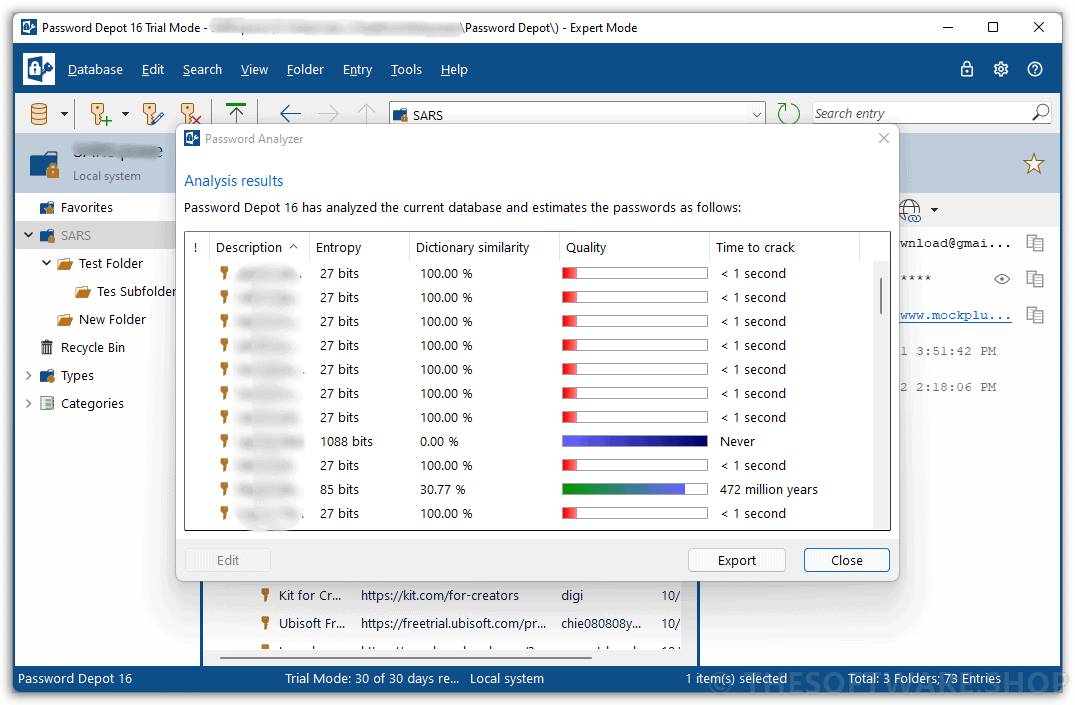
- Verified password quality. Let Password Depot check your passwords’ quality and security!
- Password policies. You can define basic security requirements that must be met by all passwords which are added or modified.
- Security warnings. Password Depot contains a list of warnings which always keep an eye on your passwords’ security.
- Protection against dictionary attacks. An important warning featured in Password Depot is the notification in case you are using unsafe passwords.
- Warning against password expiry. You can set Password Depot to warn you before your passwords expire, for instance before the expiry date of your credit card.
- Convenient Access
- User-friendly interface. Password Depot’s user interface is similar to that of Windows Explorer.
- Auto-completion. If you wish, Password Depot automatically fills in your password data into websites opened within the common browsers.
- Automatic recognition. Automatically recognize which password information corresponds to the website you have called up and to then pre-select this password entry for you
- Top bar. The program’s form can be reduced to a narrow bar whose position may be individually determined: whether freely movable or stuck to the screen edge (Application Desktop Toolbar).
- Direct opening of websites. URLs belonging to password entries saved in Password Depot may be opened directly from within the program.
- Usage via mouse click. Using your password information may be done super easily via simple clicks with your mouse cursor.
- Hotkeys. Password Depot features keyboard shortcuts for often-used commands in Windows (“Hotkeys”).
- Unicode support. Password Depot supports Unicode, the international standard defining a digital code for every character.
- Recycle bin. Password Depot features a recycle bin that stores deleted password data and enables their restoration.
- Individual Settings
- Configurable program options. Individually configured to the slightest detail – not only in view of its external layout but also regarding its internal functions such as the use of browsers or networks.
- Custom browsers. You can determine the browsers you would like to use the program with.
- Individual user modes. As a new user, you can work with only a few functions in the Beginner Mode, while as the expert you can use all functionalities in the Expert Mode or can define your own Custom Mode.
- Personal favorites. The list of favorites contains the passwords you use most frequently.
- Custom fields. You can extend the existing data input fields by any number of self-defined fields.
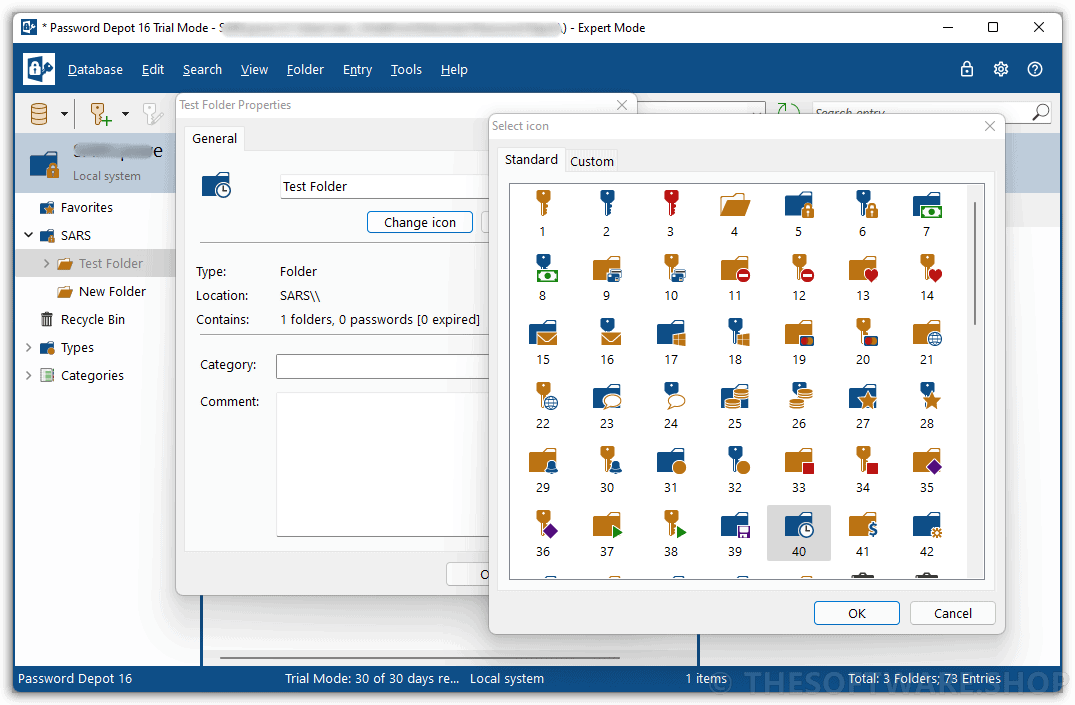
- Password icons. You can save icons for your password entries enabling you to easily find and place them.
- Individual safety warnings. You yourself can determine the warnings you would like Password Depot to show and which not.
- Password statistics. Clear statistics show at a glance how often you have used which password.
- Flexible Interplay
- Enterprise Server. Password Depot features a separate server model enabling several users to access the same passwords simultaneously.
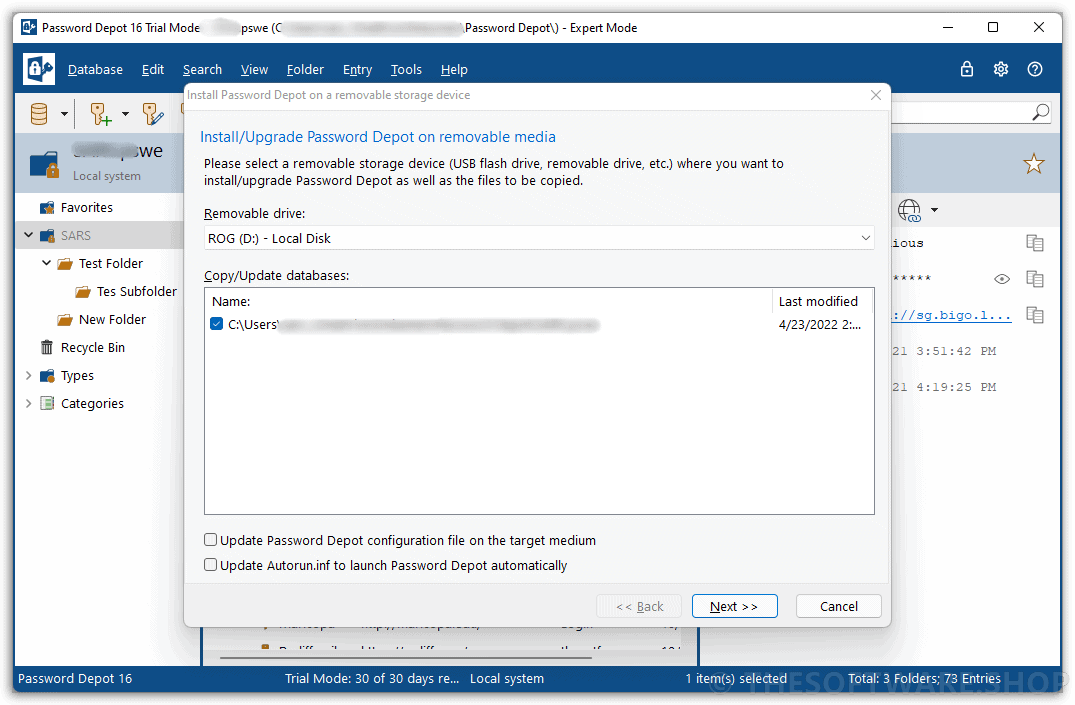
- USB stick. You can copy both your databases and the program Password Depot itself onto a USB stick.
- Cloud devices. Password Depot supports web services, among them GoogleDrive, Microsoft OneDrive and Dropbox.
- Password files on the Web. You can optionally deposit your encrypted databases on the Internet.
- TAN support. Password Depot supports the input and management of TAN numbers.
- URL placeholders. Entering URLs into Password Depot, you can replace any number of characters by placeholders, namely an asterisk (*).
- Versatile Functions
- Cards, identities, licenses. Password Depot protects and manages not only your passwords but also your information from credit cards, EC cards, software licenses and identities.
- File attachments. To your password entries, you may add file attachments containing e.g. additional information.
- Transfer passwords. You can both import password entries from other password managers into Password Depot as well as export entries from Password Depot.
- Synchronize databases. Password Depot supports you in synchronizing two different databases.
- Clean-up databases. This function discovers password entries that you have not used for a long time or have even already expired.
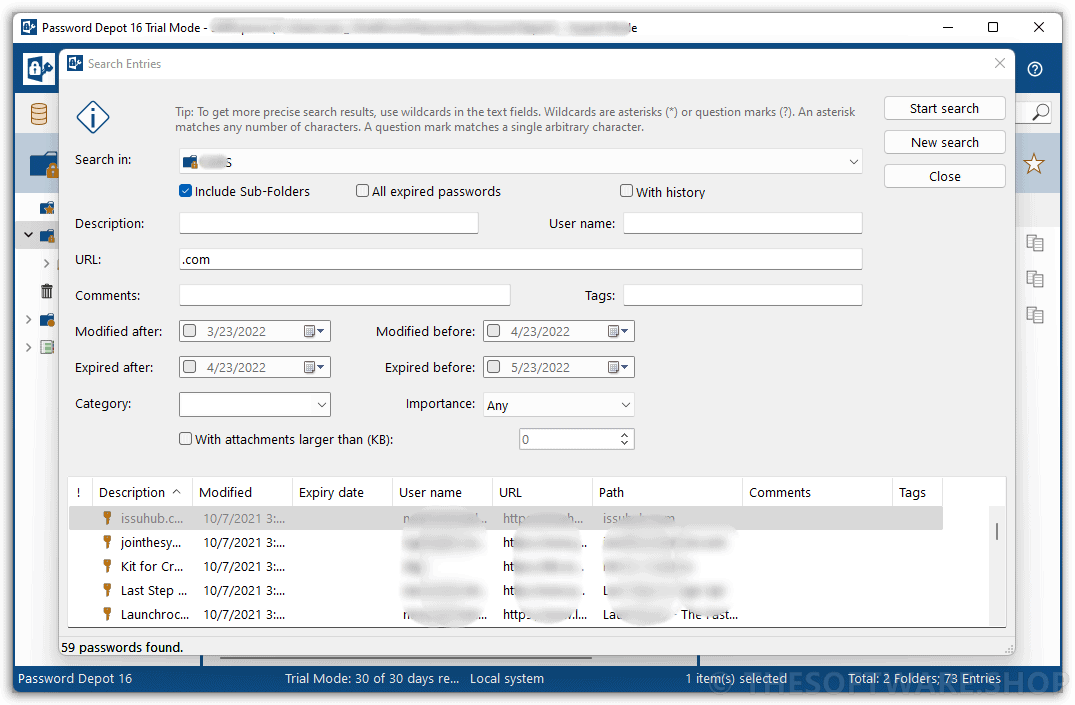
- Search for password entries. By means of this function, you can search any character string within your passwords file
- Encrypt external files. Password Depot permits you to encrypt external files and to then directly save them as individual entries within the software.
- Self-extracting files. When encrypting external data by means of Password Depot, you can additionally generate encrypted self-extracting files.
- Delete external files. With Password Depot you can delete external files, regardless of their format.
What’s New
Password Depot 19.0.0 introduces stronger, more flexible security and a smoother experience across desktop, server, and browser workflows. This release adds Shared Secrets for controlled secret sharing, Passkey sign-in with WebAuthn, expanded FIDO2 two-factor authentication, and more customizable TOTP code generation. It also improves password and passphrase creation, adds Global Search across open databases, enhances XML/CSV import and export, and delivers more reliable database synchronization.
With better Auto-Type stability, improved multi-monitor support, updated OpenSSL libraries, and several usability fixes, Password Depot 19.0.0 is designed to make secure password management faster, easier, and more dependable.
What’s New in Password Depot 19.0.0
- Shared Secrets for creating and registering shared secret links on Password Depot Enterprise Server
- Passkey sign-in support using WebAuthn
- Expanded FIDO2 support for 2FA, including USB security keys, Windows Hello, smartphones, and other compatible devices
- Enhanced TOTP support with custom algorithms, digit lengths, and intervals
- New database policy to exclude specific characters from generated passwords
- Passphrase generation using English, German, or mixed dictionaries
- Global Search across all open databases
- New XML import/export format with additional entry attributes
- Improved CSV import with enhanced mapping options
- Better database synchronization with improved detection and handling of complex actions
- More stable Auto-Type for special characters in browsers and external programs
- Improved support for multi-monitor setups
- Drag-and-drop support for TOTP codes from the top bar
- Improved OneDrive and OneDrive for Business sign-in dialog usability
- Updated OpenSSL libraries
- Fixes for saving and rearranging favorites
- Fix for the top bar in Appbar mode when auto-hide is enabled
Requirements
To run AceBIT Password Depot 19 with optimum reliability and performance, your system should match the following requirements:
- Operating system: Windows Vista, 7, 8, 10, 11 or higher
- 400 MHz Intel Pentium II processor or higher
- At least 4 GB of RAM or more
- At least 50 MB of free space on the hard disk
Downloads
Not sure if AceBIT Password Depot 19 does what you need? Try it out now. Please feel free to download AceBIT Password Depot 19 here. This password manager by AceBIT GmbH has been tested professionally and we are assured that no viruses, Trojans, adware, or malware are contained.
Windows/Mac/iOS/Android
NOTE:
– All prices shown here are in listed USD (United States Dollar). Your local currency will be converted automatically, You can also switch to any other currencies during the checkout process.
– The discount coupon & your local VAT (Value added tax – if available, vary by country) will be applied at checkout automatically.
Thanks for reading AceBIT Password Depot 19 Review & Enjoy the discount coupon. Please Report if AceBIT Password Depot 19 Giveaway has a problem such as expired, broken link, sold out, etc while the deal still exists.





Chrome Extension does not work on Password Depot 18