
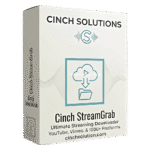
Giveaway – Cinch StreamGrab: Free License Key | Audio & Video Downloader – for Windows

Download Smarter. Save More. Get a Full Version of Cinch StreamGrab Today for Free — Limited Time Only!
Free Full Version!
BUY NOW
Cinch StreamGrab is available for a regular price of $29.95, but right now you can get a full version of Cinch StreamGrab for free in the Giveaway tab below!
Cinch Streaming Audio Recorder (Cinch Audio Recorder Pro) BEST OFFER

EaseUS Video Downloader BEST OFFER
Allavsoft Video Downloader Converter BEST SELLER
VCap Downloader: Lifetime License BEST SELLER

Fast Video Downloader PRO BEST SELLER
Wonderfox DVD Video Converter: Lifetime License BEST OFFER
Cinch StreamGrab Key Giveaway
Available now: Free License Key For a Limited Time!
To access the giveaway, kindly provide your email address. Please refrain from closing this page after signing in to receive instructions on how to access the offer at no cost.

NOTES:
– All prices shown here are in listed USD (United States Dollar).
– Such promotional programs are subject to change without notice, from time to time in our sole discretion.
– Data may vary based on different systems or computers.
Cinch StreamGrab Review at a Glance
You find the perfect video tutorial, a rare podcast episode, or a live performance you want to keep — and then it disappears. Buffering kicks in at the worst moment. The platform removes the content. Your internet drops during your commute, and suddenly the content you rely on is completely out of reach. Streaming platforms control your access, and when their servers decide, your experience suffers. There has long been a need for a reliable, professional-grade solution that puts the control back in your hands — one that lets you save any audio or video content from virtually any website, in the format you choose, whenever you want it.

What Is Cinch StreamGrab?
Cinch StreamGrab is a powerful, feature-rich audio and video downloader for Windows that supports thousands of popular websites. It is designed to give you professional-grade control over how you save media content — from YouTube videos and podcasts to social media clips, live stream recordings, and regional platform content. The application combines smart automation with advanced manual controls, making it equally accessible for everyday users who want a quick one-click download and for power users who need precise control over codecs, resolution, HDR preferences, and more.
Unlike basic browser-based grabbers or single-platform tools, Cinch StreamGrab uses a broad extractor system that covers major video platforms, social networks, news sources, live streaming services, music hosts, and many regional providers. The result is a single, unified tool that handles virtually any media download scenario you encounter — without requiring you to switch between multiple apps or browser extensions.
Who benefits most from Cinch StreamGrab?
- Content creators who need offline reference material for research, editing, or repurposing
- Students and educators saving lectures, tutorials, and course materials for offline study
- Podcast listeners who want full episodes saved locally for travel or commutes
- Music fans archiving rare performances, mixes, or live sets
- Professionals in media, journalism, or marketing who regularly work with online video
- Casual users who simply want to enjoy their favorite content without buffering or availability issues
Key Benefits
Cinch StreamGrab delivers a set of practical, everyday advantages that make it the go-to choice for anyone serious about saving media content from the web. Below is a breakdown of the core benefits that set it apart from the competition.
- Save content for true offline playback — Download videos and audio files directly to your device and watch or listen anytime, even without an internet connection, making it perfect for travel, commutes, or low-connectivity environments.
- Access thousands of supported websites in one tool — Instead of juggling multiple apps for different platforms, Cinch StreamGrab consolidates downloads from thousands of sites — including major video hubs, social networks, news outlets, live streaming services, and music platforms — into a single interface.
- Professional-grade format control — You are not limited to a single output format. Cinch StreamGrab gives you presets for common scenarios alongside an advanced panel where you can fine-tune resolution, codecs, HDR/DV preference, FPS, and file size limits, giving you the kind of control typically reserved for command-line tools — presented in a clean, visual interface.
- Fast, reliable downloads with smart automation — The app features smart URL detection and automatic extractor selection, meaning it identifies the source site and applies the optimal settings without requiring manual configuration every time.
- SponsorBlock integration for cleaner audio — When downloading content that contains sponsored segments, Cinch StreamGrab allows you to mark or remove those segments automatically, delivering a cleaner listening or viewing experience with clear controls and safety prompts.
- One-click downloads with intelligent defaults — Three smart presets — Best Quality (video + audio), Audio-Only (MP3/M4A), and Data Saver mode — handle the most common download scenarios with a single click, removing unnecessary steps from your workflow.
- Network flexibility for restricted content — Cookies import, custom headers, account login support, proxy settings, and geo options allow you to access and download restricted or region-locked content that basic tools cannot reach.
Features
Below is a comprehensive breakdown of the powerful capabilities built into Cinch StreamGrab that make it an essential tool for any media download workflow:
- Thousands of Supported Sites — Downloads from a vast range of online platforms through a broad, continuously updated extractor system.
- Major video platforms (e.g., YouTube, Vimeo, and equivalents)
- Social networks, news sites, and regional video providers
- Live streaming services and music hosting platforms
- Smart URL Detection & Automatic Extractor Selection — Paste any URL and the app immediately identifies the source and picks the right extractor automatically, removing manual guesswork.
- One-Click Download Presets — Three built-in quick-action modes for the most common download needs.
- Best Quality — Downloads the highest available video and audio stream
- Audio-Only (MP3/M4A) — Extracts just the audio track in your preferred format
- Data Saver — Fetches a smaller file size suitable for low-storage or mobile-focused use
- Advanced Format Control Panel — A dedicated advanced options section for precise output configuration.
- Resolution selection — Choose from available resolutions up to the maximum quality offered by the source
- Codec preference — Select preferred video/audio codecs for compatibility or quality
- HDR/Dolby Vision (DV) preference — Prioritize HDR or DV streams where available
- FPS control — Specify frame rate preferences for video downloads
- File size limits — Set maximum file size constraints for storage management
- SponsorBlock Integration — Built-in support for identifying and handling sponsored segments in supported content.
- Mark segments — Tag sponsored portions for reference without removing them
- Remove segments — Automatically strip sponsored segments from the download
- Clear controls and safety prompts to prevent accidental data loss
- Network & Login Support — Full suite of access options for restricted or authenticated content.
- Cookies import — Use saved browser cookies to authenticate with logged-in accounts
- Custom headers — Pass custom HTTP headers for specialized access requirements
- Account login — Direct login support for restricted platform content
- Proxy support — Route downloads through proxy servers for geo-restricted content
- Geo options — Manage region-based restrictions for edge cases
- Download Library Management — A built-in library section to organize, review, and manage all completed and active downloads.
- Filters and quick actions for efficient queue management
- Preview options for downloaded media
- Three-Step Workflow — A streamlined copy-paste-download process that takes a URL from clipboard to completed file in under a minute.
- Step 1: Copy the URL from any supported site
- Step 2: Paste into Cinch StreamGrab — auto-detection handles the rest
- Step 3: Select your format/quality preset and download
- System Clipboard Detection — The app can automatically detect URLs copied to your clipboard, reducing manual paste steps.
- Fast Download Speeds — Optimized download engine for high performance, minimizing wait time even for large video files.
- Wide Format & Device Compatibility — Output files are compatible with a broad range of playback devices and media players.
Requirements
Before installing Cinch StreamGrab, ensure your system meets the following requirements:
- Operating System: Windows 10 or Windows 11 (64-bit)
- Internet Connection: Required for downloading content from online sources
- Disk Space: Sufficient free storage for downloaded media files
- Processor: Standard modern processor compatible with Windows 10/11
- RAM: Standard system memory compatible with Windows 10/11 applications
Note: A macOS version is currently in development and not yet available. Contact Cinch Solutions for updates on the Mac release timeline.
Free to Try
Get hands-on with Cinch StreamGrab before you commit. The best way to see how it fits your real download needs is to run it yourself — paste a URL, test the format options, and put the extractor system through its paces on the sites you use most. Click the button below to download the free trial edition and see firsthand how fast and precise a dedicated download tool can be.
Stop relying on unstable streams and disappearing content — take full control of your media today. With Cinch StreamGrab, you can download, save, and enjoy your favorite audio and video anytime, anywhere, exactly the way you want. Get started now and build a reliable offline library that works on your terms.
Thanks for reading Cinch StreamGrab Review & Enjoy the discount coupon. Please Report if Cinch StreamGrab Discount Coupon/Deal/Giveaway has a problem such as expired, broken link, sold out, etc while the deal still exists.
cinch streamgrab, video downloader windows, audio downloader pc, youtube downloader software, bulk video downloader, offline video player, mp3 downloader windows, sponsorblock downloader, hdr video downloader, social media video downloader, podcast downloader pc, 4k video downloader, best video downloader 2026, windows media downloader, download videos from websites, video to mp3 converter, format control downloader, multi-site video downloader, one click video downloader, fast video downloader, online video saver, video download manager, download videos offline, restricted content downloader, lifetime license video downloader


![[ENDING SOON] Giveaway – BeeConverter Pro: Free 1-year License Key | Fast-Speed Video Converter – for Windows & Mac OS X](https://thesoftware.shop/wp-content/uploads/thumbs_dir/BeeConverter-Pro-Review-Download-Discount-Sale-Giveaway-rfoslwlb237jlyk6wjyhprrr8yi5i7gxha04k0jj4o.png)
![[NEW KEY #11] Giveaway- iDealshare VideoGo 6.8: Free Lifetime License Key – Full Version for Windows / Mac](https://thesoftware.shop/wp-content/uploads/thumbs_dir/iDealShare-VideoGo-review-download-discount-coupon-rfoskoew4vj2gacd2iv0ykx3bujwgfljn7cb00d194.png)

