
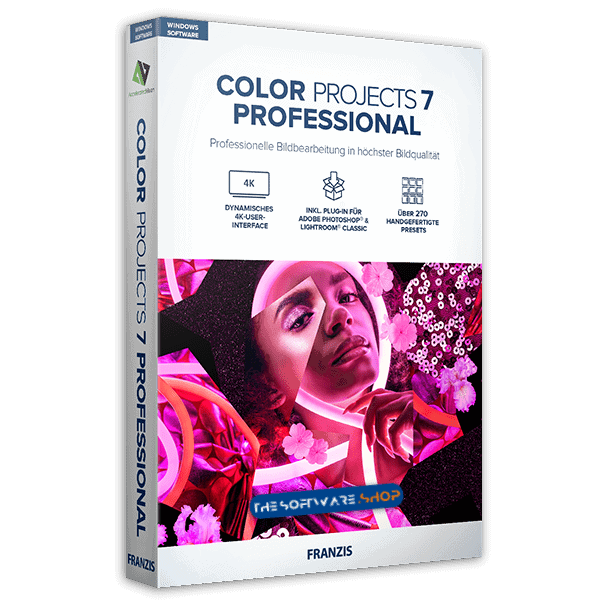
Giveaway – COLOR projects 7 (Standard): Free License Key | Full Version – for Windows

Free full license (no time limit) | hundreds color presets | | Lifetime License | Non-commercial Personal use only
Find a rich palette of effects and filters for editing digital photos with detailed custom settings. Get COLOR projects 7 with a License Key for Free!

Product Overview
Franzis COLOR projects 7 is a photo-editing program focused on creative color looks, practical corrections, and fine control, making it a strong choice for photographers who want a dedicated color workflow without jumping between many apps. If you’ve seen the “Giveaway: Free License Key 2026” promotion, this article explains what you get, who it fits, and how to activate it correctly within the promo window.
What you get with COLOR projects 7
COLOR projects 7 comes with 208 optimized presets organized into 10 categories, giving you a fast way to apply ready-made color styles and build your own variations from them. It runs on Windows, which is important if you’re choosing software for a specific computer.
Beyond presets, the software is built to support a full edit from start to finish, including tonal work, color channel control, and selective editing tools. Instead of being “one-click only,” the idea is: start with a look, then adjust parameters until the photo matches your intent—natural, cinematic, vintage, or bold.
Here are core capabilities typically highlighted with COLOR projects 7:
- Large preset library for quick color tuning.
- Detailed custom settings to refine any preset result.
- Selective edits using masking and targeted tools (useful for skies, skin tones, products, and background control).
- Film-style looks and creative effects for mood-based finishing.
Key features that matter in real editing
Preset-driven workflow with manual control
Presets are valuable for speed, but the best results usually come from guided adjustments afterward. COLOR projects 7 is designed so you can apply a preset as a starting point, then refine color balance, contrast, saturation, and local areas to keep the image clean and believable.
Layer-based color work and LUT support
COLOR projects 7 includes a real-time color module with 10 layers, letting you stack multiple color decisions and adjust them independently rather than pushing everything into one global setting. It also includes LUT support, which helps if you already use LUTs as part of your color style workflow.
Selective editing, Smart Ambient Light, and finishing tools
Selective tools are important when you want control without damaging the rest of the frame. COLOR projects 7 includes selective drawing with Smart-Ambient-Light for targeted adjustments, so you can guide attention to your subject and shape the mood without flattening the entire image.
Depending on your photo type, selective tools can help you:
- Keep faces and skin tones steady while pushing background color.
- Hold detail in skies while giving the foreground more depth.
- Create product photos with controlled highlights and more consistent color.
GET THE GIVEAWAY
COLOR projects 7 (Standard) is currently available for $69, but you can now get it free with a lifetime license key.
- Click on the big GET NOW button above and you will go to the deal page of this software.
- In the deal page, go to the BUY NOW section and open the Giveaway tab.
- On the giveaway tab, enter your email address to unlock the giveaway offering box.
- Once unlocked, the offering boxes will visible and you can read the hints on the offering box to the next step for getting the exclusive registration code.
Giveaway license: what “free key” usually means
Giveaway promotions for desktop software typically provide a license that removes time limits and feature locks, but with a few restrictions compared with a current paid version. In the promotion details, the license is described as usable without functional or time restrictions after activation, but it does not include technical support or upgrades to a higher version, and it is intended for one non-commercial computer.
That makes this giveaway a good fit if you want a stable tool you can keep using for personal photo work, learning, or consistent color styling on a single PC. It’s less ideal if you require vendor support, frequent updates, or commercial licensing terms.
Who should get this giveaway
COLOR projects 7 is a practical pick for:
- Hobby photographers who want a large library of looks plus sliders for careful tuning.
- Users who prefer a preset-first workflow but still need masking and selective control.
- Editors who want LUT support and film-style results without subscribing to new software.
- Windows users looking for a dedicated color-styling tool that can also work alongside Photoshop or Lightroom Classic via plug-ins.
It may not be the best choice for:
- macOS users (this version is Windows-focused).
- People who require official technical support or upgrade rights as part of the license.
Getting better results: quick usage ideas
- Start with one preset, then reduce intensity slightly and correct skin tones before adding any extra effects.
- Use masking early: isolate sky, subject, and background so each area gets the right color treatment.
- For consistency across a set (travel, portraits, products), save your tuned preset variants and reuse them so your gallery looks cohesive.
Conclusion
Franzis COLOR projects 7 Giveaway: Free License Key 2026 is a smart way to add a capable Windows color editor to your toolbox, especially if you like preset-based styling but still want detailed control through layers, LUTs, and selective tools. Activate it within the promotion period, keep your license details stored safely, and you’ll have a dependable editor for personal work whenever you need fast color looks with room for careful refinement.
Franzis COLOR projects 7, COLOR projects 7 giveaway, free license key 2026, Franzis photo editor, Windows photo editor, RAW photo editor, RAW processing software, photo color grading, LUT photo editor, LUT color grading, film emulation software, photo presets, 272 presets, selective editing, masking tools, ambient light effect, photo filters effects, exposure correction, color tuning software, Photoshop plug-in, Lightroom Classic plug-in, non commercial license, giveaway activation, FRANZIS registration key, photo editing software Windows


![[NEW KEY #7] Giveaway – Softorbits Photo Stamp Remover AI 17: Free License Key | Full Version – for Windows](https://thesoftware.shop/wp-content/uploads/thumbs_dir/SoftOrbits-Photo-Stamp-Remover-AI-Review-Download-Discount-Coupon-rfosmz4ouaoatz07nim7201nlr879spxakr18cye1k.png)
![[NEW KEY #3] Giveaway – UltraPic Pro: Free Activation Code | Instant Background Remover, Batch Processing, AI Backgrounds, Pro E-commerce Photo Editing Tool](https://thesoftware.shop/wp-content/uploads/thumbs_dir/UltraPic-Pro-Free-Credits-Activation-Code-Giveaway-rfw7nyk7hu4iw3lyks61674v7m1vsvlmyfi22fordk.png)


