
Giveaway #3 – Ashampoo Photo Converter 3: Free License Key | Comprehensive Image Processing & Editing Software – for Windows

Enjoy the convenience of conversion, enhancing, and manipulating your images with Ashampoo Photo Converter 3. You can now get the full version for free, complete with a license key!
Free Full Version!
Ashampoo Photo Converter 3 Review at a Glance
Managing a digital library often feels like an uphill battle against disorganized files and incompatible formats. We all face the specific challenge of dealing with a myriad of image formats, struggling to align and resize them to match our creative vision or project requirements. The cumbersome task of manually adjusting colors, contrasts, and applying effects can be time-consuming and often leads to frustration for photographers and designers alike. This is precisely where Ashampoo Photo Converter 3 steps in, serving as a versatile Swiss army knife for processing your image collections.
What is Ashampoo Photo Converter 3
Ashampoo Photo Converter 3 is a sophisticated, all-in-one utility designed to simplify the complex tasks of image management, conversion, and editing. At its core, it is a high-performance engine capable of reading and writing a vast array of image formats, including modern standards like HEIF, SVG, and RAW files from major camera manufacturers like Canon, Nikon, and those using DNG.
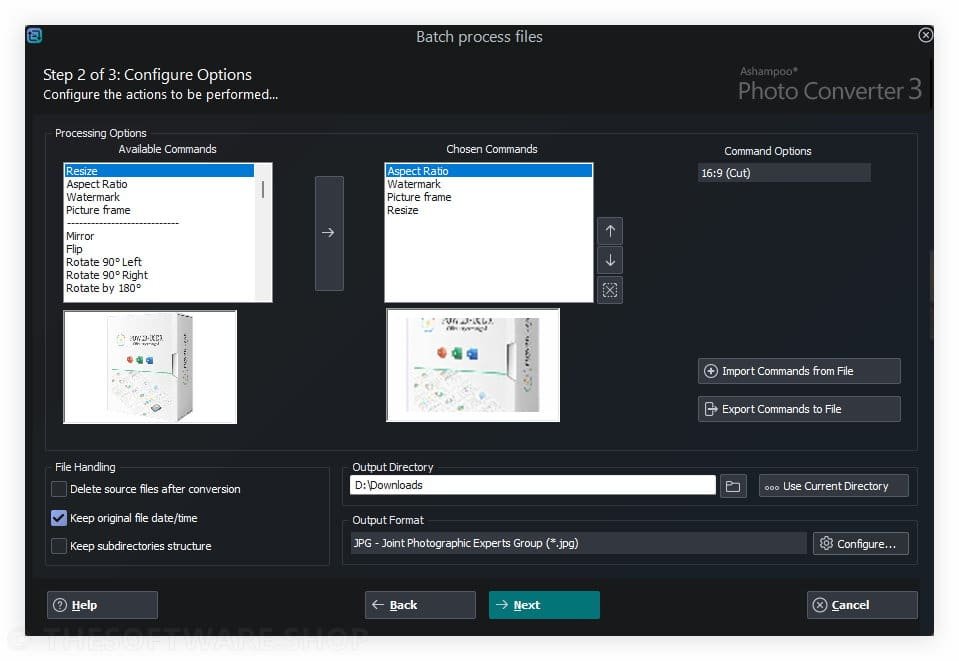
Beyond simple conversion, it acts as a comprehensive editing suite. It provides users with the ability to rotate, flip, or tilt photos and resize them using various metrics such as percentage, pixels, inches, or centimeters. The software includes intelligent algorithms to optimize contrast and color automatically, or users can choose to manually fine-tune settings like gamma, brightness, color depth, and saturation.
It is also a creative tool. Users can apply a multitude of artistic effects, ranging from pencil sketches and sepia tones to oil painting and relief filters. For professionals protecting their intellectual property, the software offers freely positionable watermarks, ensuring that your copyright is visible on every image you distribute. Essentially, it is a complete solution that replaces the need for multiple expensive specialized tools, bringing conversion, editing, and protection under one roof.
This software is not just a simple file changer; it is a robust workstation designed to alleviate the headache of modern digital asset management. Ashampoo Photo Converter 3 allows you to quickly, easily, and efficiently convert your images into practically any format, regardless of if it is a single photo or an entire folder containing thousands of shots. This program is a reliable partner for fast batch conversions, creative effects, or targeted image editing. When you need to resize an image, select a different format, or optimize hundreds of pictures at once, it is all possible with just a few clicks.
Version 3 has been engineered to cater to a broad spectrum of users. If you are a hobby photographer, a content creator, or a professional working with automated workflows, this tool possesses the right tools for the job. The software utilizes cutting-edge technology, running natively as a 64-bit application on Windows 10 and 11. This architecture ensures that the program takes full advantage of your system’s memory and processing power, resulting in significantly faster operations compared to older 32-bit applications.
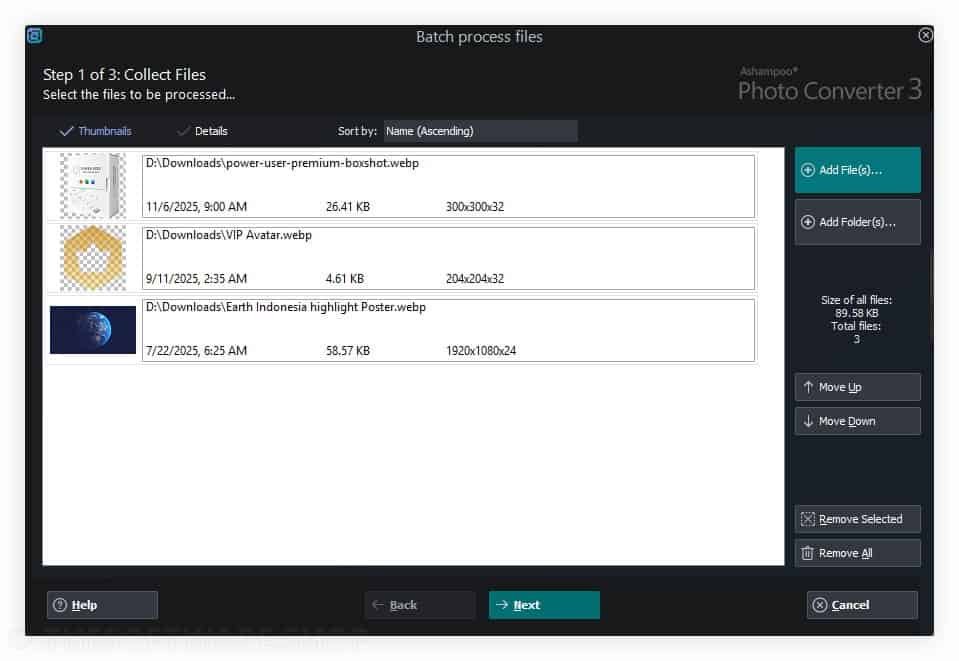
One of the most significant upgrades in this version is the modernized interface. It completely redesigns the user experience to be intuitive and accessible. The new menu layout guides you logic-ally through the process, meaning you get quick results without a learning curve. For those dealing with massive collections, the new batch wizard with drag and drop support offers a clear command list and live preview, making the processing of large folders a breeze. You can finally convert entire directories with minimal effort, ensuring your metadata, such as EXIF and XMP, remains intact.

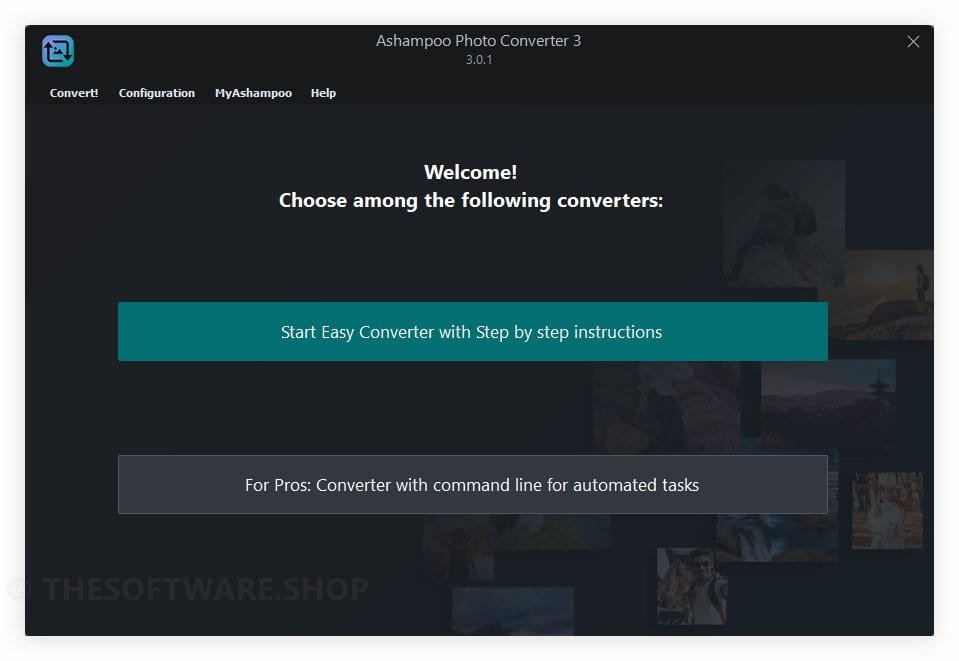
For advanced users who demand maximum precision, Ashampoo Photo Converter 3 offers a powerful Command Line Interface (CLI). This feature allows for the management of every feature directly from the command prompt, which is perfect for server environments or sophisticated automated scripts. You can enjoy batch processing, detailed logging, and precise quality settings without ever opening the graphical interface. This duality—simple for beginners, powerful for pros—makes it a standout choice in the market.
Key Benefits
Unmatched Speed and Efficiency
One of the primary benefits of this software is the sheer speed it brings to your workflow. Ashampoo Photo Converter 3 boasts significantly faster processing for common formats like PNG and JPG, with speed increases of up to 50% compared to previous iterations. This rapid processing is particularly handy when dealing with large image collections, saving you valuable time that would otherwise be spent waiting for progress bars to fill. The native 64-bit support ensures optimal memory usage, allowing the software to handle high-resolution images smoothly without crashing or slowing down your system.
Comprehensive Format Support
In a digital world filled with proprietary extensions, compatibility is king. This tool supports a massive range of file types, ensuring you are never stuck with a file you cannot open or use. It handles HEIF, SVG, and RAW formats effortlessly. This means photographers shooting in high-quality RAW formats can convert their work to shareable JPEGs in bulk, while web designers can manage vectors and raster images within the same interface. The software ensures compatibility across various platforms and devices, bridging the gap between your camera and your final output medium.
Dual-Mode Flexibility
The software uniquely caters to different user levels through its two distinct modes. The Simple GUI is perfect for beginners or those who prefer a visual approach, offering drag-and-drop functionality and immediate visual feedback. Conversely, the CLI tool provides a text-based interface for professionals and server administrators who need to integrate image processing into background scripts. This flexibility ensures that the tool adapts to your workflow, rather than forcing you to adapt to it.
Creative and Technical Control
You gain full control over the visual aesthetics of your images. The tool’s color and contrast adjustment capabilities allow for fine-tuning to achieve the exact look you desire. Features like “Clean Skin” help eradicate compression artifacts, ensuring your final images look pristine. Furthermore, the built-in preview feature provides instant feedback, enabling you to experiment fearlessly with effects like oil painting or borders before committing to the changes. This empowers you to unleash your creative side without the risk of ruining your original files.
Features
Key Features of Ashampoo Photo Converter 2
Below is a comprehensive list of the key features that make the software a valuable addition to your needs:
- Two Distinct User Modes – Offers flexibility for all skill levels.
- Simple GUI – Provides a visual, drag-and-drop interface ideal for beginners and quick tasks.
- Powerful CLI Tool – Enables extensive parameter control via command line for professionals, server use, and automation.
- Native 64-bit Architecture – Utilizes modern hardware capabilities.
- Optimal Memory Usage – Prevents crashes during large tasks by accessing more system RAM.
- High Performance – Ensures smooth operation on Windows 10 and 11 without resource bottlenecks.
- Extended Format Support – Handles modern and professional file types.
- HEIF and SVG Support – Compatible with high-efficiency formats used by smartphones and vector graphics.
- RAW Compatibility – Reads proprietary formats from Canon, Nikon, and DNG files for professional photographers.
- Accelerated Processing Speed – Reduces wait times significantly.
- Faster PNG/JPG Processing – Delivers conversion speeds up to 50% faster than previous versions.
- Multi-Core Optimization – Leverages the power of modern CPUs to process multiple images simultaneously.
- New Batch Wizard – Simplifies mass image management.
- Drag & Drop Support – Allows users to easily add folders or files to the queue.
- Sortable Command List – Lets users organize the order of operations for logical processing.
- Reusable Command Sets – Saves time on repetitive tasks.
- Exportable Settings – Save your favorite configurations as *.apcbatch files.
- Instant Recall – Apply complex editing chains to new batches of photos instantly without reconfiguration.
- Advanced Resizing Options – Provides precise dimensional control.
- DPI-based Resizing – Adjusts image size based on dots per inch for print readiness.
- Precise Inch Specifications – Allows for exact physical measurements alongside pixel and percentage resizing.
- Creative Image Effects – Enhances visual appeal instantly.
- Artistic Filters – Apply oil painting, pencil sketch, sepia, and black & white effects.
- Structural Changes – Easily apply frames, borders, and aspect ratio changes during batch processing.
- Image Optimization Tools – Improves image quality automatically.
- Compression Artifact Removal – The “Clean Skin” feature smooths out noise from low-quality files.
- Color & Contrast Adjustment – Auto-optimization or manual controls for gamma, brightness, and saturation.
- Watermarking and Protection – Secures intellectual property.
- Freely Positionable Watermarks – Place text or logos anywhere on the image canvas.
- Opacity Control – Adjust the transparency of watermarks to protect images without obscuring them.
- Metadata Management – Preserves essential file information.
- EXIF and XMP Preservation – Keeps original camera data intact during conversion.
- Date Insertion – Options to insert the original shooting date visually or preserve file timestamps.
- Preview and Live Feedback – Eliminates trial and error.
- Animated Progress Indicator – Visualizes the current status of the conversion job.
- Live Preview – Shows exactly how effects and resizing will look before the final processing step.
Requirements
To run #THE SOFTWARE with optimum reliability and performance, your system should match the following requirements:
- Operating System: Windows 11, 10, 8, 7
- Requirements: Any device that supports the operating systems listed above. Systems with ARM processors are not supported.
- Other: An Internet connection is required to activate the program. The program license is verified repeatedly at regular intervals.
Downloads
Not sure if #THE SOFTWARE does what you need? Try it out now. Please feel free to download Ashampoo Photo Converter 3 for Windows here. This image conversion & processing tool by Ashampoo has been tested professionally and we are assured that no viruses, Trojans, adware or malware contained.
BUY NOW
Ashampoo Photo Converter 3 is available for $15.00. But, through THESOFTWARE.SHOP, You can get Ashampoo Photo Converter 3 license with our exclusive 50% discount coupon. This offer is available for a limited time!
Giveaway: You can also get Ashampoo Photo Converter 3: full version with a license key for free in the Giveaway tab below!

" />
- Lifetime License for 1 PC
- Free Product updates for the current version
- Free technical Support by Ashampoo team
- 30-day money-back guarantee
Platform: Windows

" />
- Lifetime License for 1 PC
- Free Product updates for the current version
- Free technical Support by Ashampoo team
- 30-day money-back guarantee
Platform: Windows

Ashampoo Photo Commander 19: Lifetime License (One-time Fee, No Time Limit) BEST SELLER

Ashampoo Photo Recovery 3: Lifetime License GIVEAWAY

Ashampoo Photo Optimizer 11 BEST OFFER

Ashampoo Cinemagraph: One-time payment, No time limit BEST OFFER

Ashampoo Burning Studio 27: Perpetual License BEST SELLER
Ashampoo® Photo Converter 3 Free Key Giveaway
available now free for a limited time!

Please note that once you have signed in, do not close this page. You will be shown how to get this offer for free.
Also, check out the latest software giveaways that are available here on the software giveaway page.
NOTES:
– All prices shown here are in listed USD (United States Dollar).
– Such promotional programs are subject to change without notice, from time to time in our sole discretion.
– Data may vary based on different systems or computers.
Thanks for reading Ashampoo Photo Converter 2 Review & Enjoy the discount coupon. Please Report if Ashampoo Photo Converter 3 Discount Coupon/Deal/Giveaway has a problem such as expired, broken link, sold out, etc while the deal still exists.



![[NEW KEY #7] Giveaway – Softorbits Photo Stamp Remover AI 17: Free License Key | Full Version – for Windows](https://thesoftware.shop/wp-content/uploads/thumbs_dir/SoftOrbits-Photo-Stamp-Remover-AI-Review-Download-Discount-Coupon-rfosmz4ouaoatz07nim7201nlr879spxakr18cye1k.png)
![[NEW KEY #3] Giveaway – UltraPic Pro: Free Activation Code | Instant Background Remover, Batch Processing, AI Backgrounds, Pro E-commerce Photo Editing Tool](https://thesoftware.shop/wp-content/uploads/thumbs_dir/UltraPic-Pro-Free-Credits-Activation-Code-Giveaway-rfw7nyk7hu4iw3lyks61674v7m1vsvlmyfi22fordk.png)

