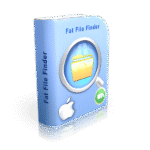
Giveaway – Fat File Finder Pro: Free Full Version | Fast Large File Cleaner – for Windows

Remove or shred locates large files to free up valuable disk space. Get full version of Fat File Finder Pro for free now!
Free Full Version!
Fat File Finder Pro Review at a Glance
Are you constantly running out of disk space on your PC or Mac? Large downloads, old backups, forgotten videos, and bloated application folders silently eat up gigabytes or even terabytes of storage until your system slows down or refuses new files. Standard search tools are too slow and too basic to help you find what you really need to delete.
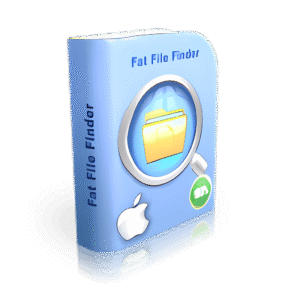
Fat File Finder Pro by PCWinsoft is built to solve this problem: it quickly identifies oversized files on Windows and macOS, shows you exactly how much space they occupy, and lets you delete, permanently remove, or securely shred them using internationally recognized data‑erasure standards. Whether you’re cleaning up a personal laptop, a workstation, or a small‑office server, Fat File Finder Pro puts powerful, reliable disk‑cleaning tools in an easy‑to‑use interface.

Below is a comprehensive overview of what Fat File Finder Pro is, how it works, and why it deserves a place in your daily maintenance toolkit.
What is Fat File Finder Pro?
Fat File Finder Pro is a dedicated disk‑space optimization tool designed to help you locate and manage large files on your Windows PC or Mac. Instead of manually browsing folders or relying on the built‑in search, the software performs fast recursive scans starting from any root folder of your choice and lists only the files that match your size and naming criteria.

During each scan, the program displays a real‑time pie chart showing occupied and free disk space, so you instantly see how much storage you regain as you remove files. You can sort results by size, extension, name, or folder, then choose whether to send to the recycle bin, delete permanently, or shred files beyond recovery.

The application is built for maximum stability and compatibility, running smoothly on home computers, office workstations, and even small‑scale data servers. Its straight‑to‑the‑point interface makes it accessible to beginners while still offering advanced options for power users who want granular control over file size ranges, folder depths, and search wildcards.


Key Benefits
PCWinsoft Fat File Finder Pro offers several practical benefits that directly improve your computing experience:
- Free up disk space quickly by finding the largest files first, without guessing which folders to open.
- Speed up your system by reducing clutter on storage drives, which can improve boot times and application responsiveness.
- Prevent “disk full” errors on your PC or Mac by proactively removing or relocating files before they become a problem.
- Recover space from old downloads, videos, backups, and temporary files that often accumulate unnoticed.
- Securely erase sensitive data using international erasure standards, so files cannot be recovered by forensic tools.
- Rest easy with a stable, reliable tool that is thoroughly tested and suitable for everyday use on multiple machines.
In short, PCWinsoft Fat File Finder Pro helps you keep your computers lean, fast, and organized by focusing on exactly what wastes the most space: big files you no longer need.
Features
Below is a comprehensive list of the key features that make Fat File Finder Pro a valuable addition to your computing toolkit. Each main feature is followed by its sub‑features, all described in a single line for clarity.
- Fast, accurate recursive scanning
- Quickly traverses folders and sub‑folders to find every file matching your size and name criteria.
- Does not miss nested files, even deep inside complex folder hierarchies.
- Real‑time pie chart view of disk usage
- Displays occupied and free disk space in an easy‑to‑read pie chart while you work.
- Updates live as you remove or shred files, so you see disk‑space changes instantly.
- Flexible size‑based search options
- Choose a minimum size threshold to find only large files.
- Define a size range (for example, files between 1 GB and 10 GB) to zero in on specific file sets.
- Folder depth control
- Set how deep into sub‑folders the search should go, from top‑level only to unlimited recursion.
- Stop the recursive scan at any moment if you see promising results early.
- Search from system shortcuts
- Start scanning directly from common high‑storage folders such as Downloads, Documents, Desktop, Program Files, and other system locations.
- Reduces the time spent manually selecting root folders.
- Filename wildcard support
- Use wildcards like
*.mp4,*.zip, or*.bakto search for specific types of large files. - Combine wildcards with size filters to target only oversized files of a given type.
- Use wildcards like
- Instant sorting and grouping
- Sort the found files by size, file extension, name, or containing folder.
- Group similar files together to compare and manage them more efficiently.
- Safe deletion workflows
- Send selected files to the recycle bin so you can review or restore them later.
- Delete files permanently when you are certain they are no longer needed.
- Military‑grade file shredding
- Shred files beyond recovery using internationally recognized data‑erasure standards.
- Supports protocols such as DOD 5220.22‑M, NATO, and similar multi‑pass overwrite methods.
- User‑friendly interface
- Clean, intuitive layout that guides you through five simple steps to start and complete a scan.
- No technical jargon required; ideal for both beginners and IT‑savvy users.
- Cross‑platform support for Windows and Mac
- Runs natively on Windows PCs and macOS machines, giving you consistent behavior across both platforms.
- Maintains familiar keyboard shortcuts and UI patterns for each operating system.
- Rock‑stable performance
- Designed to remain responsive and crash‑free, even when scanning large hard drives or complex folder trees.
- Suitable for use on home computers, office workstations, and small business servers.
- Cancellation and pause‑like control
- Cancel the search at any time if you find enough targets or decide to change your search criteria.
- Resume work immediately without waiting for the scan to complete.
- Detailed file information at a glance
- Shows each file’s size, full path, and modification date in the results list.
- Helps you decide which files to keep, move, or delete based on recency and content.
Requirements
To run #THE SOFTWARE with optimum reliability and performance, your system should match the following requirements:
- Operating System:
- Windows 10 or later (64‑bit recommended)
- macOS 10.14 (Mojave) or later
- Processor:
- Any modern CPU (dual‑core or better recommended)
- RAM:
- At least 2 GB of RAM (4 GB recommended for very large drives)
- Storage:
- 50–100 MB of free disk space for the application itself
- Any size hard drive or SSD to scan (HDD, SSD, external drives supported)
- Screen Resolution:
- Minimum resolution of 1024×768 for comfortable viewing
- Permissions:
- Administrator/root access may be needed for scanning certain system folders or external drives
Downloads
Explore how Fat File Finder Pro works according to your needs. Download the free trial or demo version to test the software on your PC or Mac, experiment with large‑file scans, and verify the real‑time pie chart and deletion options by clicking the button below.
BUY NOW
Fat File Finder Pro is available starting at a $19.90. However, you can now get a full version of Fat File Finder Pro for free in the Giveaway tab below, and this offer is available for a limited time only.

WinExt PRO (Lifetime) BEST OFFER

Coolmuster Data Erasure GIVEAWAY

Abelssoft Undeleter for Windows BEST OFFER

SysTweak Duplicate Files Fixer BEST OFFER
FileFusion BEST OFFER
Abelssoft FileCryptor BEST OFFER

aBigGB: Lifetime Access BEST OFFER

ForceDelete Pro BEST OFFER

Wise Duplicate Finder Pro BEST OFFER
33% Off – Easy Duplicate Finder™ with Free Ebook & Hard Drive Optimizer | Organize All Your Files by Deleting Duplicates BEST SELLER
Fat File Finder Pro Key Giveaway
Available now: Free License for a Limited Time!
To access the giveaway, kindly provide your email address. Please refrain from closing this page after signing in to receive instructions on how to access the offer at no cost.

NOTES:
– All prices shown here are in listed USD (United States Dollar).
– Such promotional programs are subject to change without notice, from time to time in our sole discretion.
– Data may vary based on different systems or computers.
Thanks for reading Fat File Finder Pro Review & Enjoy the discount coupon. Please Report if Fat File Finder Pro Discount Coupon/Deal/Giveaway has a problem such as expired, broken link, sold out, etc while the deal still exists.



![[NEW LINK #9] Giveaway – ASCOMP PC Internals Professional Edition v2.102: Free License Key | Real-Time PC Hardware Analysis and Drive Monitoring Tool – for Windows](https://thesoftware.shop/wp-content/uploads/thumbs_dir/ASCOMP-PC-Internals-Professional-Review-Download-Discount-Coupon-rfosnlotebj6km3fzsd8pucpv050ej7hdoeor00xw8.png)