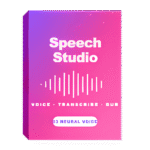
Giveaway – Kaizen Speech Studio Pro: Free 1-year Pro License | AI Text-to-Speech Desktop App – for Windows

Turn Any Text Into Professional-Grade Audio — 9 Hours Free Every Month, No Subscription Required. Get Kaizen Speech Studio Pro with a 1-year License for Free Today.
Free Full Version!
BUY NOW
Kaizen Speech Studio Pro is normally $49.00 for a 1‑year license. For a limited time, you can get a FREE 1‑year license through the Giveaway tab below. Don’t miss this limited‑time offer.
VOVSOFT Text to MP3 Converter: Lifetime License BEST OFFER
Transcrybe BEST OFFER

HyNote BEST OFFER
iTop Voicy Pro GIVEAWAY

1min AI Lifetime Deal BEST OFFER

HitPaw Online BEST OFFER

HitPaw VoicePea BEST SELLER

Video Pro X17: PErpetual BEST OFFER

ImagineArt EXCLUSIVE

Movavi Video Suite 2025: Lifetime License BEST SELLER
Kaizen Speech Studio Pro Giveaway
Available now: Free 1-year Pro License for a Limited Time!
To access the giveaway, kindly provide your email address. Please refrain from closing this page after signing in to receive instructions on how to access the offer at no cost.

NOTES:
– All prices shown here are in listed USD (United States Dollar).
– Such promotional programs are subject to change without notice, from time to time in our sole discretion.
– Data may vary based on different systems or computers.
Kaizen Speech Studio Pro Review at a Glance
Every content creator, educator, and business professional knows the frustration: you have great content, but producing high-quality audio narration is either expensive, time-consuming, or dependent on a fragile recording setup. Hiring voice actors is costly. Web-based TTS tools lock features behind steep monthly credit systems. Recording your own voice requires expensive equipment and editing software. Kaizen Speech Studio Pro solves all of this in one clean Windows desktop app — giving you access to 603+ Microsoft Azure neural voices across 80+ languages, all powered by your own Azure key, with zero recurring costs for everyday use.
What Is Kaizen Speech Studio Pro?
Kaizen Speech Studio Pro is a professional desktop voice production application for Windows 10/11 that bundles five enterprise-grade audio tools into a single, streamlined interface. At its core, it is a Text-to-Speech (TTS) engine backed by Microsoft Azure Cognitive Services — the same neural voice infrastructure used by Fortune 500 companies, global broadcasters, and enterprise-level developers worldwide. Beyond TTS, the app also includes a Speech-to-Text transcription tool, an AI Video Dubbing module, a video/audio downloader, and a comprehensive history and cost tracking dashboard.
Unlike web-based platforms that charge per character, per minute, or per generation, Kaizen Speech Studio Pro operates on a Bring Your Own Azure Key (BYOK) model. Your Azure credentials stay on your machine and are never uploaded to any server. This means full data privacy, transparent Azure billing you control, and the ability to scale usage up or down without changing your subscription tier.
Whether you are an audiobook narrator, YouTube content creator, e-learning course developer, podcast producer, indie filmmaker, or corporate trainer, Kaizen Speech Studio Pro delivers a complete voice production pipeline without the overhead of a studio.
Key Benefits
Kaizen Speech Studio Pro stands apart from competing TTS tools because it combines cost efficiency, voice quality, and workflow depth in a way no web-only platform currently matches. Here is why thousands of content professionals choose it:
- 9 hours of TTS completely free every month — Microsoft Azure’s F0 free tier provides 500,000 characters of neural TTS per month at zero cost. Kaizen Speech Studio accesses this tier by default, meaning most everyday users pay nothing beyond their one-time Pro license
- No recurring subscription required — The Pro license is a flat $49/year or a $99 one-time Lifetime purchase. There are no per-credit charges stacked on top of your license fee
- Data privacy by design — Your Azure API keys are stored locally on your PC and never leave your machine. Unlike cloud-based platforms that process your audio data on their servers, all API calls go directly from your device to Microsoft Azure
- Commercial use included — Microsoft Azure’s Terms of Service permit commercial use of all generated audio. You can legally use your output in YouTube videos, podcasts, audiobooks, e-learning courses, apps, and broadcast productions without attribution
- One app replaces multiple tools — Instead of paying separately for a TTS platform, a transcription service, a video dubbing solution, and a download utility, Kaizen Speech Studio Pro consolidates all four workflows into one desktop application
- Scales with your Azure tier — Start free, stay free if your usage fits the Azure F0 tier. When you need more, simply upgrade your Azure Speech Service resource — the app follows your account without any changes needed on your end
- No internet dependency for the app itself — The application runs locally on Windows; only the actual Azure API calls require connectivity
Key Features
Below is a detailed breakdown of every major tool and sub-feature inside Kaizen Speech Studio Pro. Each component is built to reduce friction at every step of your voice production workflow:
- Text-to-Speech Engine — The core TTS workflow: paste text, select a voice, and generate studio-quality audio in seconds
- 250,000 characters per input on Free — handle long-form content like full chapters or scripts without splitting manually
- Unlimited characters per generation on Pro — no restrictions on long-form documents, full audiobooks, or extended narration sessions
- 603+ Azure neural voices — access the full Microsoft Azure voice library including standard Neural and premium HD variants
- 80+ supported languages — including Hindi, Mandarin Chinese, Japanese, Arabic, German, French, Spanish, Portuguese, and all major Latin-script languages
- Per-voice style selection — apply emotional registers like cheerful, serious, customerservice, narration, newscast, and more, depending on the selected voice
- Prosody control — adjust speech rate, pitch, and volume with presets or fully custom values for precise delivery tuning
- Full SSML editor — visual editor with one-click inserts for voice, style, prosody, language overrides, and role tags; raw SSML paste also supported with pre-submission validation
- File import (Pro) — import directly from TXT, PDF, DOC, and DOCX formats; handles standard document formatting automatically
- Export formats — generate output as MP3 or WAV files ready for immediate use in any downstream production tool
- Voice Picker — A searchable, filterable grid of every available Azure voice with rich metadata and live audio previews
- Multi-dimensional filters — filter voices by gender, language, country, speaker name, or personality characteristics (bright, calm, friendly, authoritative, etc.)
- Per-voice style samples — hear each voice read sample phrases in different emotional styles before committing to a generation
- Premium HD voice access — select Azure’s highest-quality HD voice variants for maximum realism
- MultiTalker voices — use paired voice models (such as Ava & Andrew) for multi-speaker dialogue scenes within a single generation
- Usage tracking — the app logs which voices you use most, helping you build a consistent brand voice over time
- Speech Transcription Tool — Convert spoken audio to accurate text using Azure Speech-to-Text in real time or from file
- Live microphone transcription — start, pause, and stop a live recording session with real-time text preview on screen
- File upload transcription — upload existing audio in WAV, MP3, OGG, or FLAC formats for batch transcription
- Automatic language detection — Azure identifies the spoken language in most cases automatically; manual language selection also available
- High-quality recording presets — record your microphone input simultaneously as a 44.1kHz MP3 or WAV file alongside the live transcript
- Export options — copy the completed transcript directly to clipboard or save it as a plain text file
- 5 hours per month on Pro (BYOK Azure) — generous monthly allowance for regular transcription work within the Pro plan
- AI Video Dubbing (Pro) — A full automated dubbing pipeline that replaces audio tracks with synthesized speech in any target language
- End-to-end pipeline — the workflow runs as Upload → Translate → Generate → Download with visible progress indicators at each stage
- Multi-language output — select any source language and any target language supported by Azure Video Translation
- Optional subtitle track — generate and embed a subtitle file in the target language alongside the dubbed audio
- Non-destructive processing — the original video file is always preserved; output is saved as a new file
- Azure Blob Storage integration — requires Azure Speech Service plus Azure Blob Storage (guided 11-step setup included in-app)
- Requires Pro or Lifetime license — plus your own Azure resources for processing
- Video & Audio Downloader — Paste any supported video URL and download the file locally in your chosen quality
- YouTube and common platform support — works with YouTube and other widely-used video hosting platforms
- Up to 1440p video quality — download full high-resolution video for use in dubbing, editing, or archival
- Audio-only MP3 extraction — extract the audio track from any supported video directly to MP3 without downloading the full video file
- Free tier: 2 downloads/month — a visible download counter in the UI tracks your usage; unlimited downloads on Pro
- History & Cost Tracking Dashboard — A comprehensive transaction log that keeps every generation accountable and your Azure spending transparent
- Full activity log — every TTS generation, transcription session, dubbing job, and AI Improve Text call is recorded with full metadata
- Per-row cost in USD — see the exact Azure cost of every individual action so there are no billing surprises at month-end
- Sort and filter controls — sort by cost, voice, language, or timestamp; search through your full generation history
- One-click re-run — replay any past generation instantly with the same settings without re-entering inputs
- Log management — clear, filter, or delete individual entries to keep your history organized
Why Kaizen Speech Studio Pro Is the Right Choice for Your Workflow
Unmatched Free Tier Value
At a time when most AI voice tools offer 10 minutes per month on a free plan, Kaizen Speech Studio Pro gives you 9 full hours every month at no cost. This is not a trial — it is the Microsoft Azure F0 tier operating as intended, with Kaizen Speech Studio providing the cleanest desktop interface to access it.
Transparent, Predictable Costs
Every competing web platform layers monthly subscription fees on top of per-credit usage charges. With Kaizen Speech Studio, you pay once for the app (or nothing on Free), and your only variable cost is your direct Azure bill — which you monitor in real time inside the app’s cost tracking dashboard.
Built for Windows Power Users
Web tools require a browser, an active account session, and your data flowing through third-party servers. Kaizen Speech Studio is a native Windows 10/11 desktop application. It runs locally, keeps your keys local, and integrates directly into file-based workflows without copy-paste friction between browser tabs.
The Voice Behind Professional Content
Kaizen Speech Studio Pro is the right tool for:
- Audiobook authors and narrators who need to produce full-length recordings cost-effectively
- YouTube creators and video producers who want polished voiceover without studio sessions
- E-learning and course developers who publish in multiple languages and need consistent, professional narration
- Podcast producers who need transcription and TTS in one place
- Indie filmmakers and game developers who need character dialogue, narration, or dubbed versions of their content
- Corporate trainers and HR teams who produce multilingual training materials at scale
- Educators and teachers who need accessible, clearly spoken content for diverse student groups
System Requirements
- Operating System: Windows 10 or Windows 11 (64-bit)
- Internet connection: Required for Azure API calls (TTS, transcription, dubbing)
- Azure account: Required — free Microsoft Azure account sufficient for Free plan usage
- Azure Blob Storage: Required only for AI Video Dubbing feature
- Storage: Standard installation; additional local storage for exported audio and video files
- Azure region: Currently East US (multi-region support in development)
Free to Try
Get your hands on Kaizen Speech Studio before you spend a single dollar. The Free plan gives you full access to 603+ Microsoft Azure neural voices, 9 hours of TTS audio per month, and 2 video downloads — no credit card required. Install the app, connect your free Azure account, and generate real studio-quality audio on day one. Download the free version directly from the Kaizen Apps website to put it through its paces before making any purchase decision.
Thank you for reading Kaizen Speech Studio Pro review, and enjoy the discount coupon. If you notice any issues with Kaizen Speech Studio Pro discount coupon, deal, or giveaway—such as an expired offer, broken link, or sold‑out promotion—please let us know while the deal is still available.


![[NEW LINK #5] Giveaway – Audials Music 2026 SE: Free Lifetime License | Full Version – for Windows](https://thesoftware.shop/wp-content/uploads/thumbs_dir/Audials-Music-2026-Special-Edition-Review-Download-Free-Giveaway-rfy5w62nqt1wed8um44g6por66u091ewvwgo4935i0.png)