Giveaway #4 – Recastia Pro: Free License Code | Turn PDF to Video, Flipbook, Presentation, Website, Chatbot & 3D Exhibition

Repurpose One PDF Into Six Digital Formats — Get Recastia Pro with a License Code for Free Today
Free Full Access!
BUY NOW
Recastia Pro is normally available for $8/month, but for a limited time, you can get a full Recastia Pro license code for free through the Giveaway tab below.

Systweak PDF Editor PRO BEST OFFER

PDF Annotator BEST SELLER
PDF Reader Pro BEST OFFER
Corel PDF Fusion BEST OFFER

PDNob PDF Editor BEST OFFER
ASCOMP PDF Imager Professional BEST OFFER
Coolmuster PDF Image Extractor: Lifetime BEST OFFER
iCarePDF Unlocker & Lock BEST OFFER

ASCOMP PDF-Compress Professional BEST OFFER

LightPDF VIP: BEST OFFER

PDFZilla Productivity Toolkit BEST OFFER

PDF Slideshow PRO BEST OFFER
Recastia Pro Giveaway
Available now: Free Activation Code For a Limited Time!
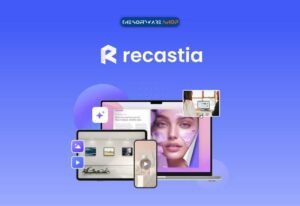
To access the giveaway, kindly provide your email address. Please refrain from closing this page after signing in to receive instructions on how to access the offer at no cost.

NOTES:
– All prices shown here are in listed USD (United States Dollar).
– Such promotional programs are subject to change without notice, from time to time in our sole discretion.
– Data may vary based on different systems or computers.
Recastia Pro Review at a Glance
Most businesses, educators, and publishers have a drawer full of PDFs that never get the attention they deserve. A product catalog, a training manual, or a quarterly report might contain valuable information, but a flat document does little to hold a reader’s attention in a world that expects video, interactivity, and instant answers. Rewriting that content from scratch for every new format is slow, and hiring a developer or video editor for each file is expensive. This is the exact gap that Recastia Pro is built to close.
What Is Recastia Pro
Recastia Pro is a cloud-based, AI-driven repurposing platform that converts a single uploaded PDF or image file into multiple ready-to-share digital experiences. Rather than treating a document as a static, one-time-use file, Recastia reads its content, layout, and visuals, then uses that information to automatically generate a video script, a slide sequence, a chatbot knowledge base, a website layout, a flipbook, or a 3D exhibition space depending on what the user selects. The platform is built around a simple three-step workflow: choose the output format, upload the source file, and generate the finished content, which can then be published and shared through a link or QR code.
Unlike traditional editing software that requires a blank canvas and manual design decisions, Recastia works from existing content the user has already created. This means teams do not need to write a new script, design new slides, or rebuild layouts from zero every time they want a new content format. The AI extracts the key information from the source document and adapts it to fit the structure of the selected output, whether that is a narrated video with an AI avatar or a mobile-responsive web page.
Key Benefits
Below are the main advantages that make Recastia Pro worth adding to a content or marketing workflow, particularly for teams that repurpose the same information across multiple channels.
- Saves production time: One uploaded file can generate a video, presentation, flipbook, chatbot, website, or 3D exhibition without rebuilding content from scratch for each format.
- Removes the need for specialized skills: No coding, no video editing experience, and no graphic design background is required to produce professional-looking output.
- Keeps branding consistent: Because every format is generated from the same source document, messaging and visual details stay aligned across channels.
- Improves audience engagement: Interactive flipbooks, narrated videos, and chatbots hold attention longer than a static PDF that most readers skim or ignore.
- Simplifies sharing and distribution: Finished content can be published instantly and shared with a single link or QR code instead of requiring downloads or app installs.
- Reduces production costs: Replacing separate freelancers or software subscriptions for video, web design, and chatbot development with one platform lowers overall spending.
- Works across many industries: Marketing, education, real estate, retail, publishing, and event organizing all benefit from turning static documents into interactive formats.
Recastia Pro is an AI-powered content repurposing platform that reads an uploaded PDF or image file and rebuilds it into far more engaging formats without requiring the user to redesign anything manually. Instead of starting a video script from a blank page or hiring a web developer to publish a landing page, a user simply uploads their file, picks an output type, and lets the AI handle scriptwriting, voiceover, layout, and formatting. The platform currently supports six major output types: PDF to Flipbook, PDF to Video, PDF to Presentation, PDF to Website, 3D Exhibition, and PDF to Chatbot, plus a practical PDF to Document conversion tool for teams that just need editable Word, PowerPoint, Excel, or image files.
The core value of Recastia Pro lies in how much manual work it removes from the content production process. A marketing team can take a single brochure and generate a promotional video with an AI avatar presenter, then reuse the same file to build a chatbot that answers customer questions automatically. A teacher can convert a lesson PDF into an interactive slide presentation with narration, so students can review it at their own pace. A publisher can create a realistic-looking digital flipbook for a magazine issue while keeping every visual detail of the original layout intact. None of these outcomes require design software, video editing skills, or coding knowledge, because the AI generates the structure, script, and formatting automatically based on the content already inside the uploaded file.
Choosing Recastia Pro over hiring freelancers or juggling multiple separate tools makes practical sense for several reasons. First, it consolidates six different content production workflows into one platform, so a business no longer needs a separate flipbook maker, a separate video editor, a separate website builder, and a separate chatbot service. Second, everything is generated from the same source file, which keeps messaging, branding, and information consistent across every format the content is repurposed into. Third, the output can be shared instantly through a link or QR code, which removes the friction of file downloads, app installations, or manual hosting setup.
This makes Recastia Pro genuinely useful for a wide range of people. Digital marketers and agency owners can turn client brochures into scroll-stopping videos and shareable landing pages without extra production costs. Educators and training departments can convert manuals and lesson plans into guided presentations with voiceover narration. Publishers, real estate agents, and retail brands can build flipbook catalogs that feel like a real magazine, while event organizers and museums can build 3D exhibition spaces that let visitors explore content from every angle instead of scrolling through flat images. Anyone who regularly produces PDFs and wants those documents to work harder, without adding more hours to their workload, is a strong fit for this tool.
Simple Three-Step Workflow
Recastia Pro is built around a short, guided process so teams can move from a single document to a finished, shareable piece of content in minutes rather than days.
- Step 1 — Choose What You Want to Create: Select the output type that fits the content, such as an AI video, slide presentation, online flipbook, AI chatbot, landing page, or 3D exhibition.
- Step 2 — Upload Your File: Add the source PDF or image containing the pages, visuals, and information the AI will use to generate the output.
- Step 3 — Generate, Share, and Publish: Produce the finished content, publish it online, and distribute it instantly with a link or QR code.
Key Features
Below is a comprehensive list of the key features that make the software a valuable addition to your content workflow:
- PDF to Flipbook: Converts uploaded files into an online flipbook with smooth, realistic page-turning while preserving the original layout and visual details.
- Layout Preservation: Keeps catalogs, magazines, brochures, and reports looking exactly as designed, page for page.
- Natural Browsing Experience: Lets readers flip through content online the same way they would with a printed publication.
- PDF to Video: Turns a static PDF into a fully produced video with an AI-generated script and natural voiceover.
- Synced Captions: Automatically times on-screen text to match the spoken narration for easier viewing.
- AI Avatar Presenter: Adds an optional on-screen presenter to deliver the content in a more personal, engaging way.
- Background Music and Effects: Adds supporting audio and visual elements so the finished video feels polished rather than robotic.
- PDF to Presentation: Builds an interactive, page-by-page slide presentation that runs directly in a browser.
- Narration and Captions: Guides viewers through each slide with spoken explanation and matching text.
- Shareable Link or QR Code: Lets viewers open the presentation instantly without downloading an app or file.
- PDF to Website: Generates a responsive web page from a flipbook or uploaded file without writing code.
- AI Content Extraction: Automatically pulls key information from the source file to build the first version of the page.
- Plain-Language Editing: Lets users request layout or content changes using simple written instructions instead of code.
- Device-Responsive Design: Automatically adapts the page for phones, tablets, and desktop browsers.
- 3D Exhibition: Creates a virtual exhibition space that visitors can move through on any device.
- Ready-Made Templates: Provides starting layouts for showrooms, galleries, company spaces, and school projects.
- Free Movement and Interaction: Lets viewers explore content from every angle instead of scrolling through flat images.
- PDF to Chatbot: Adds an always-available chatbot trained on the content inside the uploaded file.
- Instant Question Answering: Lets visitors get relevant answers without searching page by page through a document.
- Custom Avatar and Captions: Matches the chatbot’s appearance and style to a brand’s identity.
- PDF to Document: Converts PDFs into Word, PowerPoint, Excel, and image files while keeping the original layout intact.
- Ready for Online Hosting: Converted files can be hosted, shared instantly, and accessed from anywhere.
Requirements
Before using Recastia Pro, it helps to confirm the following basic requirements so the platform runs smoothly and the generated output looks correct on every device.
- A stable internet connection is needed since Recastia Pro is a cloud-based platform rather than locally installed software.
- Source files should be in supported formats, primarily PDF documents and common image files, as available formats may vary depending on the selected creation type.
- A modern web browser is recommended for uploading files, editing generated content, and previewing videos, presentations, flipbooks, and 3D exhibitions.
- No coding knowledge, video editing software, or design experience is required, since the AI handles content generation and formatting automatically.
Free to Try
See how Recastia Pro handles a real PDF before committing to a paid plan. Get the free edition to test flipbook creation, video generation, or chatbot setup using one of your own documents, and judge the output quality firsthand by clicking the button below.
or
Buy now, the price start from:
Thank you for reading Recastia Pro review, and enjoy the discount coupon. If you notice any issues with Recastia Pro discount coupon, deal, or giveaway—such as an expired offer, broken link, or sold‑out promotion—please let us know while the deal is still available.