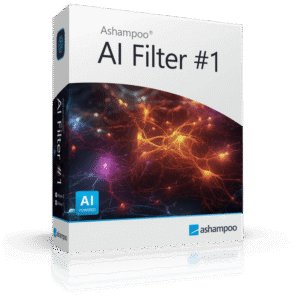
Giveaway – Ashampoo® AI Filter #1: Free Full Version | AI-Powered Photo Editing Software for Custom AI Photo Filters, LUT Support & Photoshop Plug-Ins – for Windows

Build a personal AI filter that reproduces the exact same look on unlimited photos, forever. Get a full version of Ashampoo® AI Filter #1 with a Lifetime License for FREE!
You can also get Ashampoo® AI Filter #2 Professional with a lifetime license that includes free updates and support at a discount of up to 60% OFF!
✔ Lifetime License. ✔ Free Product Updates ✔ Customer Support
BUY NOW
Ashampoo® AI Filter #2 Professional normally costs $100, but for a limited time, you can get the full version with a lifetime license for 60% off using our exclusive discount coupon code. Don’t miss this limited-time offer!
Software Giveaway: You can also get a full version of Ashampoo® AI Filter #1 with a lifetime license for free through the Giveaway tab below!
AI-Powered Photo Editing Software for Custom AI Photo Filters, RAW Development, Batch Processing, LUT Support & Photoshop Plug-Ins for Photographers and Creators
- Delivery: Download version, One-time payment, No time limit
- Creation of custom AI photo filters from a single before-and-after image
- Intelligent AI module for analyzing and reproducing image edits
- AI database for custom filters including 30 pre-trained image looks
- Easy application of AI filters to individual images or image series
- Position grid with three levels for learning individual image gradients
- Fourier features with two levels for light gradients and light effects
- Sub-division method with three levels for faster AI training
- Adjustable image block sizes in four levels for more complex filters
- Adjustable AI network layer structure in four levels
- Automatic training validation to prevent overfitting
- 30 presets with a combination assistant for creative results
- Fully redesigned and customizable interface
- Watermark module for custom logos
- Support for 1,358 camera RAW formats
- Stable and reproducible filter results without extensive post-processing

HitPaw Online BEST OFFER

Pixlr Premium BEST SELLER

76% Off – Luminar Neo Lifetime Paws & Tails Bundle – AI Photo Editing Software with 70 Pet & Wildlife Presets | Support Homeless Animals | Lifetime License for 2 Computers BEST OFFER

CorelDRAW Graphics Standard BEST SELLER

Excire Foto 2025: Lifetime License BEST SELLER

Luminar BEST OFFER

PicWish BEST OFFER

Tenorshare PixPretty GIVEAWAY
Ashampoo® AI Filter #1 Giveaway
Available now: Free License Key for a Limited Time!
To access the giveaway, kindly provide your email address. Please refrain from closing this page after signing in to receive instructions on how to access the offer at no cost.

NOTES:
– All prices shown here are in listed USD (United States Dollar).
– Such promotional programs are subject to change without notice, from time to time in our sole discretion.
– Data may vary based on different systems or computers.
Ashampoo® AI Filter #2 Professional Review at a Glance
Photographers, content creators, and photo editors all run into the same frustrating wall: an edit that took real effort to get right cannot easily be repeated on the next batch of images. Sliders, layers, and manual adjustments have to be redone from scratch every time, which wastes hours and makes consistent style across a portfolio nearly impossible.
This is exactly the problem that Ashampoo AI Filter #2 Professional was built to solve.
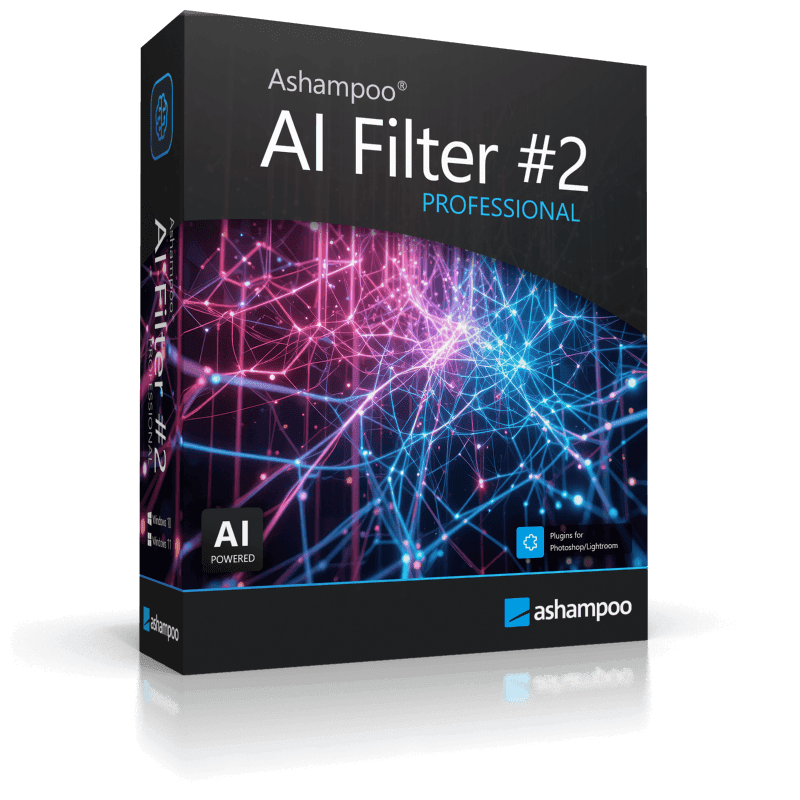
What is Ashampoo AI Filter #2 Professional
Ashampoo AI Filter #2 Professional is an AI-powered image editing application that creates custom, reusable photo filters directly from a user’s own image edits. Instead of relying only on predefined looks, the software’s integrated AI module analyzes a single before-and-after image pair at the pixel level and reconstructs the editing steps behind it. The result is a permanent, custom AI filter that can be combined with others, refined, exported, and applied across a wide range of subjects and lighting conditions.
Below is a comprehensive list of the key features that make the software a valuable addition to your workflow:
- Creation of custom AI photo filters from a single before-and-after image
- Neural AI module for analyzing and reproducing image edits
- AI database for custom filters including 30 pre-trained image looks
- Import and export of AI filters for sharing and reuse
- Position grid with four levels for precise learning of image gradients
- Fourier features with four levels for realistic light gradients and light effects
- Sub-division training in four levels for significantly faster AI processing
- Three specialized AI network architectures, including an advanced professional option
- Adjustable image block sizes in six levels for complex filters
- Automatic training validation to prevent overfitting
- 48 combinable presets with an integrated combination assistant
- Comprehensive RAW development module with support for 1,358 camera formats
- Plug-ins for Adobe Photoshop CC, Photoshop Elements, and Lightroom Classic
- Integrated batch processing for efficient workflows

Rather than forcing users to memorize settings or rebuild complex adjustments by hand, this software uses a neural AI module that studies the pixel-level differences between an original photo and its edited version. From that single comparison, it derives the underlying logic of the edit, color grading, tone mapping, sharpening, noise reduction, gradients, or even complex stylistic changes, and turns it into a portable AI filter. Once created, that filter behaves like a personal, permanent preset that can be applied to new images at any time, regardless of which program was originally used to create the edit.
The key benefit of this approach is consistency without repetitive labor. A wedding photographer who spends thirty minutes perfecting the color grade on one image can apply that exact grade to hundreds of additional shots in seconds. A social media creator who wants a signature look across every post no longer has to manually recreate it. An e-commerce seller who needs uniform product photography can lock in one polished style and reuse it indefinitely. Anyone who edits images repeatedly and values a recognizable, repeatable style stands to gain from this software, including professional photographers, retouchers, small studios, marketing teams, and hobbyists who want their photos to look consistently their own.

Choosing Ashampoo AI Filter #2 Professional over a conventional preset or LUT system comes down to flexibility and precision. Traditional presets are fixed and often need manual tweaking to fit a new photo’s lighting or composition. This software instead learns the actual transformation from real before-and-after data, which means the resulting filter adapts more naturally to new images while preserving the original creative intent. Combined with a built-in RAW development module, Photoshop and Lightroom plug-ins, and batch processing, it fits directly into existing professional workflows instead of requiring a separate, disconnected tool.

Key Benefits
Working with a trainable AI filter engine instead of static presets changes the way an editing workflow can be structured. The following points outline the practical advantages this software brings to daily photo editing tasks.
- Consistent visual identity: a signature look, once created, can be reapplied identically across hundreds of images, keeping a portfolio, brand, or social feed visually unified.
- Time savings on repetitive edits: complex adjustments that once took manual layering now apply automatically once the AI filter has learned them.
- Software-independent workflow: because the AI filter is derived from before-and-after pixel data, it works regardless of which editing program originally produced the edit.
- Scalable to large projects: batch processing and the 1,358-format RAW support make the tool practical for photographers handling large shoots or e-commerce catalogs.
- Control over quality: adjustable training parameters and automatic overfitting checks help ensure that generated filters remain accurate and stable rather than distorted or unreliable.
- Direct integration with professional tools: plug-ins for Photoshop and Lightroom Classic mean the AI filters can slot into an already established editing pipeline.
Key Features
Below is a comprehensive list of the key features that make the software a valuable addition to your needs, along with the specific components that support each one:
- AI Filter Creation from a Single Image Pair: the program builds a fully reusable AI filter after analyzing just one before-and-after example, removing the need for large training datasets.
- Pixel-level analysis: the AI module compares original and edited pixels directly to capture the precise nature of the adjustment.
- Wide edit coverage: color looks, tone mapping, sharpening, noise reduction, and gradients can all be captured in a single learned filter.
- Neural AI Module: a dedicated engine studies the differences between the two images and independently reconstructs the editing logic behind them.
- Software-agnostic learning: filters can be created from edits made in any external image editor, not only Ashampoo products.
- Reproducible output: once trained, the filter produces the same style reliably across new photos.
- AI Filter Database: a built-in library stores both user-created filters and 30 pre-trained image looks for immediate use.
- Expandable storage: new custom filters can be added to the database at any time as a growing personal library.
- Organized management: filters can be renamed, grouped, and kept accessible for quick retrieval during editing sessions.
- Import and Export of AI Filters: trained filters can be shared between systems or team members.
- Cross-device use: filters exported on one machine can be imported and applied on another without retraining.
- Team collaboration: studios and agencies can standardize a shared style across multiple editors.
- Position Grid (Four Levels): this feature allows precise learning of directional and spatial patterns within an image.
- Gradient accuracy: helps the AI understand how a look should shift across different areas of a photo, such as vignettes or directional light.
- Adjustable precision: four selectable levels let users balance detail against processing time.
- Fourier Features (Four Levels): specialized mathematical features designed for realistic light-based effects.
- Light ray reproduction: supports the recreation of complex light gradients such as sun rays or glow effects.
- Scalable detail: four levels allow the effect to be tuned from subtle to highly pronounced.
- Sub-Division Training (Four Levels): an acceleration method that speeds up how quickly an AI filter is generated.
- Faster processing: reduces the time needed to train complex filters without sacrificing accuracy.
- Level-based control: users can choose the balance between training speed and depth of detail.
- Three AI Network Architectures: multiple neural network structures are available depending on project complexity.
- Standard options: suitable for typical color and tonal adjustments.
- Advanced professional architecture: built for the most demanding, highly detailed edits.
- Adjustable Image Block Sizes (Six Levels): block size settings determine how the AI segments an image during training.
- Fine detail control: smaller blocks capture intricate local adjustments.
- Broader style capture: larger blocks are suited to global color and tonal shifts.
- Automatic Training Validation: the system checks training progress on its own to keep results reliable.
- Overfitting prevention: detects when a filter starts memorizing noise instead of the intended style.
- Improvement tracking: confirms when additional training genuinely improves output quality.
- 48 Combinable Presets with Combination Assistant: ready-made looks can be mixed for fast creative starting points.
- Preset library: 48 built-in options cover a wide range of common editing styles.
- Guided combination: the assistant helps merge multiple presets into one balanced, custom result.
- RAW Development Module: a full RAW processing suite supporting 1,358 camera formats.
- Broad camera compatibility: works with RAW files from a very wide range of camera brands and models.
- Professional adjustment tools: includes standard RAW controls alongside AI-specific filter options.
- Photoshop and Lightroom Classic Plug-Ins: the software connects directly to established editing programs.
- Adobe Photoshop CC and Elements support: AI filters can be applied without leaving the Photoshop workspace.
- Lightroom Classic integration: fits directly into existing Lightroom-based cataloging and editing workflows.
- Integrated Batch Processing: multiple images can be processed with the same AI filter in one operation.
- Bulk application: entire folders of photos can be filtered simultaneously.
- Workflow efficiency: removes the need to open and edit each image individually.
Requirements
Before installing, it is worth confirming that a system meets the following requirements for smooth performance:
- Operating system: Windows 11 (x64/ARM) or Windows 10 (x64/ARM)
- Processor: Intel i3 or a comparable AMD processor
- Memory: at least 8 GB of RAM
- Graphics: a DirectX-compatible graphics card
- Display: screen resolution of 1600×900 or higher
- Additional requirement: the Ashampoo App is required for installation and license activation
Downloads
Test how Ashampoo AI Filter #2 Professional performs on your own photos before making a purchase decision. Download the free 14-day trial edition by clicking the button below and create your first custom AI filter directly from one of your own before-and-after image pairs, with no obligation to buy.
or
Buy now, the price start from:
Thank you for reading Ashampoo AI Filter #2 Professional review, and enjoy the discount coupon. If you notice any issues with Ashampoo AI Filter #2 Professional discount coupon, deal, or giveaway—such as an expired offer, broken link, or sold‑out promotion—please let us know while the deal is still available.