Giveaway – Ashampoo® COLOR #8: Free License Key | Creative Photo Color Filters & Enhancement – for Windows

Get Ashampoo COLOR #8 with a license key for free! Transform your photos with powerful one-click enhancements and creative filters!
Free Full Version!
BUY NOW
Ashampoo® COLOR #9 Professional is available for $100. But, you can now get Ashampoo® COLOR #9 Professional license with our exclusive 40% discount coupon. This offer is available for a limited time!
Software Gievaway: You can also get Ashampoo® COLOR #8 with a license key for free through the Giveaway tab below.
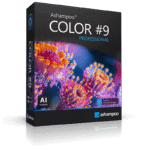
AI Depth Photo Editor, RAW Developer, 3D Effects, 373 Presets and Batch Processing Software for Photographers
- Perpetual license: Use the software permanently, with no subscription.
- Genuine activation: An official license key for the full Professional edition.
- Technical support: Help available when you need installation or usage assistance.
- Updates: Access to program updates that keep the software working smoothly.
- AI-powered depth calculation for greater spatial impact
- New preset categories 'Spatial Depth' and '3D Effects' for modern looks with dimensional impact
- New 'Frames & Gradients' image collections in selective drawing with a total of 40 new backgrounds
- 28 new presets for fast results in just a few clicks
- 24 new 3D effects and 15 new general effects in Expert Mode
- More than 30 accelerated filters for a noticeably smoother workflow
- New watermark module for adding your own logos or signatures
- Four-stage supersampling for especially clean output
- AI masking of foreground and background in selective drawing and Expert Mode
- Support for 1382 RAW formats
- Full Professional features: RAW development, 3D lighting, correction-frame processing, and Photoshop and Lightroom Classic plugins.
- Four-stage supersampling for exceptionally high-quality output
- Expansion of the RAW module with numerous 3D filters
- 13 new sliders for 3D effects in the RAW development module
- New variants for 3D area protection for precise effect control
- New fisheye correction for normal and stereoscopic images
- New module for focal length adjustment in selective drawing
- AI masking of foreground and background in selective drawing and Expert Mode
- Automatic dark frame and flat frame processing in image preparation
Platforms: Windows
AI Depth Photo Editor, RAW Developer, 3D Effects, 373 Presets and Batch Processing Software for Photographers
- AI-powered depth calculation for greater spatial impact
- New preset categories 'Spatial Depth' and '3D Effects' for modern looks with dimensional impact
- New 'Frames & Gradients' image collections in selective drawing with a total of 40 new backgrounds
- 28 new presets for fast results in just a few clicks
- 24 new 3D effects and 15 new general effects in Expert Mode
- More than 30 accelerated filters for a noticeably smoother workflow
- New watermark module for adding your own logos or signatures
- Two-stage supersampling for especially clean output
- AI masking of foreground and background in selective drawing and Expert Mode
- Support for 1382 RAW formats
Platforms: Windows
Color Projects Professional: Perpetual License BEST SELLER

DIVE #1 Professional Bundle BEST OFFER
Franzis Photoshop Package GIVEAWAY

Topaz Photo BEST OFFER

Luminar BEST OFFER
Ashampoo COLOR #8 Key Giveaway
Available now: Free License Key for a Limited Time!

To access the giveaway, kindly provide your email address. Please refrain from closing this page after signing in to receive instructions on how to access the offer at no cost.

NOTES:
– All prices shown here are in listed USD (United States Dollar).
– Such promotional programs are subject to change without notice, from time to time in our sole discretion.
– Data may vary based on different systems or computers.
Ashampoo COLOR #9 Professional Review at a Glance
Many photographers and image editors lose hours on layers, masks, and slider tweaking just to get one polished result. Flat images, uneven lighting, sensor flaws, and inconsistent looks across a batch of photos make the work slower and harder to sell to clients. Subscription-based editors add a monthly cost on top of that, and heavy tools often demand a steep learning curve.
Ashampoo COLOR #9 Professional addresses these problems in one Windows application. It combines AI-powered depth calculation, 373 ready-made presets, a RAW development module with more than 130 sliders, and precise masking in a single workspace. You get fast one-click looks and deep manual control, and you pay once for a perpetual license.
What Is Ashampoo COLOR #9 Professional?
Ashampoo COLOR #9 Professional is a creative color and effects hub for ambitious photographers, image editors, and professionals. It applies vibrant colors, film looks, and 3D effects to your photos with very little effort. Its AI analyzes every image and builds a depth map, so foreground, background, and subject areas can be separated and edited accurately.
The program offers three working styles. You can pick a preset for a quick look. You can open the Expert Mode with 281 image filters to build your own style. Or you can develop RAW files in a full digital darkroom and finish them with selective drawing and compositing tools. The Professional edition adds RAW development, 3D lighting, correction-frame processing, and plugins for Adobe Photoshop and Lightroom Classic.

Why Choose Ashampoo COLOR #9 Professional?
- One-time purchase. The perpetual license has no recurring fees.
- AI that saves time. Depth calculation and foreground/background masking replace manual cutting and masking.
- Wide RAW support. The program reads 1382 RAW formats, so most cameras are covered.
- Easy to learn. Presets give instant results, and the Expert Mode is there when you want more control.
- Fits existing workflows. Photoshop and Lightroom Classic plugins, a LUT module, and batch processing connect it to the tools you already use.

Key Benefits
Ashampoo COLOR #9 Professional offers practical advantages at every stage of editing. The points below show what you gain in daily use.
- Faster editing: More than 30 accelerated filters and one-click presets shorten the path from import to export.
- More realistic depth: AI depth maps place effects inside the scene, so images look natural and three-dimensional.
- Precise control: More than 130 RAW sliders in 12 categories give detailed command over color, tone, distortion, and structure.
- Clean results: Four-stage supersampling gives smooth edges and high-quality output.
- Brand protection: The new watermark module places your logo or signature on finished images.
- Lower long-term cost: You pay once and keep the software, with no subscription.
- Workflow flexibility: Plugins, LUT support, and batch processing fit solo and team workflows.
- Camera-error correction: Automatic dark frame and flat frame processing, plus sensor defect correction, clean up technical flaws on import.
Who Can Benefit from This Software?
The software suits several groups of users:
- Professional photographers who need consistent, high-quality output and detailed RAW development.
- Freelance editors and agencies who deliver many images to clients and need batch processing and watermarking.
- E-commerce sellers and content creators who want eye-catching product and social media visuals.
- Hobbyists and enthusiasts who want professional looks without learning complex layer-based editing.
- Landscape, portrait, and street photographers who want film emulation, grain, and dimensional effects.

Key Features
Below is a complete overview of the tools that make this editor a strong choice for serious photo work:
- AI-Powered Depth Calculation – Analyzes each photo and builds a depth map for precise spatial effects.
- Depth Map Creation – Separates foreground, background, and subject areas automatically.
- Spatial Depth Category – Offers presets that add a modern sense of dimension.
- 3D Effects Category – Provides dimensional looks ready to apply in one click.
- 373 Image Templates – Gives you a large library of looks for fast, professional results.
- 46 New Presets – Adds fresh styles for the latest creative trends.
- Photo Film Emulation – Recreates the character of classic analog film.
- Virtual Microdetails and Grain – Adds texture for characterful, organic results.
- Expert Mode Filters – Lets you build and fine-tune your own looks with a deep filter set.
- 24 New 3D Effects – Adds depth, light, and dimensional treatments.
- 15 New General Effects – Expands the creative toolkit for color and style.
- AI Filter Area – Applies intelligent filters for faster, smarter edits.
- RAW Development Module – Works as a digital darkroom for detailed image development.
- 130+ Sliders in 12 Categories – Controls color, tonal values, distortion, and structure.
- 13 New 3D Effect Sliders – Fine-tunes depth effects directly during RAW development.
- Numerous 3D Filters – Brings dimensional effects into the RAW stage.
- Fisheye Correction – Corrects lens distortion on normal and stereoscopic images.
- Redesigned Palette Functions – Gives clearer, more precise color management.
- Selective Drawing and Masking – Edits only the areas that matter without changing the whole photo.
- AI Foreground/Background Masking – Selects subject and surroundings in selective drawing and Expert Mode.
- Focal Length Adjustment Module – Changes the perceived focal length of chosen areas.
- 3D Area Protection Variants – Controls exactly where effects apply.
- Mask Smoothing – Creates clean, natural transitions between edited areas.
- Compositing and Lighting Tools – Combines image elements and adds realistic light.
- New Layer Blend Modes – Merges layers and effects in creative ways.
- 3D Lighting – Adds believable light effects based on image depth.
- 3D Depth of Field – Simulates focus falloff for a photographic look.
- Smart Ambient Light – Adds natural, balanced lighting to the scene.
- Color and Opacity Separation – Splits transparent images into color and opacity values.
- Image Preparation Tools – Fixes camera and lens errors while importing RAW files.
- Dark Frame Processing – Removes sensor noise and hot pixels automatically.
- Flat Frame Processing – Corrects vignetting and dust shadows automatically.
- Sensor Defect Correction – Repairs faulty sensor pixels.
- Focus Peaking – Highlights sharp areas to check focus accuracy.
- Professional Workflow Integration – Connects with the tools and file types you already use.
- Photoshop and Lightroom Classic Plugins – Lets you apply COLOR #9 inside your usual host program.
- LUT Module – Applies color lookup tables for consistent grading.
- Real-Time Color Module – Shows color changes instantly while you work.
- Batch Processing – Applies a chosen template to many images at once.
- 1382 RAW Formats – Opens files from a very wide range of cameras.
- High-Quality Output – Delivers clean, finished images ready for sharing or printing.
- Four-Stage Supersampling – Improves edge quality and fine detail in the final image.
- Watermark Module – Inserts your own logos or signatures.
- Comparison View with Magnifier – Checks before-and-after results in detail.
- 30+ Accelerated Filters – Speeds up processing for a smoother experience.
Requirements
The program runs on standard modern Windows PCs. Please check the details below before installing:
- Operating System: Windows 11 or Windows 10 (x64)
- Hardware: Any device that supports the operating systems listed above
- Installation: The Ashampoo App is needed for installation, which is quick, easy, and secure
Downloads
See how Ashampoo COLOR #9 Professional fits your own editing style before you spend anything. Download the trial version for free!
or
Buy now, the price start from:
Thank you for reading Ashampoo COLOR #9 Professional review, and enjoy the discount coupon. If you notice any issues with Ashampoo COLOR #9 Professional discount coupon, deal, or giveaway—such as an expired offer, broken link, or sold‑out promotion—please let us know while the deal is still available.