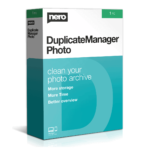
54% Off – Nero Duplicate Manager 2026: Unlimited License | One-Click Duplicate File Finder & Remover for Photos, Music & Videos – for Windows

Stop drowning in duplicate files! Clean your entire photo, music, and video collection instantly. Get Nero Duplicate Manager 2026 with Unlimited License at a 54% Discount!
Unlimited License | Free Updates | Free technical Support
Nero Duplicate Manager 2026 Review at a Glance
If you’ve ever transferred files from your smartphone, digital camera, USB drives, or cloud storage to your PC, you know the frustration of ending up with countless duplicate files. Your media library becomes a chaotic mess of identical photos scattered across folders, the same song saved in multiple formats, and video versions cluttering your hard drive. This digital clutter doesn’t just waste storage space—it makes finding the files you actually want nearly impossible. The thought of manually sorting through thousands of files feels overwhelming and could take days of tedious work.
Nero Duplicate Manager 2026 solves this problem with intelligent scanning technology that identifies duplicate photos, music tracks, and videos across your entire system.

What is Nero Duplicate Manager
Nero Duplicate Manager (Previously Nero DuplicateManager Photo) is a specialized PC software designed to identify and remove duplicate media files from your computer system. The program scans your selected storage locations—including internal drives, external USB devices, and network folders—to find exact duplicates and similar files among your photos, music, and video collections.
It uses intelligent pattern recognition to group similar content, presents findings in an easy-to-review interface, and allows you to delete unwanted copies safely with minimal effort. The software acts as your personal media library organizer, transforming chaotic folders into streamlined archives where every file serves a purpose.
Key Benefits
Below is a comprehensive list of the key benefits that make this software a valuable addition to your digital toolkit:
- Reclaim massive storage space by eliminating redundant files that consume gigabytes of valuable drive capacity unnecessarily.
- Organize chaotic media libraries into clean, structured collections where you can actually find the content you’re looking for quickly.
- Save countless hours that manual duplicate hunting would require, completing scans and cleanups in minutes instead of days.
- Protect your important memories with safe deletion processes that let you review everything before removal, preventing accidental loss.
- Handle all media types including JPEG, PNG, RAW photos, MP3, FLAC, WAV audio, and MP4, AVI, MKV video files in one unified tool.
- Identify similar content intelligently by grouping related photos from burst shots, HDR sequences, or edited versions for easy comparison.
- Improve PC performance by reducing file system clutter that slows down searches, backups, and general system operations.
The software performs a rapid analysis of your selected folders or drives, then presents you with a clear overview of what to keep and what to delete. Its advanced algorithms detect exact duplicates as well as similar files, including those edited photos, resized images, or continuous shots from your camera. You maintain complete control over the cleanup process while the software handles all the heavy lifting.
The benefits extend far beyond simple file deletion. By removing unnecessary duplicates, you immediately free up significant storage space on your hard drives and SSDs. Your media library becomes organized and navigable again, saving you time when searching for specific memories or files. The software categorizes similar photos into logical groups like Places, Series, Motifs, Resized images, and Different Formats, making it simple to compare and decide which versions deserve to stay. Music lovers will appreciate how it identifies identical songs across different file formats, while video enthusiasts can clear up space from multiple editing versions and resolution copies.
Why choose Nero Duplicate Manager 2026?
Unlike basic duplicate finders, this software specializes in media files with deep understanding of photo similarity, audio fingerprints, and video content. The one-click deletion process is safe and secure, ensuring you never lose important files accidentally. The interface is designed for simplicity—select your folders, start the scan, review the suggestions, and clean with confidence. Regular updates keep the software compatible with the latest media formats and Windows versions, while dedicated customer support stands ready to assist whenever you need help.
This solution serves photographers with massive image archives, families sharing media across devices, content creators managing video projects, music collectors with extensive libraries, and everyday users who simply want a cleaner, faster PC. Anyone struggling with digital clutter will see immediate results after just one scan.
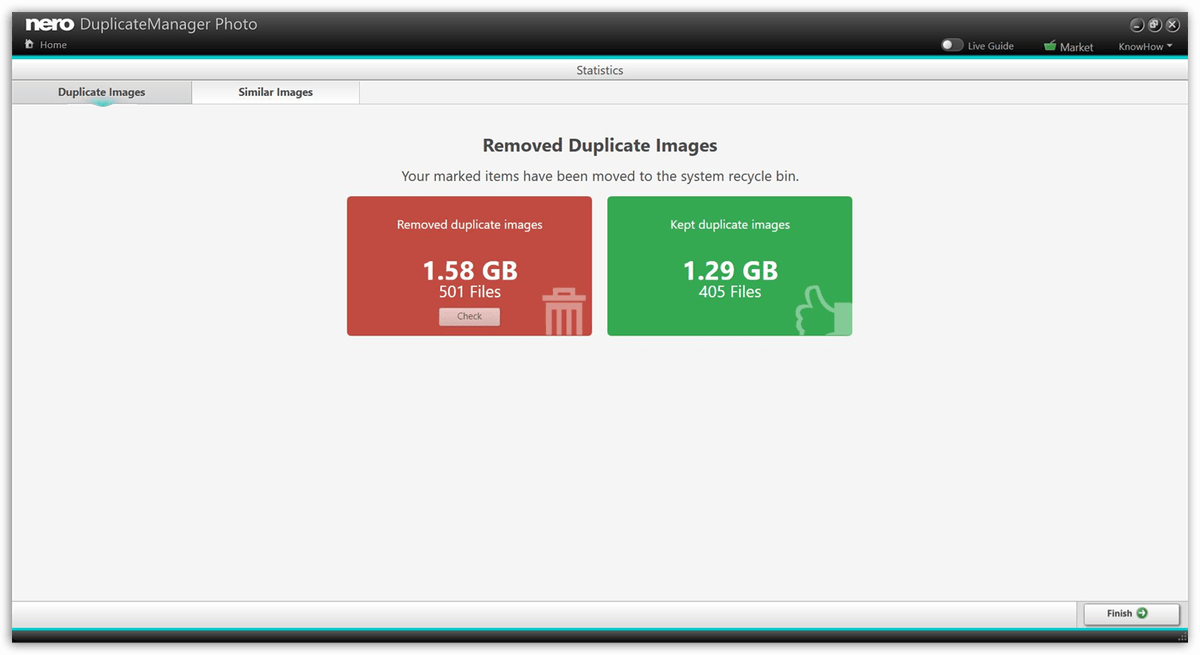
Screenshots of Nero Duplicate Manager Photo



Features
Key Features of Nero DuplicateManager
Below is a comprehensive list of the key features that make the software a valuable addition to your needs:
- Intelligent Duplicate Detection Engine: Scans folders and drives rapidly to locate exact duplicate files across all supported media formats with precision.
- Photo Matching Technology: Identifies identical images regardless of file names, using visual content analysis to ensure accuracy.
- Audio Fingerprinting: Recognizes duplicate songs even when saved in different formats or bitrates by analyzing the actual audio content.
- Video Content Analysis: Detects duplicate movies and clips by examining file data rather than relying solely on file names or sizes.
- Similar Media Organization System: Automatically categorizes near-duplicate files into logical groups for simplified review and decision-making.
- Places Category: Groups photos taken at the same location, making it easy to compare scenic shots and pick the best ones.
- Series Category: Organizes burst mode photos and continuous shots so you can select the perfect moment and remove the rest.
- Motifs Category: Clusters images with similar subjects or compositions, ideal for cleaning up repetitive photo sessions.
- Resized Category: Identifies scaled versions of the same image, helping you keep the original and discard unnecessary copies.
- Formats Category: Collects the same photo saved in different file formats (JPEG, PNG, TIFF) for format consolidation.
- Other Similarity Groups: Catches edited versions, filtered images, and color-adjusted photos that aren’t exact duplicates.
- One-Click Cleanup Operation: Streamlines the deletion process with a single action after you approve the suggested files.
- Selective Folder Scanning: Choose specific directories or entire drives based on your cleanup needs and available time.
- Safe Deletion Protocol: Moves files to recycle bin initially, allowing recovery if needed, with optional permanent deletion later.
- Preview Before Removal: Displays full-size previews of photos and detailed file information for music and videos before you delete.
- Comprehensive Media Format Support: Handles virtually all popular file types used in modern digital media collections.
- RAW Camera Support: Works with Canon CR2, Nikon NEF, Sony ARW, and other professional RAW formats alongside standard JPEGs.
- Lossless Audio Compatibility: Processes FLAC, ALAC, and WAV files in addition to compressed MP3, AAC, and OGG formats.
- High-Definition Video Processing: Supports 4K, 8K, and various codec formats including H.264, H.265, and VP9.
- Cross-Device Storage Cleaning: Scans external storage devices connected to your PC for duplicates that span multiple drives.
- USB Drive Analysis: Detects duplicates between your internal storage and connected USB sticks, flash drives, and external HDDs.
- Network Folder Support: Checks shared network locations and NAS devices for redundant files across your home or office setup.
- Cloud Sync Folder Integration: Works with Dropbox, OneDrive, Google Drive sync folders to clean duplicates before they upload.
Requirements
To run #THE SOFTWARE with optimum reliability and performance, your system should match the following requirements:
- Windows® 7 SP1 Home Premium, Professional or Ultimate (32/64 bit), Windows® 8 (32/64 bit), Windows® 8.1 (32/64 bit) with April 2014 Update, Windows® 10 (32/64 bit), Windows 11.
- 2 GHz AMD or Intel® processor
- 1 GB RAM
- 5 GB hard drive space for a typical installation of all components (including templates, content, and temporary disk space)
- Microsoft® DirectX® 9.0 compliant graphics card
- DVD disc drive for installation and playback
- CD, DVD, or Blu-ray Disc recordable or rewritable drive for burning
- Windows Media® Player 9 or higher
- Internet Explorer 11 and higher
- Third-party components such as Microsoft .NET® 4.5.2, Microsoft® DirectX® or Adobe Flash are shipped with the product or automated downloaded if not included in the package
- For some services, an Internet connection is required. Internet connection charges are the user’s responsibility
- DriveSpan App: Android 4.4 and higher, iOS 9.3 and higher
- Nero AirBurn App: Android 4.0 and higher, iOS 8.0 and higher
- Nero Streaming Player App and WiFi Transfer App: Android 4.4 and higher, iOS 9.0 and higher
- WiFi Transfer MAC App: MAC 10.10
- Streaming the highest quality resolution requires Intel Haswell (i7-4770 and above). It is recommended to leave the streaming setting in auto mode. If you experience performance problems with the highest quality streaming, just use a lower quality setting.
Note:
- On 64-bit operating systems, applications run in 32-bit emulation mode
- The devices must be correctly installed and recognized by the operating system for the product to work properly
- Installation of the latest WHQL certified device drivers is strongly recommended
- Setting up of media access server capability requires a PC connected to a local network
Download
See how Nero Duplicate Manager 2026 can restore order to your file collection. Download the free trial version immediately to evaluate the software’s powerful scanning and organization capabilities by clicking the button below.
BUY NOW
Nero Duplicate Manager 2026 is available at full retail price of $47.95, but you can purchase your license right now with our special discount coupon of up to 54% OFF. This limited-time offer won’t last long!

Clean up your image archive with exact, duplicate and similar images quickly and accurately.
- Unlimited License - 1 PC
- Finds more: Detects duplicate photos, music and movie files
- Organizes your media library: Brings overview to large media collections
- Saves storage space: Removes duplicates and frees up memory
- Free Product updates for Major Version 2026
- Free Technical Support
Platform: Windows

Nero Platinum Suite 2026 BEST SELLER

Nero MediaHome 2025 Unlimited BEST OFFER

40% Off – Duplicate Photo Cleaner | Find and Delete 100% Identical Images – for Windows & Mac OS X BEST SELLER
WebMinds Duplicate Photo Cleaner BEST OFFER

Duplicate File Finder Plus – for PC GIVEAWAY
Nero Duplicate Manager2026 Giveaway
available now Free for a limited time!
Please note that once you signed in, do not close this page. You will be shown how to get this offer for free.
Also, check out the latest software giveaways that are available here on the software giveaway page.
NOTES:
– All prices shown here are in listed USD (United States Dollar).
– Such promotional programs are subject to change without notice, from time to time in our sole discretion.
– Data may vary based on different systems or computers.
Thanks for reading Nero Duplicate Manager Review & Enjoy the discount coupon. Please Report if Nero Duplicate Manager Discount Coupon/Deal/Giveaway has a problem such as expired, broken link, sold out, etc while the deal still exists.