Giveaway #3 – SayOnce: Free License Key | Voice Dictation, Offline Speech-to-Text Software – for Windows
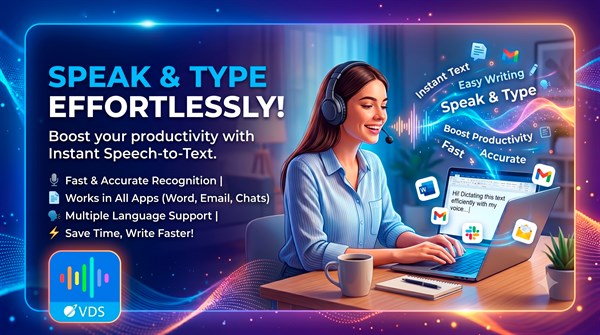
Stop wasting hours typing emails, reports, and code comments by hand. Type 4x Faster by Speaking – Get SayOnce with a license key for FREE Today!
Free Full Verison!
BUY NOW
SayOnce is available for $49.99. But, you can now get a full version of SayOnce with a license key for free thorugh the Giveaway tab below. This offer is available for a limited time!

Voibe BEST OFFER

VibeSonic Pro BEST OFFER
Vovsoft Speech to Text Converter GIVEAWAY
SpeakMe BEST OFFER
EaseText Audio to Text Converter: 1 year License GIVEAWAY
Vovsoft Speech to Subtitle Converter GIVEAWAY

Vovsoft Audio to Lyrics Converter GIVEAWAY

Vovsoft Batch Audio Converter GIVEAWAY

OpenArt AI GIVEAWAY

HitPaw Online BEST OFFER
Vovsoft Convert Video to Audio: Lifetime License GIVEAWAY
VOVSOFT Text to MP3 Converter: Lifetime License BEST OFFER
SayOnce Key Giveaway
Available now: Free License Key for a Limited Time!
To access the giveaway, kindly provide your email address. Please refrain from closing this page after signing in to receive instructions on how to access the offer at no cost.

NOTES:
– All prices shown here are in listed USD (United States Dollar).
– Such promotional programs are subject to change without notice, from time to time in our sole discretion.
– Data may vary based on different systems or computers.
SayOnce Review at a Glance
Typing all day drains your energy and slows down every task that depends on writing, from client emails and meeting notes to source code comments and social media captions. Many professionals try cloud-based dictation apps to solve this problem, only to find themselves locked into recurring subscriptions, slow transcription caused by internet round-trips, and real concerns about sensitive business data being sent to a third-party server. If you have ever hesitated before dictating a confidential email or a private client conversation into a cloud tool, you already understand why a local, offline alternative matters.
SayOnce is a voice dictation and transcription application built specifically for Windows 11, 10, 8.1, 8, and 7 users who want to speak instead of type without giving up privacy or paying forever.
What is SayOnce Voice Dictation Software
SayOnce is a desktop application from SoftOrbits that converts speech into text directly inside any Windows program using a global hotkey and an on-device speech recognition engine. Rather than routing audio to a remote server for processing, as most consumer dictation apps and browser-based tools do, SayOnce keeps the recognition model on the local hard drive. This means that after the initial model download, an active internet connection is not required for dictation or file transcription to function.
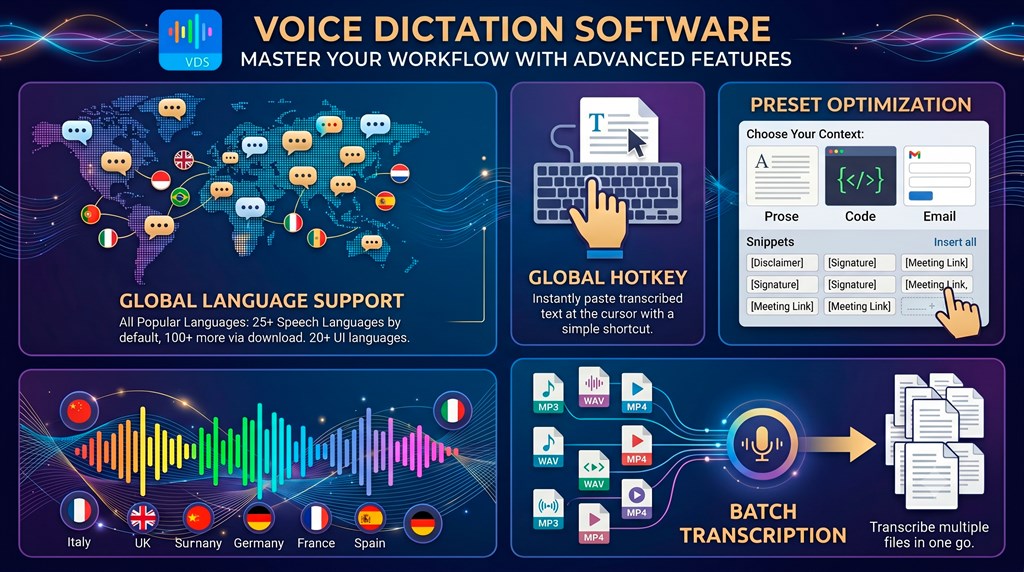
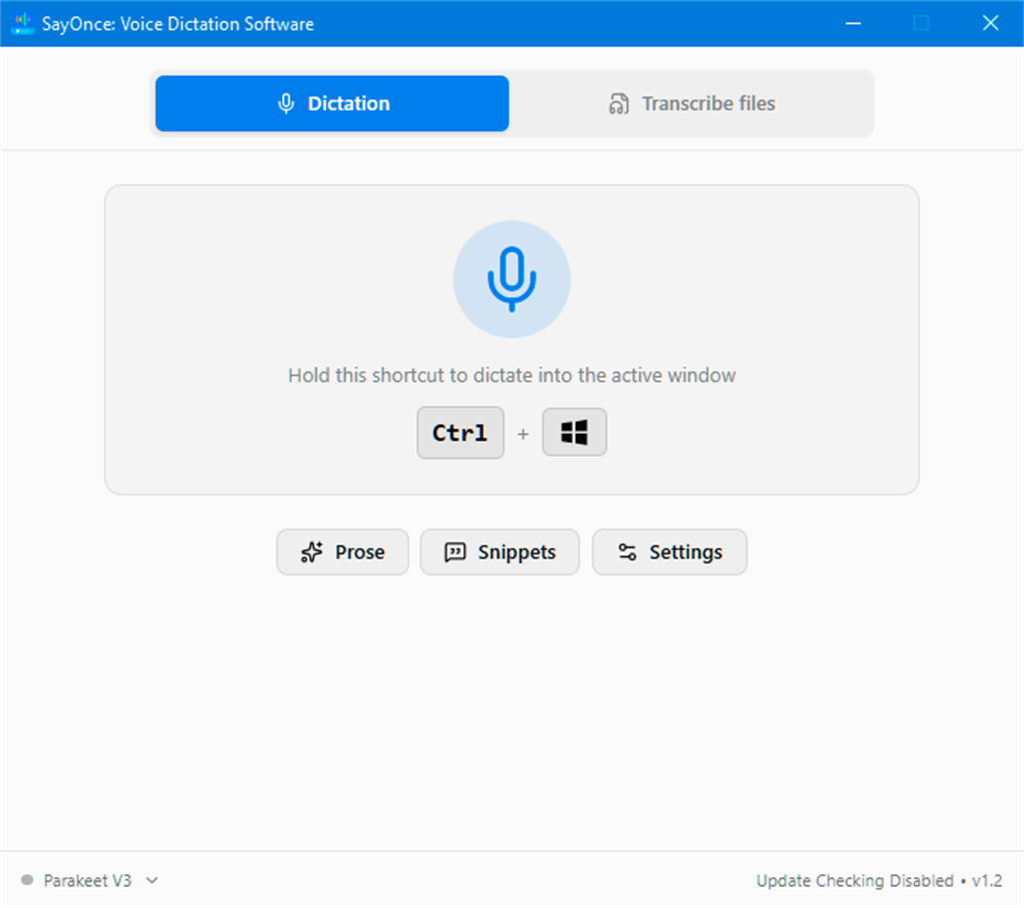
The software is organized around two main capabilities. The first is real-time push-to-talk dictation, triggered by holding the Ctrl + Win hotkey (which can be reconfigured), where spoken words are pasted directly into the active text field of any open application. The second is batch transcription, accessed through the Files tab, where entire audio or video files are converted into plain text output that can be copied to the clipboard or retrieved from an output folder. SayOnce supports more than 25 speech recognition languages out of the box, with over 100 additional languages available through an alternative downloadable model, plus a user interface offered in more than 20 languages, making it usable well beyond English-speaking markets.
Key Benefits
Below is a summary of the practical advantages users gain by adding SayOnce to their daily Windows workflow, covering speed, privacy, cost, and everyday convenience.
- Faster text input: Speaking replaces typing at roughly four times the speed for most everyday writing tasks.
- Complete data privacy: Voice audio is processed on the local PC and never sent to an external server.
- No recurring cost: A one-time lifetime license replaces the monthly or annual fees charged by cloud dictation services.
- Reliable offline performance: Dictation and transcription continue working without an internet connection after the initial model download.
- Works across nearly every application: Text is pasted directly into Word, Slack, Teams, browsers, IDEs, email clients, and standard text fields.
- Handles long recordings without limits: Batch transcription of audio and video files carries no daily word caps or per-minute charges.
- Supports many languages: Over 25 speech languages are available by default, with 100+ more downloadable and 20+ interface languages.
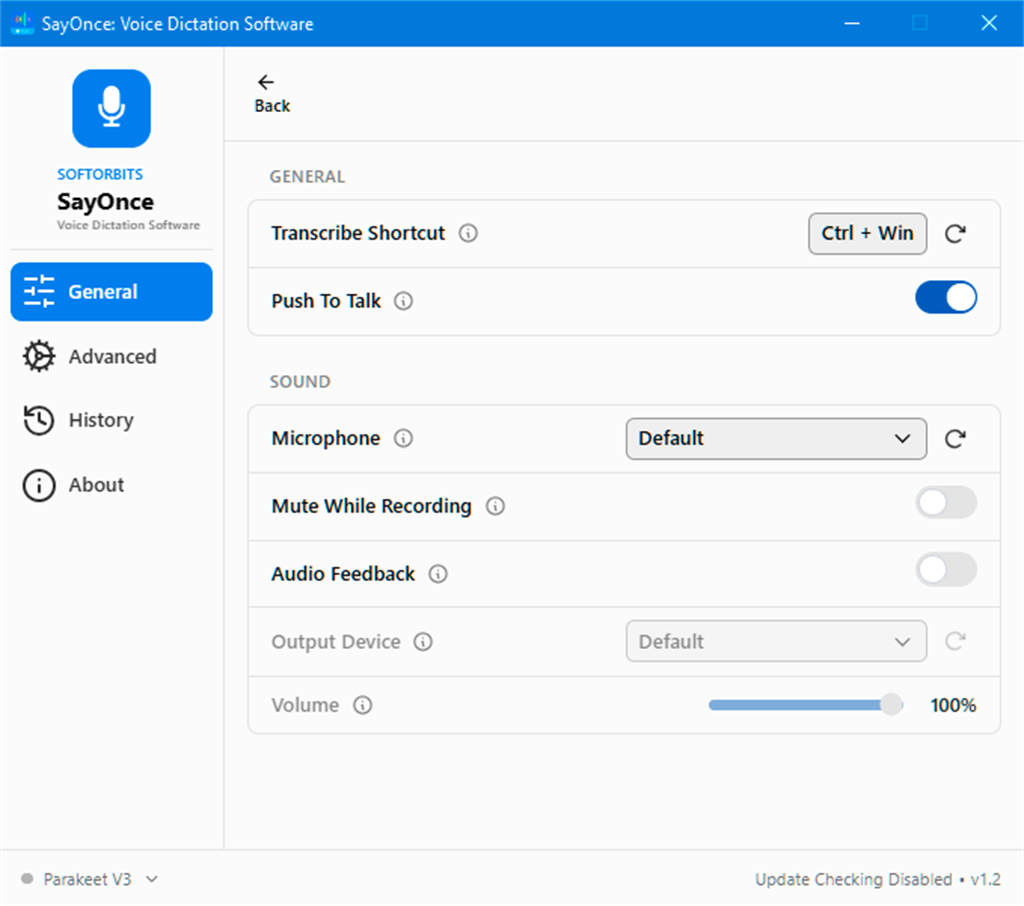
The software installs a on-device speech recognizer through a single one-time download of roughly 500 MB, and after that, it works completely offline. Once set up, you simply hold the default Ctrl + Win hotkey, speak your sentence, and release the keys. Your speech is converted to text and pasted directly at the cursor position in whatever application you had open, whether that is Microsoft Word, Google Docs, Outlook, Gmail, Slack, Microsoft Teams, VS Code, Cursor, a web browser, Notepad, or virtually any text field on your desktop. There is no copy-paste step and no switching between windows.
Beyond live dictation, SayOnce also functions as a batch transcription tool for audio and video files. Users who record meetings, podcasts, interviews, or lecture videos can drag and drop MP3, MP4, WAV, M4A, FLAC, OGG, MOV, and MKV files into the Files tab, click Start, and receive searchable text output without listening back to every minute manually. There are no daily transcription limits and no per-minute charges once you own the license, which makes the software particularly useful for anyone who regularly processes long recordings as part of their workflow.
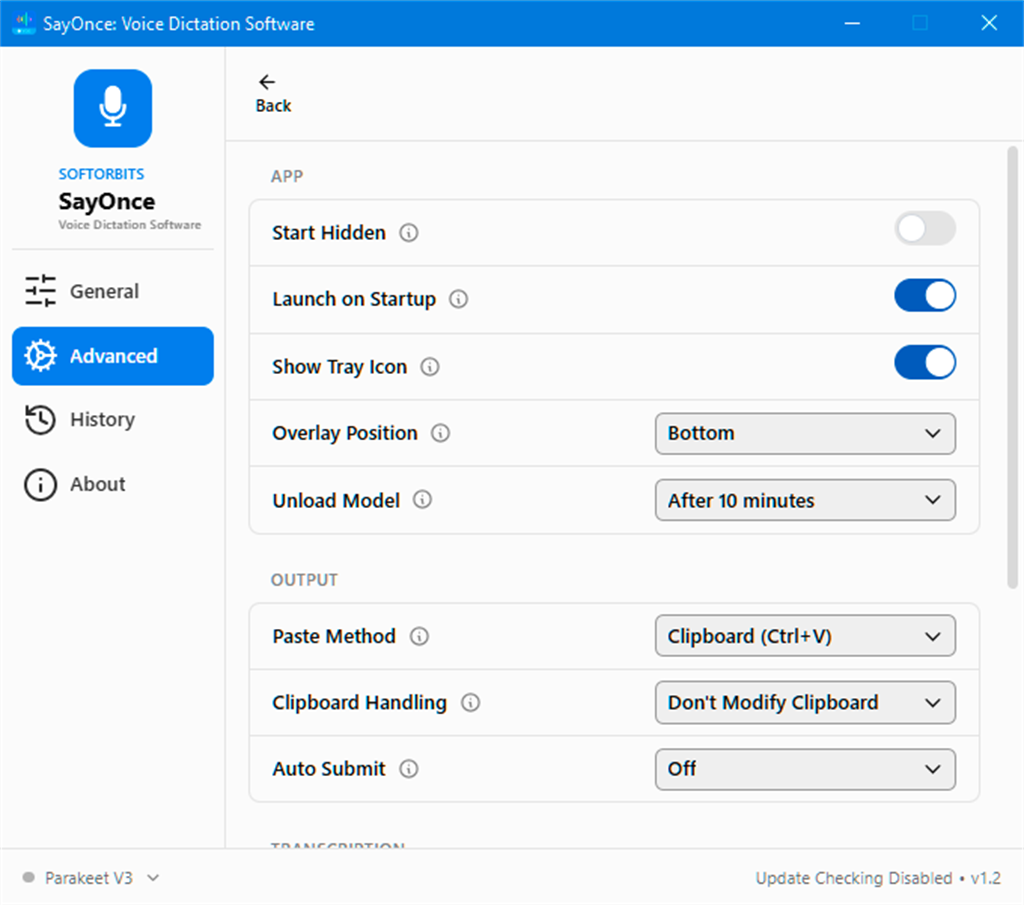
The benefits of choosing SayOnce over a cloud dictation subscription are straightforward. Speaking is roughly four times faster than typing for most people, so tasks like drafting emails, writing documentation, or logging notes take a fraction of the usual time. Because recognition happens on the PC itself, there is no multi-second delay while data travels to a remote server, and there is no dependency on a stable internet connection to keep working. Privacy-conscious users, including developers writing proprietary code, legal and healthcare professionals handling confidential material, and business owners discussing client details, benefit from knowing that nothing is transmitted outside their own computer. The one-time license structure also removes the ongoing cost that comes with most modern dictation services, replacing it with a single payment that covers lifetime use.
Who benefits most from SayOnce? Developers who practice vibe coding or type long prompts into AI assistants can dictate instructions and comments while keeping their hands free for the keyboard shortcuts that matter. Writers working in Word, Google Docs, or Outlook can switch on the Prose or Email preset to get properly formatted punctuation and sentence structure automatically. Office workers who sit through long meetings can record the session and let the batch transcription feature turn it into a searchable document afterward. Content creators, customer support teams, students, and anyone who spends a large part of the day typing repetitive text will find a genuine productivity gain from switching part of their workflow to voice.
Key Features
Below is a comprehensive list of the key features that make the software a valuable addition to your daily Windows workflow, along with a short explanation of what each feature does for you.
- Global Hotkey Dictation: Hold a system-wide hotkey, speak, and release to paste recognized text directly at the cursor in the active window.
- Default Ctrl + Win Binding: The push-to-talk combination is set out of the box but can be reassigned to any preferred key combination.
- Configurable Injection Methods: Multiple text-injection approaches are available to keep compatibility high across different Windows applications.
- Offline Speech Recognition Engine: All voice processing happens locally on the PC using a downloaded recognition model, so no audio is uploaded anywhere.
- One-Time Model Download: A roughly 500 MB download installs the recognizer once, after which the software runs without internet access.
- No Cloud Dependency: Dictation and transcription both continue to function during outages or on networks without internet.
- Dictation Widget Overlay: A small on-screen widget appears at the bottom of the display while dictating, showing live recognition status.
- Visual Feedback: Users can confirm the hotkey is active and speech is being captured before releasing the keys.
- Prose, Code, and Email Presets: Switch between formatting modes depending on the type of content being dictated.
- Prose Mode: Applies natural punctuation and paragraph breaks suited for letters, articles, and general writing.
- Code Mode: Avoids automatic formatting and auto-correction behavior that would otherwise break dictated source code or command syntax.
- Email Mode: Tunes punctuation and sentence structure for the shorter, conversational tone typical of email correspondence.
- Personal Dictionary and Snippets: Store frequently used terms, product names, and phrases so the recognizer applies them correctly every time.
- Custom Vocabulary Entries: Add technical terms or brand names that generic recognition engines commonly misinterpret.
- Text Expansion Snippets: Say a short phrase such as “my address” and have it automatically expanded into a longer stored block of text.
- Batch Audio and Video Transcription: Convert entire recordings into text files using the Files tab instead of transcribing manually by listening.
- Drag-and-Drop File Loading: Add MP3, MP4, WAV, M4A, FLAC, OGG, MOV, and MKV files by dragging them into the application window.
- Unlimited Daily Processing: There are no daily word caps or per-minute charges once the file transcription runs on your own PC.
- Clipboard and Output Folder Access: Extracted text can be copied directly to the clipboard or retrieved as a saved file from the output folder.
- Multi-Language Support: Dictate and transcribe in a wide range of spoken languages while using the interface in your preferred language.
- 25+ Default Speech Languages: A broad set of speech recognition languages is included from installation.
- 100+ Downloadable Languages: An alternative model expands language coverage well beyond the default set.
- 20+ Interface Languages: The application menus and settings can be displayed in more than 20 languages.
System Requirements
Before installing, check that your Windows PC meets the following minimum specifications so SayOnce runs smoothly during both live dictation and batch transcription.
- Operating System: Windows 11, 10, 8.1, 8, or 7 (32-bit or 64-bit).
- Processor: Intel i3, AMD Ryzen 5, or above.
- Memory: 4 GB of RAM or above.
- Graphics Card: NVIDIA GeForce series 8 and 8M, Intel HD Graphics 2000, Quadro FX 4800, Quadro FX 5600, AMD Radeon R600, Mobility Radeon HD 4330, Mobility FirePro series, Radeon R5 M230, or higher with up-to-date drivers.
- Display: 1280 x 768 screen resolution with 32-bit color.
- Storage: 1 GB of free hard disk space or above.
Downloads
Test how SayOnce fits into your own typing habits before committing to a purchase. Download the free edition below and dictate into your own documents, chat apps, and code editor to see the actual speed gain for yourself.
Get the free trial edition of SayOnce and dictate real text into Word, Slack, or your IDE using your own hotkey setup, with the on-device recognizer downloading automatically on first launch. The free version lets you confirm accuracy in your language, test the batch transcription feature on a sample audio or video file, and try the Prose, Code, and Email presets before deciding whether the lifetime license is right for your workflow.
DOWNLOAD[/wpsm_button DOWNLOAD 2
or
Buy now, the price start from:
Thank you for reading SoftOrbtis SayOnce review, and enjoy the discount coupon. If you notice any issues with the SayOnce discount coupon, deal, or giveaway—such as an expired offer, broken link, or sold‑out promotion—please let us know while the deal is still available.




![[NEW LINK #5] Giveaway – Audials Music 2026 SE: Free Lifetime License | Full Version – for Windows](https://thesoftware.shop/wp-content/uploads/thumbs_dir/Audials-Music-2026-Special-Edition-Review-Download-Free-Giveaway-rfy5w62nqt1wed8um44g6por66u091ewvwgo4935i0.png)