Giveaway – PC AutoTimer: Free License Key | Lightweight Auto Power-On, Scheduled Shutdown & Sleep Manager – for Windows

Stop Wasting Energy on an Always-On PC — Schedule Everything Automatically and Take Back Control of Your Computer. Get PC AutoTimer with a License Key For Free Now!
Free Full Version!
PC AutoTimer Review at a Glance
Millions of computer users face the same daily frustration: leaving their machines running all night just to make sure a task completes in the morning, or returning home to find a PC that has been idling for hours, draining electricity and putting unnecessary wear on hardware components. Others lose track of important reminders, spend time manually repeating the same mouse clicks and keystrokes day after day, or simply forget to close down their systems before heading out. The cumulative cost of these habits — in energy bills, wasted time, and hardware fatigue — is far greater than most people realize. The good news is that a single, well-designed piece of software can eliminate all of these problems at once.
PC AutoTimer is built specifically to address these pain points in a way that is practical, accessible, and genuinely useful for everyday Windows users. It gives you full control over your computer’s power schedule, automated task execution, custom hotkeys, and keyboard/mouse macro playback — all wrapped in an interface so clear and straightforward that anyone can configure it within minutes of installation.
What is PC AutoTimer
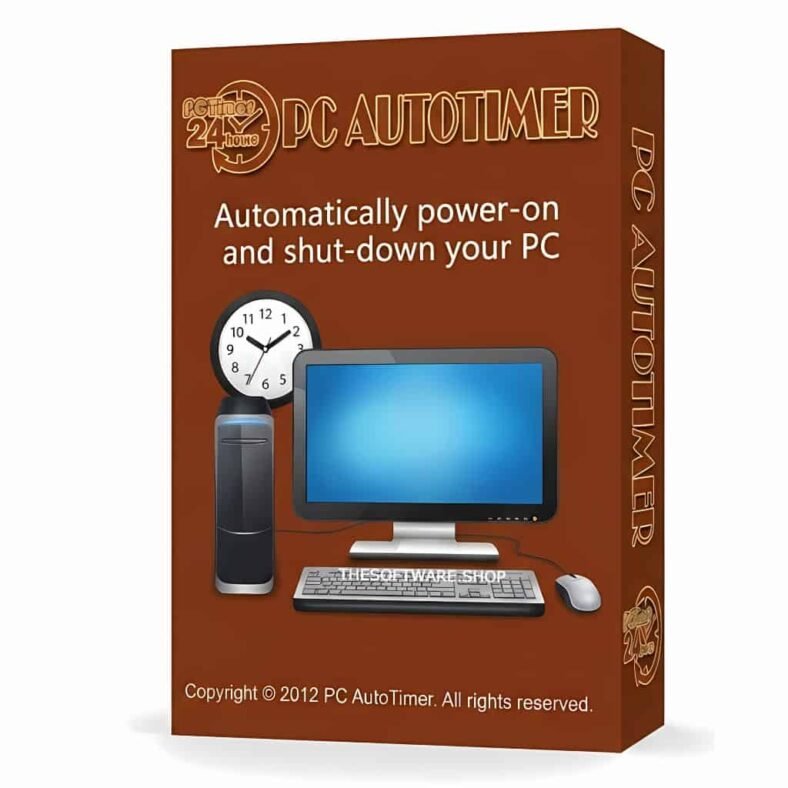
PC AutoTimer is a lightweight, Windows-based power management and task automation software that allows you to schedule your computer to wake up from sleep or hibernation, shut down automatically, launch programs at specific times, and even perform mouse and keyboard actions — all without any human intervention at the moment of execution.
Originally released under the name Auto Power-on & Shut-down, the software has been developed, tested, and refined through years of real-world use. Its reputation for quality even led to a formal publishing partnership with the renowned German software publisher DATA BECKER, resulting in a dedicated German-language edition called PC Zeitschaltuhr — a milestone that reflects the product’s standing as a reliable and professionally recognized automation tool. Today, PC AutoTimer continues to serve users around the world as one of the most practical and resource-efficient Windows automation utilities available.
The core philosophy behind PC AutoTimer is straightforward: your computer should work for you, not the other way around. Rather than keeping your PC powered on around the clock, you define exactly when it should be active and what it should accomplish during that window. Once the tasks are done, the system goes back to sleep — conserving energy, reducing hardware strain, and keeping your electricity bill in check. Meanwhile, the software itself remains so lightweight and unobtrusive that it consumes as little as 1MB of memory when running in the background. You will barely notice it is there — until it quietly does exactly what you asked, right on schedule.
PC AutoTimer is the right tool for a wide range of users. Home users can use it as a music alarm clock that wakes the computer and plays a favorite playlist each morning. Remote workers can schedule their PC to come online at specific intervals for remote access tasks, then return to sleep automatically. IT professionals and power users can leverage the hotkey manager and macro recorder to eliminate repetitive manual workflows entirely. Regardless of your technical background, the software’s clean interface and clear visual layout make it genuinely easy to get started and keep running.
Key Benefits
PC AutoTimer delivers tangible, day-to-day advantages that directly improve the quality of your computing experience. The following benefits reflect the real impact users see after putting the software to work:
- Save Energy and Lower Electricity Costs — Scheduling your computer to power off or sleep when it is not in use directly reduces your household or office energy consumption. You no longer need to leave your machine running overnight simply because a task is queued for early morning. PC AutoTimer activates your PC precisely when needed and returns it to sleep when finished, actively supporting a low-carbon, energy-conscious lifestyle.
- Turn Your PC into a Music Alarm Clock — Set your computer to wake up each morning and automatically play your favorite music through any media player. PC AutoTimer makes it effortless to start every day with a personalized audio alarm, waking you up to the sounds you actually want to hear — no additional hardware required.
- Eliminate Repetitive Manual Work — Any sequence of mouse movements, clicks, and keyboard inputs that you perform repeatedly can be recorded once and replayed automatically on demand. The Keyboard/Mouse Macro feature handles those mechanical, time-consuming tasks so you can focus on work that actually requires your attention.
- Stay on Top of Important Dates with Reminders — The built-in One Sentence Reminder feature lets you schedule recurring text alerts for anything that matters — from project deadlines to personal milestones like a friend’s birthday. The reminders are short, unobtrusive, and reliable.
- Support Remote Work Without an Always-On Computer — PC AutoTimer can schedule your machine to wake up at regular intervals, execute assigned remote tasks or maintenance routines, and then power down again automatically. This gives you reliable remote access without the cost and wear of keeping your system running 24 hours a day.
- Launch Apps and Actions Instantly with Custom Hotkeys — Assign your most-used applications, folders, or macro scripts to custom keyboard shortcuts. A single key combination does the work in an instant, cutting down the time spent navigating menus or hunting through the taskbar.
- Minimal System Impact — PC AutoTimer is engineered to stay out of your way. At just 3–4MB of active memory usage and as low as 1MB in the background, it imposes no measurable performance cost on your system — even on older hardware.
Features
A closer look at PC AutoTimer’s feature set reveals just how comprehensively the software addresses the needs of Windows users who want smarter, more automated computing. Here is a complete breakdown of everything it brings to the table:
- Wake Up / Auto Power-On — Automatically starts your computer from sleep or hibernation at a scheduled date and time.
- Scheduled Wake-Up — Set a precise date and time for your PC to power on or resume from any low-power state.
- Recurring Wake-Up Schedules — Configure wake-up events to repeat daily, on specific weekdays, or at custom intervals.
- Auto Login Support — Optionally configure Windows to log in automatically after wake-up, enabling programs, audio playback, and macros to run without manual input. Requires Windows 7 or above.
- Scheduled Shutdown & Sleep Management — Controls exactly when your PC enters sleep, hibernation, or powers off entirely.
- Sleep Mode Scheduling — Schedule your PC to enter standard sleep mode at a designated time each day.
- Hibernation Scheduling — Configure the system to hibernate, preserving the current session while consuming zero power.
- Scheduled Power-Off — Completely shut down your computer at a specified time to prevent energy waste during inactive periods.
- Task Scheduler — A built-in scheduling engine that launches any application, file, or shortcut at a defined time, making PC AutoTimer a complete automation hub.
- Program Launch on Schedule — Automatically open any application, document, or shortcut at a time you specify.
- Music Alarm Clock — Set any media player to launch with a specific audio file or playlist as a morning alarm.
- Shortcut Creation Tool — Use the built-in “Create lnk” button to generate and import application shortcuts — including modern Windows 11 apps like Sticky Notes — directly into the scheduler.
- Folder Launch Support — Shortcuts can point to folders as well as applications, enabling automated file management workflows.
- Hotkey Manager — Define custom keyboard shortcuts to trigger specific actions instantly from anywhere in Windows.
- Custom Hotkey Assignment — Assign any key combination (such as ALT+D) to a chosen system action or application.
- App Launch via Hotkey — Open frequently used software or folders with a single key press, bypassing menus entirely.
- Macro Script Trigger — Link a hotkey directly to a recorded keyboard/mouse macro for one-press automation of complex tasks.
- Multiple Independent Hotkeys — Create as many hotkey assignments as needed, each mapped to a different action or program.
- Keyboard & Mouse Macro Recorder — Records and plays back real mouse movements, clicks, and keyboard inputs to replicate human actions automatically.
- Action Recording — Capture live mouse and keyboard activity in a single recording session with a simple start/stop workflow.
- Script Playback — Replay recorded macros at any time, triggered either by a scheduled task or a custom hotkey.
- Show Desktop Macro Example — Record a click on the Windows desktop corner and assign it to a hotkey (e.g., ALT+D) for instant desktop access.
- Complex Workflow Automation — Chain multi-step recorded actions to automate extended workflows that would otherwise require continuous manual input.
- Power Action Shortcuts — Execute system power commands instantly using scheduled tasks or hotkeys, without navigating Windows menus.
- Quick Shutdown — Immediately power off the computer via a hotkey or task trigger.
- Quick Restart — Reboot the system on a schedule or with a single key combination.
- Session Lock — Lock your Windows session automatically for improved security when stepping away.
- Log Off — Schedule or hotkey-trigger a user account log-off to close active sessions at defined times.
- One Sentence Reminder — A lightweight, built-in reminder system that displays short, customizable text alerts at scheduled intervals.
- Recurring Reminders — Set reminders to appear daily, weekly, or on a specific date to keep critical events and deadlines visible.
- Non-Intrusive Alerts — Reminders are delivered as brief, unobtrusive messages that inform without interrupting your workflow.
- Resource Efficiency — Engineered from the ground up to be as lightweight as possible, PC AutoTimer imposes no measurable performance burden on your system.
- Low Memory Footprint — Active memory usage of just 3–4MB when foregrounded, dropping to approximately 1MB when running in the background.
- System Tray Operation — Runs silently in the system tray, completely invisible until a scheduled event or hotkey fires.
- Non-Disruptive Background Mode — Stays completely out of sight during normal use, activating only when a task or trigger requires it.
- User-Friendly Interface — Designed for all experience levels, the software features a clean main window and logical controls that make configuration immediate and intuitive.
- Right-Click Task Menu — A context menu in the task list provides fast access to edit, delete, enable, or disable any scheduled item.
- Streamlined Add/Edit Workflow — Creating or modifying a task requires only a few clicks through a straightforward property dialog.
- Advanced Options Panel — An additional settings area provides power users with deeper control over system behavior and task execution conditions.
Requirements
To ensure PC AutoTimer runs correctly on your system, please confirm the following minimum specifications are met:
- Operating System: Windows 7, Windows 8/8.1, Windows 10, or Windows 11 (32-bit and 64-bit supported)
- Processor: 1 GHz or faster CPU
- RAM: Minimum 512 MB system memory (software itself uses only 1–4 MB during operation)
- Disk Space: Approximately 10 MB of available storage
- Permissions: Administrator privileges required for wake-up scheduling and power management tasks
- Auto-Login Feature: Requires Windows 7 or later to enable automatic login after computer wake-up
Downloads
Curious about what PC AutoTimer can do for your daily workflow? Put it to the test before you commit.
Click the button below to get your free trial copy and start running your first scheduled tasks right away — no obligation required.
A free trial version is ready for immediate download, giving you direct, hands-on access to the core features so you can confirm it fits your needs perfectly.
BUY NOW
PC AutoTimer is available at an outstanding value for Windows users who are ready to take full control of their PC’s schedule and automate their most repetitive tasks. Right now, you can get PC AutoTimer 3.0 full version with a license key for free in the Giveaway tab below.

Abelssoft StartupStar BEST OFFER

Vovsoft Auto Change Screensavers GIVEAWAY
AutoClose 3 PRO BEST OFFER

iTop Easy Desktop PRO BEST OFFER
Health Break Reminder GIVEAWAY

Ashampoo WinOptimizer 28: Lifetime License, 3 PCs BEST SELLER

IObit Malware Fighter 13 PRO: Bundled with Christmas Surprise Pack BEST SELLER
AOMEI Backupper 8 Professional: Lifetime Upgrades BEST SELLER
PC Trek Product Key Recovery Tool: Lifetime Activation BEST OFFER

PC Services Optimizer 4 PRO: Lifetime License BEST SELLER
PC AutoTimer Key Giveaway
Available Now: Free license Key For a Limited Time!

To access the giveaway, kindly provide your email address. Please refrain from closing this page after signing in to receive instructions on how to access the offer at no cost.

NOTES:
– All prices shown here are in listed USD (United States Dollar).
– Such promotional programs are subject to change without notice, from time to time in our sole discretion.
– Data may vary based on different systems or computers.
Thanks for reading PC AutoTimer Review & Enjoy the discount coupon. Please Report if PC AutoTimer Discount Coupon/Deal/Giveaway has a problem such as expired, broken link, sold out, etc while the deal still exists.