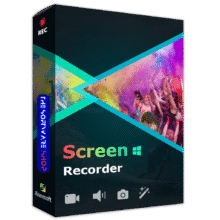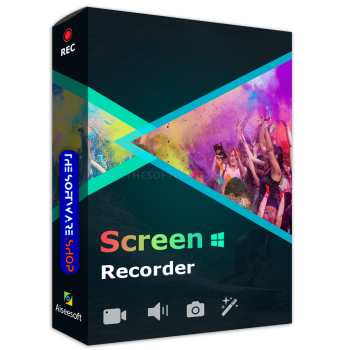
Giveaway – Aiseesoft Screen Recorder: Free 1-Year Registration Code | Full Version for Windows

✔ Free License Code ✔ Full features for 1 Year ✔ Free Updates
Easily record everything happening on your screen, including high-quality video and audio. Don’t miss this amazing offer – claim your free 1-year license code for Aiseesoft Screen Recorder now!
Special Offers
Aiseesoft Screen Recorder: Lifetime License BEST OFFER

Aiseesoft Video Converter Ultimate 10: Lifetime License BEST SELLER

Aiseesoft Total Video Converter BEST OFFER
Aiseesoft Blu-ray Player: Lifetime License BEST OFFER

Aiseesoft Burnova: Lifetime License BEST SELLER
Aiseesoft Video Enhancer: lifetime License BEST SELLER
Aiseesoft Screen Recorder Key Giveaway 2026
Aiseesoft Screen Recorder is available for $39.00 for a lifetime, but through THE SOFTWARE SHOP, you can get Aiseesoft Screen Recorder with a 1-year license code for FREE for a limited time.
- Click on the “GET NOW” button above to visit the deal page.
- Once on the deal page, go to the “BUY NOW” section and open the “Software Giveaway” tab.
- Enter your email address on this tab to unlock the offering box that contains the link to get your exclusive license code.
- Check the HINTS on the offering box for further instructions.
Additionally, take advantage of the lifetime offer and get Aiseesoft Screen Recorder at a 50% discount! This offer won’t last forever, so act now to secure your copy of this powerful screen recording software at an unbeatable price.

Overview
Looking for a reliable screen recording software to capture your computer screen? Look no further than Aiseesoft Screen Recorder. This powerful software allows you to record your screen in high quality, making it ideal for creating tutorials, demos, and other instructional materials.
Aiseesoft Screen Recorder is the best screen recording program and allows you to record all activities on your Windows or Mac computer. With this screen recorder, you can easily record desktop video, record online movies and webinar, create video tutorials, record games, record webcam stream, record music and take screenshots.
One of the standout features of Aiseesoft Screen Recorder is its versatility. With multiple recording modes to choose from, including full screen, custom region, and webcam, you can easily capture exactly what you need. And with support for both system audio and microphone input, you can add narration, sound effects, and other audio elements to your recordings as well.
Another benefit of Aiseesoft Screen Recorder is its ease of use. With a simple, intuitive interface, even users who are new to screen recording can get started quickly and easily. And with customizable hotkeys and other advanced features, more experienced users can fine-tune their recordings to meet their specific needs.
So whether you’re looking to create a video tutorial, capture a live stream, or just record your screen for personal use, Aiseesoft Screen Recorder has you covered. Try it today and see for yourself why it’s one of the best screen recording software options available.
Conclusion
Don’t miss this limited-time opportunity to get Aiseesoft Screen Recorder free for one year. Whether you need to create tutorials, capture online videos, record gameplay, or save important meetings and webinars, this easy-to-use tool offers everything you need to record your screen with high-quality video and audio. Claim your free license code while the giveaway is available—or choose the discounted lifetime license for long-term access.