Giveaway – Windows Event Log Viewer: Free License Key | Real-Time Event Log Analysis & Alerts, .evtx File Reader with Forensic Mode – for Windows

Stay in control of system logs – get instant alerts and clear plain-language analysis. Get SoftOrbits Windows Event Log Viewer with a License Key for FREE!
Free Full Version!
BUY NOW
SoftOrbits Windows Event Log Viewer is available for $19.99. But, you can now get a full version of SoftOrbits Windows Event Log Viewer v3.2 with a license key for free through the Giveaway tab below. This offer is available for a limited time!

HARDiNFO 8 PRO BEST OFFER
AIDA64 Extreme BEST OFFER

IObit Advanced SystemCare Ultimate 18 with Gift Bundle BEST SELLER

Kersih Doctor: 3 PCs BEST SELLER

Abelssoft AntiLogger BEST SELLER

Hunter Disk Cleaner PRO BEST OFFER

ASCOMP Cleaning Suite Professional BEST SELLER

System Mechanic Ultimate Defense BEST SELLER

Mountain Duck 5: Perpetual License BEST OFFER

GearUp VIP BEST OFFER
4DDiG Partition Manager BEST OFFER
O&O Defrag 31 Professional Edition: Perpetual License BEST SELLER

Ashampoo WinOptimizer Pro 29 BEST SELLER
SecuPerts Rescue Stick BEST OFFER
SoftOrbits Windows Event Log Viewer Giveaway
Available now: Free License Key For a Limited Time!
To access the giveaway, kindly provide your email address. Please refrain from closing this page after signing in to receive instructions on how to access the offer at no cost.
NOTES:
– All prices shown here are in listed USD (United States Dollar).
– Such promotional programs are subject to change without notice, from time to time in our sole discretion.
– Data may vary based on different systems or computers.
Windows Event Log Viewer Review at a Glance
In the middle of the night, your server may restart unexpectedly and no one knows why. A user swears they entered the correct password even though they cannot sign in. The answers to these problems are already recorded in Windows event logs, but they’re often buried under hundreds of entries. SoftOrbits Windows Event Log Viewer & Monitoring Software solves this by opening your logs, filtering to the events that matter, and explaining each entry in plain English. With this tool, you can pinpoint issues quickly and confidently.
What is SoftOrbits Windows Event Log Viewer & Monitoring Software?
SoftOrbits Windows Event Log Viewer & Monitoring is a Windows application that reads, analyzes and monitors event logs. It opens the live Windows Event Logs on your PC or any networked computer, and it can also load archived log files (.evtx from modern Windows versions and legacy .evt from older systems). The software provides an organized interface with a tree of logs and powerful filters. You can click any log to view its entries, then use filters (time range, severity level, Event ID, account name) to narrow the view. It essentially acts as a comprehensive log management tool for troubleshooting, auditing and monitoring system events.
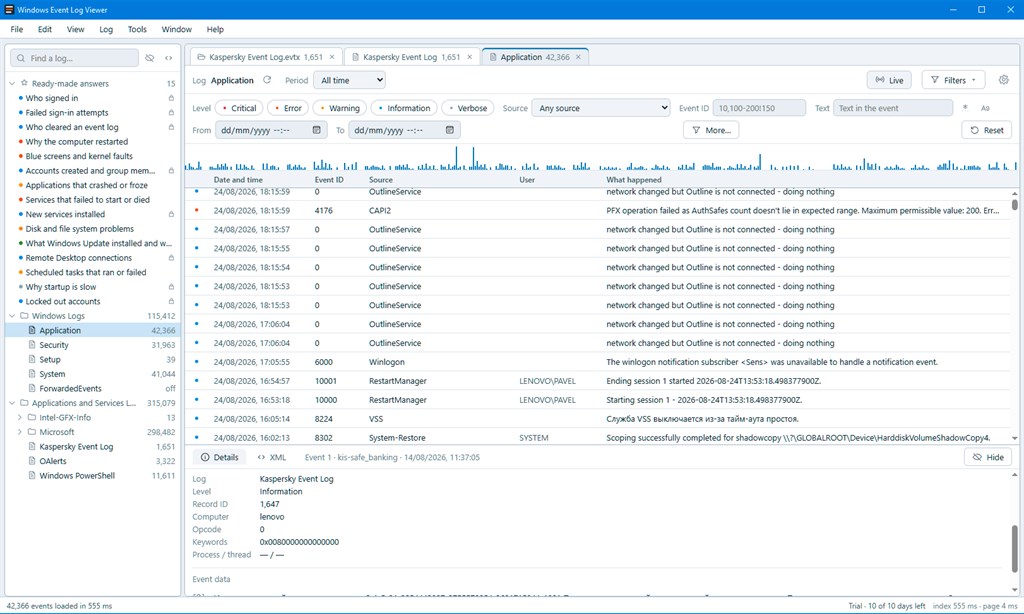
SoftOrbits Event Log Viewer works on your local PC and any computers you administer. It reads live logs (Application, System, Security, Setup, and more) on the machine, and can also open .evtx log files from other PCs or legacy .evt logs from older systems. The interface displays all available logs in a tree on the left, so each log is one click away. With powerful filters, you can set a time window, log level, Event ID or account name to narrow thousands of entries down to a few that relate to the issue. Whenever you open an event, SoftOrbits shows a detailed explanation of that event’s code and fields, so you don’t have to search external documentation.
With a real-time monitoring with alerts, you define a rule for an important event (for example, a specific Event ID or failed login attempt) and SoftOrbits will continuously watch the log for you. When such an event occurs, it triggers a desktop notification even if you’re working in another program. In practice, this means you hear about issues before users report them, allowing you to address problems proactively.
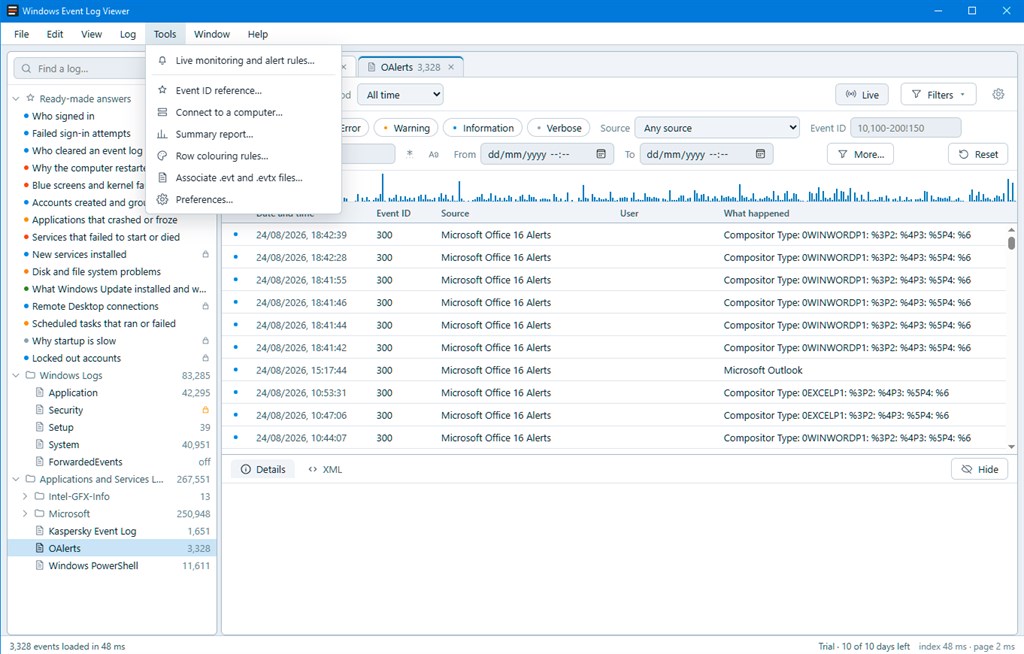
SoftOrbits goes beyond your local machine. It can read logs from other computers on the network. A built-in network scanner checks a /24 subnet in about four seconds and reports which PCs are available. Any discovered computer appears in the same log tree as your own. In a Windows domain, it uses your current account seamlessly; elsewhere you can enter credentials once (the password is kept in memory while the program is open). Keep in mind that the remote connection works via RPC, so the target PC’s firewall must allow Event Log access (same as the Windows Event Viewer requirement).
Forensic-level analysis is also built in. If a log file is damaged or missing entries, SoftOrbits’ Deep Scan (Forensic) Mode can step in. It scans each 64KB block of the EVTX file (or even an entire disk image) to find event records that the normal reader missed. In one test, it recovered 23,367 events from a file whose header was wiped out in about 1.5 seconds. Duplicate data blocks are detected and shown only once. This means you can still examine critical events even if logs were rotated, deleted or corrupted.
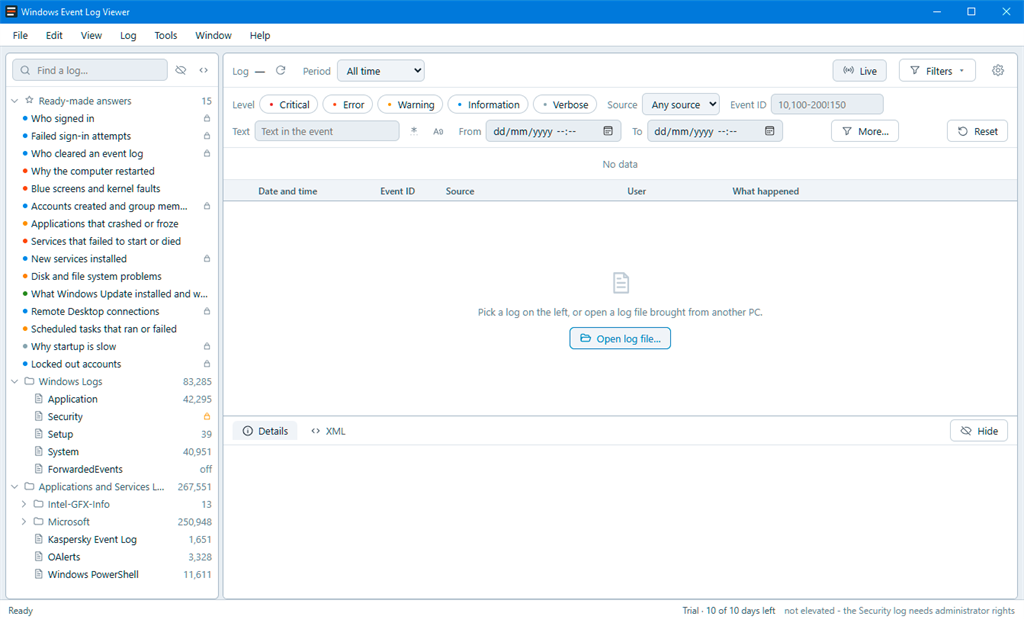
The software also helps you analyze incidents across multiple logs. For example, you can merge the Application and System logs into one combined timeline and sort all events together. In one benchmark, 57,609 events were resorted in just 16 ms, so you can quickly see the sequence of actions across logs. Additionally, there are 15 ready-made views for common scenarios – such as user sign-ins, failed logons, system restarts and disk errors. You can select one of these filters and then refine it further with a text search to isolate the exact entries you need.
Generating reports and exports is straightforward. SoftOrbits can write the filtered log data into CSV or Excel files, and it can produce HTML or PDF incident reports for documentation. For larger environments, you can also push log rows directly into a Microsoft SQL Server table (for example, 23,317 rows were inserted in 3.5 seconds in a test). To keep your workspace organized, save all open tabs, filters and column layouts and return to them later. You can also take snapshots of event selections, freezing a query so you can revisit the exact results later.
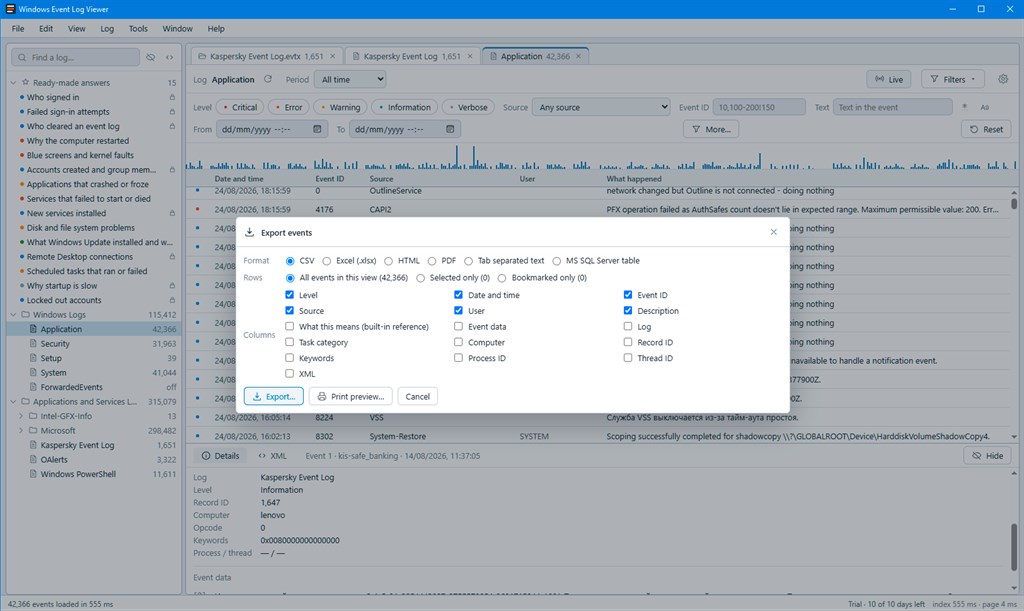
The Summary/Analyzer view provides quick insight into trends. It groups events by source, event ID or day, which makes it easy to see, for example, which driver or application caused most of yesterday’s errors. You can add any missing event field as a custom column if needed. This high-level overview helps you identify patterns at a glance, then drill down into individual events for details.
SoftOrbits Windows Event Log Viewer is equally valuable for IT administrators, helpdesk staff, and power users. An administrator managing multiple servers might normally spend many minutes finding out why a critical server restarted overnight; with this tool, the relevant Event ID (like 1074 or 41) and its explanation appear in seconds. A support technician who receives a client’s log file can open it in SoftOrbits and immediately see what happened without needing to log into the client’s network. Even a home user benefits: if your PC crashes or reboots during a game, the software highlights key events (like Event ID 6008 or 41) and the preceding entries to explain what happened.
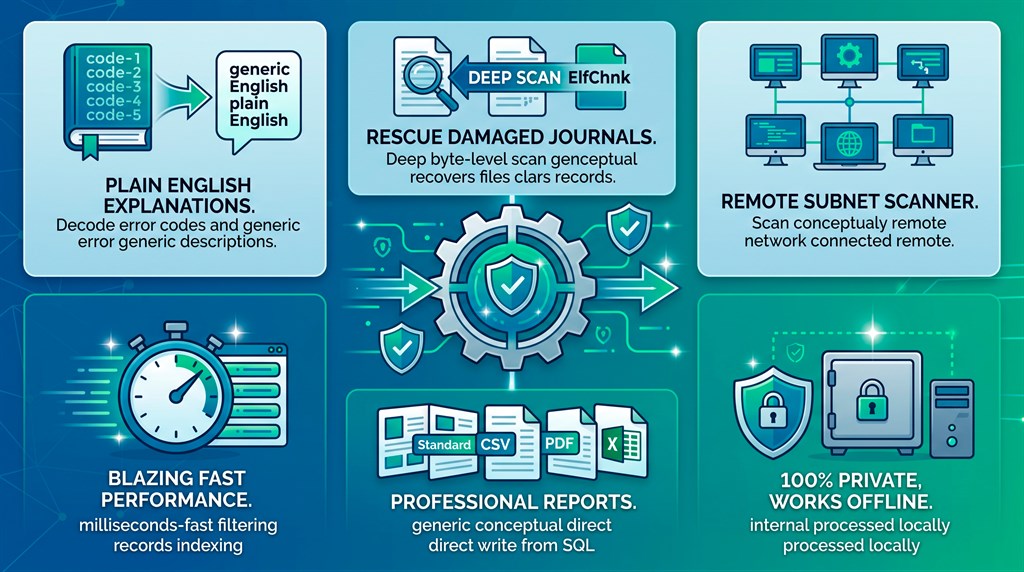
Key Benefits
Below are the main advantages of using SoftOrbits Windows Event Log Viewer & Monitoring software:
- Faster Troubleshooting: Quickly identify the root cause of issues by filtering and finding relevant events in huge logs. The software indexes large logs in seconds (34K records in <0.5s, 300K in ~4s), drastically cutting down analysis time.
- Clear Event Interpretation: No more cryptic logs. SoftOrbits provides plain-language descriptions for 181 common Windows events, which in tests covered 94.6% of entries. You get concise summaries (e.g. Event ID 41 means “machine went down without a clean shutdown”) without having to look them up.
- Proactive Alerts: Stay ahead of issues as they happen. You can define monitoring rules for specific events (such as security log failures or system shutdowns) and receive instant notifications when they occur. This ensures you hear about problems before users call you.
- Data Recovery (Forensic): Retrieve events that were thought lost. The Deep Scan mode can recover records from deleted or damaged log files, salvaging thousands of events in seconds. Important information isn’t permanently lost even if logs become corrupted.
- Centralized Log Management: View and analyze all your logs in one place. You can open local and remote logs together and even merge Application and System logs into a single timeline. This unified view saves time compared to juggling multiple sources.
- Comprehensive Reporting: Export filtered results to CSV or Excel for analysis, or generate detailed HTML/PDF incident reports for sharing and records. You can also write log data into a SQL database for long-term storage. These features support clear documentation of any issue.
- User-Friendly Interface: The familiar tree view and tabbed interface make navigation intuitive. Workspaces save your open logs, filters and columns so you can easily resume your work. Snapshots freeze a specific query’s results, ensuring you can return to the exact same selection even if the log grows later.
- Versatile Usage: Suitable for network admins, outsourced support, and individual users. Whether you manage enterprise servers or troubleshoot a single PC, the tool delivers clear answers and streamlined workflows for everyone.
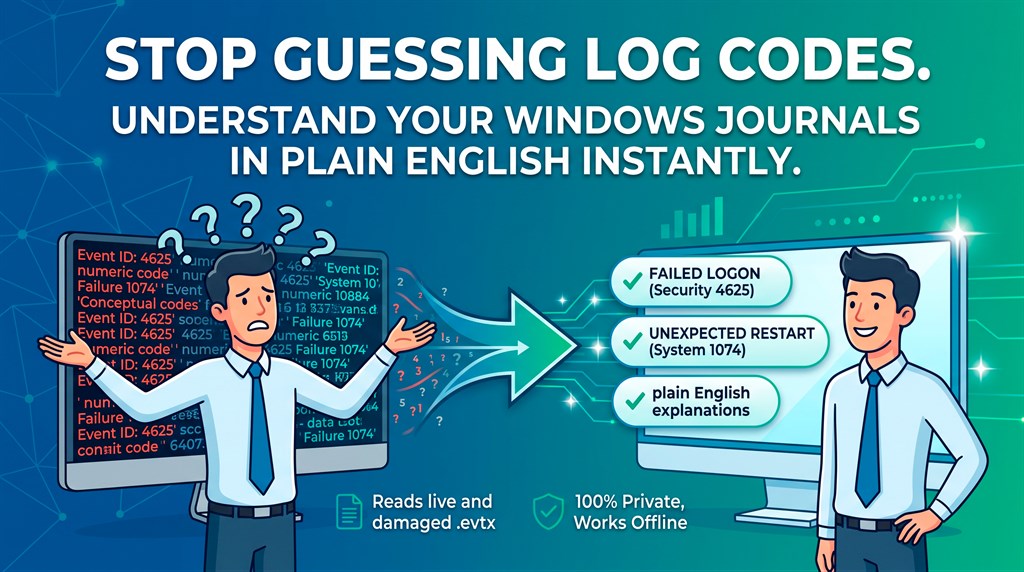
Key Features
Below is a detailed list of the key features that make SoftOrbits Event Log Viewer an indispensable tool:
- Real-Time Log Access: Reads live Windows event logs (Application, System, Security, Setup, etc.) on your PC.
- Open Live Logs: Instantly view the current entries of any selected log on the local machine with a single click.
- File Log Support: Load archived
.evtxor legacy.evtlog files from other computers as easily as opening a local log.
- Plain-Language Event Descriptions: The built-in reference explains each Event ID in clear terms.
- 181 Events Explained: Includes user-friendly descriptions for 181 common Windows events.
- High Coverage: This reference covered 94.6% of events in a test system, so most log entries become immediately understandable.
- Advanced Filtering Tools: Quickly narrow down logs to the events of interest.
- Time and Level Filters: Restrict the view by a specific time range or event severity (e.g. Errors only).
- ID and Account Filters: Enter one or more Event IDs (including ranges and exclusions like
100-200!150) or user account names to isolate exactly the entries you need.
- Proactive Monitoring & Alerts: Continuously watch logs and alert you to important events.
- Rule-Based Alerts: Define rules for specific events (e.g. “Event ID 4625 in Security log”) and get a desktop notification when they occur.
- Seamless Notifications: The program runs in the background and pops up alerts in the system tray for critical events, helping you respond immediately.
- Forensic Deep Scan Mode: Recover lost or hidden events from files or disks.
- Lost Event Recovery: Scan an EVTX file, disk image or entire drive block-by-block to recover records from rotated, deleted or corrupt logs.
- Duplicate-Block Detection: Identifies and merges duplicate data blocks, ensuring each recovered event is shown only once.
- Merged Timeline View: Combine logs and analyze events together.
- Merge Logs: Simultaneously open multiple logs (e.g. Application and System) in one timeline and sort all events chronologically.
- Related Event Chaining: Follow events that share a common field (like a process ID), collapsing a busy log into the chain of interest.
- Predefined Analysis Views: Jump straight to common investigations.
- Ready-Made Filters: 15 prepared views cover frequent scenarios: user sign-ins, failed logons, restarts, service changes, disk and file system errors, etc..
- Custom Searches: After selecting a view, further refine the results with a text search to pinpoint specific details.
- Export & Reporting: Share and archive your findings.
- CSV/Excel Export: Export numeric event data to CSV or Excel files for analysis.
- HTML/PDF Reports: Generate formatted incident reports in HTML or PDF to document your investigation.
- SQL Database Export: Insert log rows directly into a Microsoft SQL Server table for structured storage.
- Workspace & Snapshot Management: Save and restore your investigation environment.
- Saved Workspaces: Preserve tabs, filters, and column layouts so you can resume an investigation later with the same conditions.
- Frozen Snapshots: Freeze a particular selection of events so you can reopen the exact same set of results at any time.
- Summary/Analyzer Tools: Analyze patterns at a glance.
- Group By Field: Summarize a log by its event source, ID, or date to spot hotspots.
- Custom Columns: Add any missing event field as your own column in the view so you can sort or filter on it.
Requirements
Ensure your system meets these requirements to run SoftOrbits Windows Event Log Viewer:
- Operating System: Windows 11, 10, 8.1, 8 or 7 (32-bit or 64-bit)
- Processor: Intel® Core i3 or AMD Ryzen™ 5 (or above)
- Memory: 4 GB of RAM or more
- Graphics: Compatible with any DirectX-capable GPU (e.g. NVIDIA GeForce series 8 or later, Intel HD Graphics 2000 or later, AMD Radeon™ R600 or later) with up-to-date drivers
- Display: 1280 × 768 screen resolution (32-bit color)
- Disk Space: 1 GB of free hard disk space or more
Before reading logs on another computer, ensure that PC’s firewall allows Event Log (RPC) connections, as required by Windows.
Downloads
Explore how SoftOrbits Windows Event Log Viewer works for your needs by downloading the free trial edition. No registration or payment is required – simply install the program on your Windows machine to test all features. You can open and analyze your own event logs immediately, apply filters and alerts, and experience the interface firsthand. This trial is fully functional so you can see exactly how the software simplifies log analysis before you commit to buying.
or
Buy now, the price start from:
Thank you for reading SoftOrbits Windows Event Log Viewer review, and enjoy the discount coupon. If you notice any issues with SoftOrbits Windows Event Log Viewer discount coupon, deal, or giveaway—such as an expired offer, broken link, or sold‑out promotion—please let us know while the deal is still available.