90% Off – Nektony Duplicate File Finder: Lifetime License | Find & Remove Duplicate Files, Folders & Similar Photos – for Mac

A Clean Mac Starts Here — Find and Remove Every Duplicate File in Minutes with Nektony Duplicate File Finder. Get 90% Off the Pro License Today Only!
✔ Lifetime License. ✔ Free Product Updates ✔ Customer Support
BUY NOW
Duplicate File Finder by Nektony is regularly priced at $34.95 for a lifetime Pro license — already exceptional value for a tool that saves gigabytes of space and hours of manual cleanup. But right now, you can get the full Pro lifetime license for just $3.50 — that is a 90% discount available for a limited time only. This offer will not last, so act now before it is gone.
What you get with the Pro license:
- 1 Device Activation — Full Pro access on your Mac
- Lifetime License — Pay once, use forever with no recurring subscription fees
- Minor Updates Included — Keep your app current with ongoing minor version updates
- Full Pro Feature Set — Bulk duplicate selection, folder merging, similar photo and audio management, move-to-folder removal, and full restore from Trash
- Priority Support — Get help from the Nektony team when you need it
This is the best value available for a Mac duplicate cleaner, and at this price, there is no reason to wait. Click Buy Now to lock in your 90% discount before this exclusive offer expires.

Mac Duplicate Cleaner to Find & Remove Duplicate Files, Folders & Similar Photos | Scan Home Folder, External Disk & Cloud Storage
- Please Notes:
- You may be directed to the bundle page, but it is possible to purchase the software individually.
- If you're having difficulty locating the product on the bundle page, please utilize the browser's search feature.
- Get an additional $3 discount on all orders more that $30.
- LEGITIMATE: All apps are authentic and have original licenses obtained directly from the creators via contracts.
- INSTANT ACCESS: Fully activated macOS Apps & Windows Software with instant downloads & license key access.
- Device Activation: 1 Device
- Minor Updates Included Only
- Lifetime License
Platforms: Mac

MacBooster 8 PRO: Lifetime License BEST SELLER

Aiseesoft Mac Cleaner for mac OS X BEST OFFER

DoYourData AppUninser BEST OFFER

AweCleaner GIVEAWAY

MenubarX Pro BEST OFFER

Softorino Universal License BEST OFFER

MacCleanse BEST OFFER
Nektony Duplicate File Finder Giveaway
Unavailable at this moment!

To access the giveaway, kindly provide your email address. Please refrain from closing this page after signing in to receive instructions on how to access the offer at no cost.
NOTES:
– All prices shown here are in listed USD (United States Dollar).
– Such promotional programs are subject to change without notice, from time to time in our sole discretion.
– Data may vary based on different systems or computers.
Nektony Duplicate File Finder Review at a Glance
Your Mac should be a tool that works for you — fast, organized, and clutter-free. But over time, duplicate files quietly pile up: copied photos from backups, re-downloaded documents, music imported twice, folders duplicated across drives. Before you know it, gigabytes of your storage are gone, and finding the right file becomes a frustrating guessing game. Most users don’t even realize how much space is being wasted until it’s too late — when the disk is full, the Mac slows down, and sorting through thousands of files manually feels impossible.
Duplicate File Finder by Nektony is the solution built specifically for Mac users who want to reclaim their storage space and restore order to their files — without the risk of accidentally deleting something important. This powerful, trusted Mac utility has been developed by Nektony, a team with over a decade of experience in macOS optimization, and it is consistently ranked as the top duplicate cleaner for Mac by independent reviewers.
What Is Duplicate File Finder by Nektony?
Duplicate File Finder by Nektony is a specialized disk cleanup and duplicate detection software designed exclusively for macOS. It uses an advanced byte-to-byte binary comparison algorithm to identify exact duplicate files with 100% accuracy — if two files differ by even a single byte, they are not flagged as duplicates.
Beyond exact matches, the app also detects similar photos and near-identical audio files, giving you a complete picture of what is consuming your disk space.
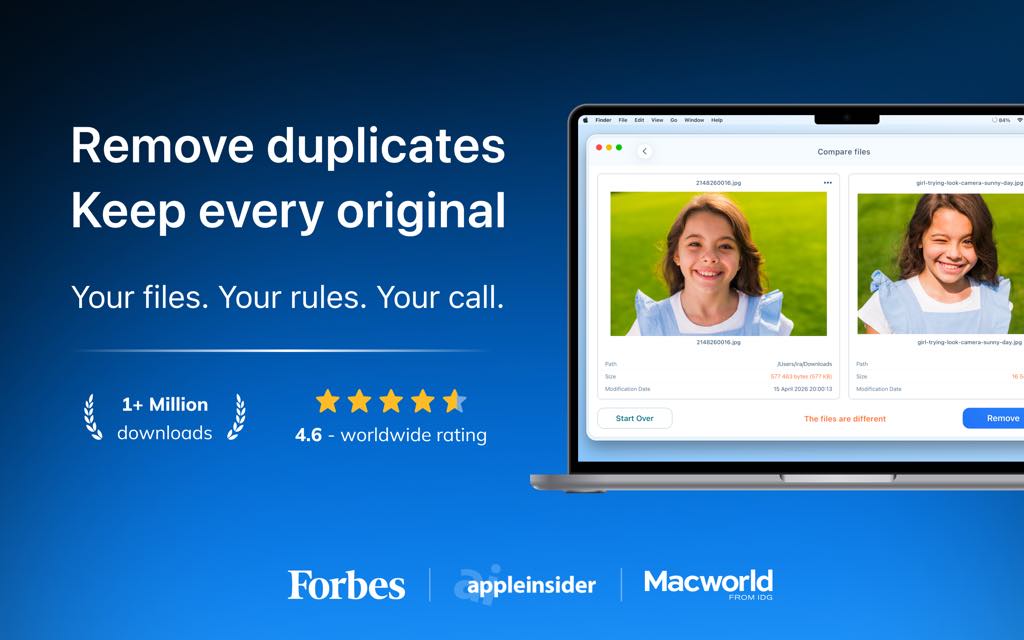
The app supports scanning across every storage location on your Mac: your Home folder, Photos Library, Music Library, external disks, mounted network folders, iCloud Drive, Dropbox, Google Drive, and more. It works with all major file types — images, music, video, archives, documents, folders, and virtually any file extension you can think of.
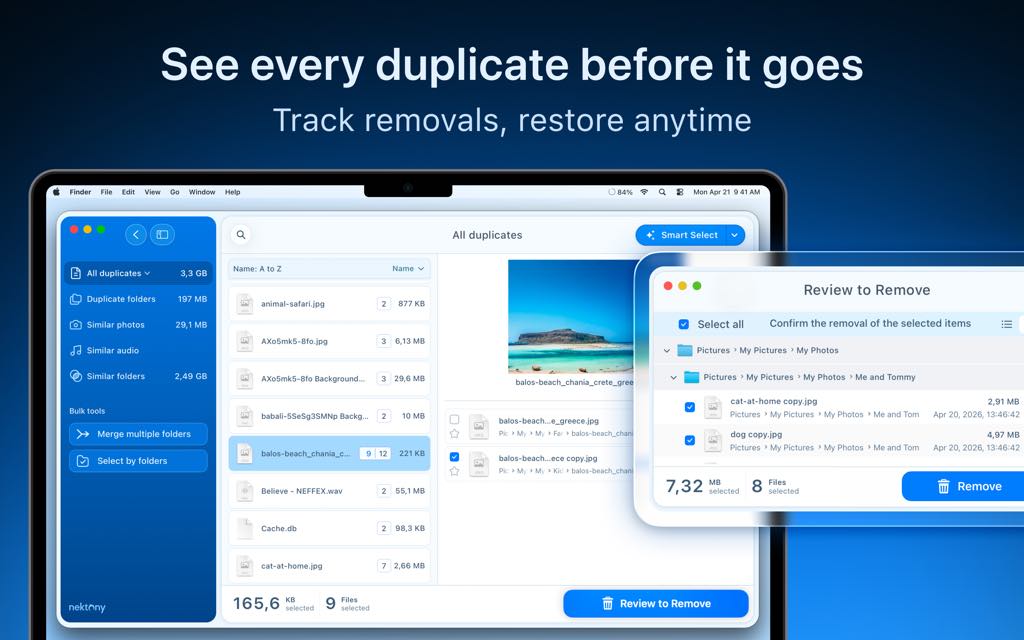
The free version lets you find and remove duplicate files immediately, while the Pro version adds advanced tools for bulk selection, folder merging, similar media management, and full restore capabilities.
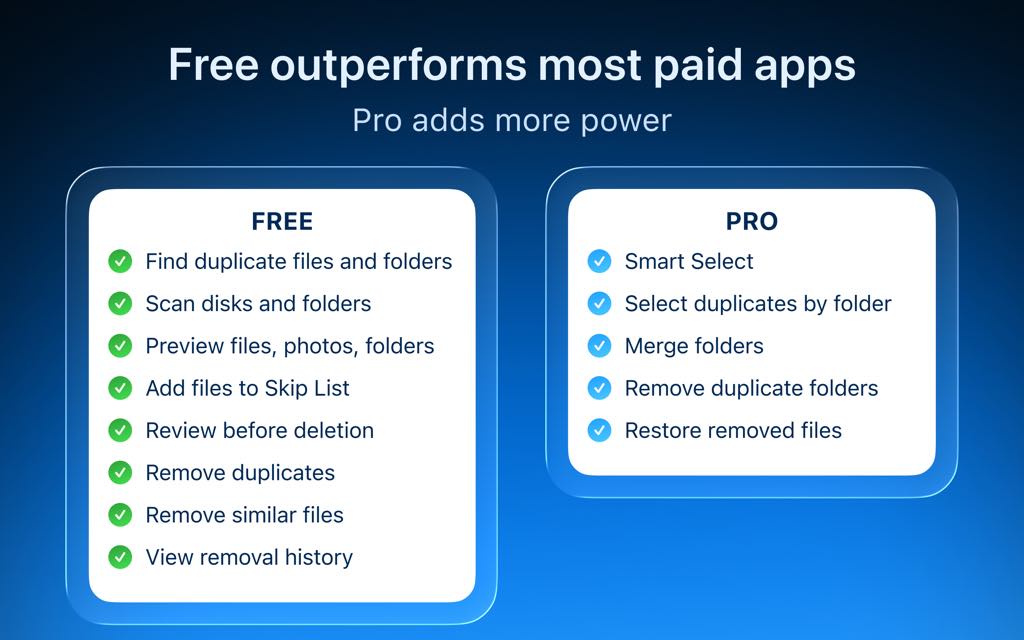
Who Can Benefit from Duplicate File Finder?
- Home users with years of accumulated photos, music, and documents across multiple drives
- Students and professionals managing large project folders, research files, and media assets
- Photographers and videographers dealing with duplicate RAW files, edited copies, and similar shots
- Musicians and podcasters maintaining organized audio libraries without redundant tracks
- Anyone who has ever migrated data, restored from a backup, or synced files across cloud services

Key Benefits
Duplicate File Finder by Nektony delivers real, measurable results for Mac users. Here is why thousands of users rely on it to keep their Macs clean:
- Reclaim gigabytes of storage instantly — a single scan reveals exactly how much space duplicates are consuming, and removing them takes only a few clicks
- Never lose a file you need — the app lets you review every file before deletion, view a history of removed items, and restore files directly from the Trash
- Scan everywhere in one session — Home folder, external drives, cloud storage, and Photos Libraries are all covered in a single scan, saving you time
- Accurate byte-to-byte results — the binary comparison engine means zero false positives; only true duplicates are flagged
- Find what other apps miss — similar photos, near-identical music files, and duplicate folders are all detected, giving you coverage no other duplicate cleaner offers
- Free to start, Pro when ready — the free version is fully functional for finding and removing duplicate files, with no time limit
- Safe and trusted — built by Nektony, a macOS-focused developer with 10+ years of experience in disk optimization tools
Key Features
Below is a complete breakdown of the powerful features that make Duplicate File Finder by Nektony a must-have Mac utility. Each feature is designed to give you speed, accuracy, and full control over your storage:
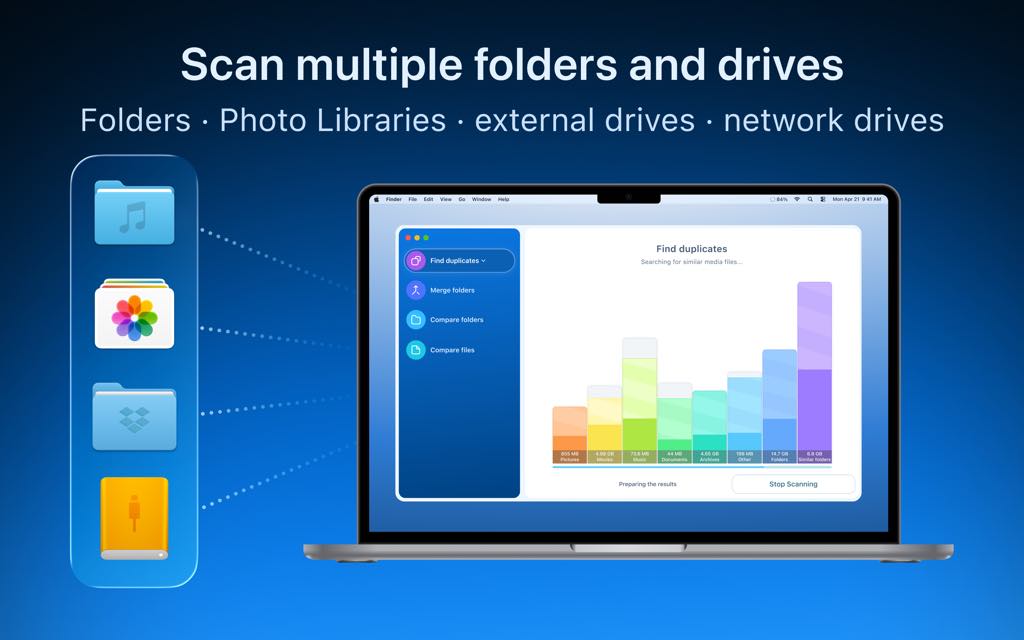
- Fast Scanning Algorithm — Rapidly scans your Mac using a high-performance engine that delivers results in seconds, not minutes.
- Multi-folder and multi-drive scanning — Scan multiple folders, disks, and storage locations simultaneously in a single session.
- Multiple Photos Libraries support — Scan more than one Photos Library at once to find duplicates across your entire photo collection.
- External drives and network folders — Full support for USB drives, SD cards, and mounted network storage.
- Recent Folders List — Quickly re-scan previously used folders without having to navigate to them again.
- Smart Skip List — Define files, folders, and file extensions that should always be excluded from scanning.
- Skip specific folders — Protect important directories from being included in any scan.
- Minimum file size filter — Set a size threshold so tiny files do not clutter your results.
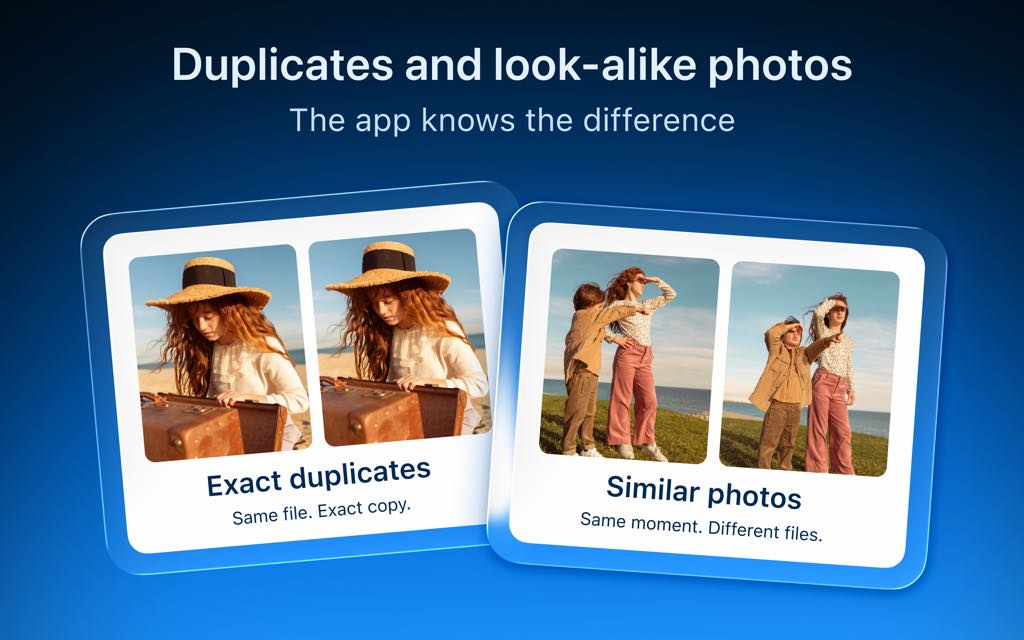
- Similar Media Detection — Goes beyond exact duplicates to find files that are nearly identical.
- Similar photo finder — Detect near-duplicate images and burst shots that take up space without adding value.
- Similar audio file finder — Identify songs and recordings that are nearly identical across your Music Library.
- Comprehensive Results Overview — Every scan produces a clear, organized report of what was found.
- Duplicate files list — View all duplicates in a clean, sorted interface.
- Similar photos list — Browse groups of similar images side by side.
- Duplicates grouped by file type — Instantly see how much space each category (images, music, video, documents, archives) is consuming.
- File and Folder Preview — Before deleting anything, see exactly what each file is.
- Quick Look preview — Use macOS Quick Look to preview any duplicate file directly within the app.
- Side-by-side file comparison — Compare any two files or folders byte by byte to confirm whether they match.
- Folder comparison — See both unique and identical contents of two folders before merging or deleting.
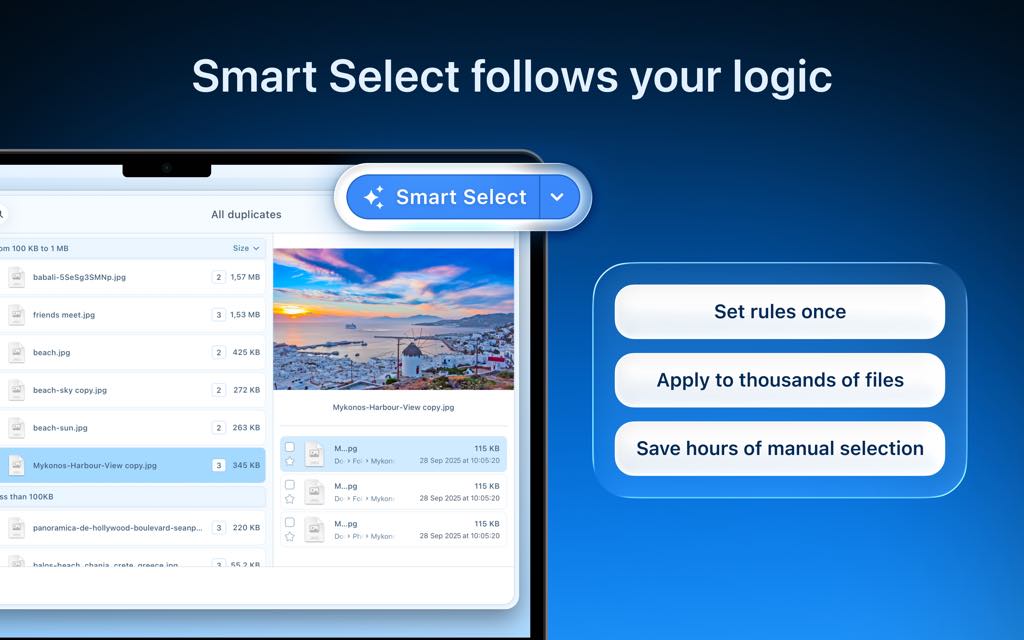
- Smart Select Auto-Selection — Let the app do the heavy lifting when it comes to choosing which copies to remove.
- Auto Select rules — Set “Always select” and “Never select” preferences to automate the selection process.
- Select duplicates in a specific folder (Pro) — Use the Smart Select feature to bulk-select all duplicates found within a particular folder.
- Visual progress bar — Track how many duplicates have been selected at a glance.
- Reverse selection with “Keep files” — Flip your selection to keep specific copies instead of marking them for deletion.
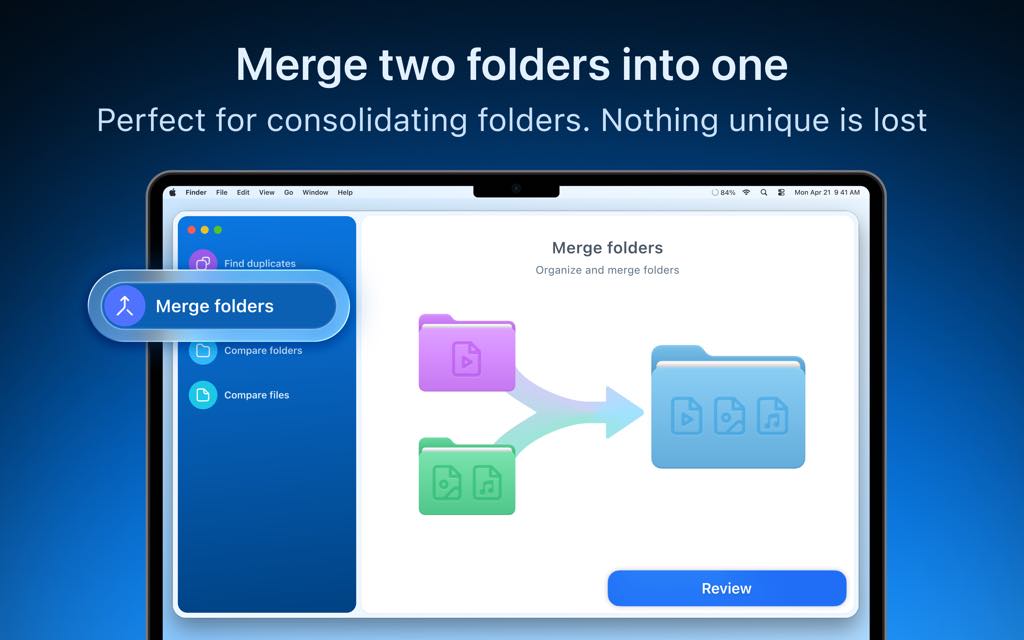
- Folder Merge Tools(Pro) — Combine fragmented folder structures without losing any files.
- Merge similar folders — Automatically consolidate folders that contain both unique and duplicate files.
- Merge any two folders — Manually merge any two chosen folders, even into a brand-new destination folder.
- Duplicate folder detection — Identify folders that are complete duplicates and remove them cleanly.
- Safe and Flexible Removal Options — Full control over how files are deleted.
- Review before removal — See a customizable confirmation list of every file selected for deletion before anything is removed.
- Move to Trash, remove completely, or move to folder — Choose how each deletion is handled.
- Removal history log — Review a complete log of every file that has been removed through the app.
- Restore from Trash (Pro) — Recover any mistakenly removed file directly from the app.
- Bulk Duplicate Management — Work faster with tools designed for large-scale cleanup.
- Group files by category — Organize scan results by file type for a more structured cleanup workflow.
- Search duplicates by name — Find a specific file within your scan results instantly.
- Bulk selection in specific folders — Select all duplicates in a folder at once with a single action.
- Hidden Duplicate Detection — The scan goes deep enough to catch files that other tools miss.
- Scan hidden files — Detect duplicate files that are not visible in the standard Finder view.
- Cloud storage scanning — Find duplicates stored in iCloud Drive, Dropbox, Google Drive, and other connected cloud services.
- Drag-and-drop scanning interface — Add any folder or disk to the scan simply by dragging it into the app window.
A Clean Mac in Just 3 Steps
Getting rid of duplicates has never been simpler with Duplicate File Finder by Nektony:
- Scan — Drag and drop any folder, disk, or Photos Library into the app and click Start Scanning
- Select — Review the results by category and use Smart Select or manual selection to mark unwanted copies
- Remove — Confirm the deletion list and remove files — or merge folders — in seconds
Requirements
To run Duplicate File Finder by Nektony on your Mac, ensure your system meets the following requirements:
- Operating System: macOS 10.13 (High Sierra) or later
- Processor: 64-bit processor required
- Storage locations supported: Internal drives, external drives, mounted network folders, Photos Library, Music Library, iCloud Drive, Dropbox, Google Drive
- File types supported: Images, music, video, archives, documents, folders, and all other file extensions
Downloads
Ready to see how much wasted space is hiding on your Mac right now? Get started with Duplicate File Finder by Nektony completely free — no credit card, no trial period, no commitment. The free version gives you full access to scanning, file previewing, and duplicate file removal across all your folders and drives. You can start cleaning up your Mac in under a minute. Test every core feature at no cost, and upgrade to Pro only when you are ready for the full power of bulk selection, folder merging, similar media management, and full restore capabilities. Download the free version directly from the Mac App Store and run your first scan today.
or
Buy now, the price start from:
Thank you for reading Nektony Duplicate File Finder review, and enjoy the discount coupon. If you notice any issues with Nektony Duplicate File Finder discount coupon, deal, or giveaway—such as an expired offer, broken link, or sold‑out promotion—please let us know while the deal is still available.