Giveaway – Abelssoft RouterGuard SE: Free Full Version |

Free Lifetime License | Real-Time Fritz!Box Monitoring | Router Security Checkup | Connected Device Tracking | Scam Call Blocking
Protect Your Home Network while using AVM Fritz!Box router. Get Abelssoft RouterGuard SE (Special Edition) for free!
Special Offers
AntiBrowserSpy 2026 BEST OFFER

Abelssoft AntiLogger BEST SELLER
Abelssoft BankingBrowser: Full Version! BEST OFFER

Abelssoft GClean 2026: Saver Subscription BEST SELLER

AntiRansomware by Abelssoft BEST SELLER
Abelssoft RouterGuard SE Giveaway

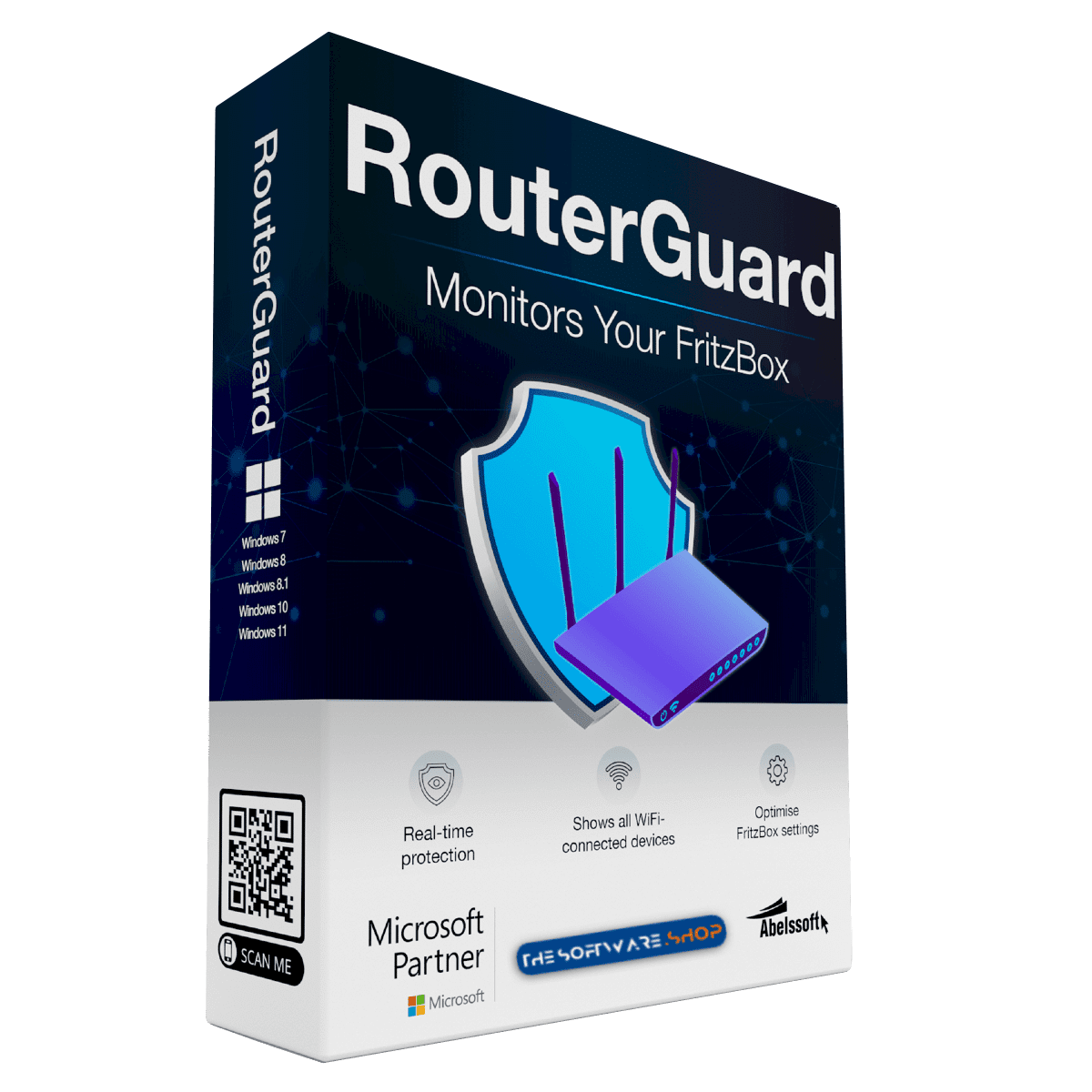
Abelssoft RouterGuard is available for $19.95, but for a limited time, you can get RouterGuard 2026 SE (Special Edition) completely FREE! Don’t miss this exclusive offer to protect your router and network at no cost.
- In the offer box, click the large “GET NOW” button above to go to the deal page.
- On the deal page, find the BUY NOW section and open the Giveaway tab.
- Enter your email address to unlock the offer box that contains the buy now button to download the full version of the software
- After that, read the hints inside the offer box for the next step-by-step instructions.
Protect Your Home Network With Abelssoft RouterGuard SE
Abelssoft RouterGuard SE (Special Edition) is a special-version security and monitoring tool built exclusively for Windows users who own an AVM Fritz!Box router. Developed by Abelssoft and distributed through THESOFTWARE.SHOP, this lifetime-license edition gives you a practical way to watch over your home network without paying a subscription fee or dealing with a trial period. If you rely on your Fritz!Box for daily internet access, RouterGuard SE gives you visibility into what is happening on your network at all times, from new device connections to firmware updates and possible security gaps.

Home routers sit at the center of nearly every connected device in a household, including phones, laptops, smart TVs, gaming consoles, and tablets. That central position also makes routers an attractive target for anyone trying to access a network without permission. Abelssoft RouterGuard SE was created to close that visibility gap by giving Fritz!Box owners a clear, real-time view of their router’s activity and security posture, directly from a Windows desktop application.
Real-Time Monitoring Built for Fritz!Box
RouterGuard SE by Abelssoft works with Fritz!Box models running Fritz!OS version 7.0 or later. Once installed, the program automatically detects your router on the local network, so setup does not require manual configuration of IP addresses or network paths. You only need to enter your existing Fritz!Box login credentials, meaning your username and password, to establish a secure connection between the software and your router.

After the connection is established, AbelssoftRouterGuard SE runs quietly in the background and keeps track of router activity. Users who want continuous protection can enable the “Start with Windows” option in the settings, so the tool launches automatically every time the computer boots up and begins monitoring right away. This is particularly useful for people who leave their Windows PC running for extended periods, since it means the network is being watched around the clock without any extra effort.
Customizable Notifications for Every Event
One of the strongest features of Abelssoft RouterGuard SE is its flexible notification system. Rather than flooding you with alerts for every minor event, the software lets you choose exactly which occurrences trigger a notification. Available options include logins to your Fritz!Box, connection interruptions, situations where the router becomes unreachable, and alerts when a new firmware version becomes available.

This level of control means you can tailor the program to match your own priorities. If you mainly care about unauthorized login attempts, you can focus notifications there. If you want to stay on top of firmware updates so your router always has the latest security patches, that option is available as well. Because notifications appear in real time, you learn about relevant events as they happen rather than finding out about them well after the fact.
A Built-In Security Checkup for Your Router
Beyond monitoring, Abelssoft RouterGuard SE performs an ongoing security assessment of your Fritz!Box and presents the findings on a dashboard. The program reviews ten important security parameters and reports on each one, giving you a straightforward picture of where your router configuration is strong and where it could use adjustment.

Among the items checked are the status of automatic updates, the availability of internet access via HTTPS, the strength of your current Wi-Fi encryption method, and the use of two-factor authentication to protect access to the router’s administration panel. The software also looks at the activation state of firewall stealth mode, which helps make the router less visible to unwanted external scanning. For each parameter, Abelssoft RouterGuard SE gives you a one-click shortcut into the corresponding section of your Fritz!Box’s browser-based interface, so making a change takes only a few seconds rather than requiring you to search through menus.
Identify Every Device on Your Wi-Fi Network
The “Show Devices” feature gives a complete overview of everything connected to your home network, including iPhones, Android phones, tablets, laptops, desktop PCs, and other Wi-Fi-enabled hardware. This is especially valuable for people living in apartment buildings, shared housing, or any setting where nearby networks could tempt an outside user to attempt an unauthorized connection.
The device list does not only show what is currently online. Abelssoft RouterGuard SE also keeps a record of devices that have connected in the past, even if they are no longer active, so you can review historical activity and confirm that every device belongs to someone in your household. If an unfamiliar device shows up, you can investigate immediately rather than waiting for a bill or a slowdown to alert you that something is wrong. The software also includes a convenient one-click option to turn your Wi-Fi network on or off entirely, which is useful when you want to temporarily disconnect all wireless devices, for example overnight or while troubleshooting.
Detailed Logs for Every Login and Access Attempt
For users who want a deeper look at network activity, RouterGuard SE maintains a log of relevant router events. This includes logins from your own IP address, both successful and failed access attempts, and the moments when new devices were first detected on the network. Reviewing this log can help you spot patterns, such as repeated failed login attempts that might indicate someone is trying to guess your router password, or confirm that a particular device connected at a specific time.
Call History and Scam Number Blocking
RouterGuard SE also extends its usefulness into the telephone side of your Fritz!Box, since many Fritz!Box models double as a home phone system. The dashboard displays a list of saved calls, along with the date, duration, caller name or number, and which internal phone device handled the call. If a voicemail message was left, you can play it directly from the interface using the built-in playback button.
A particularly practical addition is the Scam Blocking Service, which automatically works to block known fraudulent phone numbers from reaching your household. If you click “Show Blocked Numbers,” you get a complete list of numbers that have been blocked, along with the option to unblock any of them manually if a legitimate caller was mistakenly flagged. This feature adds a layer of everyday protection against phone scams, working alongside the network security tools to cover more than one side of home security.
Why Choose the Free Special Edition
RouterGuard SE is offered at no cost as a Special Edition, giving you a genuine lifetime license rather than a limited trial. It supports both German and English language interfaces, making it accessible to a wide range of Windows users. Abelssoft also sells a paid version of RouterGuard (Full Edition) with additional capabilities, such as hiding notifications for specific devices and manually blocking phone numbers of your choosing, but the free Special Edition already covers the core functions most households need: real-time monitoring, security checks, device visibility, activity logs, call history, and scam number blocking.
For anyone who wants a clearer picture of what is happening on their Fritz!Box without paying for premium router security software, Abelssoft RouterGuard SE offers a well-rounded set of tools packed into one lightweight Windows application.
Final Thoughts
RouterGuard SE combines real-time router monitoring, a ten-point security checkup, full device visibility, detailed activity logs, and call and scam protection into a single free tool built specifically for Fritz!Box owners running Windows. It gives everyday users the kind of oversight that once required more technical know-how, turning router security into something anyone can check at a glance and adjust with a single click. For people living in a shared building where unknown Wi-Fi users are a real concern, and for anyone who simply wants to know when new firmware is ready or when someone logs into their router, RouterGuard SE keeps you informed without extra cost or complexity. With a lifetime license and no subscription fees, it is a practical addition to any home network running an AVM Fritz!Box.