
82% Off – Application Wizard: Lifetime License | Launcher, Quitter, and Switcher – for Mac

Take Full Control of Your Mac in One Click — Get Application Wizard at 82% Off Today and Never Waste Time Hunting for Apps Again!
✔ Lifetime License. ✔ Free Product Updates ✔ Customer Support
BUY NOW
Application Wizard is available at $19.00, but right now you can grab a full license at an exclusive discounted rate of up to 82% OFF — act fast before this deal expires. This is the perfect moment to add a genuinely useful tool to your Mac setup at the best possible value.
By purchasing the premium license, you receive:
- Full lifetime or subscription license for Application Wizard with access to all features and menus
- Priority customer support to help you get the most out of the software
- Free updates to all future versions, including compatibility updates for upcoming macOS releases
- Native Apple Silicon and Intel support with no additional cost for either platform
- Multi-language access in English, German, French, Dutch, Spanish, and Italian

Fast Access to Applications, Documents, Folders & Disks | Open, Quit, Switch & Browse Mac Files Instantly | macOS 11+ | Apple Silicon & Intel
- Please Notes:
- You may be directed to the bundle page, but it is possible to purchase the software individually.
- If you're having difficulty locating the product on the bundle page, please utilize the browser's search feature.
- Get an additional $3 discount on all orders more that $30.
- LEGITIMATE: All apps are authentic and have original licenses obtained directly from the creators via contracts.
- INSTANT ACCESS: Fully activated macOS Apps & Windows Software with instant downloads & license key access.
- Device Activation: 1 Device
- License allows you to install and use Application Wizard on a single computer if the computer is used by multiple persons or on up to 3 computers provided you are the only user of all the computers.
- License includes all future Application Wizard 4.x.x updates
- License code is not for resale.
- Minor Updates Included Only
- Lifetime License
Platforms: Mac OS X

MacMobility BEST OFFER

Dock Star BEST OFFER

Winstep Nexus Ultimate BEST OFFER

Keyboard Maestro BEST OFFER

CleanBoard BEST OFFER
Application Wizard Giveaway
Unavailable at this moment!
To access the giveaway, kindly provide your email address. Please refrain from closing this page after signing in to receive instructions on how to access the offer at no cost.
NOTES:
– All prices shown here are in listed USD (United States Dollar).
– Such promotional programs are subject to change without notice, from time to time in our sole discretion.
– Data may vary based on different systems or computers.
Application Wizard Review at a Glance
Every Mac user knows the frustration: too many open applications, cluttered windows, and precious time wasted clicking through the Dock or Finder just to get to the files and apps you need. Switching between tasks becomes a chore, and managing what’s running in the background feels like a constant battle against screen clutter. The more you work, the more chaotic your workspace becomes — and no built-in macOS tool gives you the fast, unified access point you truly need. That’s exactly the problem Application Wizard was built to solve.
Application Wizard is a powerful Mac utility that puts everything you need within a single click — your applications, documents, folders, disks, contacts, and more.
What is Application Wizard?
Application Wizard is a macOS productivity utility that serves as a fast-access hub for everything on your Mac. It consolidates the most common tasks — launching apps, quitting processes, switching windows, browsing folders, and previewing files — into a clean, intuitive interface that’s always a single click or keypress away.
Designed for macOS 11 and later (including macOS 26 Tahoe), it runs natively on both Apple Silicon and Intel-based Macs, making it a reliable and future-ready productivity tool. Whether you’re a power user juggling dozens of open apps, a creative professional managing large media libraries, or a developer who needs rapid access to utilities and scripts, Application Wizard acts as a smart, always-available command center sitting quietly at the edge of your screen.
The app features a small translucent panel that can be positioned along any side of your screen — left, top, right, or bottom. It stays out of your way until you need it, then appears instantly on demand. Prefer working from the menu bar? You can do that too. Or assign customizable keyboard shortcuts to trigger any action without ever touching your mouse. Application Wizard adapts to your workflow, not the other way around.
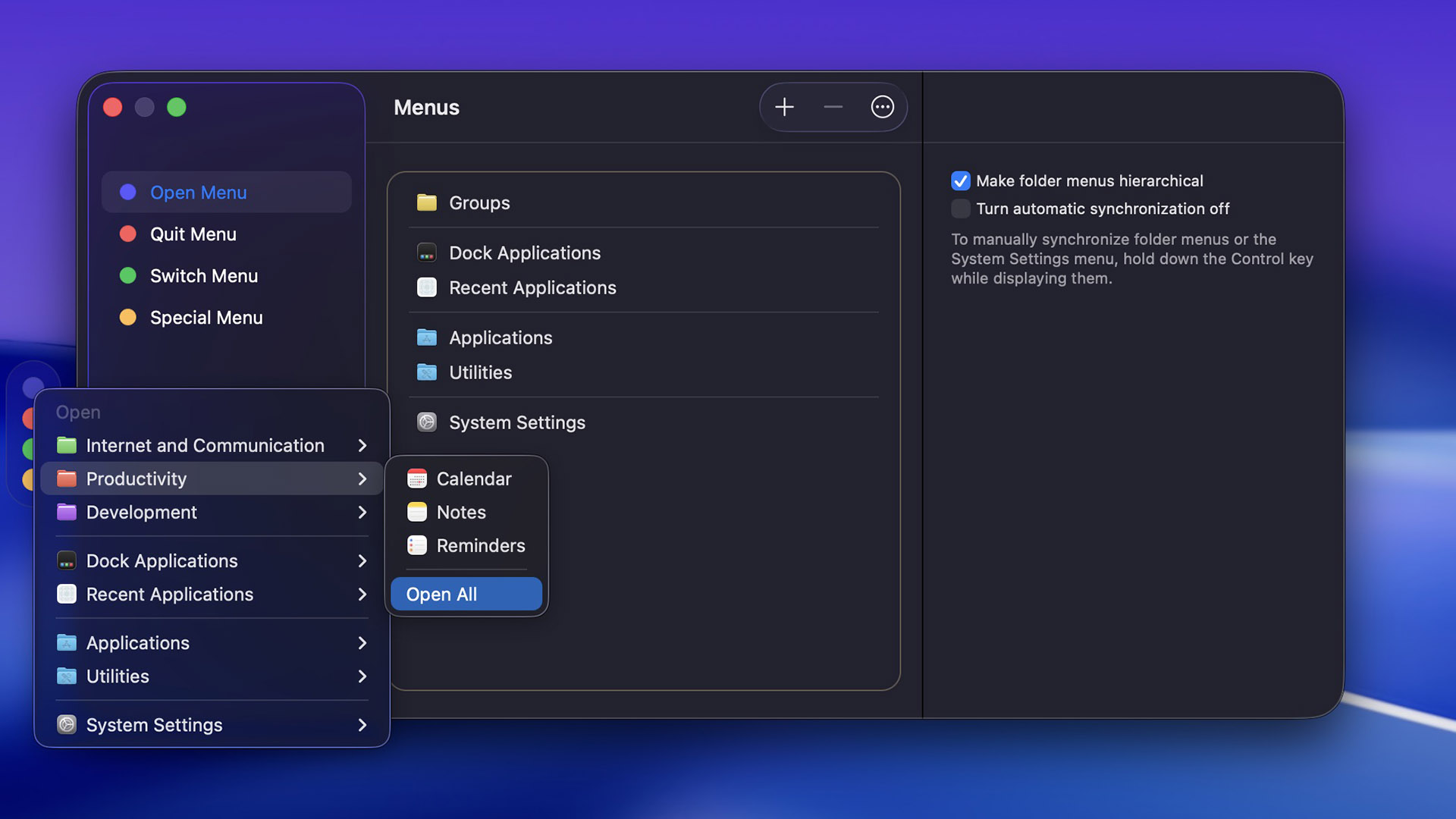
At its core, Application Wizard organizes your Mac interactions into four intelligently designed menus: Open, Quit, Switch, and Special. Each menu addresses a specific pain point in your daily Mac usage and gives you a level of control that macOS alone simply doesn’t offer. From opening a group of applications with one click to previewing images and reading embedded photo metadata without opening any app — Application Wizard does it all with speed and elegance.
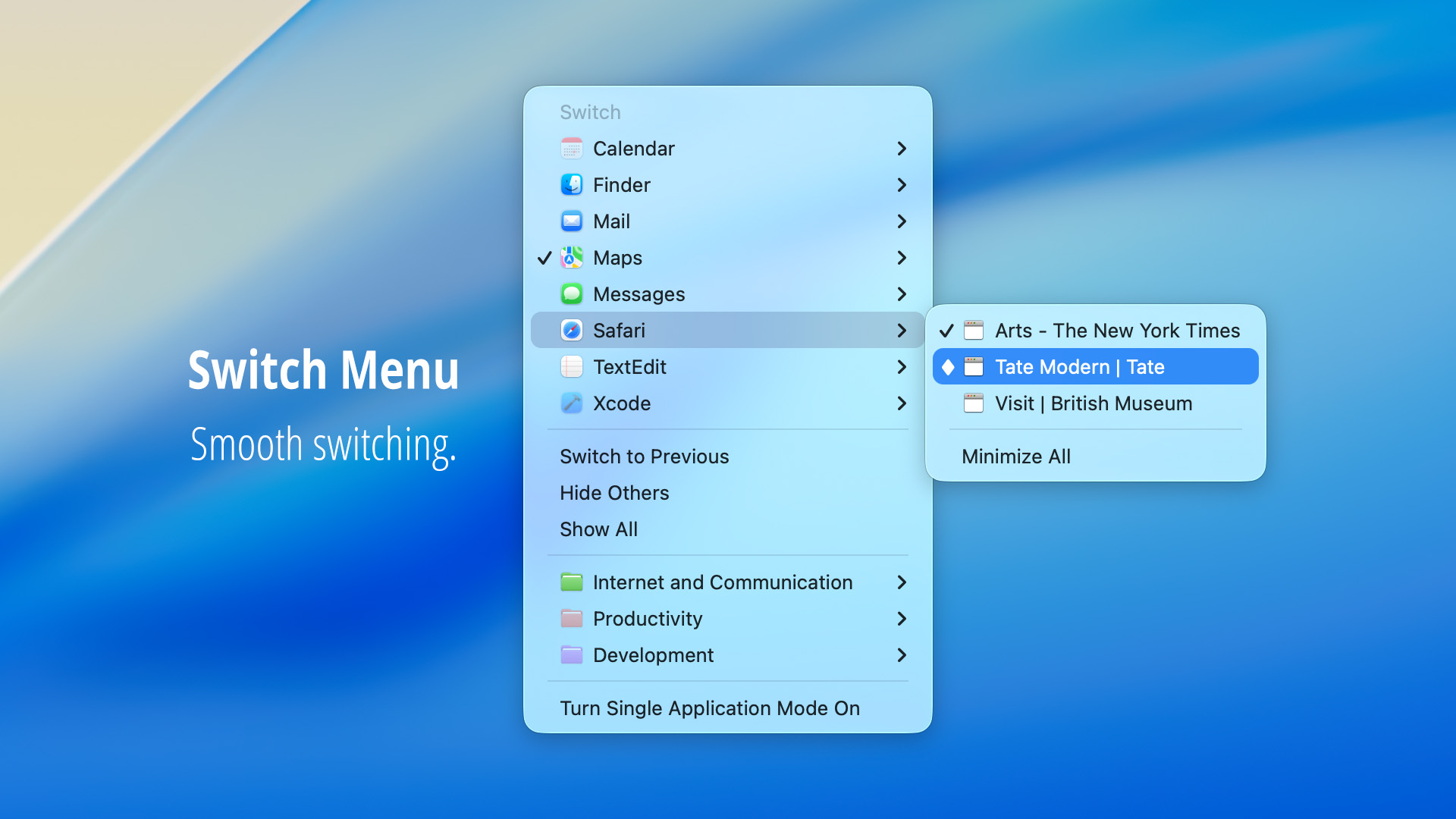
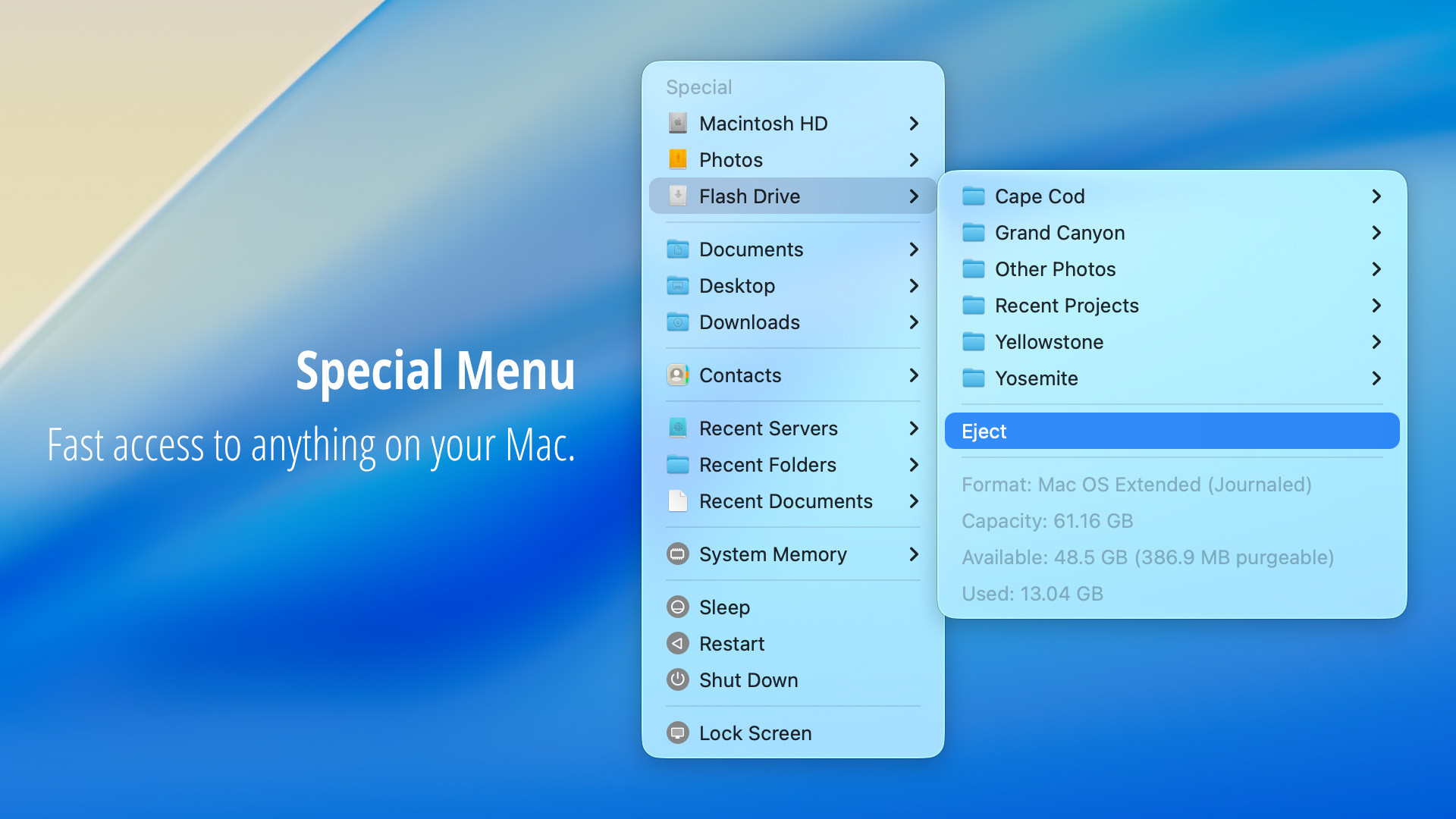
Unlike the Dock or Spotlight, Application Wizard gives you granular, structured control over your running applications and file system. It lets you open individual apps or entire groups, quit any combination of running processes (including background apps and the Finder), switch between open windows with precision, and browse volumes or favorite folders to access files without opening a Finder window. Its Special menu goes even further, letting you monitor memory usage, eject and mount disks, access recent documents and contacts, and view rich previews with metadata for images, music, videos, and PDF files.
Who benefits most from Application Wizard?
- Power users and multitaskers who regularly work with many open applications and need fast, clean switching
- Creative professionals (photographers, video editors, designers) who need quick access to media files and metadata
- Developers and IT professionals who frequently run scripts, open utilities, and manage disk volumes
- Business users who manage large numbers of documents, folders, and contacts on a daily basis
- Anyone who values a clean, clutter-free Mac workspace and wants single application mode at their fingertips
Key Benefits
Application Wizard delivers measurable improvements to how you work on your Mac every single day. Here is what sets it apart from simply relying on macOS defaults:
- Massive time savings — Open, quit, and switch between applications with a single click instead of navigating menus or searching through the Dock
- Reduced screen clutter — Single application mode hides all other apps instantly, giving you a focused, distraction-free workspace
- Centralized file access — Browse volumes and favorite folders, access recent documents, and open files directly without launching Finder
- Rich file previews — View images, listen to music previews, watch video clips, and read PDF files directly from the Special menu
- Deep metadata insight — Read full image metadata (EXIF, GPS location, camera settings) without opening any photo application
- Flexible accessibility — Access everything via a translucent screen-edge panel, the menu bar, or fully customizable keyboard shortcuts
- Full Apple Silicon support — Runs natively on M-series Macs and supports opening Universal apps via Rosetta for legacy compatibility
- Multilingual support — Available in English, German, French, Dutch, Spanish, and Italian for global users
Key Features
Below is a comprehensive breakdown of every key feature that makes Application Wizard a valuable and indispensable addition to your Mac workflow:
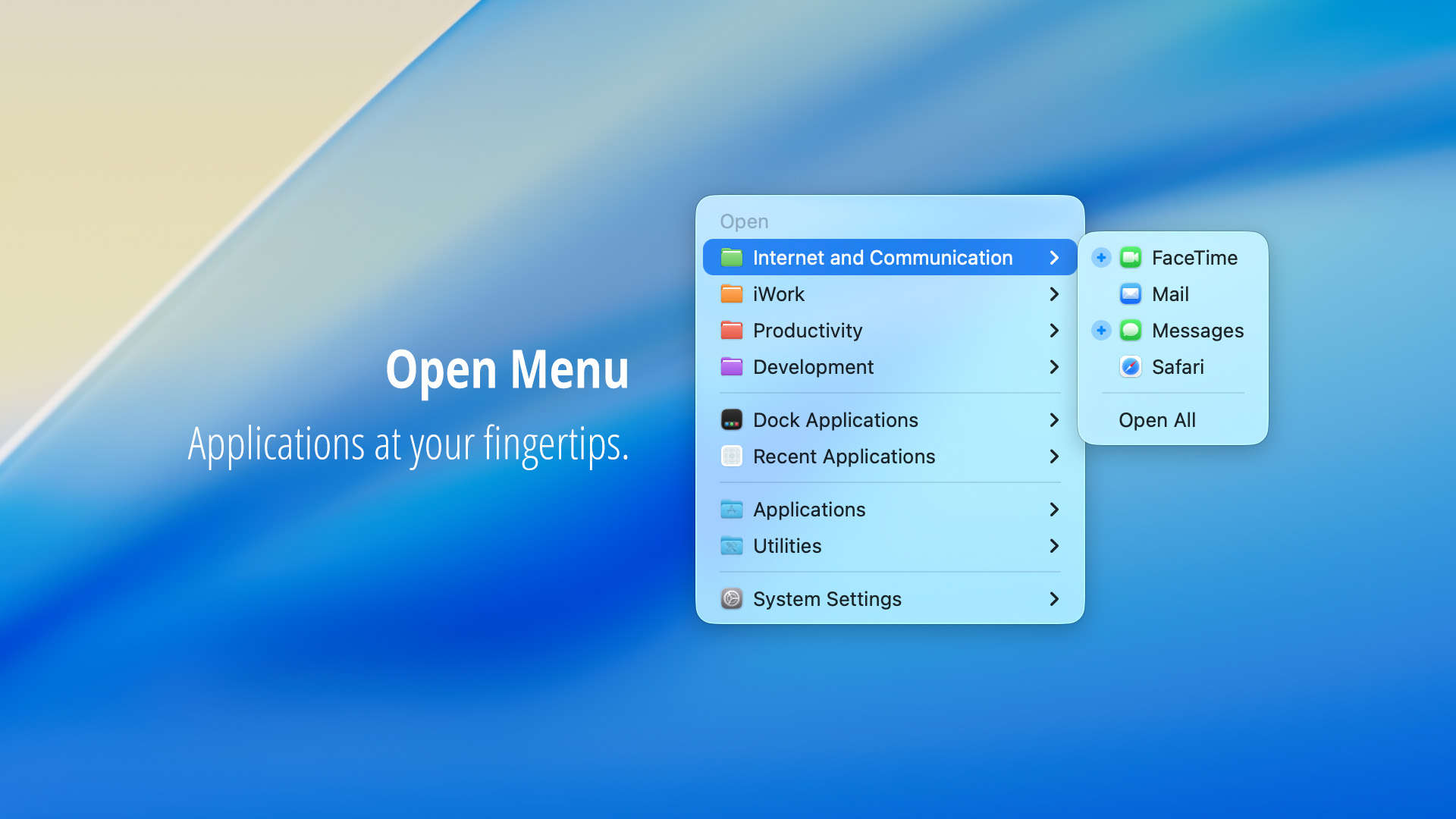
- Open Menu — Launch applications instantlyApplication Wizard’s Open menu gives you fast, organized access to all your apps from one place.
- Favorite Applications — Open your most-used apps with a single click without searching the Dock or Applications folder
- Application Groups — Open multiple applications at once by organizing them into groups for different workflows
- Recent Applications — Quickly relaunch apps you’ve used recently without browsing your Applications folder
- Dock Applications — Access all applications currently in your Dock directly from the Open menu
- Applications & Utilities Folders — Browse and launch any app installed in your Applications or Utilities directory
- System Settings Panes — Jump directly to any macOS System Settings panel without navigating through the settings app manually
- AppleScript Runner — Run AppleScripts directly from the Open menu to automate repetitive tasks
- Rosetta Support (Apple Silicon) — Easily open Universal applications in Rosetta mode and identify apps running non-natively
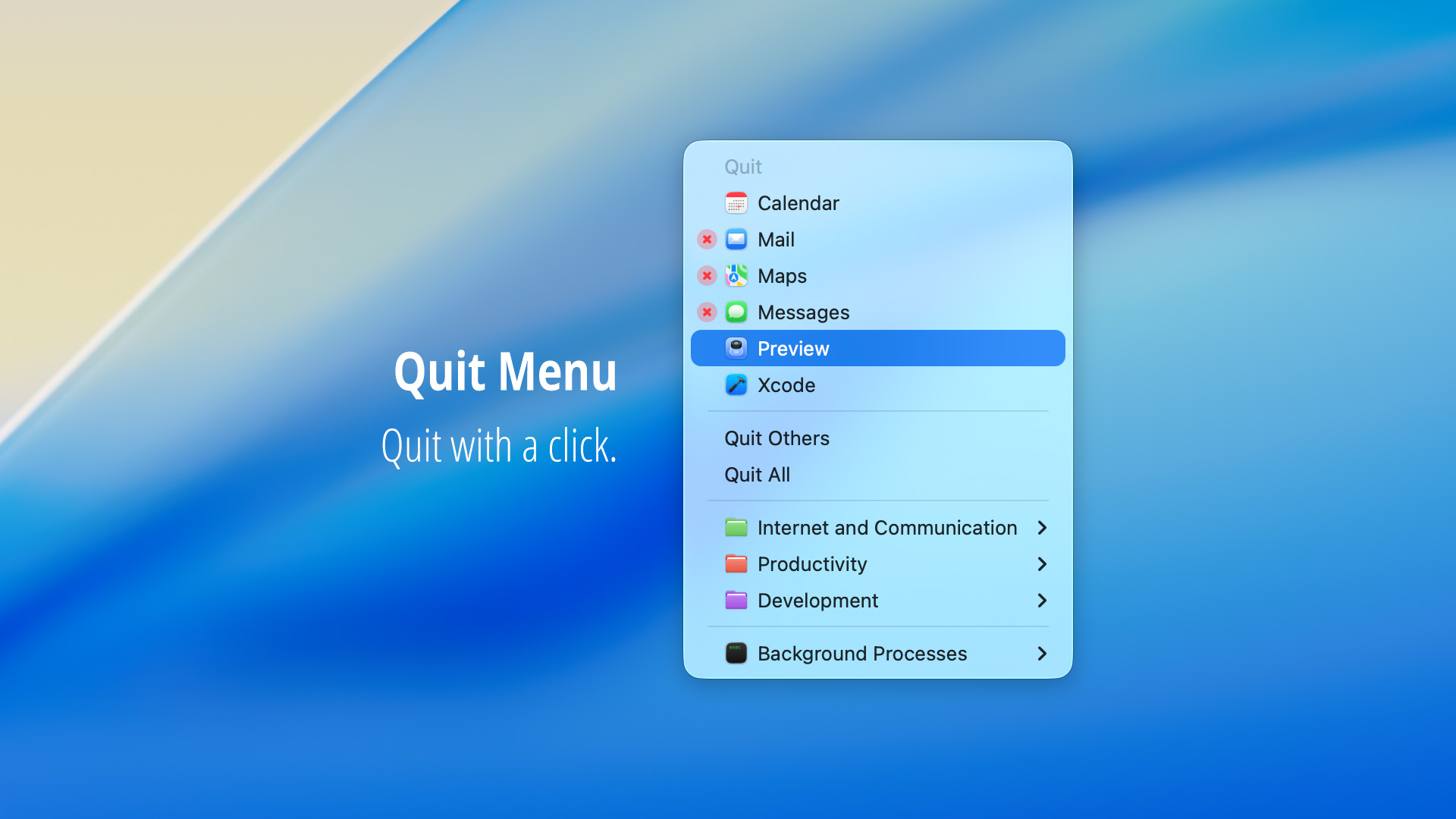
- Quit Menu — Close apps with precisionQuitting applications has never been this straightforward or powerful.
- Quit Any Combination of Apps — Select exactly which running applications to quit in one action, no need to quit them one by one
- Quit All Running Applications — Close every open application at once with a single click to free up resources instantly
- Quit Background Processes — Terminate background apps and the Finder that don’t appear in standard app switchers
- Force Quit — Force unresponsive applications to close immediately without needing to open the Force Quit window
- Rosetta App Indicator — See at a glance which applications are currently running non-natively via Rosetta
- Switch Menu — Navigate your workspace smoothlyThe Switch menu gives you complete control over which application or window is in focus at any given moment.
- Application Switching — Switch between all open applications quickly and cleanly from a single menu
- Window-Level Switching — View and bring specific application windows to the front when working with multiple documents
- Reopen Terminated Apps — Easily relaunch applications that were automatically terminated by macOS to free memory
- Show or Hide Applications — Hide individual apps or groups of apps to declutter your screen without quitting them
- Single Application Mode — Activate single application mode to automatically hide all other apps when you switch focus, keeping your workspace clean
- Special Menu — Everything else, fastThe Special menu is the most feature-rich section of Application Wizard, offering a broad set of tools beyond basic app management.
- Volume and Folder Browsing — Navigate your Mac’s volumes and favorite folders to open files without switching to Finder
- Recent Folders and Files — Access recently opened folders, documents, and servers without retracing your steps
- Package Contents Access — Browse inside application and package bundles directly from the menu
- Contact Lookup and Editing — Quickly find, view, edit, and save contacts as vCards from within Application Wizard
- Disk Eject and Mount — Eject connected disks, servers, and external drives and remount them with ease
- System Memory Monitor — Check real-time memory usage to understand what’s consuming your Mac’s RAM
- Finder Controls — Quit and relaunch the Finder directly without using Terminal or Activity Monitor
- Screen Lock — Lock your Mac screen instantly when stepping away from your computer
- File Previews — See before you openApplication Wizard’s preview system lets you inspect files in detail without launching any application.
- Image Previews — View full image previews directly in the Special menu for quick visual identification
- Music Previews — Preview audio files including metadata like artist, album, and track information
- Video Previews — Watch video clip previews without opening a media player
- Document Previews — Preview PDF and document files to confirm content before opening
- Open With Specific App — Choose which application to use when opening a previewed file
- Show in Finder — Reveal a previewed file in its Finder location with one click
- Move or Copy Files — Move or copy files directly from the preview without opening Finder
- Share Files — Share files via macOS Share Sheet directly from the preview panel
- Slideshow Mode — Display photos and PDF files as a slideshow without opening any dedicated app
- Image Metadata — Full EXIF and file data at a glanceApplication Wizard reads and displays the complete metadata embedded in your image files, giving you instant technical insight.
- General File Properties — View pixel dimensions, resolution, color depth, orientation, and color space
- Camera Capture Settings — See ISO speed, aperture, shutter speed, metering mode, and flash settings used when a photo was shot
- GPS Location Data — View the geographical coordinates where a photo was captured
- Camera and Lens Information — Identify the make, model, and lens used to take the photo
- Format-Specific Properties — See compression method, rendering intent, and other format-level technical details
- Description and Keywords — View embedded descriptions and classification keywords if present in the file
- Keyboard Shortcuts — Hands-on speed
- Fully Customizable Shortcuts — Define your own keyboard shortcuts for any frequent task within Application Wizard
- Group Launch Shortcuts — Assign a shortcut to open a specific group of applications instantly
- Quit All Shortcut — Press a key combination to quit all running applications at once
- Previous App Shortcut — Switch back to the previously active application without touching the mouse
- Single App Mode Toggle — Turn single application mode on and off with a keyboard shortcut
- Interface Flexibility — Always at hand, never in your way
- Translucent Screen-Edge Panel — A discreet floating panel sits along any screen edge and auto-hides until needed
- Menu Bar Access — Access all Application Wizard menus directly from the macOS menu bar
- Panel Positioning — Place the panel on the left, top, right, or bottom edge of your screen based on your preference
- Auto-Show on Hover — The panel hides automatically and reappears the moment your cursor approaches it
Requirements
- Operating System: macOS 11 (Big Sur) or later, including macOS 26 Tahoe
- Architecture: Runs natively on Apple Silicon (M1, M2, M3, M4 series) and Intel-based Macs
- Languages Supported: English, German, French, Dutch, Spanish, Italian
- Rosetta 2: Required only for opening Universal apps in Rosetta mode on Apple Silicon Macs
Downloads
Not ready to commit right away? That’s completely understandable — seeing a tool in action is the best way to know it fits your workflow. Take Application Wizard for a spin with the free trial edition and experience firsthand how it changes the way you interact with your Mac. Test every menu, try the previews, check the metadata features, and see how single application mode cleans up your screen in seconds. Click the button below to get your free trial and start working smarter today.
or
Buy now, the price start from:
Thank you for reading the #PRODUCT review, and enjoy the discount coupon. If you notice any issues with the #PRODUCT discount coupon, deal, or giveaway—such as an expired offer, broken link, or sold‑out promotion—please let us know while the deal is still available.