Giveaway – SoftOrbits USB Drive Encryption: Free License Key | Flash Drive Encryption, Password Protect USB Stick – for Windows

Lock Your Flash Drive with AES-256 in Minutes and Open It on Any Windows PC with No Installation. Get SoftOrbits USB Drive Encryption for FREE Today and Stop Worrying About Lost Sticks!
Free Full Version!
BUY NOW
SoftOrbits USB Drive Encryption is available for $24.99 for a lifetime. But, you can now get a full version of SoftOrbits USB Drive Encryption with a Lifetime License Key For Free through the Giveaway tab below. This offer is available for a limited time!
Hasleo BitLocker Anywhere BEST OFFER
Cryptbox 2026: Saver Subscription BEST OFFER

WinToUSB Professional BEST SELLER
SecureDrive PRO GIVEAWAY
QILING Safe Disk 3: Lifetime License GIVEAWAY
Abelssoft FileCryptor BEST OFFER
Wise Folder Hider Pro: 3 PCs / 1 Year BEST OFFER
![[NEW KEY #11] Giveaway – Top Data Protector Pro 3: Free License Code | Easy-to-use Folder Lock Software – for Windows](https://thesoftware.shop/wp-content/uploads/thumbs_dir/Top-Data-Protector-Pro-Review-Download-Discount-Coupon-Gievaway-247kvhff1002sr8cf67fmxvlnn7hjtf3u6hl2y5wxb4k.png)
Top Data Protector Pro GIVEAWAY
Vovsoft Hide Files: Lifetime License BEST SELLER

Nero USBxCopy BEST OFFER
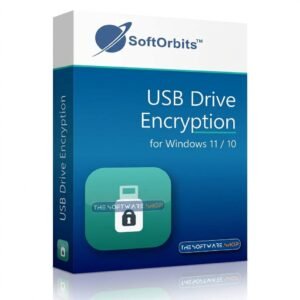
SoftOrbits USB Drive Encryption Key Giveaway
Available now: Free License Key For a Limited Time!
To access the giveaway, kindly provide your email address. Please refrain from closing this page after signing in to receive instructions on how to access the offer at no cost.

NOTES:
– All prices shown here are in listed USD (United States Dollar).
– Such promotional programs are subject to change without notice, from time to time in our sole discretion.
– Data may vary based on different systems or computers.
SoftOrbits USB Drive Encryption Software Review at a Glance
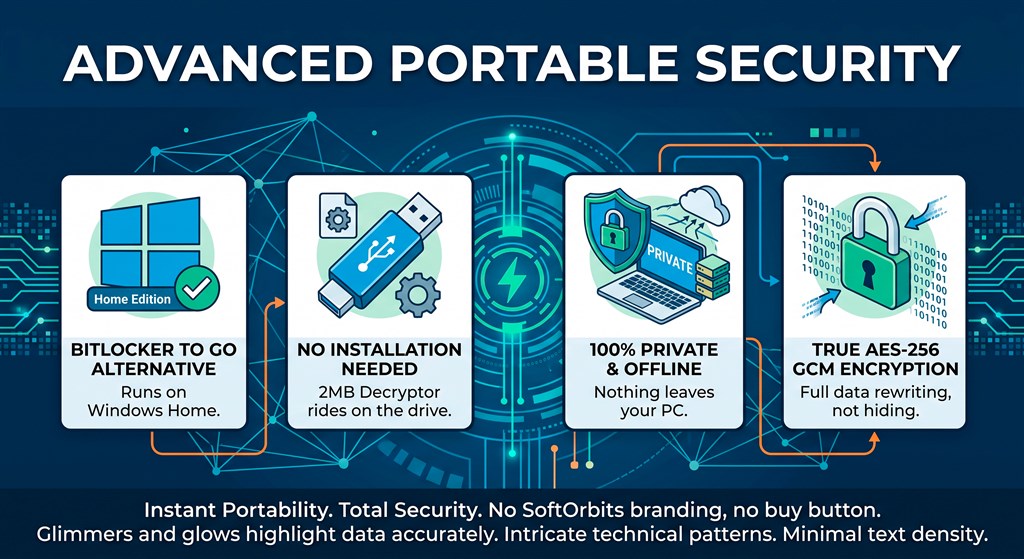
A flash drive is small, easy to lose and simple to read. Client contracts, tax records, family photos and project files travel in pockets and bags every day. One misplaced stick can expose all of it to a stranger. Most people try to fix this with BitLocker To Go, but Windows Home cannot turn on BitLocker To Go. The menu item every guide mentions is missing on Home editions, and the Device Encryption fallback covers internal disks only.
Other tools that mount an encrypted volume as a drive letter ship their own kernel driver. Installing a driver needs administrator rights, which means a ticket to IT and a long wait on a work PC. SoftOrbits USB Drive Encryption Software removes both obstacles. It protects the drive with a single password and leaves a small opener on the stick, so the files open on a borrowed computer without any installation.

What Is SoftOrbits USB Drive Encryption?
SoftOrbits USB Drive Encryption is a Windows program that turns an ordinary flash drive into an encrypted one. You set one password, pick the drive and start the run. The program rewrites your files as AES-256-GCM ciphertext. The key comes from your password through Argon2id, a modern key derivation function that makes guessing a weak password costly in both time and memory.
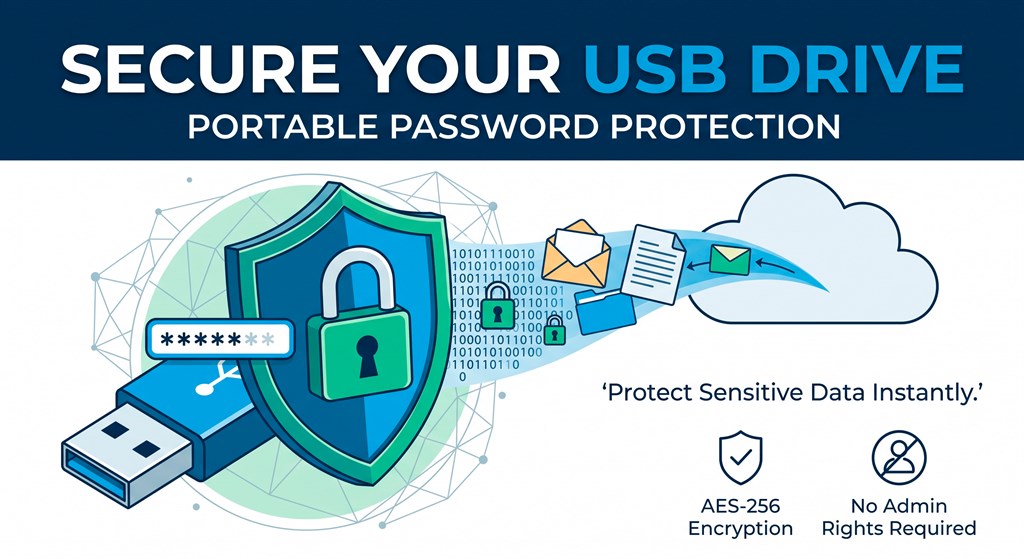
When the run finishes, a 2.2 MB portable decryptor named UsbDriveEncryption.exe stays on the stick. Plug the drive into another Windows PC, run the executable from the drive itself, type your password and read your files. Nothing is installed on that computer and no administrator rights are needed. The drive keeps its original file system and its full capacity, so you encrypt the stick you already carry instead of buying a special one.
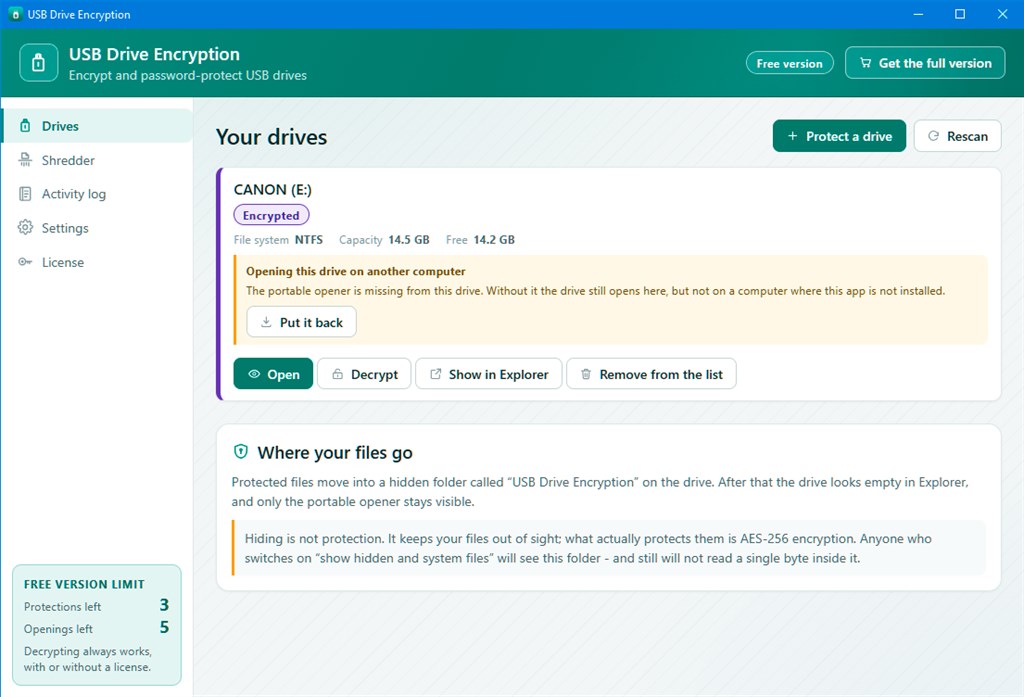
How to Encrypt a USB Drive on Windows 11
The process takes four short steps:
- Install the program on a Windows PC you control. Installation happens once, on the computer where you protect the drive.
- Set your password on first launch. The first run shows a recovery key. Store it in your password manager. One password then opens every drive you protect.
- Pick the drive in the list and start the run. The program copies your files into an encrypted store on the same stick and marks that store as a hidden system folder. Afterwards the drive shows one file, UsbDriveEncryption.exe.
- Open the drive anywhere. Plug the stick into any Windows PC, run the executable from the drive, type the password and your files open.
Why Choose USB Drive Encryption Software?
SoftOrbits USB Drive Encryption a.k.a USB Warden was built around the situations where other tools fail. It works on every Windows edition, including Home, because it does not use BitLocker at all. It needs no kernel driver, so it runs on locked-down office computers. It does not format the drive, so the files already on the stick stay on it.
Even the free tier is designed with fairness in mind. Once the free counter is spent, decryption keeps working, and every byte you put on the stick comes back out. Cutting people off from an archive they own would be a strange way to sell a security tool.
Who Can Benefit?
- Windows Home users who cannot find the BitLocker To Go option and need a dependable alternative.
- Contractors, freelancers and students who plug sticks into machines owned by someone else.
- Office workers who protect a drive at home and open it in a client meeting room.
- Anyone who lends or mails a drive, because the finder sees only one executable and a password box.
Key Benefits
The advantages below show why SoftOrbits USB Warden suits both casual users and professionals who carry sensitive files. Each one addresses a specific frustration with other USB protection methods:
- Real AES-256-GCM protection keeps your data unreadable without the password, and tampered files fail their check instead of opening as garbage.
- No formatting and no new partition means the drive keeps its full capacity and the files already on it.
- Portable access lets you open the drive on any Windows PC with a 2.2 MB executable and nothing to install.
- No administrator rights are required, so locked-down work and school computers are not a barrier.
- A drive that looks empty in File Explorer hides your content from casual snooping.
- Works on Windows Home, where BitLocker To Go is not available.
- One password for every drive keeps your routine simple.
- Recovery key support gives you a way back in if the password slips your mind.
- Reinstall-proof encryption because the protection lives in the data, so the same password opens the same stick after a reinstall or on a new PC.
- 20 interface languages let the password prompt appear in the user’s own language.
Key Features
Below is a closer look at the main capabilities that make this encryption tool a practical addition to your software collection:
- AES-256-GCM with Argon2id: Protects your files with an authenticated cipher and a memory-hard key derivation function.
- AES-256-GCM encryption: Rewrites each file as ciphertext and rejects any file that was altered on the drive.
- Argon2id key derivation: Builds the encryption key from your password and makes password guessing expensive in time and memory.
- No Formatting, No New Partition: Keeps the drive’s file system and capacity untouched during protection.
- Full capacity retained: Moves photos and reports into a folder instead of cutting a partition from the stick.
- Existing files preserved: Encrypts a drive that already holds data without emptying it first.
- Portable Decryptor: Places a single small executable on the drive so you can open files on other PCs.
- 2.2 MB opener: Runs straight from the stick with no setup on the host computer.
- No installation needed: Leaves a borrowed computer exactly as you found it.
- No administrator rights: Works on machines where you cannot install software or drivers.
- Recovery Key for a Forgotten Password: Writes out a backup key during setup so your data stays reachable.
- Key shown at first launch: Displays the recovery key when you create your password.
- Separate storage advised: Works best when you keep the key somewhere other than the stick, such as a password manager.
- A Drive That Looks Empty: Hides your encrypted content behind a single visible file.
- One executable at the top level: Shows only UsbDriveEncryption.exe in File Explorer.
- Hidden system folder: Stores all encrypted data out of sight, and clearing the hidden attribute reveals only ciphertext.
- Encryption Tied to the Data: Keeps protection inside the files, not inside the app that wrote them.
- Reinstall-proof access: Opens the same stick with the same password after the program is reinstalled.
- New PC support: Lets you set up the program on a different computer and still open your drives.
- Wide Windows Compatibility: Runs the same way on every supported Windows edition.
- Works without BitLocker: Avoids the edition limits that block BitLocker To Go on Home.
- No kernel driver: Skips the driver installation that other mounting tools require.
- 20 Interface Languages: Presents the program and password prompt in the user’s language.
- Localized password prompt: Shows the unlock box in the language you picked.
- Multilingual interface: Suits international teams and shared drives.
- Free Tier That Never Traps Your Data: Lets you test the program without risking access to your files.
- 3 encryption runs: Gives you enough room to protect several drives before buying.
- 5 chances to open a protected drive: Lets you verify that opening works on other PCs.
- Decryption always available: Continues to return your data after the free counter is used up.
Requirements
SoftOrbits USB Drive Encryption is light on resources and runs on most computers made in the last decade. Please check the minimum specifications below before installing:
- Windows 11/10/8.1/8/7 (32/64 bit)
- Intel i3, AMD Ryzen 5 or above
- 4 GB of RAM or above
- NVIDIA GeForce series 8 and 8M, Intel HD Graphics 2000, Quadro FX 4800, Quadro FX 5600, AMD Radeon R600, Mobility Radeon HD 4330, Mobility FirePro series, Radeon R5 M230 or higher graphics card with up-to-date drivers
- 1280 × 768 screen resolution, 32-bit color
- 1 GB of free hard disk space or above
Free to Try
Test SoftOrbits USB Drive Encryption on your own flash drive and see how it fits your routine. Download the free edition by clicking the button below. It includes 3 encryption runs and 5 chances to open a protected drive, and decryption still works after the counter ends, so your files are never held hostage.
or
Buy now, the price start from:
Thank you for reading SoftOrbits USB Drive Encryption Software review, and enjoy the discount coupon. If you notice any issues with SoftOrbits USB Drive Encryption Software discount coupon, deal, or giveaway—such as an expired offer, broken link, or sold‑out promotion—please let us know while the deal is still available.


![[NEW KEY #17] Giveaway – IObit Protected Folder 1.3: Free License Code | Full Version – for Windows](https://thesoftware.shop/wp-content/uploads/thumbs_dir/IObit-Protected-Folder-Review-Discount-Coupon-Code-Giveaway-rfoslhjw0qmyg761cdgglvkdqska31t837kcvl5tw8.png)