Giveaway – BatchPrint: Free License Key | Batch Print Software for Windows 10/11

Stop wasting hours on Ctrl+P. Get a Full Version of BatchPrint for Free now and send hundreds of PDFs, Word files, spreadsheets and emails to your printer in one click!
Free Full Version!
BUY NOW
BatchPrint by SoftOrbits is available for $34.99 per month. But, you can now get a full version of SoftOrbits BatchPrint with a license key for free through the Giveaway tab below. This offer is available for a limited time!
BulkPrinter Pro: Lifetime License EXCLUSIVE

ScanPapyrus BEST OFFER
Vovsoft Print Multiple Web Pages GIVEAWAY
NovaPDF Professional BEST SELLER

Batch PDF Encryptor PRO GIVEAWAY
Batch PPT To PDF Converter PRO GIVEAWAY

Printer’s Apprentice BEST OFFER

UPDF Pro: Lifetime Deal BEST OFFER
SwifDoo PDF Pro: Perpetual License BEST SELLER

PDFZilla Productivity Toolkit BEST OFFER

WordPerfect Office Standard: Perpetual License BEST OFFER

Tenorshare AI Diagrimo GIVEAWAY
SoftOrbits BatchPrint Key Giveaway
Available now: Free License Key for a Limited Time!
To access the giveaway, kindly provide your email address. Please refrain from closing this page after signing in to receive instructions on how to access the offer at no cost.

NOTES:
– All prices shown here are in listed USD (United States Dollar).
– Such promotional programs are subject to change without notice, from time to time in our sole discretion.
– Data may vary based on different systems or computers.
SoftOrbits BatchPrint Review at a Glance
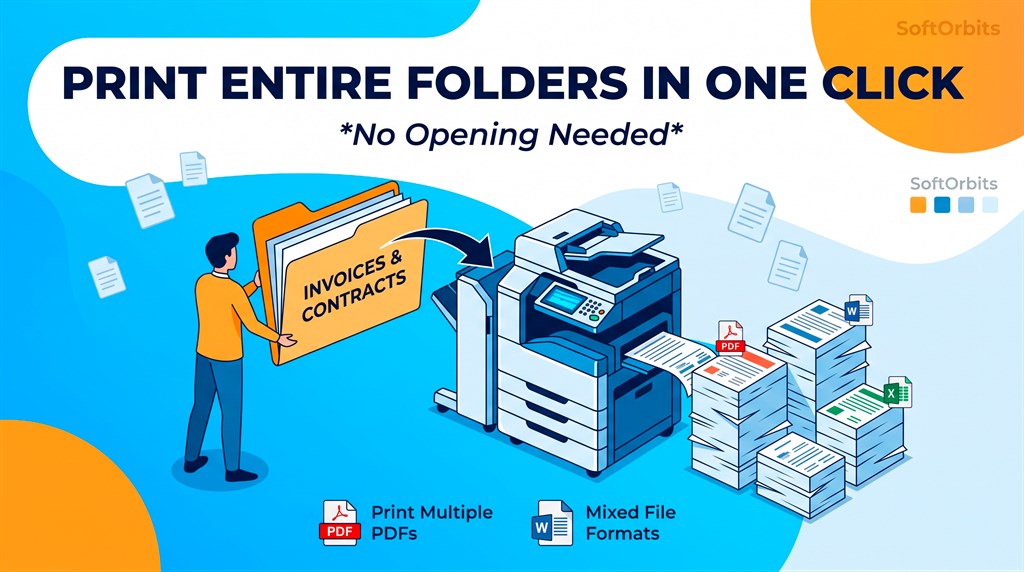
Anyone who has printed a stack of invoices, contracts or court exhibits knows the routine: open a file, press Ctrl+P, close it, open the next one. Repeat that three-step loop three hundred times and an afternoon disappears before the actual work even starts. Windows makes it worse by capping the right-click “Print” option at fifteen files, forcing office staff to select documents in small batches or click through them one at a time. That ceiling has nothing to do with how many invoices actually need to reach paper by the end of the month.
SoftOrbits BatchPrint removes that bottleneck entirely.
What is SoftOrbits BatchPrint
BatchPrint is a Windows desktop application that queues documents for printing and works through that queue automatically, without launching the viewer or editor tied to each file type. You add files individually, drag in a whole folder, or drop a ZIP archive and let the program unpack it into the list. Each row in that list shows the file type, page count and file size, and you can uncheck anything you decide not to print or reorder rows by clicking a column header.
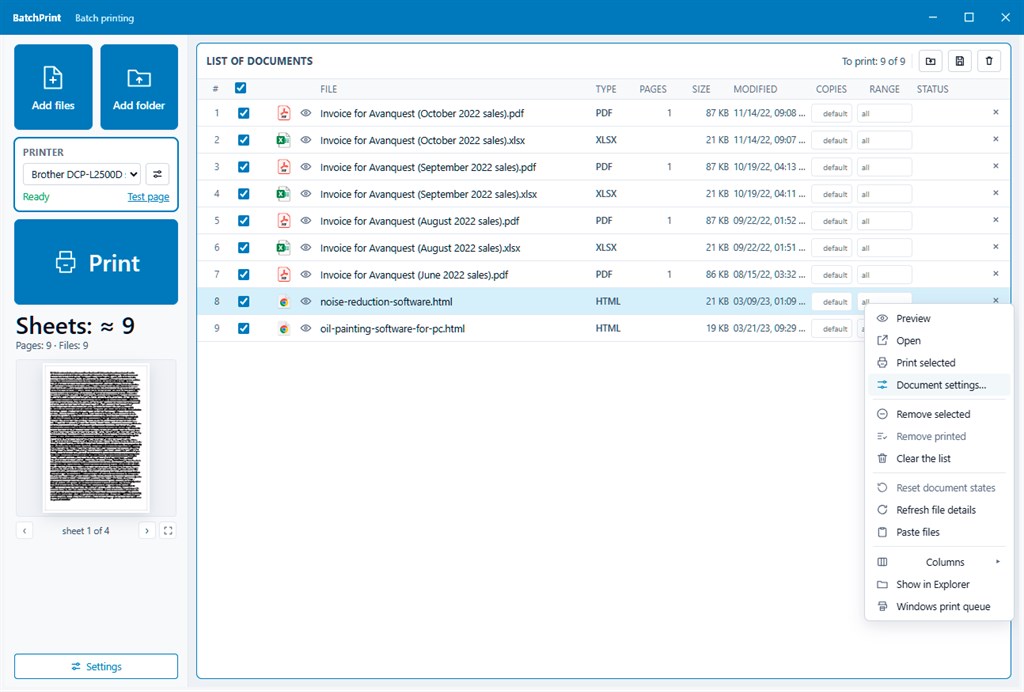
The software recognizes roughly 50 file extensions, spanning PDF, Office documents, images, plain text, web pages, email messages, XPS files and CAD drawings. For Word and Excel files specifically, BatchPrint tries Microsoft Office first if it is installed, falls back to LibreOffice if that is present instead, and finally uses its own built-in reader for DOCX and XLSX when neither program exists on the machine. That third option means a PC with no office suite installed at all can still print a formatted Word contract or an Excel report with merged cells and correct date formatting intact.
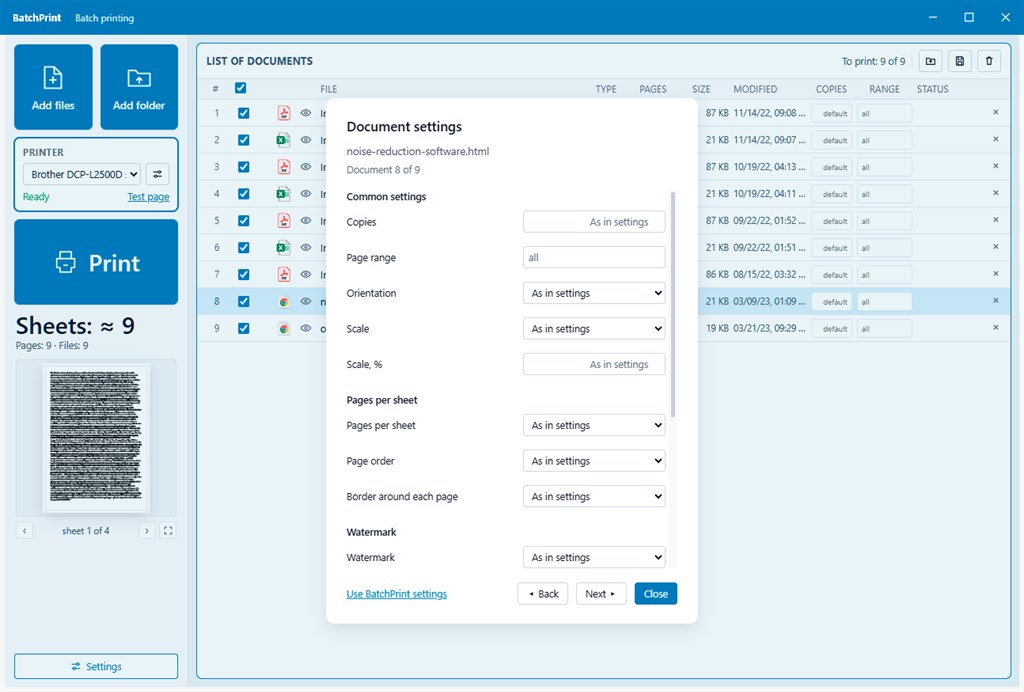
Once the queue is built, you pick the printer, set copies and a page range for the whole batch, and adjust duplex printing, pages per sheet, scaling, color and orientation from a single panel. Any document that needs different settings, say a letterhead invoice needing two copies from a second tray, gets its own values typed directly into its row, overriding the batch default for that file only. Press Print once, and the documents leave in list order while a live counter tracks sheets and pages, dropping the moment you switch on duplex printing or multiple pages per sheet.
Key Benefits
BatchPrint turns a repetitive, error-prone manual task into a single supervised run, and the benefits compound the larger the print job gets.
- Time saved on every run – a folder of two hundred documents takes the same number of clicks as printing one file, so staff spend minutes on a job that used to take an afternoon.
- No Windows file limit – Explorer stops offering the right-click print option past fifteen selected files; BatchPrint has no such ceiling and needs no registry changes to bypass it.
- Works without Microsoft Office – Word and Excel files print correctly even on machines where no office suite is installed, thanks to the program’s own built-in reader.
- Errors don’t halt the queue – a corrupted PDF or a password-protected file gets skipped with a written reason, and every other document in the batch still prints.
- Order is preserved exactly – useful for court exhibits, binder sets or any sequence-sensitive stack where documents cannot be merged into one file.
- Nothing leaves the computer – the whole job runs locally, external links inside HTML or email files are never fetched, and scripts are disabled before rendering.
- Repeatable monthly jobs – a saved list or exported configuration lets a recurring print run, like month-end invoices, start from the same setup every time.
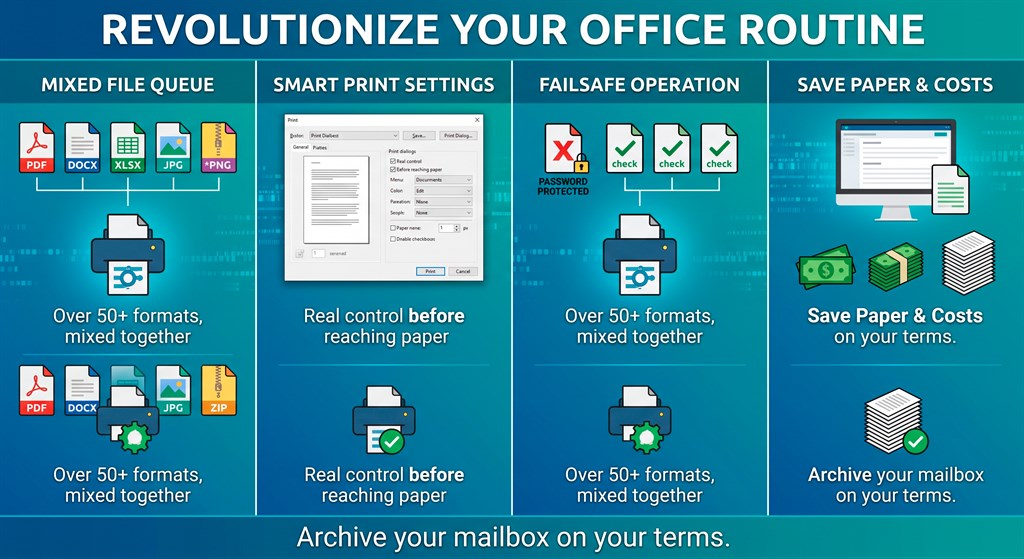
It is a batch print software built for Windows 10 and 11 that takes a folder, a ZIP archive, or a hand-picked list of files and sends every one of them to the printer in the exact order you set, without opening a single application window in between. The program prints multiple PDFs at once, and it does the same for Word documents, Excel spreadsheets, PowerPoint slides, images, emails and more, whether or not Microsoft Office is even installed on the machine. Three separate rendering engines work behind the scenes, so DOCX and XLSX files still come out correctly formatted on a bare Windows PC.
Who benefits from this software? Accounting teams that push a similar pile of invoices and statements to paper every month, law offices that need exhibits printed in a fixed sequence for binders, school administrative staff handling worksheets and class sets, and warehouse desks that print packing lists and delivery notes all day. Anyone whose job includes recurring, high-volume printing gains back the hours that used to disappear into opening and closing files one by one.
Why choose BatchPrint over the built-in Windows print dialog? Because Windows was never designed for volume. It stops counting past fifteen files, offers no per-document settings, and gives no report of what actually made it to paper. BatchPrint answers all three problems: there is no file limit, every row in the list can carry its own copy count, page range and tray, and a completion report names exactly what printed and what was skipped, along with the reason. For an office where a missed page means redoing the whole run, that reporting step alone justifies the switch.
Key Features
Below is a comprehensive list of the key features that make the software a valuable addition to your printing workflow:
- Bulk file and folder import – add individual files, an entire folder, or a ZIP archive whose contents queue up automatically as if they were a folder.
- Drag-and-drop support – files or folders can be dropped straight into the queue window instead of navigating an Add dialog.
- Live file details per row – each queued document displays its file type, page count and file size before printing starts.
- Print multiple PDFs at once – the built-in PDF renderer prints stacks of PDF files without requiring a separate PDF reader on the machine.
- No external PDF viewer needed – pages render through BatchPrint’s own engine, avoiding dependency on Adobe Reader or similar software.
- Office document printing without Microsoft Office – DOCX, XLSX, PPTX and related formats print through three fallback engines in sequence.
- Microsoft Office priority rendering – when Office is installed, BatchPrint uses it first so pagination matches what the author originally saw.
- LibreOffice fallback – if Office is absent but LibreOffice is on the machine, that program handles the rendering instead.
- Built-in DOCX/XLSX reader – with neither suite present, BatchPrint reads the file itself, preserving styles, merged cells, embedded images and date formatting.
- Per-file print settings – copies, page range and printer tray are editable directly in the queue as individual columns.
- Batch defaults with row overrides – an empty cell inherits the setting for the whole batch, while a typed value changes only that one document.
- Two-sided and multi-page printing controls – duplex printing, pages per sheet, scaling and collation are set from one panel for the entire run.
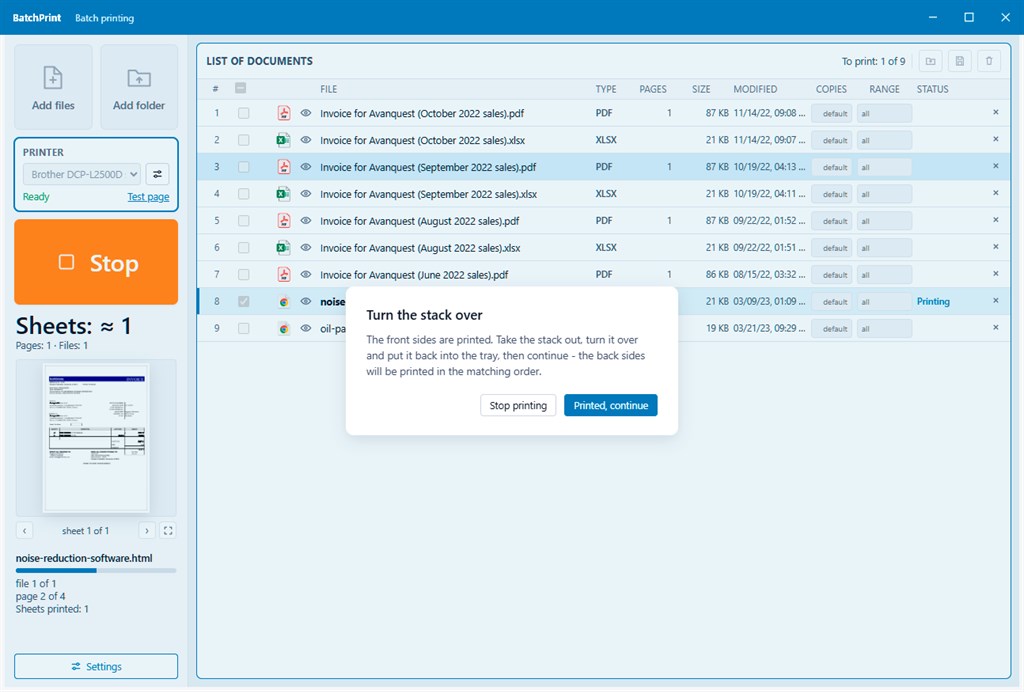
- Fresh sheet per document – each new file automatically starts on the front side of a new sheet, so finished documents never bleed into each other.
- Automatic error handling – a corrupted file, a password-protected document or a missing codec is skipped with a written reason instead of stopping the batch.
- Post-run completion report – a summary lists what printed successfully and what was skipped, along with the specific reason for each skip.
- Live sheet and page counter – a running total in the footer updates in real time as duplex or multi-page-per-sheet settings are toggled.
- Pre-print sheet estimate – the exact paper count is visible before pressing Print, letting staff load the correct amount of paper in advance.
- Reusable print lists and configuration export – a queue can be saved to a file and reopened for the same recurring job next month.
- Shared configuration files – the full setup, including per-file settings, exports and imports so a second person at the same desk can repeat the exact run.
- Broad format support across 50 extensions – PDF, images, Office documents, email, text, web pages, XPS and CAD drawings all queue in the same list.
- Email printing without a mail client – EML and MSG messages print directly, with attachments queuing as separate rows right after their message.
- CSV as a formatted table – spreadsheet-style text files print with the header row repeated on every page and character encoding auto-detected.
- Local-only processing – the entire print job runs on the user’s machine with no data sent anywhere.
- External content blocked – linked images inside HTML or email files are never fetched, and embedded scripts are disabled before rendering.
- Multilingual interface – the program’s interface is available in 20 languages and switches in place without reinstalling.
Requirements
Before installing, confirm the target machine meets these minimum system requirements:
- Windows 11, 10, 8.1, 8 or 7 (32-bit or 64-bit)
- Intel i3 or AMD Ryzen 5 processor or above
- 4 GB of RAM or above
- NVIDIA GeForce series 8/8M, Intel HD Graphics 2000, Quadro FX 4800/5600, AMD Radeon R600, Mobility Radeon HD 4330, Mobility FirePro series, Radeon R5 M230, or a comparable graphics card with up-to-date drivers
- 1280 x 768 screen resolution, 32-bit color
- 1 GB of free hard disk space or above
Downloads
See how BatchPrint handles your own files before spending anything on a license. Get the free trial edition to test the software on your printer, your documents and your workflow by clicking the button below.
The trial version prints up to 10 files per run and appends one extra report page at the end of every batch. Nothing is stamped on the documents themselves, no watermark and no banner across any page, so every setting including duplex, pages per sheet and margins can be checked against your actual printer before deciding. A license simply lifts the 10-file limit and removes the report page.
or
Buy now, the price start from:
Thank you for reading SoftOrbits BatchPrint review, and enjoy the discount coupon. If you notice any issues with the SoftOrbits BatchPrint discount coupon, deal, or giveaway—such as an expired offer, broken link, or sold‑out promotion—please let us know while the deal is still available.