
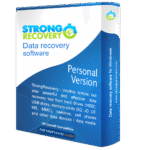
Giveaway – StrongRecovery: Free 1-year License | Data Recovery Software with Read-only Scanning – for Windows

Get Your Lost Files Back Today – Risk-Free and In Minutes. Get a full version of StrongRecovery with a 1-year license for free in The Software Shop Giveaway!
Free Full Version!
BUY NOW
StrongRecovery normally costs $44.50 for a personal license. For a limited time, you can get the full version with a one-year personal license for free through the Giveaway tab below.

MiniTool Power Data Recovery BEST SELLER
Do Your Data Recovery Professional BEST SELLER
iTop Data Recovery Pro BEST OFFER

Wise Data Recovery Pro: 1-Year License, 1 PCs BEST OFFER
AOMEI FastRecovery Professional GIVEAWAY
AOMEI MyRecover Professional: Lifetime License BEST OFFER

Hasleo Data Recovery Professional EXCLUSIVE

Erelive Data Recovery BEST OFFER
Coolmuster Data Recovery GIVEAWAY
Coolmuster iPhone Data Recovery BEST SELLER

AOMEI Backupper 8 Professional: Lifetime Upgrades BEST SELLER

Genie Timeline Professional 10 BEST SELLER

Genie Backup Manager Pro 9.0 BEST SELLER

Guardian Of Data Professional BEST OFFER

O&O DiskImage Professional Edition: 5-PC License (Perpetual) BEST SELLER
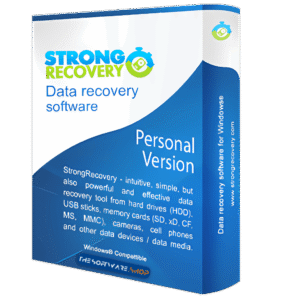
StrongRecovery Giveaway
Available now: Free License Key for a Limited Time!
To access the giveaway, kindly provide your email address. Please refrain from closing this page after signing in to receive instructions on how to access the offer at no cost.

NOTES:
– All prices shown here are in listed USD (United States Dollar).
– Such promotional programs are subject to change without notice, from time to time in our sole discretion.
– Data may vary based on different systems or computers.
StrongRecovery Review at a Glance
Losing files never happens at a convenient moment. A drive suddenly shows up as RAW, a memory card gets formatted by accident before the photos are backed up, or a folder full of client work disappears after a system reinstall. The panic that follows usually leads to two bad decisions: trying random recovery tools that write to the damaged drive, or immediately paying a data recovery lab several hundred dollars for a job that a good piece of software could have solved in twenty minutes. StrongRecovery was built specifically to close that gap between panic and an expensive lab bill.
What is StrongRecovery
StrongRecovery is intuitive data recovery software designed for HDD and SSD drives, memory cards and USB flash drives, letting users recover lost files on their own — quickly and without any technical expertise. The program is built around a read-only scanning engine, meaning it never writes a single byte to the source drive while searching for recoverable data. That single guarantee is the foundation of the entire product: your data stays exactly as it was found, and the decision about what to save, and where to save it, remains entirely in your hands.
Instead of asking users to trust a black box, StrongRecovery shows a clear three-step process — select the device, review the results with visual previews, and recover only the files that are actually needed, saved to a separate drive. This transparency is paired with deep technical capability under the hood: support for Advanced Format 4Kn drives, a Skip x2 algorithm for bypassing damaged sectors, and dedicated analysis engines for photos, video, documents, and even source code. StrongRecovery has also earned Trusted Company certification from the Customer Opinion Research Center (CBOK) in 2016, 2018 (Elite category), 2019 and 2020, reflecting a consistent track record of customer satisfaction and ethical business practice.
Key Benefits
Choosing the right recovery tool affects both how much data comes back and how safe the rest of your drive stays during the process. The benefits below explain why StrongRecovery is built to protect your files first and recover them second.
- Zero risk to your original data – Read-only scanning means the source drive is never modified, so there is nothing to lose by trying.
- No need to format or reinstall anything – Formatting a problem drive rarely helps and often destroys recoverable data; StrongRecovery works around the issue instead.
- Works on RAW and unrecognized drives – Deep Scan rebuilds file structure on partitions Windows reports as unformatted or missing.
- Saves money before you call a lab – Many “hopeless” cases turn out to be logical issues that software alone resolves for free.
- Correct results on modern hardware – Native 4Kn sector support avoids the invalid recovery results common with older tools on server and NAS drives.
- Faster access to what matters – Deleted files are frequently available within the first few minutes, without waiting for a full scan to complete.
- Confidence before committing – Thumbnail and video previews let you confirm file quality before spending time or storage recovering the wrong data.
- Preserved organization – Folder structure and original file names are reconstructed wherever possible, cutting down hours of manual sorting.
StrongRecovery is a data recovery application for HDD and SSD drives, memory cards and USB flash drives that focuses on one uncompromising principle: it never writes a single byte to the drive being scanned. Every operation — device detection, scanning, thumbnail preview, browsing results — happens in strict read-only mode, which means the source drive stays exactly as it was found. Recovered files are only ever saved to a separate destination drive, which protects the original data from being overwritten during the recovery attempt itself. This single design choice is what separates StrongRecovery from a large number of free alternatives that quietly increase the risk of permanent data loss the moment you run them.
The software is built around real-world scenarios that ordinary users, photographers, videographers and small business owners run into constantly. Accidentally deleted a file, emptied the Recycle Bin, or used Shift+Delete? StrongRecovery typically finds those files instantly, often without needing a full scan at all. A partition that has disappeared or a disk reporting “the disk is not formatted”? The Deep Scan engine rebuilds the underlying file structure and pulls data back from RAW-marked drives without any need to format first — a step that, contrary to popular advice, almost never helps and frequently makes the situation worse. Photographers and drone operators working with CR2, NEF, DNG, ARW, ORF, RAF, RW2 and other RAW formats get thumbnail previews before recovery, so they know precisely what they are getting back instead of guessing. Video professionals working with MP4, MKV, MTS, FLV, INSV and TS files can preview footage quality using a Lanczos-filtered thumbnail engine before spending time or disk space recovering the wrong take.
What makes StrongRecovery particularly useful for a wider professional audience is its ability to analyze and restore text and source code files in ASCII, UTF-8 and UNICODE encodings. Developers who lose scripts, configuration files or entire programming projects can recover them with folder structure and file names intact — a capability that is rare among consumer-grade recovery tools. Combined with support for over 200 file formats spanning documents, photos, RAW camera files, video, audio, and archives, the software covers nearly every category of file an average user or small studio is likely to lose.
Who benefits most from StrongRecovery?
Photographers and videographers who need to recover shoots from SD cards or external drives without damaging the originals. Freelancers and agency owners who lose client files after a formatting mistake or failed system upgrade. Developers and IT professionals who need source code and configuration files back with structure preserved. Everyday users who deleted something important and want a safe, guided way to get it back without paying for a lab visit they may not actually need. Anyone managing modern 4Kn Advanced Format drives, NAS devices, or server storage will also find that StrongRecovery handles sector sizes correctly where many free tools fail outright.
Why choose StrongRecovery over the alternatives?
Beyond the read-only safety guarantee, the software includes engineering details that competing tools, including Recuva, simply do not offer: native support for 4096-byte sector drives, a proprietary bad-sector bypass algorithm, intelligent metadata-based file naming, and full reconstruction of FAT, NTFS and exFAT folder structures. The result is a tool that recovers more files, names them correctly, and does it without gambling with the only copy of your data that might still exist.
Key Features
Below is a comprehensive list of the key features that make the software a valuable addition to your data protection toolkit:
- Safe Read-Only Mode – Scanning never writes to the source drive, keeping your data completely untouched during recovery.
- Data Protection Lock – Actively prevents any write operation to the drive being recovered from.
- Install-Elsewhere Guidance – The program warns against installing on the source drive to avoid accidental overwrites.
- Deep Scan Engine – Rebuilds file structure on RAW disks and lost partitions without requiring a format.
- Partition Reconstruction – Restores directory trees on drives Windows reports as unformatted.
- Signature-Based Detection – Identifies files sector by sector using binary signatures when the file system itself is damaged.
- RAW Photo Recovery – Supports CR2, NEF, DNG, ARW, ORF, RAF, RW2 and many other camera RAW formats.
- Thumbnail Preview – Shows a visual preview of each RAW file before recovery so you know exactly what you’re restoring.
- Broad Camera Compatibility – Covers formats from major camera and drone manufacturers in a single scan.
- Video File Recovery – Recovers MP4, MKV, MTS, FLV, INSV and TS video files from cameras, drones and recorders.
- Lanczos Filter Preview – Generates a high-quality video thumbnail so footage quality can be checked before recovery.
- No-Risk Verification – Confirms a recording is intact without spending time recovering damaged or empty clips.
- Source Code and Text File Analysis – Recovers ASCII, UTF-8 and UNICODE text files, scripts and configuration files.
- Project Structure Preservation – Keeps folder hierarchy intact for programming projects and multi-file scripts.
- Developer-Friendly Output – Restores readable code files rather than generic unusable binary fragments.
- 4Kn Advanced Format Support – Correctly handles native 4096-byte sector drives used in modern NAS and server hardware.
- Accurate Sector Reading – Avoids the invalid results that occur when tools wrongly assume 512-byte sectors.
- Server and NAS Compatibility – Extends reliable recovery to enterprise-grade storage, not just consumer drives.
- Skip x2 Bad Sector Algorithm – Automatically detects and bypasses damaged disk areas during scanning.
- Uninterrupted Scanning – Keeps the scan running past bad sectors instead of stopping the entire process.
- Maximized File Recovery – Pulls back the highest possible number of files even from heavily damaged media.
- Intelligent File Naming – Reads metadata to assign meaningful names instead of generic labels like FILE0001.JPG.
- EXIF-Based Photo Naming – Uses camera model and date data to name recovered photos.
- ID3 and PDF Metadata Support – Applies music tag and document metadata to name audio and PDF files accurately.
- Comprehensive File System Support – Full compatibility with NTFS, FAT32, FAT16, FAT12 and exFAT.
- Folder Structure Rebuilding – Reconstructs directory trees so files appear where you expect them.
- Original Name Preservation – Restores files under their original names whenever the file system allows it.
- Wide Format Coverage – Supports over 200 file formats across documents, photos, video, audio and archives.
- Document Recovery – Covers Word, Excel and PDF files alongside general office formats.
- Archive Recovery – Restores ZIP and RAR archive files along with their contents where possible.
Requirements
- Windows 7, 8, 8.1, 10 or 11 (32-bit or 64-bit)
- Minimum 1 GB RAM (2 GB or more recommended for large drives)
- At least 100 MB of free disk space for installation
- A separate destination drive with enough free space to store recovered files
- USB port or card reader for memory cards and flash drives
- Administrator rights for installation and device access
Downloads
Explore how StrongRecovery performs on your own device before spending anything. Download the free edition below to scan your drive, browse recovered files with full thumbnail preview, and confirm exactly what can be restored. The free version recovers up to 50 files or 5 GB, with no hidden fees and no obligation to buy.
or
Buy now, the price start from:
Thank you for reading StrongRecovery review, and enjoy the discount coupon. If you notice any issues with StrongRecovery discount coupon, deal, or giveaway—such as an expired offer, broken link, or sold‑out promotion—please let us know while the deal is still available.




![[NEW KEY #12] Giveaway – Magic Data Recovery Pro: Free License Key | Data Recovery & File Recovery – for Windows](https://thesoftware.shop/wp-content/uploads/thumbs_dir/Magic-Data-Recovery-Pro-REview-Download-License-Key-Giveaway-Boxhsot-rfosnoibytn1jfzcjbl4fbn3n5r41mioe2d56twrdk.png)

